
Community listing page, reviews may not be monitored by the author.


Community voices
Reviews
No reviews yet. Be the first to review this project!
Get it on
Available Platforms
Compatibility
Supported Environments
Must be installed on both the client and the server.
About
Project Details
For authors
Embed Badge
If you're the author of this project, you can embed a live badge anywhere that supports HTML or Markdown. It updates automatically whenever ratings change.
Use HTML for any page that supports it, or Markdown for README files and Markdown-based descriptions.
Identifiers
Platform IDs
Resources
External Links
About
Description
MapCanvas
Display images and animated GIFs on maps in item frames directly from a URL.
MapCanvas lets you turn any image or GIF from the internet into a Minecraft map display. Whether you want a single map or a massive multi-frame mural, MapCanvas handles it all with one simple command.
Features
- Image support — display any image from a URL on a grid of item frames
- Animated GIF support — full animation with per-frame timing, optimized for performance
- Poster map system — place and collect entire grids with a single item
- Dithering - optional dithering mode that smooths out colors and gradients to work within Minecraft's limited color palette
- Named image library — save, reload, and give images by name
- Economy system — costs empty maps to create canvases (free in creative mode)
- Convert — turn individual maps into a single poster map item
How It Works
Poster Mode
Run /canvas add poster 3 3 <url> and you'll get 1 poster map item. Right click any corner of a 3x3 item frame grid and it auto-fills every frame instantly. Punch any map in the grid to collect them all back into 1 item — frames stay intact.
Single Mode
Run /canvas add single 3 3 <url> and you'll get individual map items, one per grid cell. Place them manually or use /canvas convert <name> to combine them into a poster map later.
HD Mode
Add -hd to any subcommand (e.g. /canvas add poster-hd) to enable dithering. This works best for photos, illustrations, and images with smooth gradients. For text, logos, or pixel art the regular mode is recommended.
GIF Support
Just paste a .gif URL — MapCanvas automatically detects it and processes it as an animated poster. Animations play at up to 10fps and only update for players within 32 blocks, keeping performance smooth.
Commands
| Command | Description |
|---|---|
/canvas add single <w> <h> <url> |
Gives individual maps for a WxH grid |
/canvas add single-hd <w> <h> <url> |
Gives individual maps for a WxH grid with dithering enabled |
/canvas add poster <w> <h> <url> |
Gives 1 poster map that auto-fills a WxH grid |
/canvas add poster-hd <w> <h> <url> |
Gives 1 poster map that auto-fills a WxH grid with dithering enabled |
/canvas name <n> |
Saves the last created image |
/canvas list |
Lists your saved images |
/canvas reload <n> |
Re-downloads image data |
/canvas convert <n> |
Converts individual maps into 1 poster map |
/canvas delete <n> |
Deletes a saved image |
/canvas help |
Shows all commands in-game |
/canvas cost enable |
Enables cost of maps (requires op) |
/canvas cost disable |
Disables cost of maps (requires op) |
Cost
Creating a canvas costs empty maps equal to the grid size (W × H). Players in creative mode are not charged. Maps are refunded if the download fails.
Requirements
- Minecraft 1.21.1
- Fabric Loader
- Fabric API
Required on both client and server.
Performance: Running many animated GIFs simultaneously on a server can cause lag, especially with large grids. It is recommended to keep the number of active animated posters reasonable.
Note: This project was made with the help of AI. I wasn't aware of Image2Map when making this mod credit to them for the original concept. MapCanvas expands on the idea with animated GIF support.
Screenshots
Gallery
-
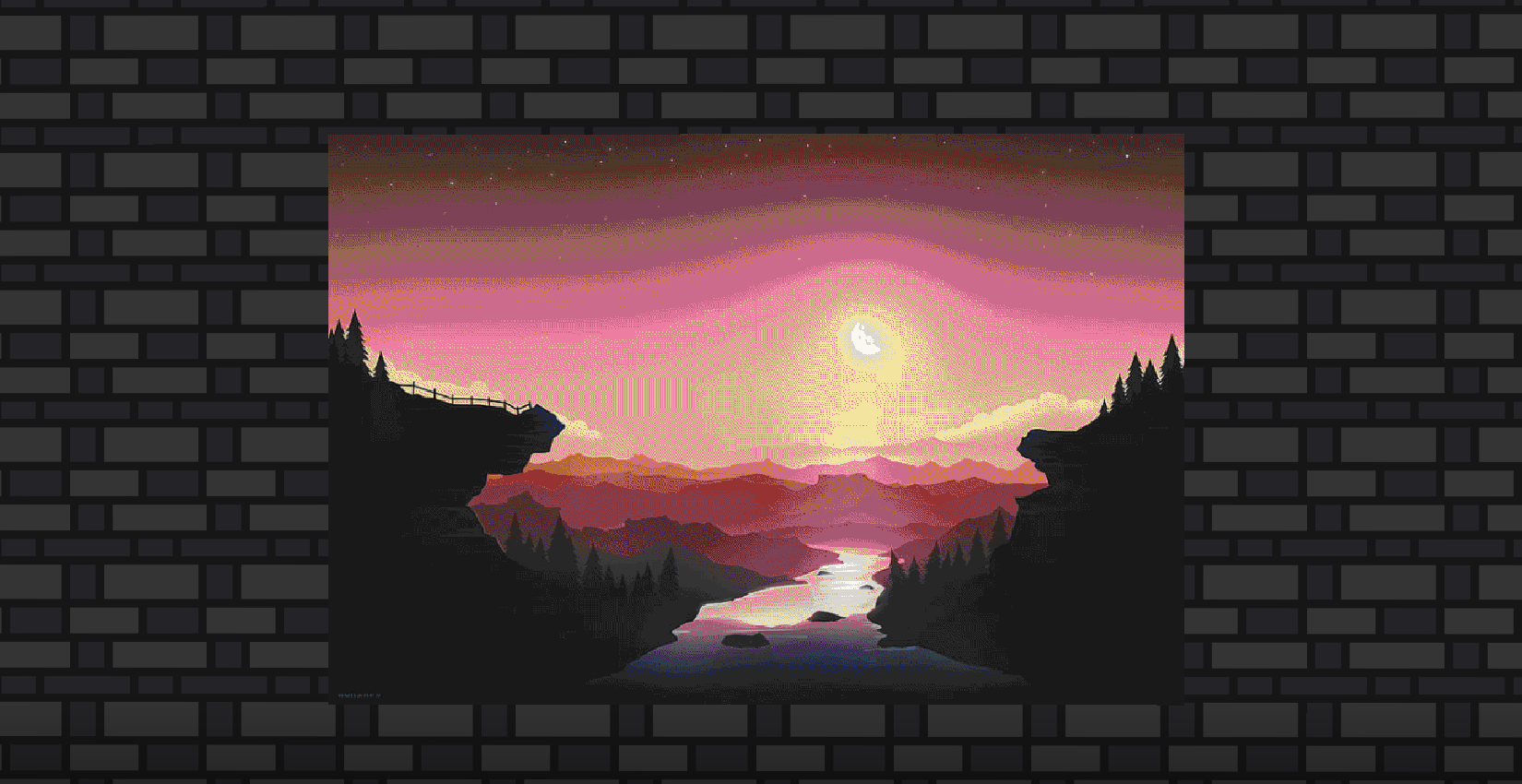 With Dithering
 -
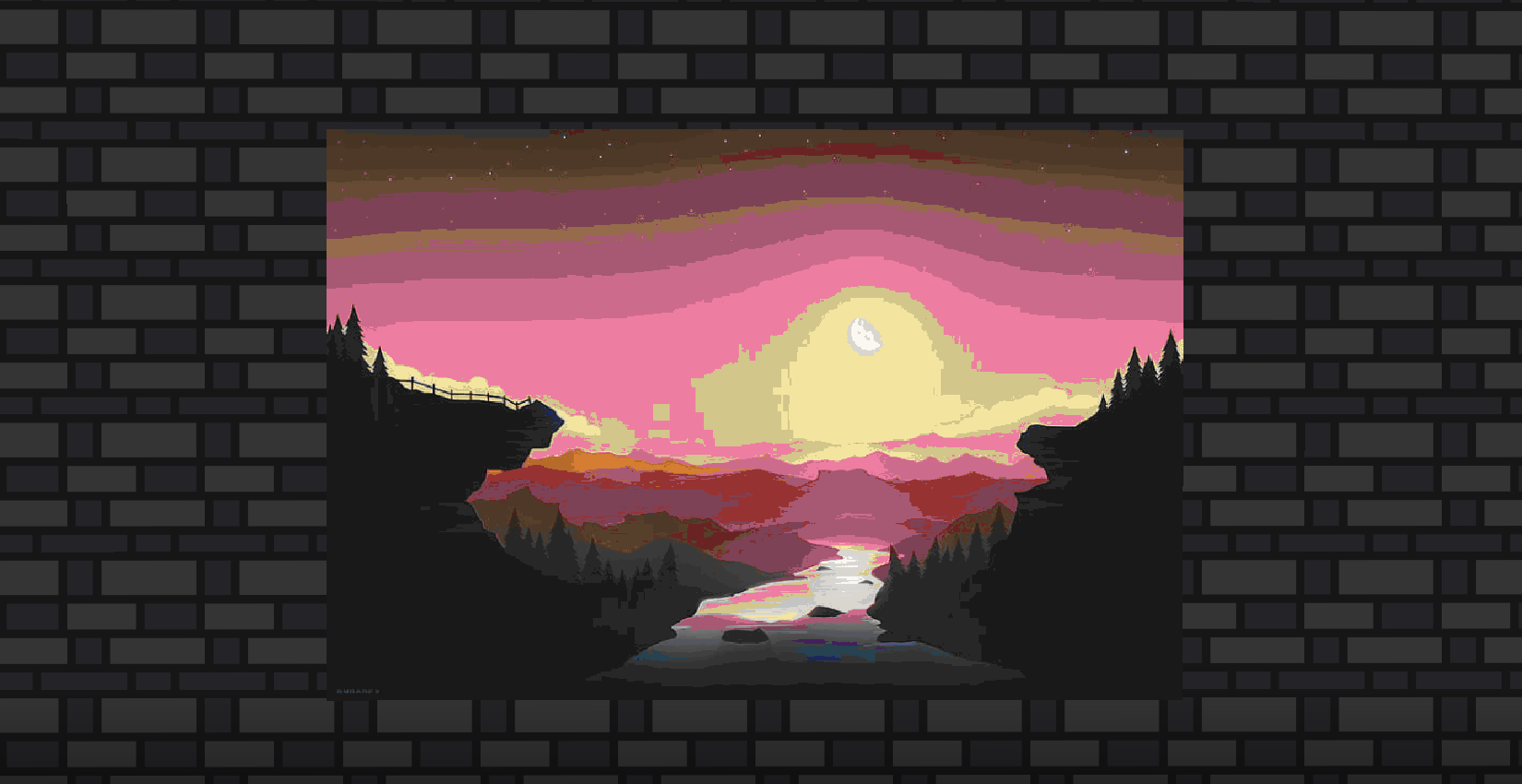 Without Dithering
Versions
Files
Relations
Project Relations
More like this
Similar Mods
Suggestions use data such as tags, dependencies, dependents, descriptions, titles, and more to rank how much they overlap with this mod.
On ModDex
Community snapshot
By the numbers
Statistics


Get it on
Available Platforms
On ModDex
Community snapshot
By the numbers
Statistics
Resources