Community listing page, reviews here may not be monitored by the author.
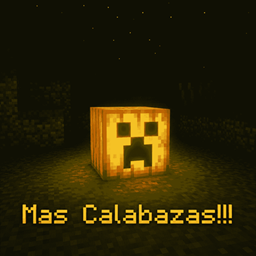
More Pumpkins!!!

No reviews yet
🎃 New carved pumpkins with unique designs, illuminated by different torches for varied styles and light colors. / 🎃 Nuevas calabazas talladas con diseños únicos, iluminadas con diferentes antorchas para ofrecer distintos estilos y colores de luz.
Community voices
Reviews
No reviews yet. Be the first to review this project!
Get it on
Available Platforms
About
Project Details
For authors
Embed Badge
If you're the author of this project, you can embed a live badge anywhere that supports HTML or Markdown. It updates automatically whenever ratings change.
Use HTML for any page that supports it, or Markdown for README files and Markdown-based descriptions.
Identifiers
Platform IDs
Resources
External Links
About
Description
🎃 New Carved Pumpkins
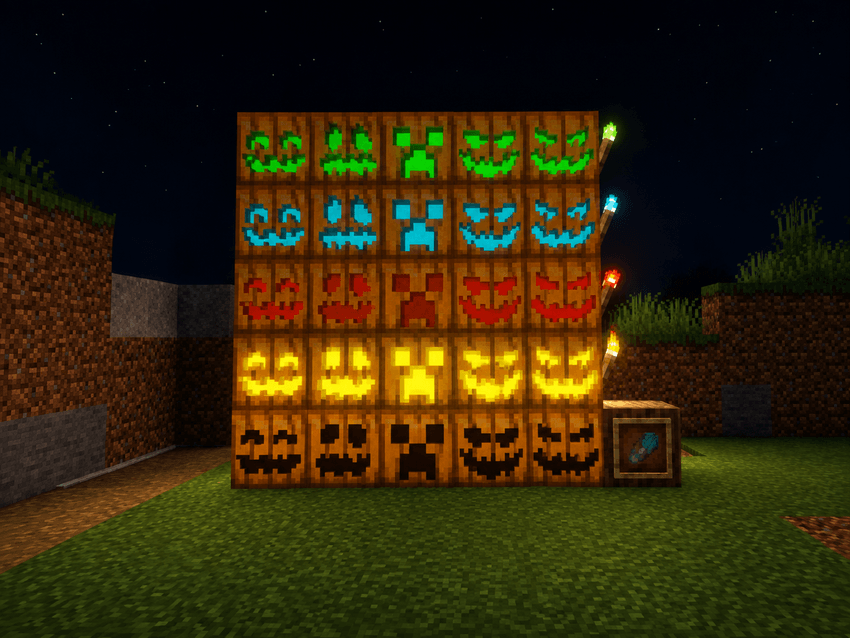
This mod expands Minecraft's decorative possibilities by adding 5 different carved pumpkin styles. Each of these styles also has 5 lighting variants, allowing for a wide variety of combinations to decorate your builds.
Each pumpkin style can be found in the following states:
- Unlit pumpkin
- Pumpkin lit with a torch
- Pumpkin lit with a redstone torch
- Pumpkin lit with a soul torch
- Pumpkin lit with a copper torch
This means there are 5 different pumpkin styles and 5 variants for each style, creating a total of 25 carved pumpkin variants.
🔥 How to Light a Pumpkin?
Turning an unlit carved pumpkin into an illuminated pumpkin is very simple. There are two different ways to do it.
The first is by using a crafting table. Simply combine 1 carved pumpkin with 1 torch of the type you want to use. Depending on the torch used, you will obtain the corresponding illuminated variant of the pumpkin.
The second method is much faster and more convenient. You can right-click directly on a carved pumpkin while using a torch. When you do this, the pumpkin will automatically change to its corresponding illuminated version. This works with the different types of torches available in the mod.
✂️ Changing the Pumpkin Style
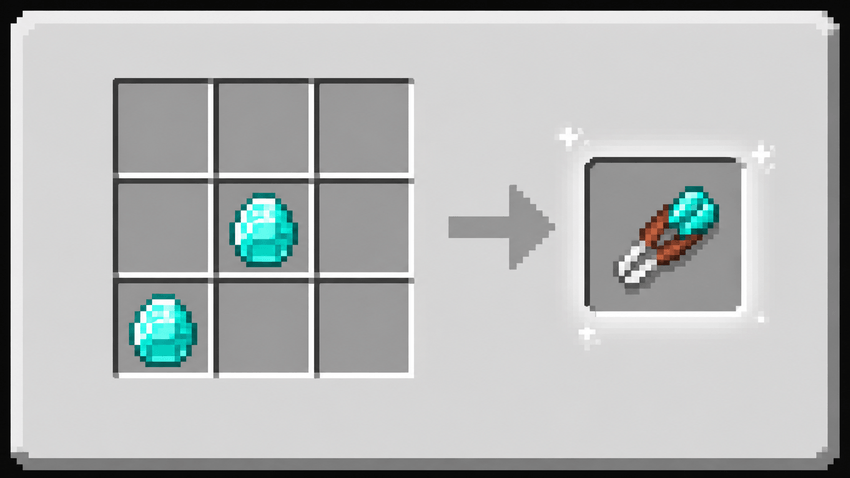
In addition to the lighting variants, the mod introduces a new tool called the Diamond Shears. This tool allows you to easily switch between the 5 different carved pumpkin styles.
To use it, simply hold the Diamond Shears in your hand and right-click on a vanilla pumpkin. When you interact with it, the pumpkin will change to the next available style. This allows you to change the pumpkin's design without having to break and replace it.
The Diamond Shears also make it easy to work with the different variants, making it much easier to choose the style that best fits your build.
🚧 Beta Version
The mod is currently in Beta, meaning it is still under development. Some mechanics, designs, or features may change in future updates as the project continues to evolve.
This version is only the beginning. We plan to add many more things in the future, including new styles, more variants, new lighting options, and other features that will allow pumpkins to be used in many more ways.
This is just the beginning of the mod! 🎃🔥
Screenshots
Gallery
-
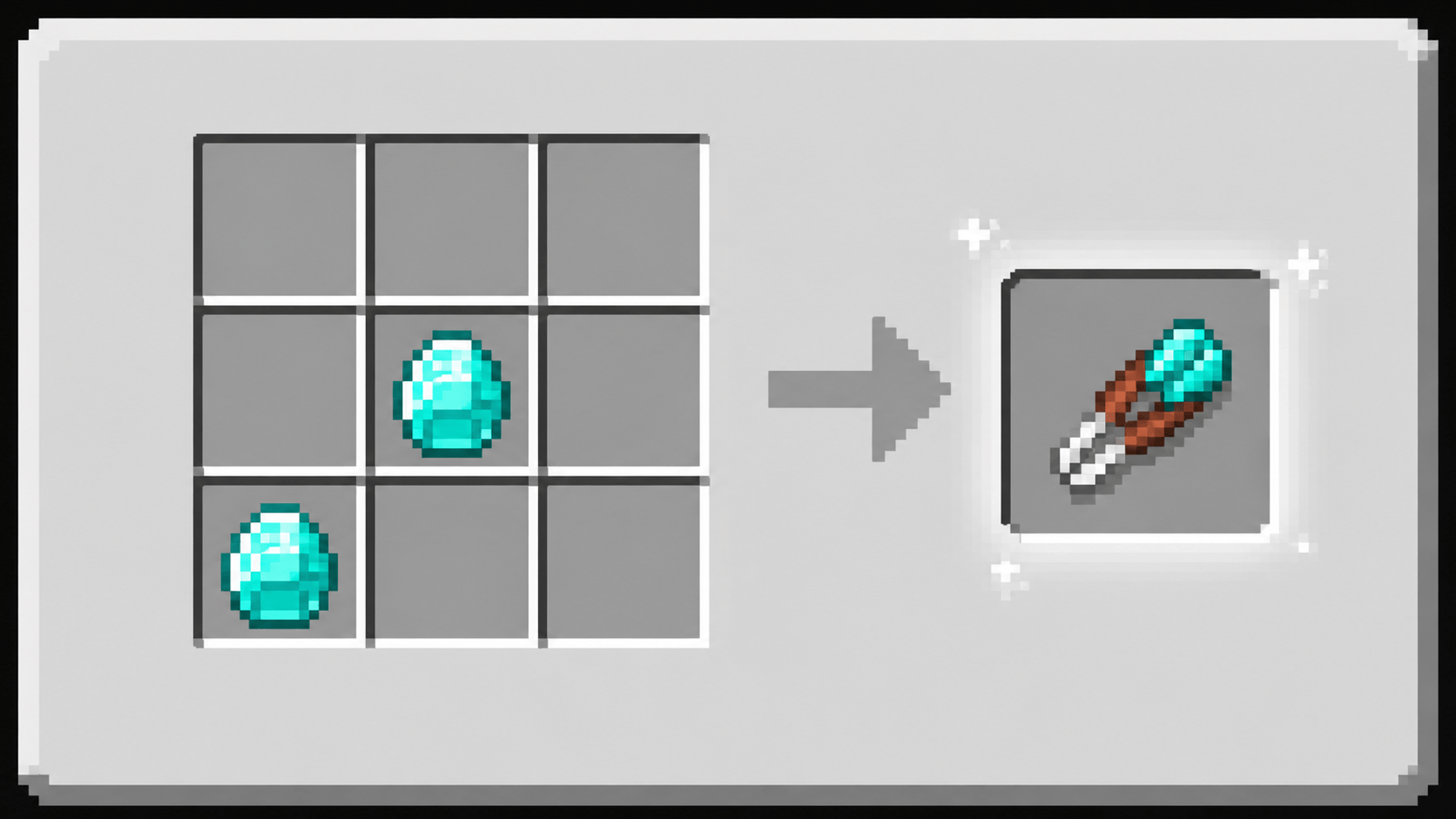 Crafteo Tijeras De Diamante Crafteo Tijeras De Diamante
 -
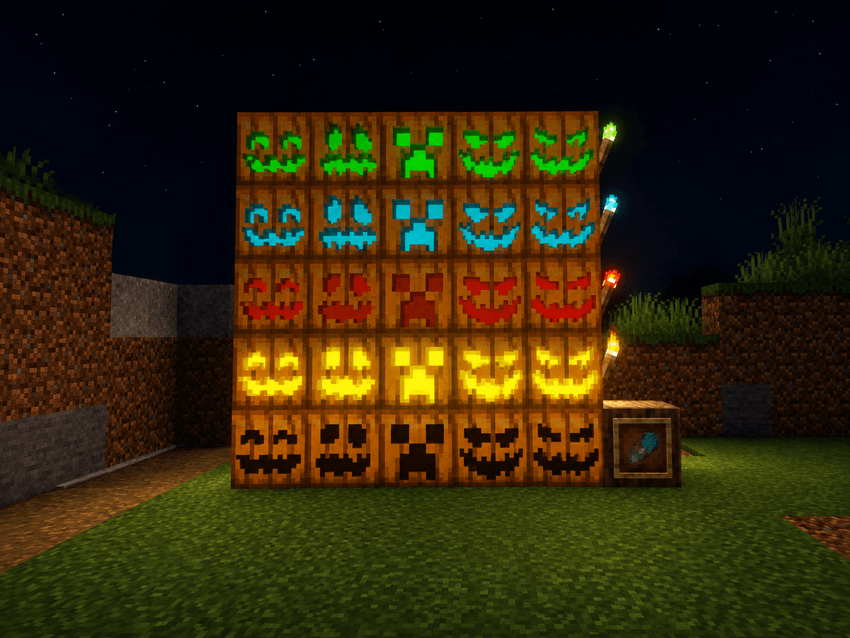 calabazas talladas calabazas talladas
Versions
Files
Relations
Project Relations
More like this
Similar Mods
Suggestions use data such as tags, dependencies, dependents, descriptions, titles, and more to rank how much they overlap with this mod.
On ModDex
Community snapshot
By the numbers
Statistics
Want to reach Minecraft players?
We're looking for a server hosting partner to feature here and other parts of the site. Interested? Send us a message!
Get in touchGet it on
Available Platforms
On ModDex
Community snapshot
By the numbers
Statistics
Resources