
Community listing page, reviews here may not be monitored by the author.
MBL Utils

No reviews yet
Utilities for Minecraft Baseball League
Community voices
Reviews
No reviews yet. Be the first to review this project!
Get it on
Available Platforms
Compatibility
Supported Environments
Runs entirely on the client. Works on vanilla servers.
About
Project Details
For authors
Embed Badge
If you're the author of this project, you can embed a live badge anywhere that supports HTML or Markdown. It updates automatically whenever ratings change.
Use HTML for any page that supports it, or Markdown for README files and Markdown-based descriptions.
Identifiers
Platform IDs
Resources
External Links
About
Description
MBL Utils is a feature-rich client mod for the MBL Minecraft Baseball server, which greatly enhances ball rendering, fan customization, and cosmetics, while improving the overall experience of playing on the server. It integrates seamlessly with your existing mod setup without changing anything outside of the MBL experience.
⚾ Features
MBL Utils brings a range of improvements exclusively designed for the MBL server experience:
Improved Ball Rendering — Balls are rendered with greater accuracy and smoothness, making it easier to track pitches and hits in real time.
Fan Customization — Personalize your appearance in the stands with a wide range of fan options, from team colors to crowd accessories.
Better Cosmetics — Show off your style on the field and in the dugout with an expanded set of cosmetic options tied to your MBL profile.
🎮 Getting Started
Once the mod is installed, simply join the MBL server and everything will activate automatically. No complicated setup is required — MBL Utils detects the server environment and enables its features on its own.
If you want to personalize your experience, open the MBL Utils menu from your in-game settings to browse fan customization and cosmetic options. Changes are saved to your profile and will carry over between sessions.
📦 Installation
We recommend using Fabric Loader for the simplest and most tested experience. Once your mod loader is installed, drop MBL Utils into your mods folder like any other mod. If you are playing on MBL the launcher provides this mod as well as others in a pre-packaged binary. Refer to https://minecraftbaseball.com for install instructions for that method.
🐛 Reporting Bugs
Found something broken? Please open a report in our discord and include the version of MBL Utils you are running, a list of your other installed mods, and any relevant crash logs or screenshots. Reports without this information may be difficult to investigate.
Screenshots
Gallery
-
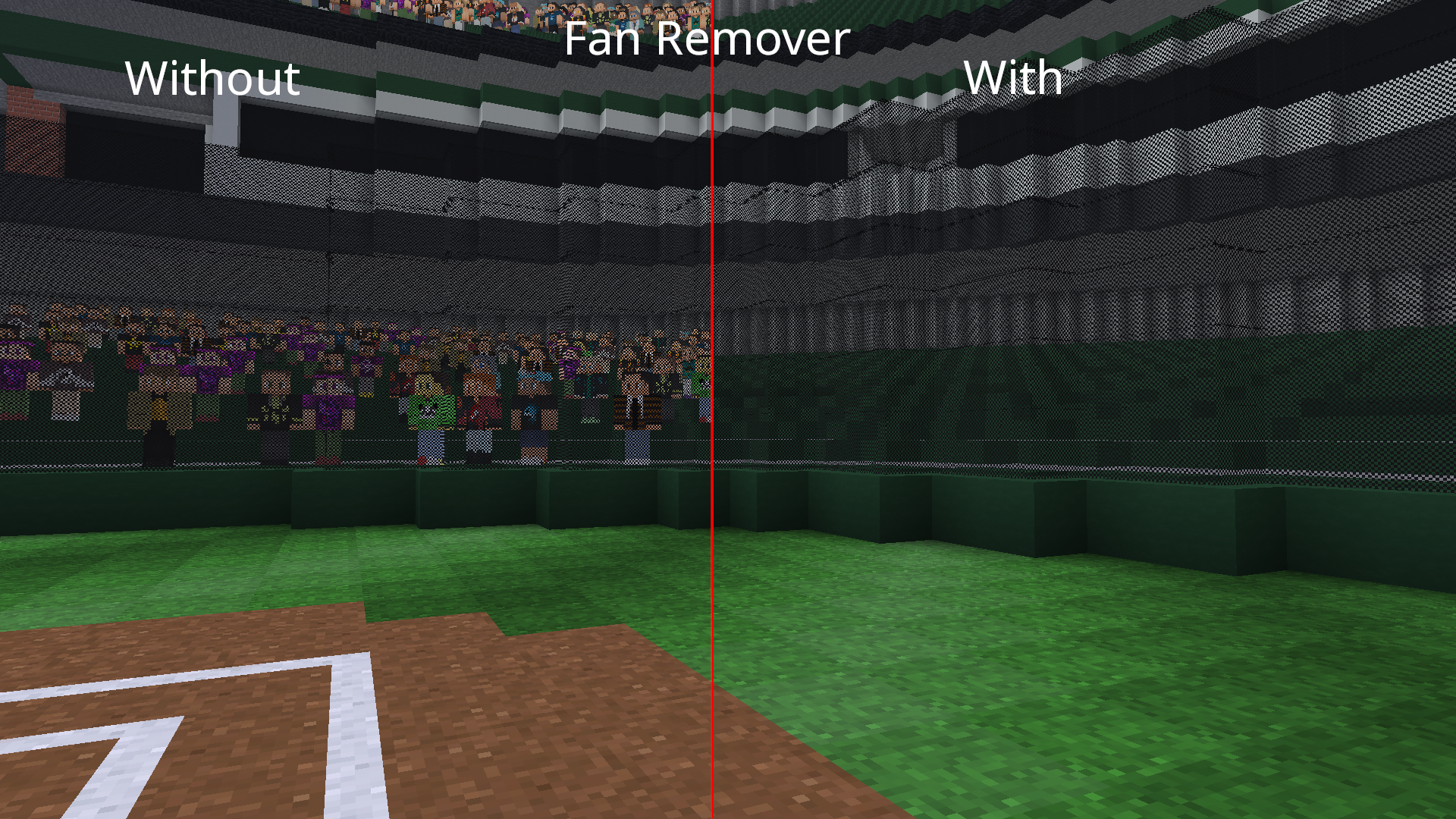 Fan Remover Feature Shows the fan remover feature with the fans in a field shown on the left and the same field without fans on the right due to the fan remover
 -
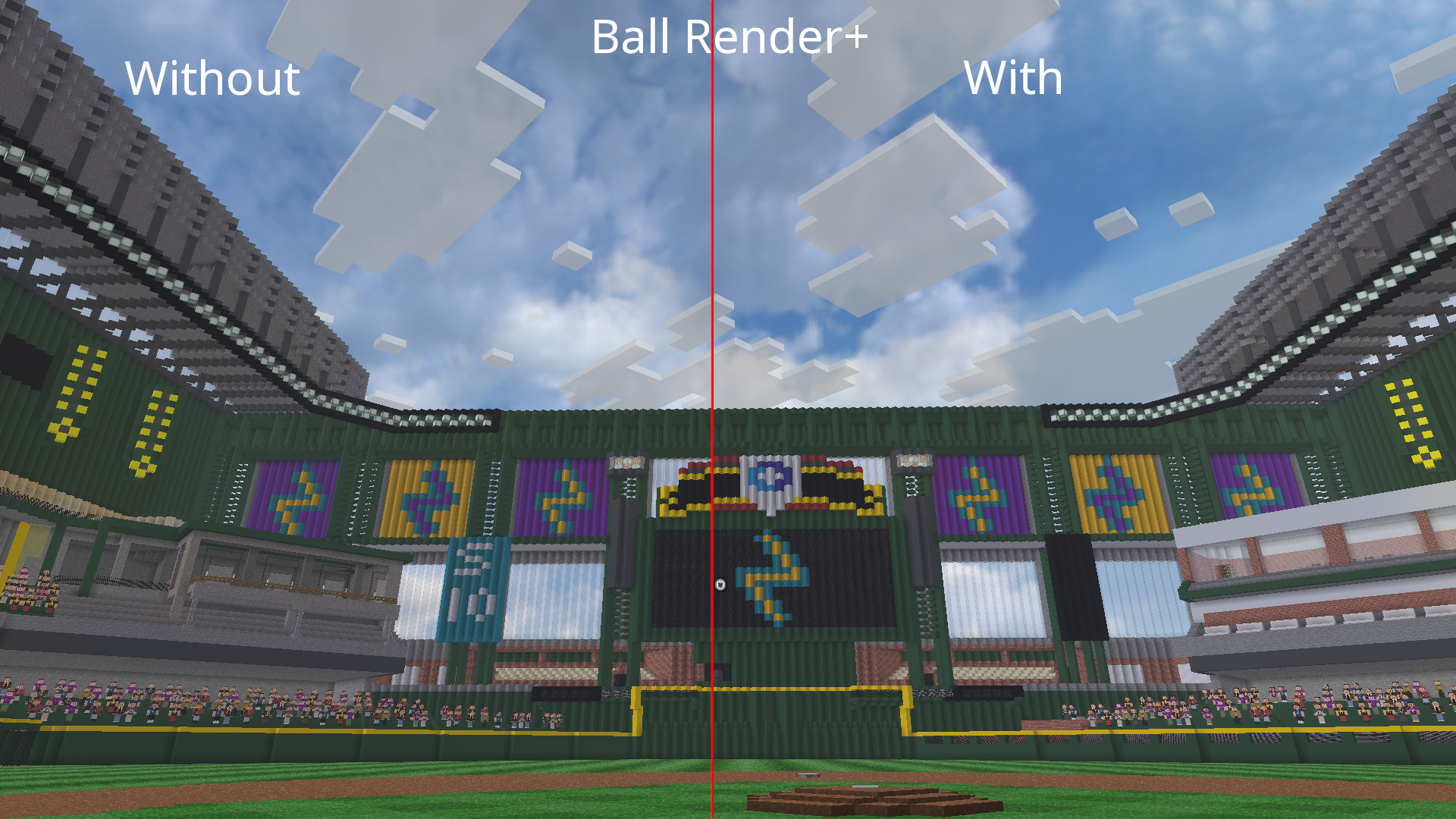 Ball Render+ A comparison of ball rendering in vanilla (doesn't show at far distances) vs MBL Utils (shows at maximum possible distance)
Versions
Files
Relations
Project Relations
More like this
Similar Mods
Suggestions use data such as tags, dependencies, dependents, descriptions, titles, and more to rank how much they overlap with this mod.
On ModDex
Community snapshot
By the numbers
Statistics

Want to reach Minecraft players?
We're looking for a server hosting partner to feature here and other parts of the site. Interested? Send us a message!
Get in touchGet it on
Available Platforms
On ModDex
Community snapshot
By the numbers
Statistics
Resources