
MC Game of Life Sim
This is a port of Conway's Game of life into Minecraft! You can spawn a grid and interact to change the cell states, and then simulate to see what happens!
No ratings yet
Be the first to rate it.
Community listing page
Community listing page, reviews may not be monitored by the author.

Community voices
Reviews
No reviews yet. Be the first to review this project!
Get it on
Available Platforms
Compatibility
Supported Environments
Must be installed on both the client and the server.
About
Project Details
For authors
Embed Badge
If you're the author of this project, you can embed a live badge anywhere that supports HTML or Markdown. It updates automatically whenever ratings change.
Use HTML for any page that supports it, or Markdown for README files and Markdown-based descriptions.
Identifiers
Platform IDs
About
Description
What is it?
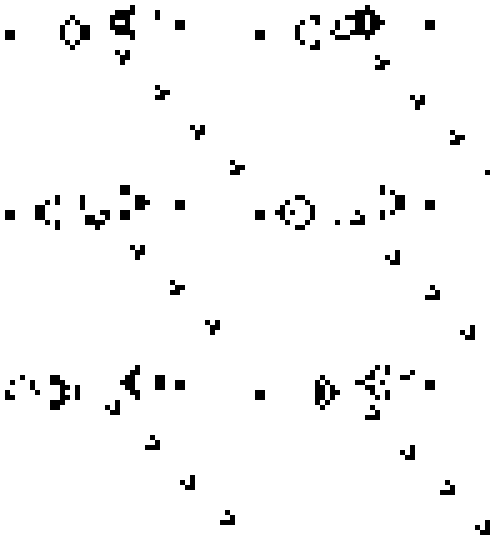
This mod is basically a port of the famous Conway's Game of Life. The game is simple, you edit state of the grid and simulate the next step to see how it evolves based on pre-set rules.
The Rules
- Any live cell with fewer than two live neighbours dies, as if by underpopulation.
- Any live cell with two or three live neighbours lives on to the next generation.
- Any live cell with more than three live neighbours dies, as if by overpopulation.
- Any dead cell with exactly three live neighbours becomes a live cell, as if by reproduction.
How to use?
You can create a 10x10 grid by running the command:
/spawn_gol_grid
This will create a gray grid nearby for you to interact with. Breaking a block removes the entire grid, while "using" or right-clicking on a block toggles its state between Alive (Red) and Dead (Gray).
Once you are ready and want to see how your grid evolves, run the following command:
/simulate_gol_step [steps count]
This will simulate the grid by the specified steps, you can keep running this command to see more evolution steps, or modify the grid before another simulation step. You can also right-click the magenta block to quickly simulate a step.
What's Next?
I plan on adding more features and making the experience better as I learn more about MC modding. Some things I have planned are:
- Better colors and textures
- Reverse simulation
- A control block for settings
Screenshots
Gallery
-
 Game of Life Grid This is an example of a grid
Versions
Files
Relations
Project Relations
More like this
Similar Mods
Suggestions use data such as tags, dependencies, dependents, descriptions, titles, and more to rank how much they overlap with this mod.
Stats
- Downloads
- <1,000
- Used in
- 0 modpacks
- Followers
- 0
- In stacks
- 0
- Created
- Last synced
-
Sep 5, 2026 6:48 AM UTC
New file updates sync automatically.
When ModDex last fully re-synced this project from CurseForge or Modrinth. A new file release triggers a resync usually within minutes, and every project is also re-synced on a schedule. Edits that don't ship a file, such as a new description or screenshots, are checked every few hours and can appear before this date changes.
How syncing works
External Links

Stats
- Downloads
- <1,000
- Used in
- 0 modpacks
- Followers
- 0
- In stacks
- 0
- Created
- Last synced
-
Sep 5, 2026 6:48 AM UTC
New file updates sync automatically.
When ModDex last fully re-synced this project from CurseForge or Modrinth. A new file release triggers a resync usually within minutes, and every project is also re-synced on a schedule. Edits that don't ship a file, such as a new description or screenshots, are checked every few hours and can appear before this date changes.
How syncing works