
Community listing page, reviews here may not be monitored by the author.


Community voices
Reviews
No reviews yet. Be the first to review this project!
Get it on
Available Platforms
Compatibility
Supported Environments
Runs entirely on the client. Works on vanilla servers.
About
Project Details
For authors
Embed Badge
If you're the author of this project, you can embed a live badge anywhere that supports HTML or Markdown. It updates automatically whenever ratings change.
Use HTML for any page that supports it, or Markdown for README files and Markdown-based descriptions.
Identifiers
Platform IDs
Resources
External Links
About
Description
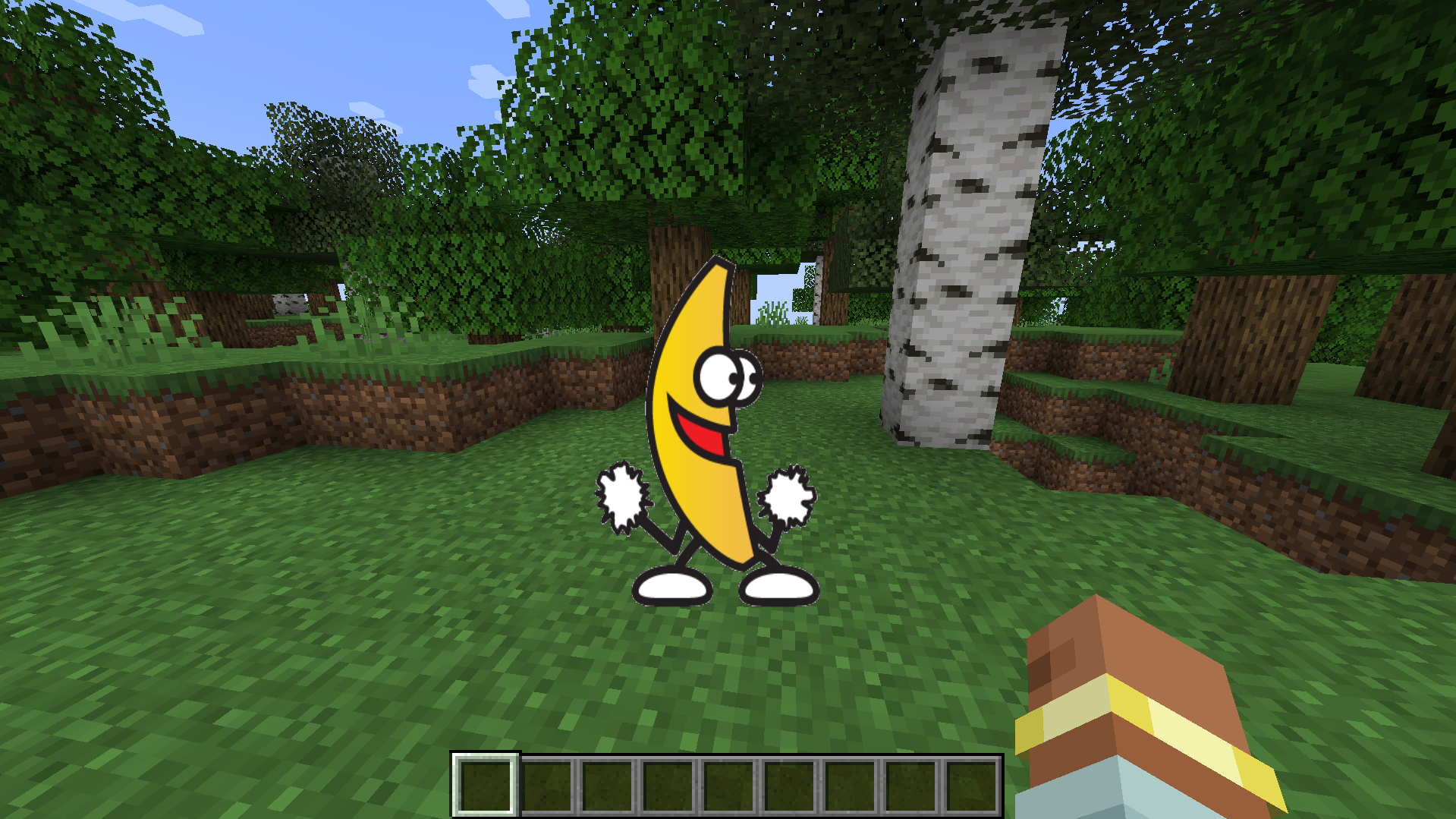
A client-side Minecraft mod that renders animated GIFs/Images directly in the overlay. Includes an in-game screen to download GIFs by pasting a URL, with no external tools required, and displays/updates them in real time on the UI (you don't even need to save the world when exiting Minecraft). Keep in mind that the GIF renders above almost any other overlay
Accepts ANY GIF or some image formatd (png, jpg, jpeg, webp, bmp) from any web page (Imgur, Tenor, Giphy, Discord, Reddit, Steam, etc...)
Be careful, if you try to add a GIF but the link says is an image (webp, png, etc) the GIF won't render
- Press G to open the download screen
- Paste a URL and download
- That's it, if your URL is correct, the GIF/Image should download and render almost instantly
Usages
- Drag GIFs in your screen
- Right Click to hide/show, remove or rename the GIF/Image
- Resize by holding a corner and dragging
Saves
The GIFs and the .json save file are located in the MCGifs folder inside the .minecraft directory
Warning
Normally, copying a GIF link from a web page does not give a direct downloadable file. The link usually points to a web page that returns HTML or redirects, not the actual GIF file, so if your GIF is not downloading, that's the reason. To fix it:
- Open the GIF on the page (Google Images, Tenor, Giphy, etc).
- Right-click the GIF.
- Click “Open image in new tab”.
- Copy the new tab URL.
- If it contains "media/images/etc" in the URL, it’s the real link.
A FEW GIFs may render/play way faster than the one you saw in Internet, I don't know fully why, but it's probably because of how it was uploaded to the internet (it's not a bug)
Minecraft mod that renders animated GIFs directly in the overlay. Includes an in-game screen to download GIFs by pasting a URL, with no external tools required, and displays/updates them in real time on the UI (you don't even need to save the world when exiting Minecraft). Keep in mind that the GIF renders above almost any other overlay
- Press G to open the download screen
- Paste a URL and download
- That's it, if your URL is correct, the GIF should download and render almost instantly
Usages
- Drag GIFs in your screen
- Right Click to hide/show, remove or rename the GIF
- Resize by holding a corner and dragging
Saves
The GIFs and the .json save file are located in the MCGifs folder inside the .minecraft directory
Warning
Normally, copying a GIF link from a web page does not give a direct downloadable file. The link usually points to a web page that returns HTML or redirects, not the actual GIF file, so if your GIF is not downloading, that's the reason. To fix it:
- Open the GIF on the page (Google Images, Tenor, Giphy, etc).
- Right-click the GIF.
- Click “Open image in new tab”.
- Copy the new tab URL.
- If it contains "media/images/etc" in the URL, it’s the real link.
A FEW GIFs may render/play way faster than the one you saw in Internet, I don't know fully why, but it's probably because of how it was uploaded to the internet (it's not a bug)
Screenshots
Gallery
Versions
Files
Relations
Project Relations
More like this
Similar Mods
Suggestions use data such as tags, dependencies, dependents, descriptions, titles, and more to rank how much they overlap with this mod.
On ModDex
Community snapshot
By the numbers
Statistics
Want to reach Minecraft players?
We're looking for a server hosting partner to feature here and other parts of the site. Interested? Send us a message!
Get in touchGet it on
Available Platforms
On ModDex
Community snapshot
By the numbers
Statistics
Resources