
Community listing page, reviews may not be monitored by the author.
Melter Block

No reviews yet
Turns blocks into fluids! Create mod compatibility! A fork of the mod 'melter'.

Community voices
Reviews
No reviews yet. Be the first to review this project!
Get it on
Available Platforms
About
Project Details
For authors
Embed Badge
If you're the author of this project, you can embed a live badge anywhere that supports HTML or Markdown. It updates automatically whenever ratings change.
Use HTML for any page that supports it, or Markdown for README files and Markdown-based descriptions.
Identifiers
Platform IDs
About
Description
Melter Block
A simple melter block that turn blocks into liquid.
Wish there was an easier way to get your lava rather than scooping buckets and trudging through the snow for 5 miles before breakfast? Are you an older MC user who misses the cobble to lava cauldrons of old days of yore? The Melter may be your favorite new machine block!
Default recipes
- Cobblestone >>> Lava
- Snow >>> Water
- Ice >>> Water
- Honey Block >>> Honey (If mod 'Productive Bees' is loaded)
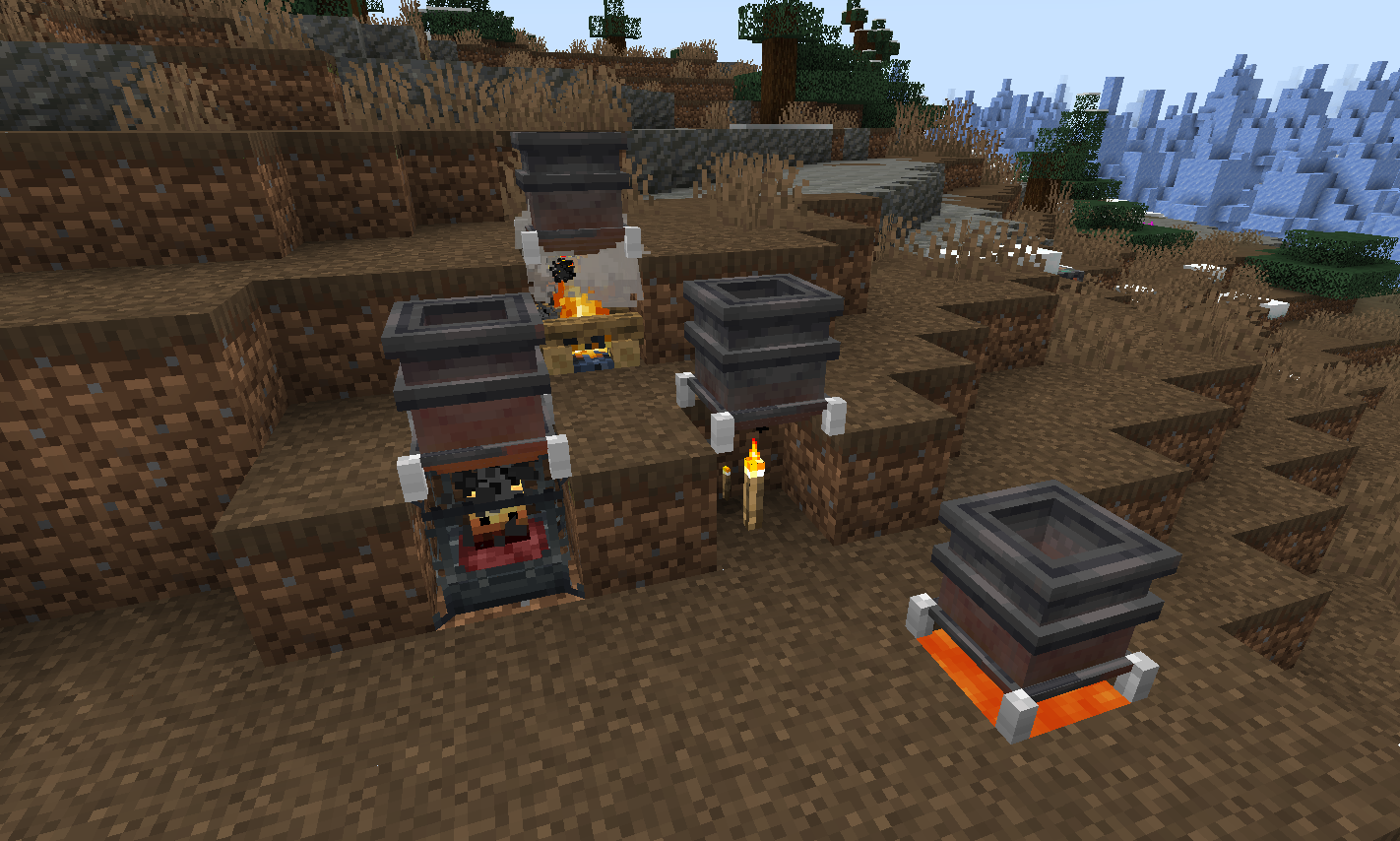
To place blocks into the Melter drop them in, or push them in using pipes from a storage location. Holding blocks in hand to right-click-mouse insert will not work. Only blocks with recipes can be dropped-in / inserted.
If the mod 'Create' is included then blaze burners will be available as a possible heat source.
Heat sources + Heat level
- Torch -1
- Soul Torch - 1
- Campfire - 2
- Soul Campfire - 2
- Lava - 3
- Blaze burner - 5 (active), 1 (fading), 0 (inactive), 8 (superheated)
Adding additional recipes
Datapack JSON example for adding melting recipes:
example - creating a JSON file with the same name as the default cobble recipe and placing it in the data location of it to overwrite the default -
data\melter\recipes\melting\cobble_melting.json
-- Example recipe basic
{
"type": "melter:melting",
"ingredient": {
"item": "minecraft:cobblestone",
"count": 1
},
"result": {
"fluid": "minecraft:lava",
"amount": 250
},
"processingTime": 500
}
-- Example recipe with optional minimum heat level required to melt
{
"type": "melter:melting",
"ingredient": {
"tag": "forge:stone",
"count": 1
},
"result": {
"fluid": "minecraft:lava",
"amount": 250
},
"processingTime": 2000,
"minimumHeat": 4
}
To introduce new recipes you can add your own JSON files to datapacks with different filenames and recipe values.
KubeJS Integration
The KubeJS mod can be used to add recipes in a simple 1 line format.
Place lines like example below (in the recipes event) of any *.js script file located in the profile\kubejs\server_scripts\ folder location - that's it!
- See below for how to construct recipe adding script lines.
- Note that some of the examples have an optional minimum heat level needed. The .minimumHeat is optional. Without it any heat source will work with the recipe. With it, recipe items placed will only melt if the heat level on the block is high enough.
ServerEvents.recipes((event) => {

// event.recipes.melterMelting(OUTPUT,INPUT).processingTime(INT);
// event.recipes.melterMelting(OUTPUT,INPUT).processingTime(INT).minimumHeat(INT);

event.recipes.melterMelting(Fluid.of('minecraft:water', 1000),"minecraft:ice").processingTime(200);

event.recipes.melterMelting(Fluid.of('minecraft:lava', 250),"#forge:stone").processingTime(1000).minimumHeat(4);

  });
Keep in mind that the above KubeJS examples add new recipes, not replace existing recipes.
- If you'd like to replace an existing recipe such as the default cobble_melting.json recipe found in the melter:recipes/melting/ folder - use the following KubeJS line first to remove the original recipe, and then add your new recipe using the examples above:
event.remove({id: 'melter:melting/cobble_melting'});
(This mod is a fork of the mod 'melter' - the impetus for it's initial creation was to introduce compatibility with the newest versions of the 'create' mod 0.5.1.+)
Screenshots
Gallery
-
melterama1 Showcase of various heat sources
-
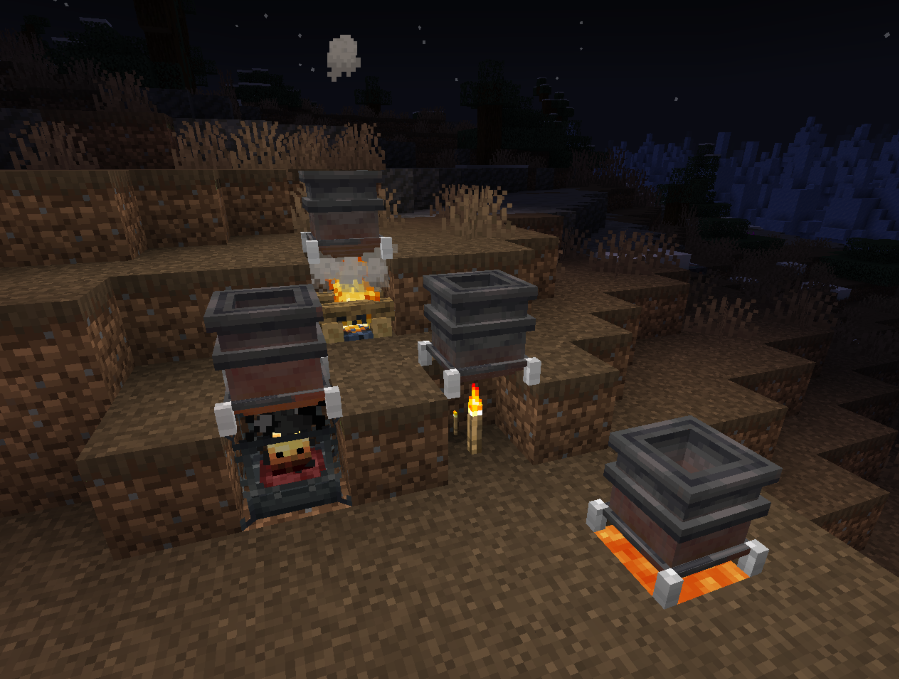 melterama1 Showcase of various heat sources
Versions
Files
Relations
Project Relations
More like this
Similar Mods
Suggestions use data such as tags, dependencies, dependents, descriptions, titles, and more to rank how much they overlap with this mod.
On ModDex
Community snapshot
By the numbers
Statistics
 (opens in a new tab)
Get it on
Available Platforms
On ModDex
Community snapshot
By the numbers