
Community listing page, reviews here may not be monitored by the author.
Menma's Updater-Modpack Updater


No reviews yet
A mod for easy modpack management and seamless updates for server users.
Community voices
Reviews
No reviews yet. Be the first to review this project!
Get it on
Available Platforms
Compatibility
Supported Environments
Must be installed on both the client and the server.
About
Project Details
For authors
Embed Badge
If you're the author of this project, you can embed a live badge anywhere that supports HTML or Markdown. It updates automatically whenever ratings change.
Use HTML for any page that supports it, or Markdown for README files and Markdown-based descriptions.
Identifiers
Platform IDs
Resources
External Links
About
Description
Menma's Updater is a mod designed to simplify modpack management on Minecraft servers, whether small private servers or large public ones. Managing mod updates can be tedious: every time a new mod is added or an existing one is updated, all players need to download it manually to join the server. This mod eliminates that hassle by automatically handling the distribution of mods (or files).
To achieve this, Menma's Updater uses NanoHTTPD on the server, a lightweight HTTP server that allows players to connect and automatically receive the required mods. Server administrators only need to ensure that port forwarding is set up correctly, and everything else is handled seamlessly. This ensures that all players always have the correct version of each mod, avoiding compatibility issues and errors due to outdated versions.
With Menma's Updater, keeping a server up to date is no longer a tedious and error-prone process. From small servers with friends to large public communities, the mod allows administrators to focus on what really matters: providing a stable and uninterrupted gameplay experience, while players enjoy having all the mods ready and synchronized instantly.
This mod Needs a server hosting the files.
ADMINISTRATORS AND SERVER MANTAINERS SIDE
If you are not familiar with port forwarding or setting up Cloudflare Tunnels, you can find step-by-step guides here: Port Forwarding Guide and Cloudflare Tunnels Documentation. These resources will help ensure your server is accessible to all players.
If you only want to test the mod without opening ports you can use the localhost:(port on server's config file) if you are in the same machine.
Once executed on server the mod will create the folder on "config/menmasupdater/modpack-client" Here you'll put everything you want to put on your players files such as, configs, mods, resourcepacks, shaderpacks, options, servers, etc... And with only one command "/mupdater regenerateIndex" Your modpack will be ready to be downloaded by your players.
If you want to change the FileServer's port but you don't want to restart the server you can change the file on config, use the command "/mupdater stopFileServer" and then "/mupdater startFileServer"
Menma's Updater is a mod designed to simplify modpack management on Minecraft servers, whether small private servers or large public ones. Managing mod updates can be tedious: every time a new mod is added or an existing one is updated, all players need to download it manually to join the server. This mod eliminates that hassle by automatically handling the distribution of mods (or files).
To achieve this, Menma's Updater uses NanoHTTPD on the server, a lightweight HTTP server that allows players to connect and automatically receive the required mods. Server administrators only need to ensure that port forwarding is set up correctly, and everything else is handled seamlessly. This ensures that all players always have the correct version of each mod, avoiding compatibility issues and errors due to outdated versions.
With Menma's Updater, keeping a server up to date is no longer a tedious and error-prone process. From small servers with friends to large public communities, the mod allows administrators to focus on what really matters: providing a stable and uninterrupted gameplay experience, while players enjoy having all the mods ready and synchronized instantly.
This mod Needs a server hosting the files.
ADMINISTRATORS AND SERVER MANTAINERS SIDE
If you are not familiar with port forwarding or setting up Cloudflare Tunnels, you can find step-by-step guides here: Port Forwarding guide and Cloudflare Tunnels Documentation These resources will help ensure your server is accessible to all players.
If you only want to test the mod without opening ports you can use the localhost:(port on server's config file) if you are in the same machine.
Once executed on server the mod will create the folder on "config/menmasupdater/modpack-client" Here you'll put everything you want to put on your players files such as, configs, mods, resourcepacks, shaderpacks, options, servers, etc... And with only one command "/mupdater regenerateIndex" Your modpack will be ready to be downloaded by your players.
If you want to change the FileServer's port but you don't want to restart the server you can change the file on config, use the command "/mupdater stopFileServer" and then "/mupdater startFileServer"
Screenshots
Gallery
-
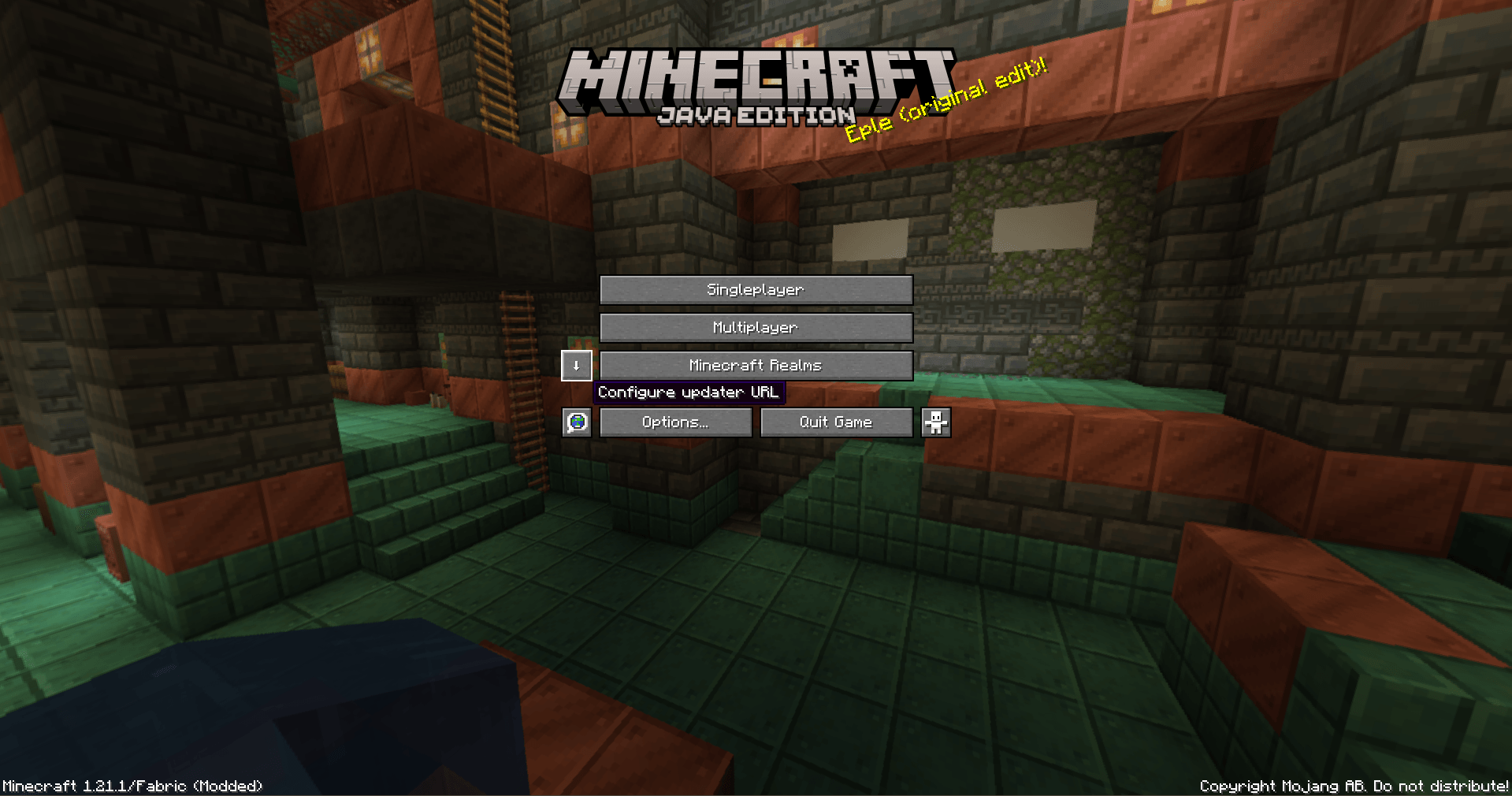 Search updates button when pressed shift
 -
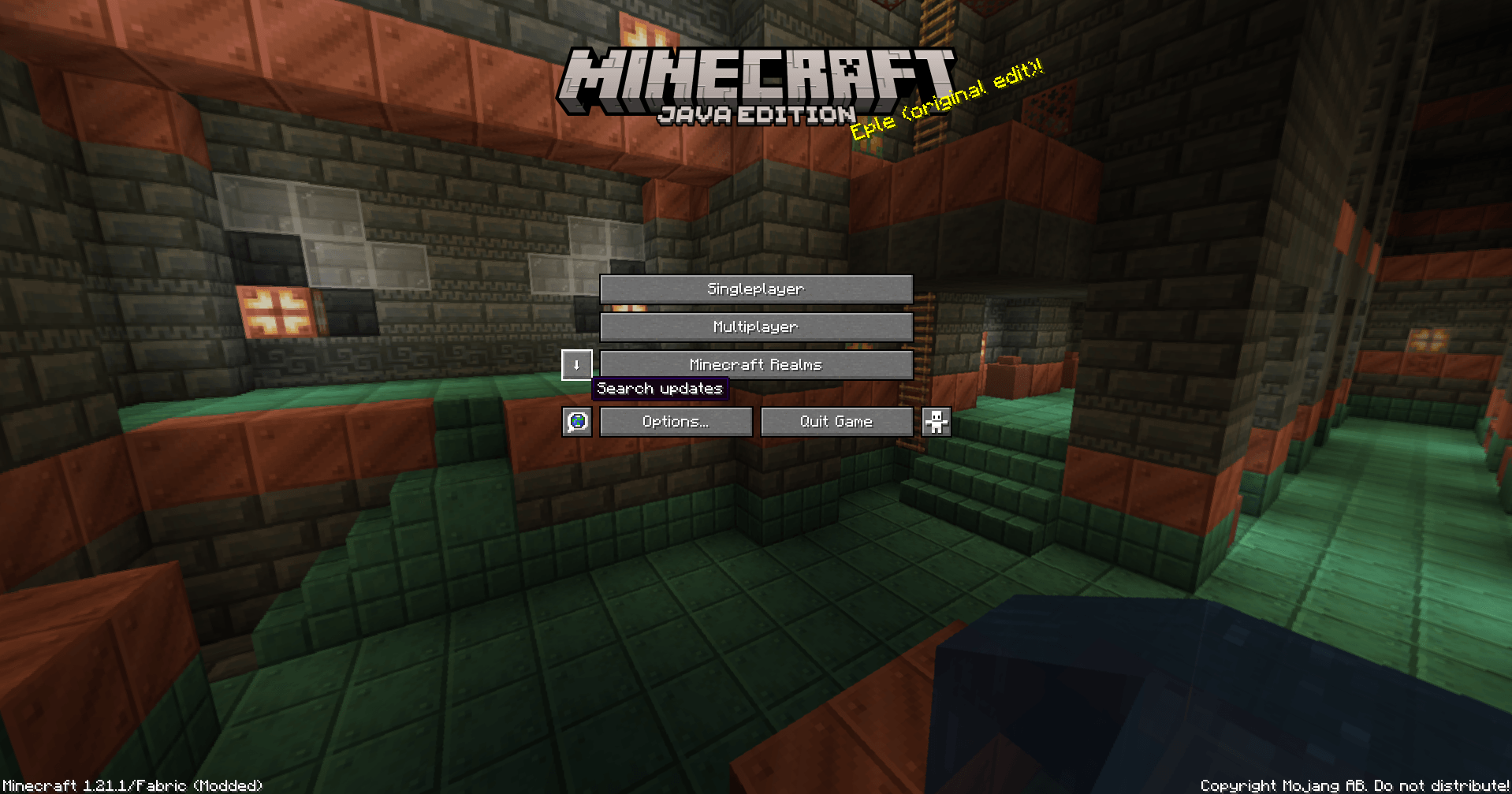 Search updates button on title screen
 -
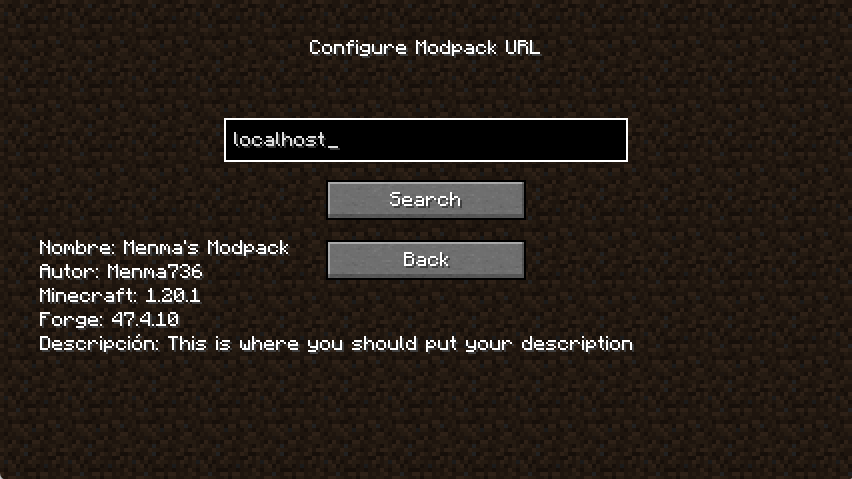 First launch with an url First launch with a valid url
 -
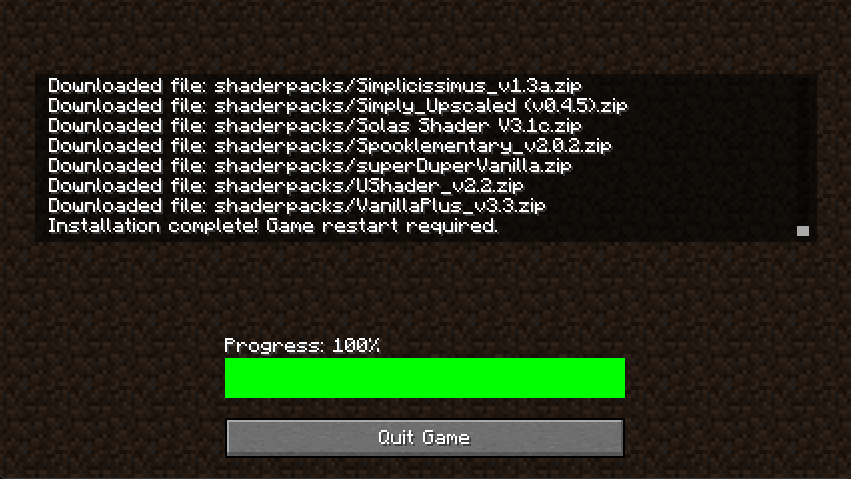 Installation screen What happens when you click "Search" And then "Install"
-
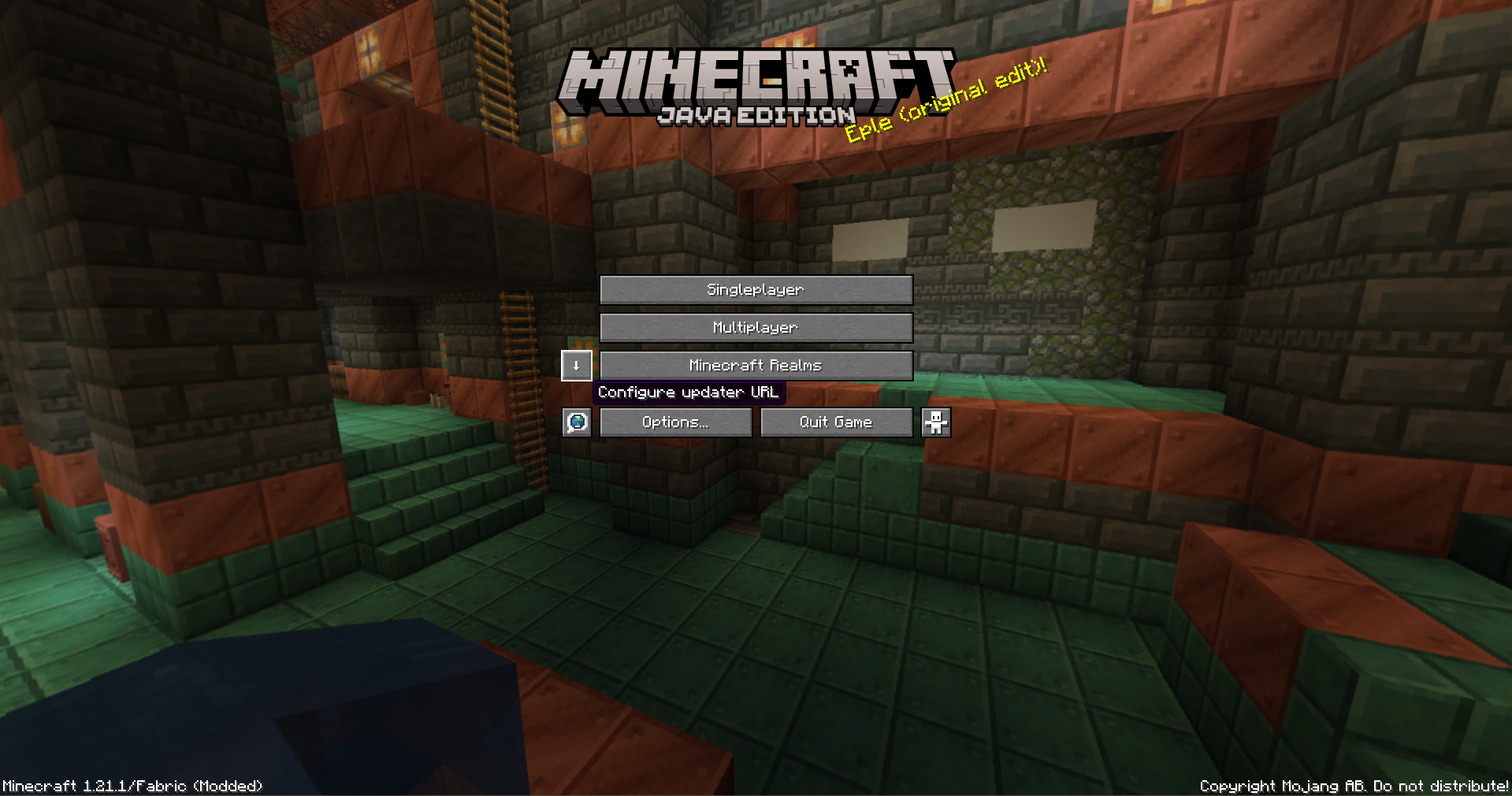 Search updates button when pressed shift
 -
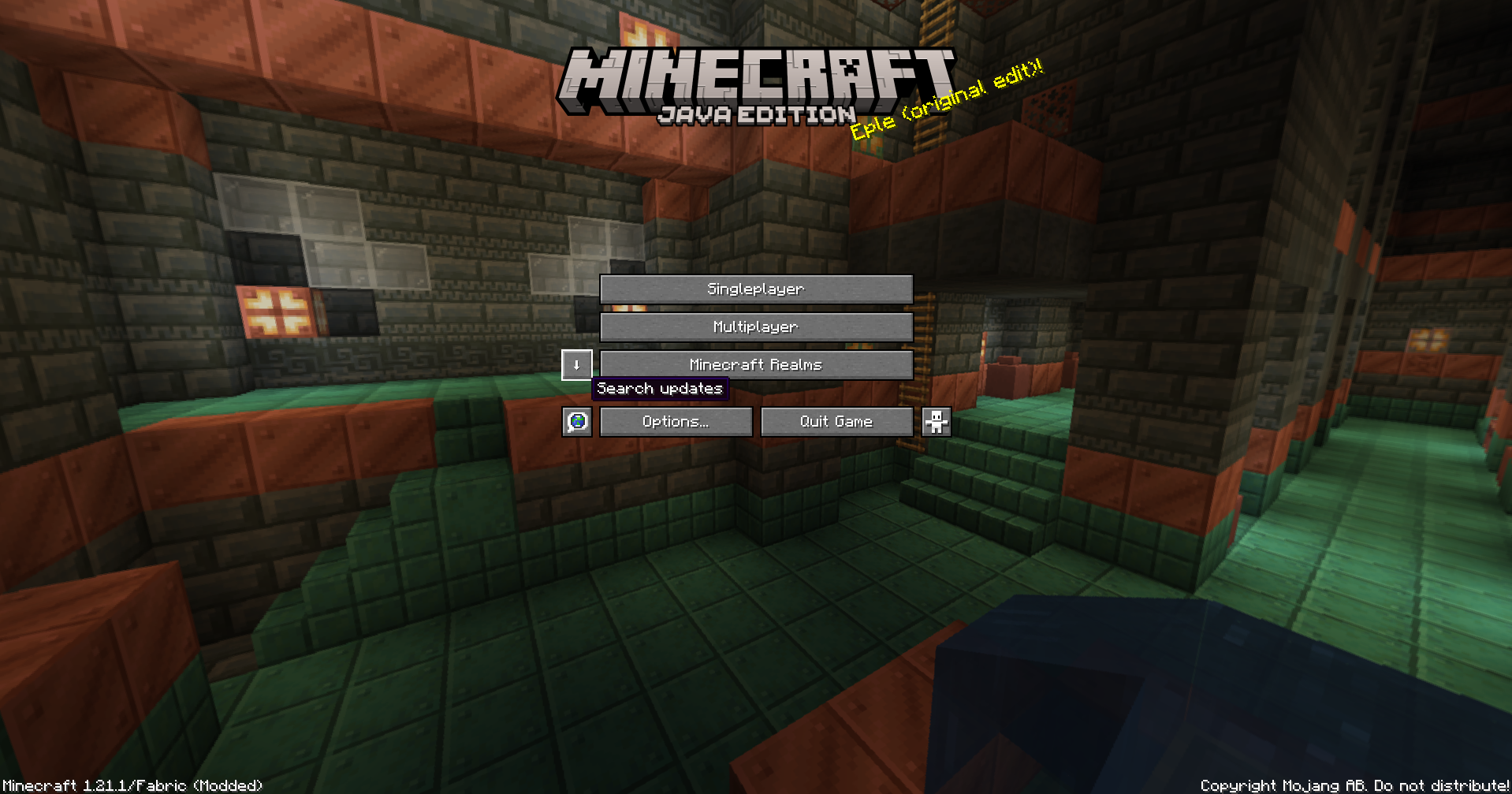 Search updates button on title screen
 -
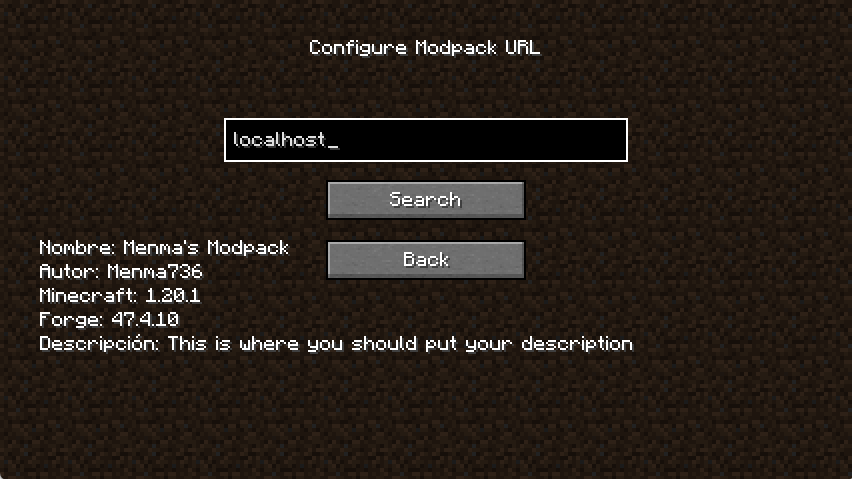 First launch with an url First launch with a valid url
 -
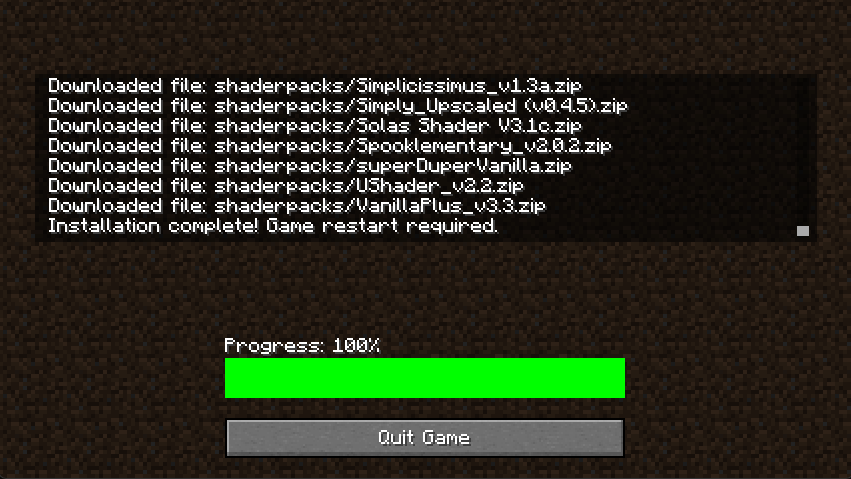 Installation screen What happens when you click "Search" And then "Install"
Versions
Files
Relations
Project Relations
More like this
Similar Mods
Suggestions use data such as tags, dependencies, dependents, descriptions, titles, and more to rank how much they overlap with this mod.
On ModDex
Community snapshot
By the numbers
Statistics
Want to reach Minecraft players?
We're looking for a server hosting partner to feature here and other parts of the site. Interested? Send us a message!
Get in touchGet it on
Available Platforms
On ModDex
Community snapshot
By the numbers
Statistics
Resources