![Menu Companions [Archived]](https://media.forgecdn.net/avatars/thumbnails/303/107/256/256/637370810233999972.png)
Community listing page, reviews may not be monitored by the author.
Menu Companions [Archived]

No reviews yet
Cute little mobs to fill the emptiness of the main menu.

Community voices
Reviews
No reviews yet. Be the first to review this project!
Get it on
Available Platforms
About
Project Details
For authors
Embed Badge
If you're the author of this project, you can embed a live badge anywhere that supports HTML or Markdown. It updates automatically whenever ratings change.
Use HTML for any page that supports it, or Markdown for README files and Markdown-based descriptions.
Identifiers
Platform IDs
About
Description
Menu Companions is discontinued as of 2026-06-12.





📖 About:
Menu Companions brings two mobs of your choosing to the main menu. All for purely cosmetic purposes and a little bit of fun.
📚 Contents:
Two companions are shown, one on each side of the main menu screen. They eagerly follow your cursor in anticipation of your very next move. Clicking a companion will trigger an entity specific interaction such as playing their ambient sound.
Not every entity will work or behave properly as a menu companion. Incompatible entities will automatically be added to a blacklist in the config file.
Companions are completely customizable via .json files found in the menucompanions folder in the config directory. All .json files in said folder are recursively loaded, file names and folder structure don't matter.
The following section explains each property available when defining a new entry in a .json file.
| KEY | VALUE | DESCRIPTION | ||
┌ id |
String |
Name id of the entity to show. Can be set to random to show a random living entity. |
||
├ weight |
int |
Weight for randomly choosing this entry. Must be 1 at least. |
||
├ display |
||||
│ ├ scale |
double |
Custom scale for entities in this entry. Will be calculated internally when set to 0.0, or when id is set to random. |
||
│ ├ xoffset |
int |
Custom offset on x-axis in addition to the general config option. Not available when id is set to random. |
||
│ ├ yoffset |
int |
Custom offset on y-axis in addition to the general config option. Not available when id is set to random. |
||
│ ├ nameplate |
boolean |
Show nameplate above entities in this entry. Will display entity name or a custom name if it has been set via nbt by adding CustomName:'\"<name>\"'. |
||
│ ├ particles |
boolean |
If particles are shown when emitted from entities in this entry. | ||
│ ├ volume |
double |
Volume of ambient sounds made by the entities in this entry. | ||
│ └ side |
Enum |
Side for this entry to show on. Available options are LEFT, RIGHT, and BOTH. |
||
├ data |
||||
│ ├ nbt |
String |
Custom nbt data to be applied to this entity. Can be used to set held items and worn armor pieces, for creating jockeys, for turning mobs into their child variant, and much more. Find out the specifics in the Data values section of each entity on the Minecraft Wiki. | ||
│ ├ tick |
boolean |
If this entry should be updated every game tick. Not available for non-living entities and players. | ||
│ ├ onground |
boolean |
If entities in this entry are on the ground. Only effects a few mobs such as chicken and bees. | ||
│ ├ inwater |
boolean |
If entities in this entry are in water. Only effects a few mobs such as guardians and squid. | ||
│ ├ aggressive |
boolean |
If entities in this entry are aggressive. Only effects some monsters, mainly zombie-like mobs. | ||
│ └ inlove |
boolean |
If heart particles should appear all around entities in this entry. | ||
│ ├ walking |
boolean |
If the walking animation should be shown for entities in this entry. | ||
│ ├ crouch |
boolean |
If the entity is crouching. | ||
└ player |
||||
├ profile |
String |
Name of the player account. Leave this empty to use the account currently logged in. | ||
└ model |
||||
├ cape |
boolean |
Show cape of this player. | ||
├ jacket |
boolean |
Show jacket layer for this player. | ||
├ left_sleeve |
boolean |
Show left sleeve layer for this player. | ||
├ right_sleeve |
boolean |
Show right sleeve layer for this player. | ||
├ left_pants_leg |
boolean |
Show left leg layer for this player. | ||
├ right_pants_leg |
boolean |
Show right leg layer for this player. | ||
└ hat |
boolean |
Show hat layer for this player. |
✏️ Notes:
Looking for a similar mod on Fabric? Check out Mobs Main Menu, a mod made by GabrielHOlv.
Looking to use Menu Companions on an older version of Minecraft? Go check out MenuMobs, a similar mod made by SpiesAmice for Minecraft 1.12 and below. For Minecraft 1.7 and below take a look at bspkrsCore by bspkrs.
Menu Companions runs purely one the client-side. It therefor even works when playing on a vanilla server.
📷 Media:
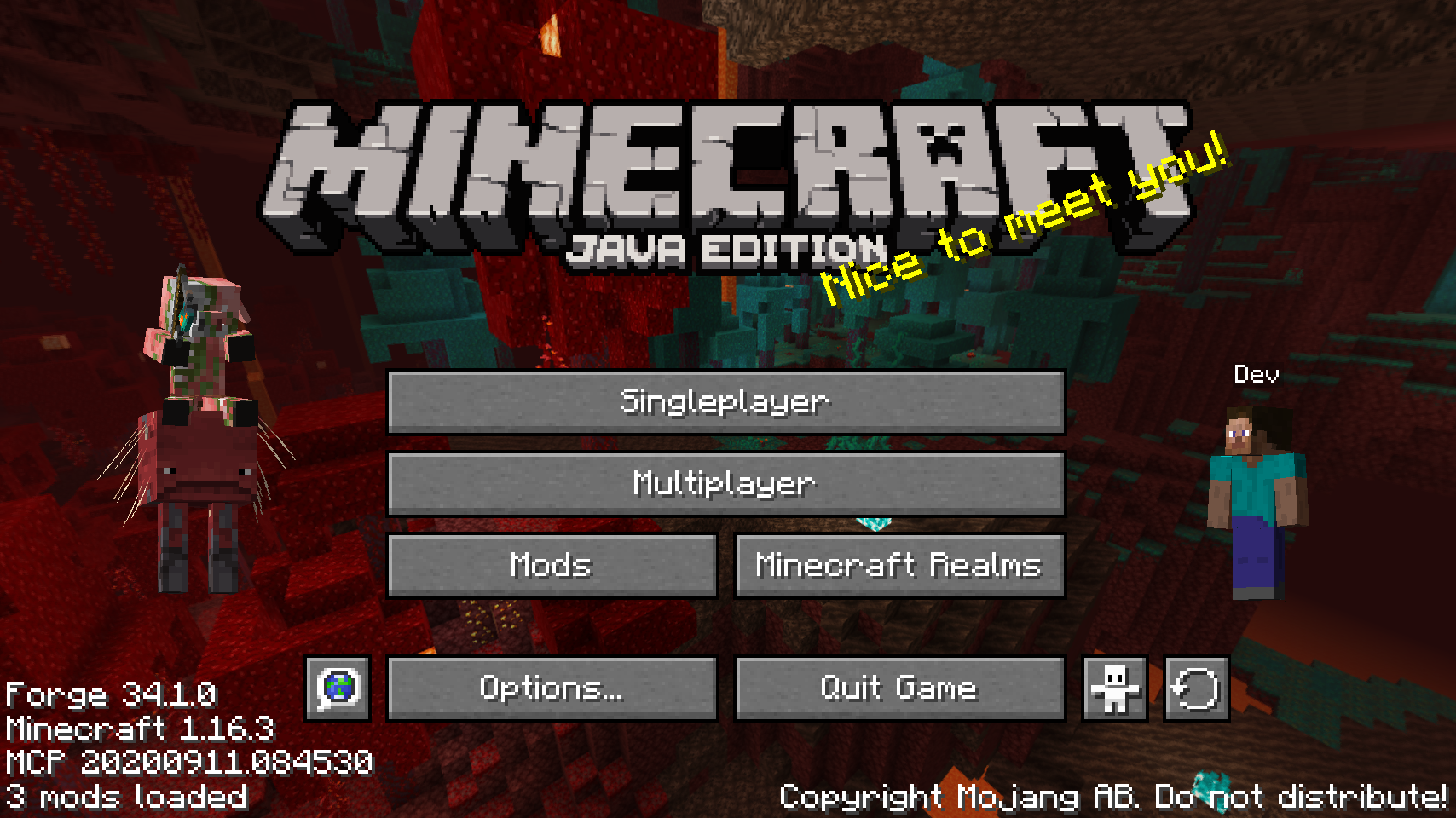 |
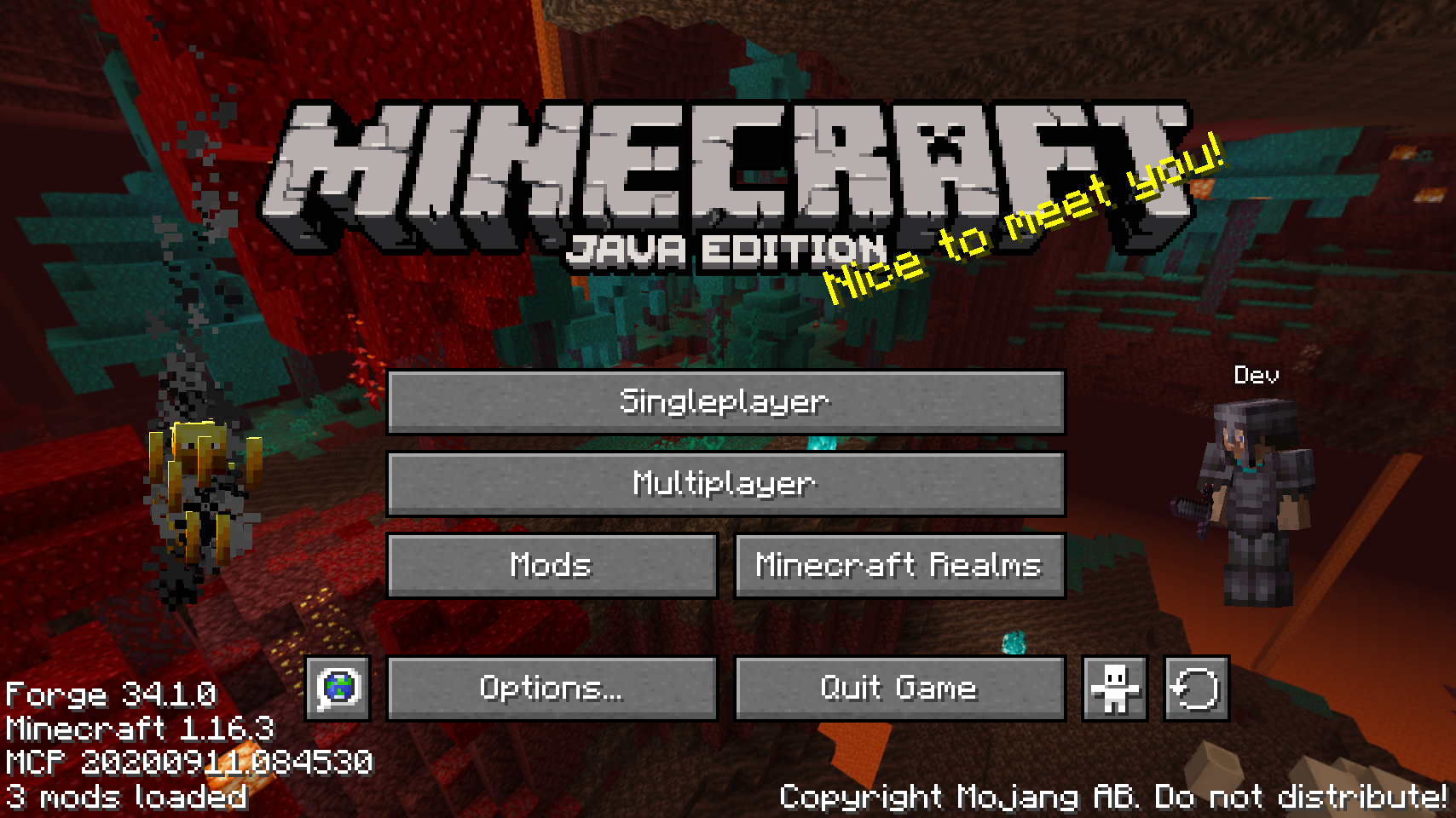 |
|||
| Default configuration showing the player and a random entity | Mobs are animated and particles are rendered | |||
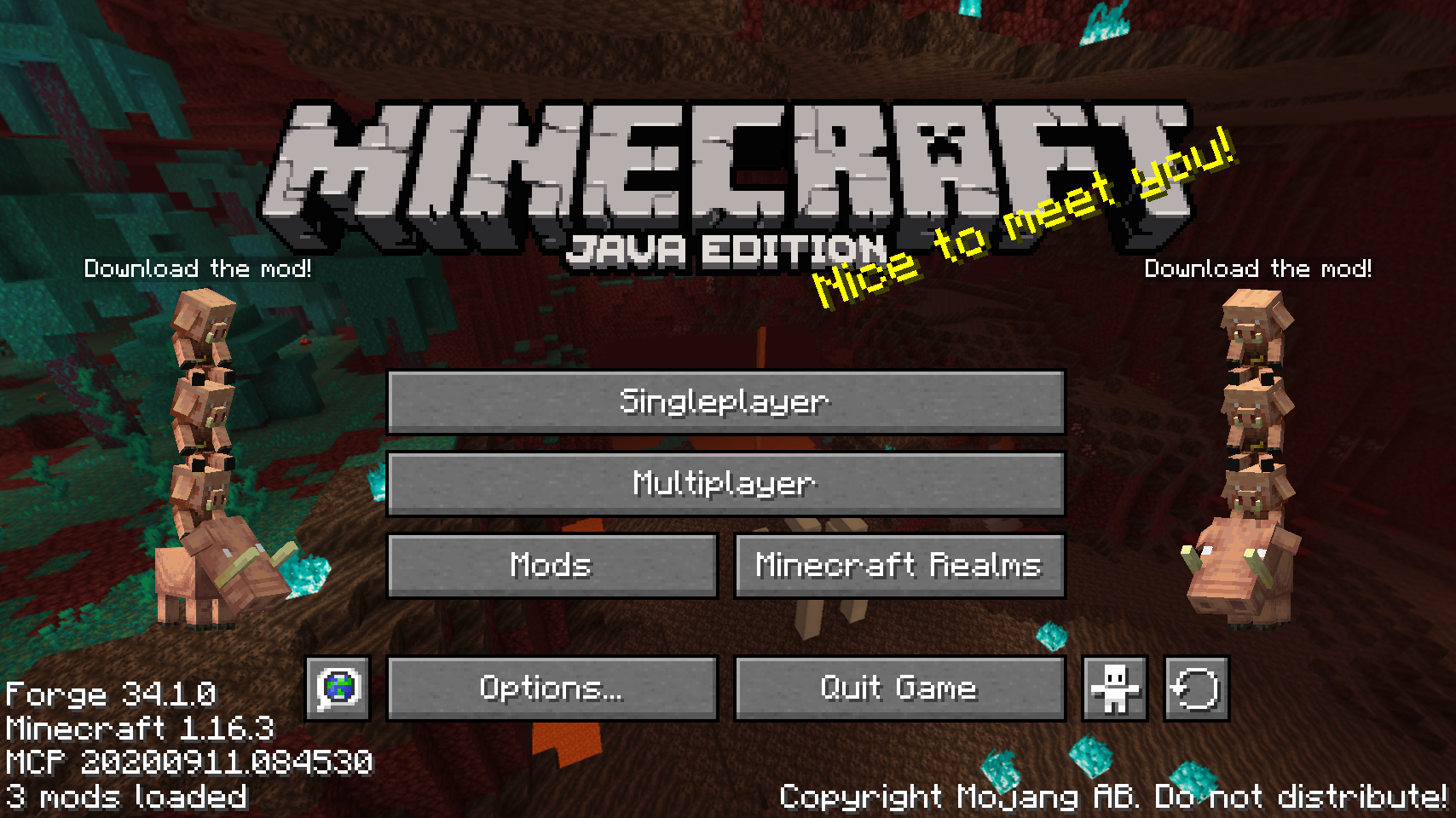 |
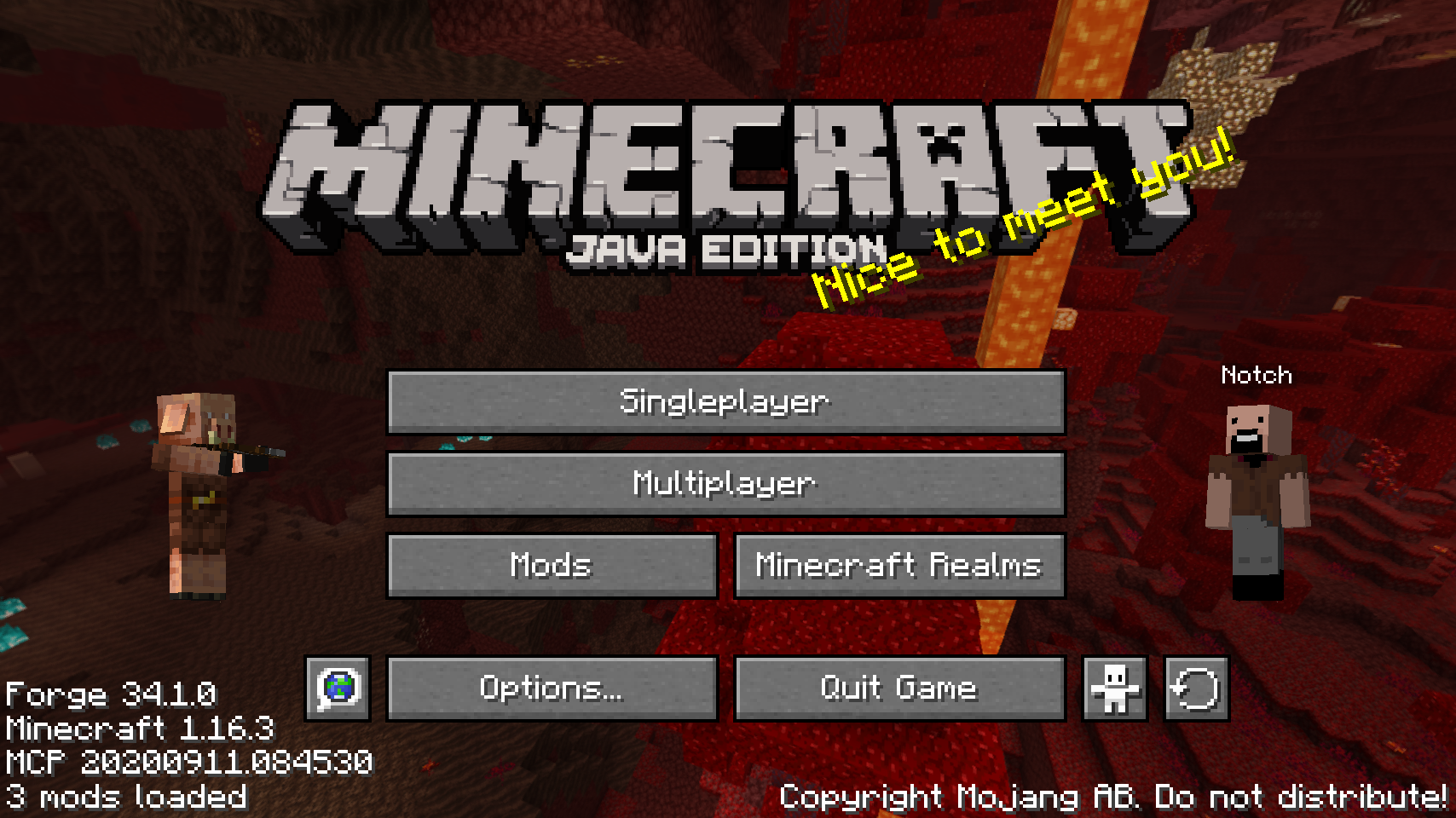 |
|||
| A lot of custom properties can be defined | The account used for a player entity is customizable | |||
 |
 |
|||
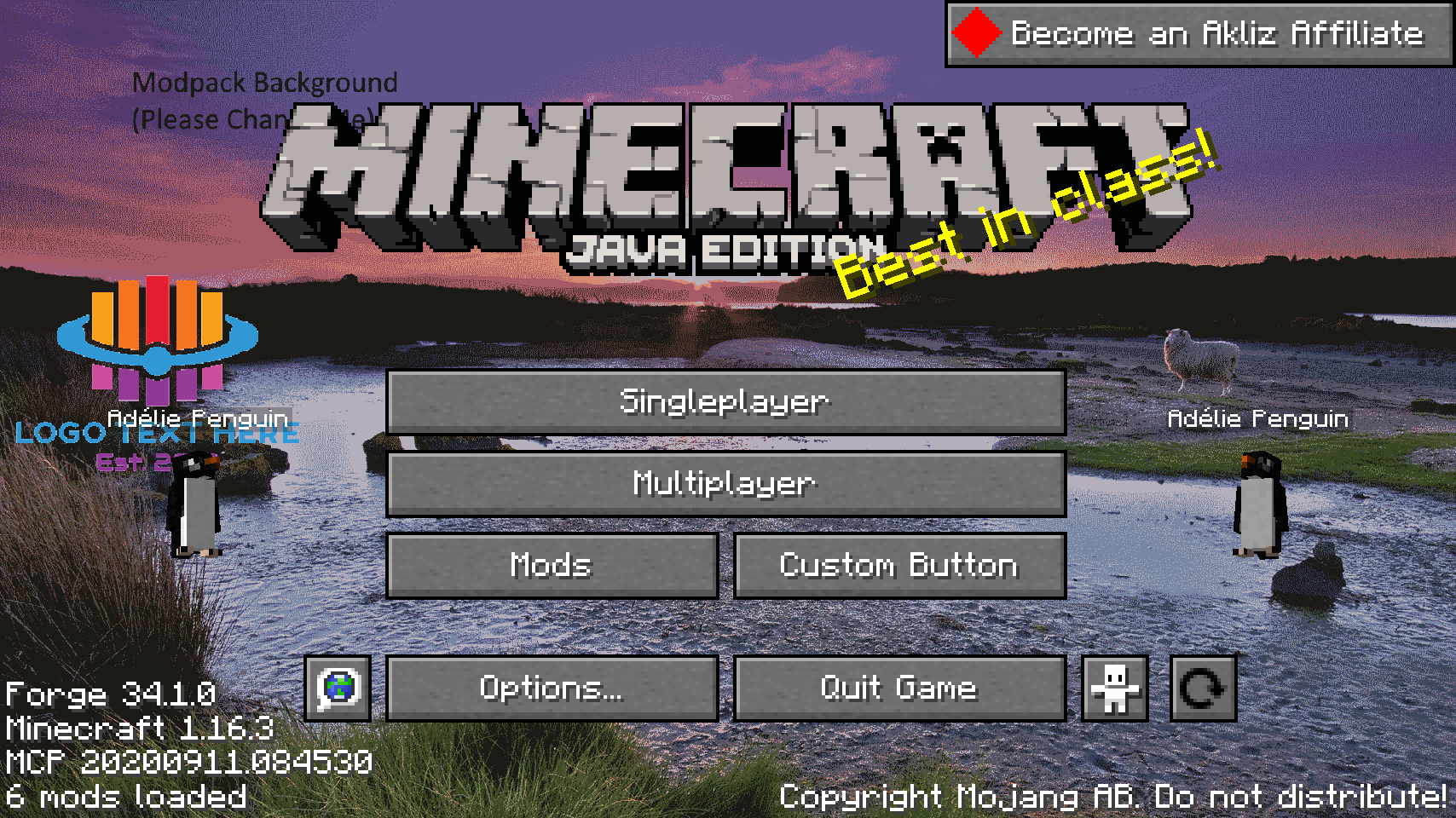
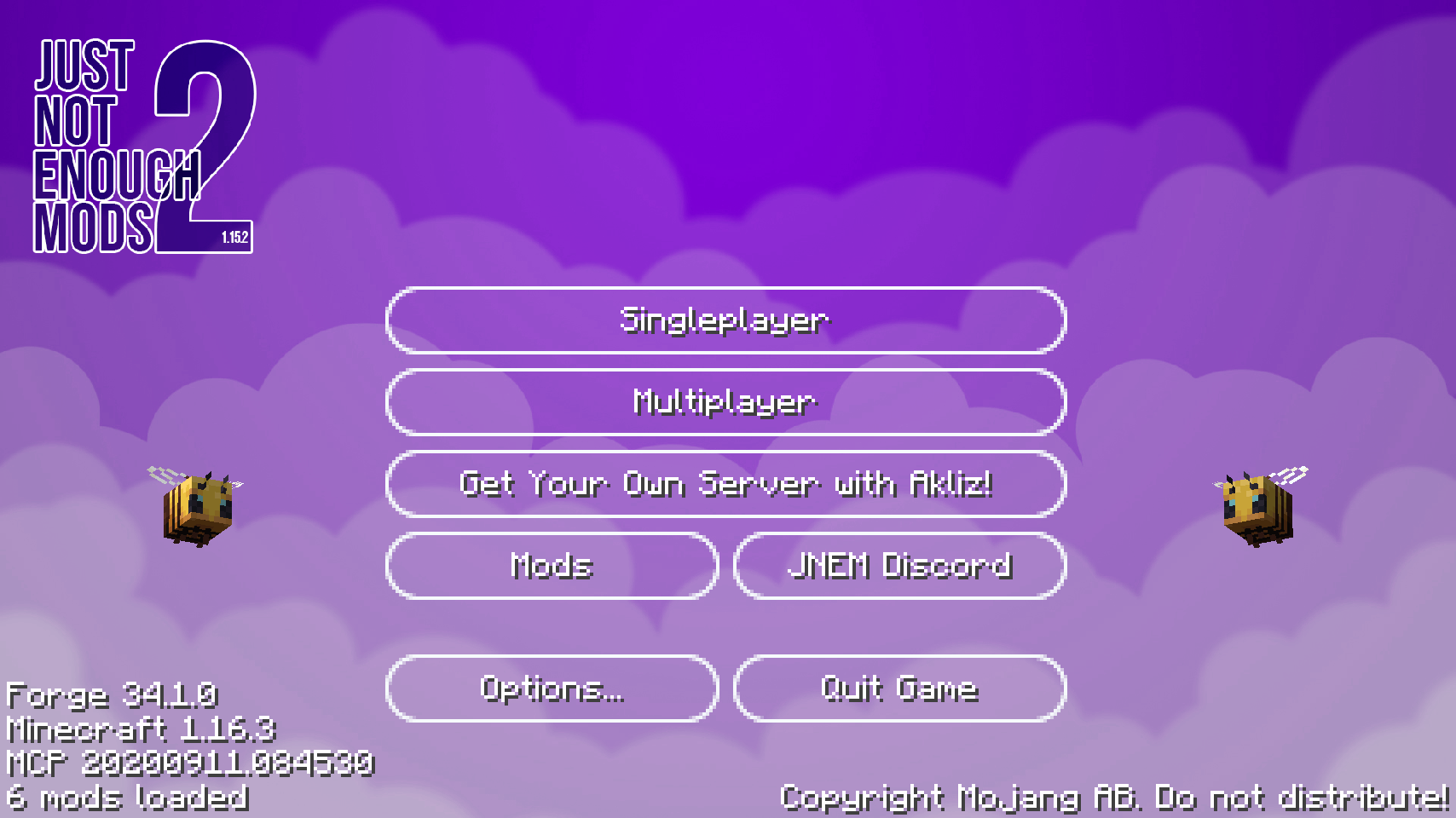
| Works great with modded entities | Also works with mods making changes to the main menu |
Screenshots
Gallery
-
Also works with mods making changes to the main menu
-
Works great with modded entities
-
The account used for a player entity is customizable
-
A lot of custom properties can be defined
-
Mobs are animated and particles are rendered
-
Default configuration showing the player and a random entity
Versions
Files
Relations
Project Relations
More like this
Similar Mods
Suggestions use data such as tags, dependencies, dependents, descriptions, titles, and more to rank how much they overlap with this mod.
On ModDex
Community snapshot
By the numbers
Statistics
 (opens in a new tab)
Get it on
Available Platforms
On ModDex
Community snapshot
By the numbers