Community listing page, reviews may not be monitored by the author.
meoww-player

No reviews yet
Ultra-sleek in-game music player with YouTube & Spotify playlist imports, live audio visualizers, Discord RPC, and zero-lag performance.

Community voices
Reviews
No reviews yet. Be the first to review this project!
Get it on
Available Platforms
About
Project Details
For authors
Embed Badge
If you're the author of this project, you can embed a live badge anywhere that supports HTML or Markdown. It updates automatically whenever ratings change.
Use HTML for any page that supports it, or Markdown for README files and Markdown-based descriptions.
Identifiers
Platform IDs
Resources
External Links
About
Description
# 🐾 Meoww Player — The Ultimate In-Game Music Experience
Meoww Player brings a modern, luxury music player directly inside Minecraft! Stream songs online, import YouTube & Spotify playlists with a single keypress, broadcast your playing music to Discord with real-time seek bars, and groove to dynamic audio visualizers on your HUD — all with zero FPS loss.
---
## ✨ Key Features
### 🔴 YouTube & YouTube Music Support
- **Playlist Imports:** Paste any playlist URL from YouTube or YouTube Music into the in-game search bar.
- **Fast Playlist Engine:** Automatically extracts tracks with real titles, artists, and HD album art.
- **Save Collections:** Save imported playlists into your in-game playlist collection for instant 1-click access.
### 💚 Spotify Playlist & Album Support
- Copy any track, album, or playlist link from Spotify and press **Ctrl + V** in the in-game search bar.
- Loads track information seamlessly with instant playback.
### 🎵 High-Quality Music Streaming
- **Global Search:** Search millions of tracks with high-definition artwork powered by top CDNs.
- **Built-in Procedural Synthesizer:** Even when offline or without an internet connection, enjoy built-in procedural electronic tracks!
- **Local Audio Files:** Drop your own .mp3, .wav, or .aac tracks into .minecraft/meoww/local/ for local listening.
### 🎮 Spotify-Style Discord Rich Presence (RPC)
- Broadcasts your music status on Discord with an authentic seek bar, elapsed/remaining time, song title, artist, and album cover!
- Updates in real-time when you pause, play, or scrub forward/backward.
- Lightweight, zero-dependency background service with zero FPS drop.
### 📊 Real-Time Equalizer & Boss Bar HUD
- **In-Game Boss Bar HUD:** Displays song title, artist, live playback progress, and mini visualizer bars at the top of your screen.
- **8-Band Dynamic Spectrum Visualizer:** Ultra-responsive dynamic frequency analyzer with smooth gravity decay.
- **Sleek HUD Toasts:** Clean notifications appear when skipping songs or adjusting volume.
### 🛡️ Smart Danger Ducking
- Automatically lowers music volume when Creepers hiss, Wardens are nearby, or when your health drops below 3 hearts.
- Automatically pauses when you die and resumes when you respawn.
### 🌸 5 Aesthetic Themes & Animated Vinyl
- Choose between Cosmic Nebula, Cyberpunk Night, Cherry Blossom, Lo-Fi Rain, and Deep Void.
- Interactive turntable with spinning album art labels and specular reflections.
### ⚡ Ultra-Optimized Performance (Zero-Lag)
- **Client-Side Only:** Works on any multiplayer server, Realms, and singleplayer worlds without needing server installation.
- **Async Decoding:** Album art decodes on background threads — zero stutter when scrolling song lists.
---
## ⌨️ Controls & Keybindings
All shortcuts are fully customizable in Minecraft's **Options ➜ Controls ➜ Key Binds ➜ Meoww Music Player**:
| Action | Default Key | Description |
| :--- | :---: | :--- |
| **Open Music Player** | `M` | Opens the full Meoww GUI |
| **Play / Pause** | `P` | Toggle playback instantly |
| **Next Track** | `Right Arrow` | Skip to the next track |
| **Previous Track** | `Left Arrow` | Go to the previous track |
| **Volume Up** | `Up Arrow` | Increase master volume |
| **Volume Down** | `Down Arrow` | Decrease master volume |
| **Toggle Boss Bar HUD** | `H` | Show/hide top music bar |
---
## 💡 How to Import Playlists
1. Open YouTube, YouTube Music, or Spotify.
2. Copy the URL of any playlist, album, or song.
3. Open Meoww Player in Minecraft (`M`).
4. Click the search bar and press **Ctrl + V**.
5. Your tracks will load instantly! Click **Save Playlist** to keep them in your Playlists tab.
---
## 📁 Custom Assets & Offline Music
Meoww Player automatically creates user folders in your `.minecraft` directory:
- `.minecraft/meoww/backgrounds/` — Drop custom .png or .jpg wallpapers for the player GUI.
- `.minecraft/meoww/playlists/` — Saved playlists stored in clean JSON format.
---
## ❓ Frequently Asked Questions (FAQ)
- **Does this mod require server installation?**
No! Meoww Player is 100% client-side. You can join vanilla servers, Hypixel, Realms, or modded servers without needing the server to install it.
- **Will this cause in-game lag?**
No. Audio processing, networking, and album art decompression run entirely on dedicated background daemon threads.
- **Does Discord RPC require extra software or DLLs?**
No! It uses a pure Java native IPC implementation over Discord's local pipe (`discord-ipc-0`) with zero external DLLs.
---
## 📜 License
Distributed under the **MIT License**.
Screenshots
Gallery
-
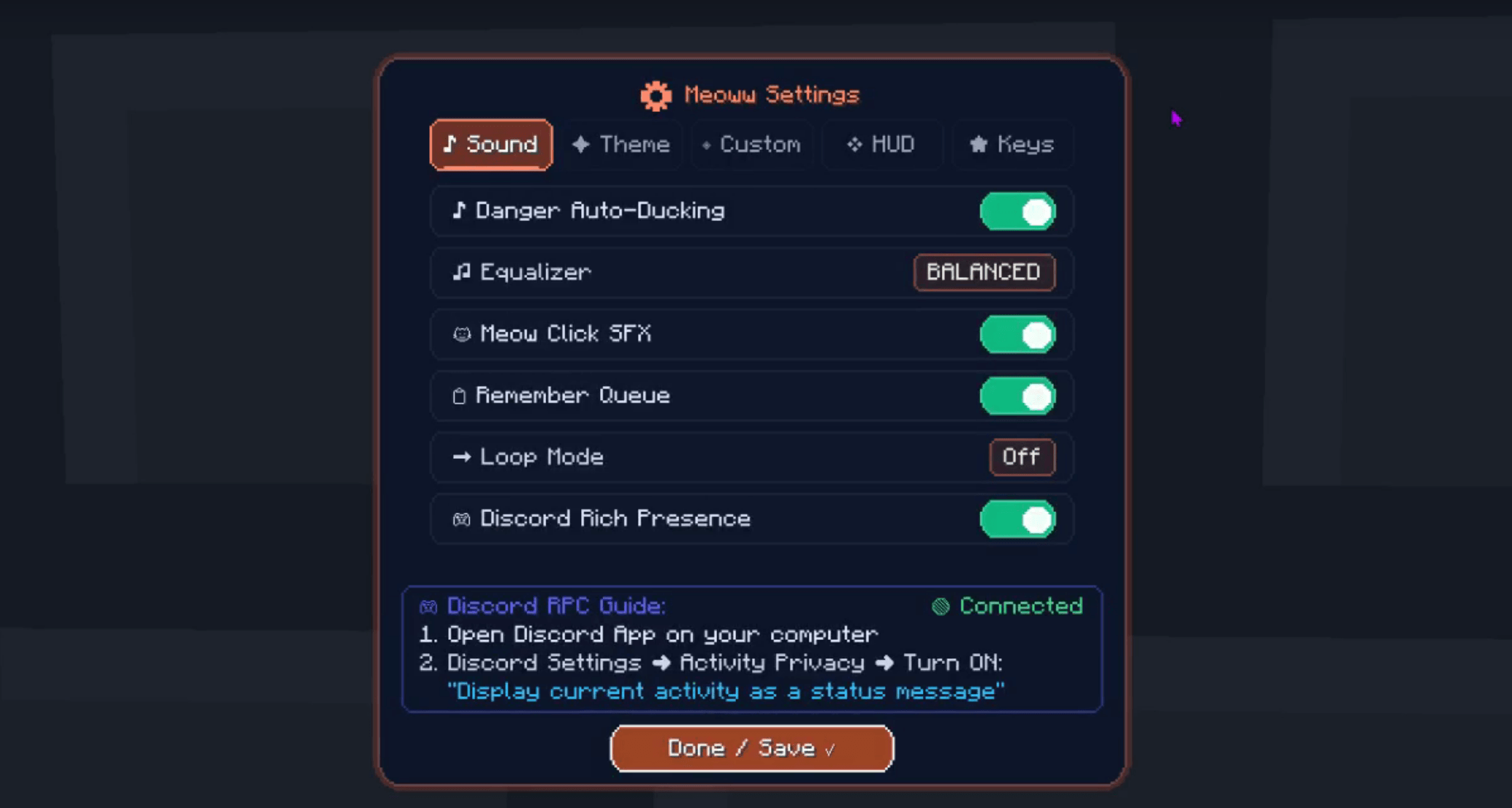 meoww-player-ingame -sound-setting.png
 -
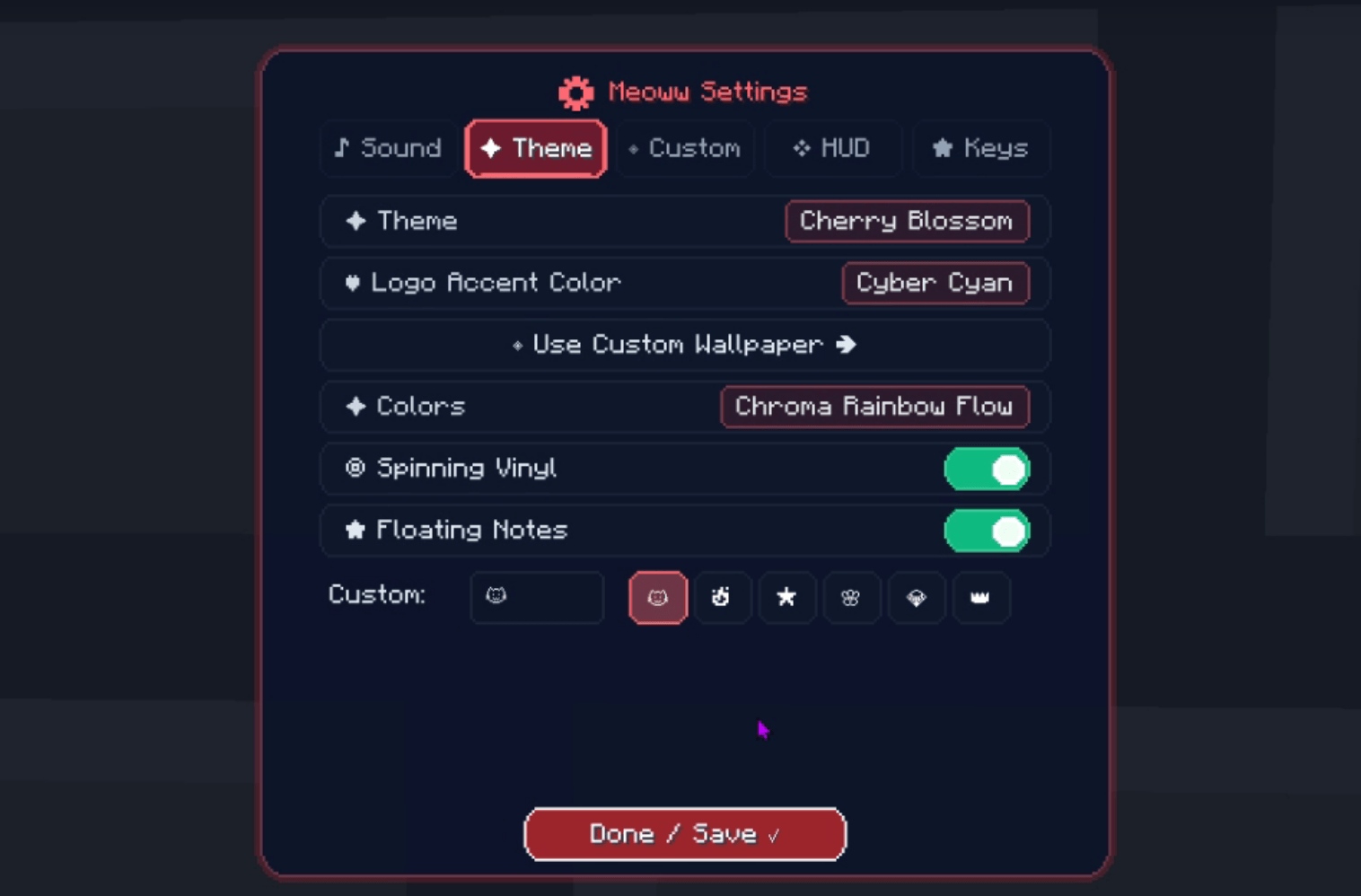 meoww-player-ingame -Theme-setting.png
 -
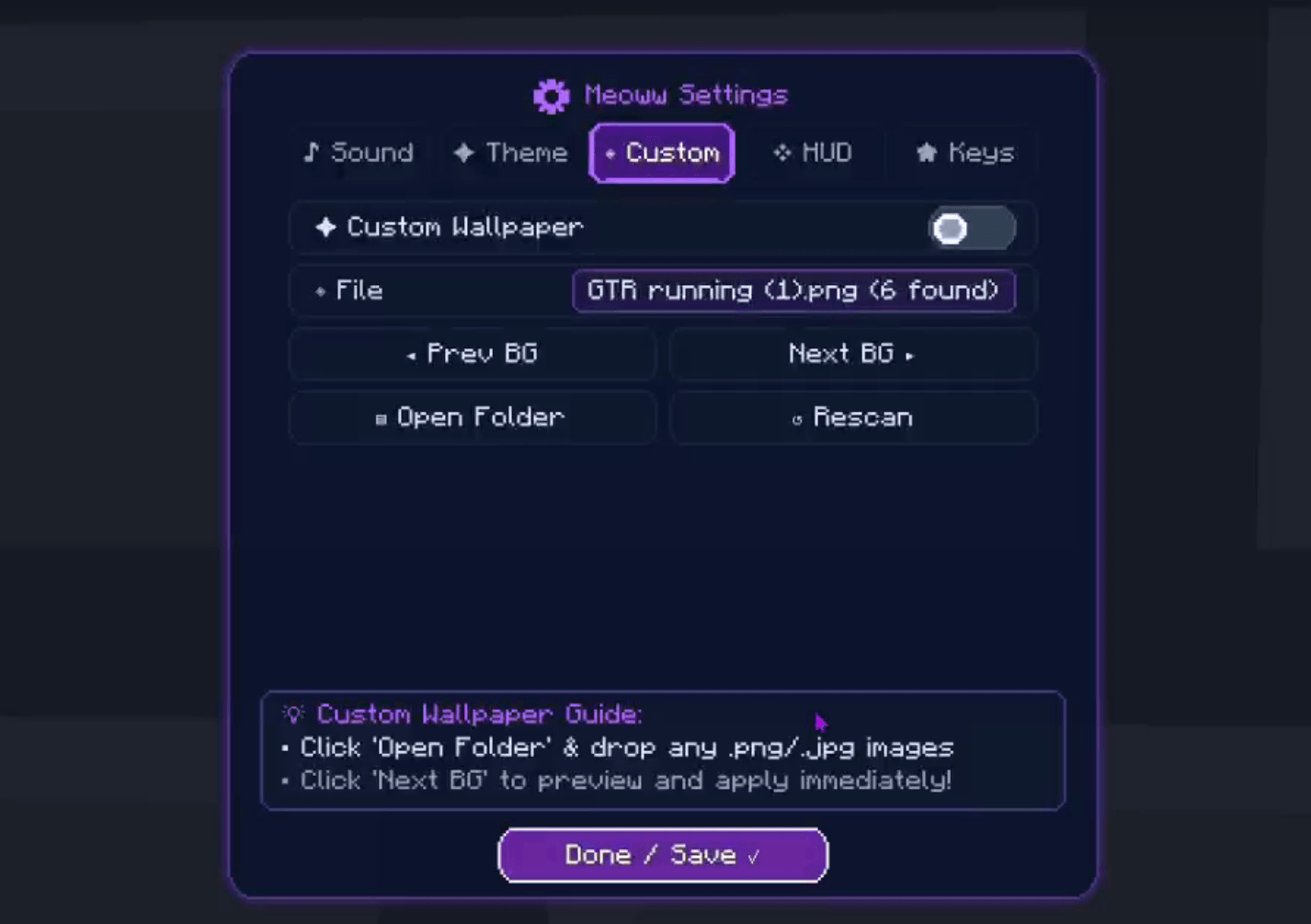 meoww-player-ingame -CustomBG-setting.png
 -
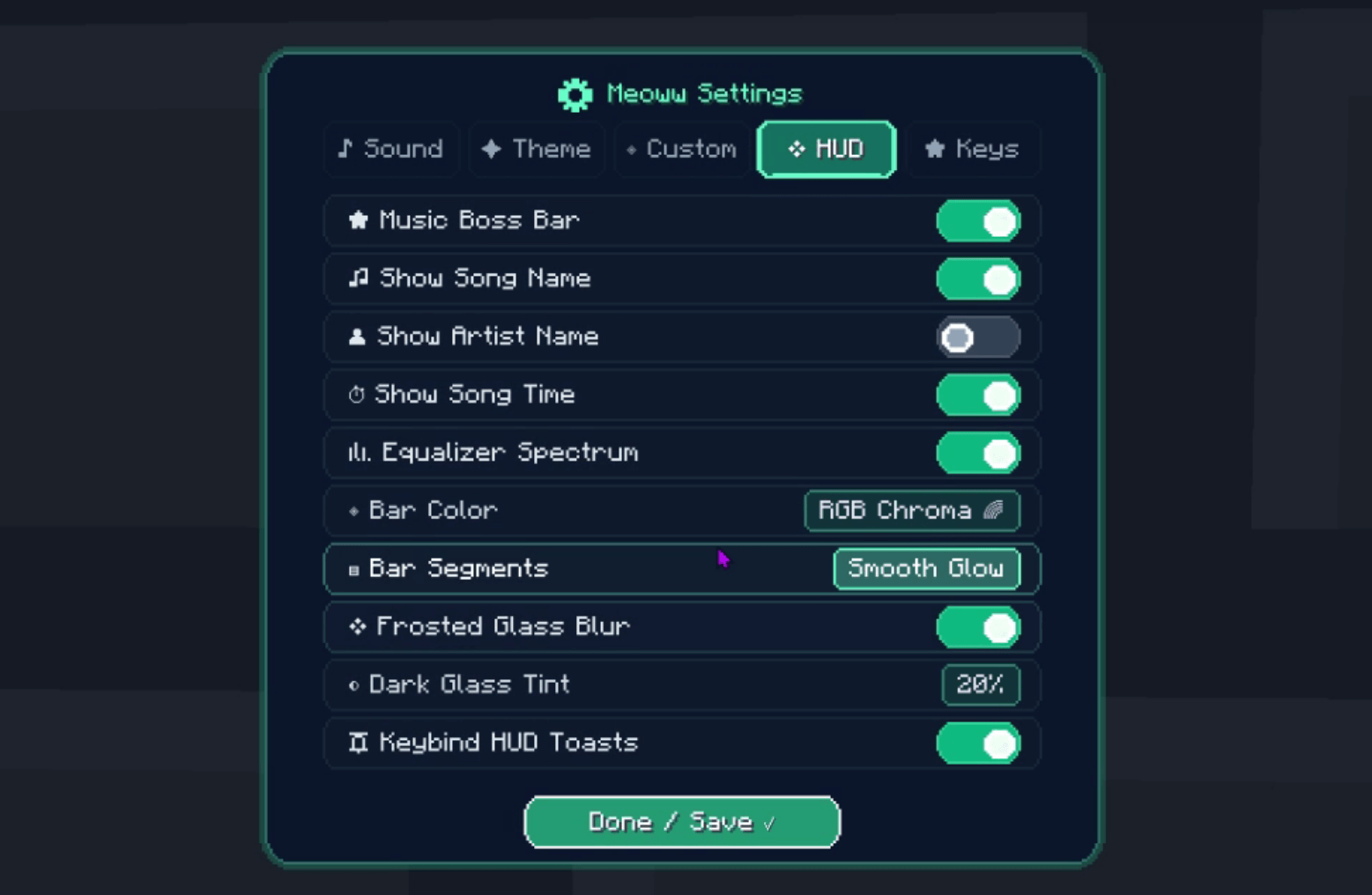 meoww-player-ingame -HUD-setting.png
 -
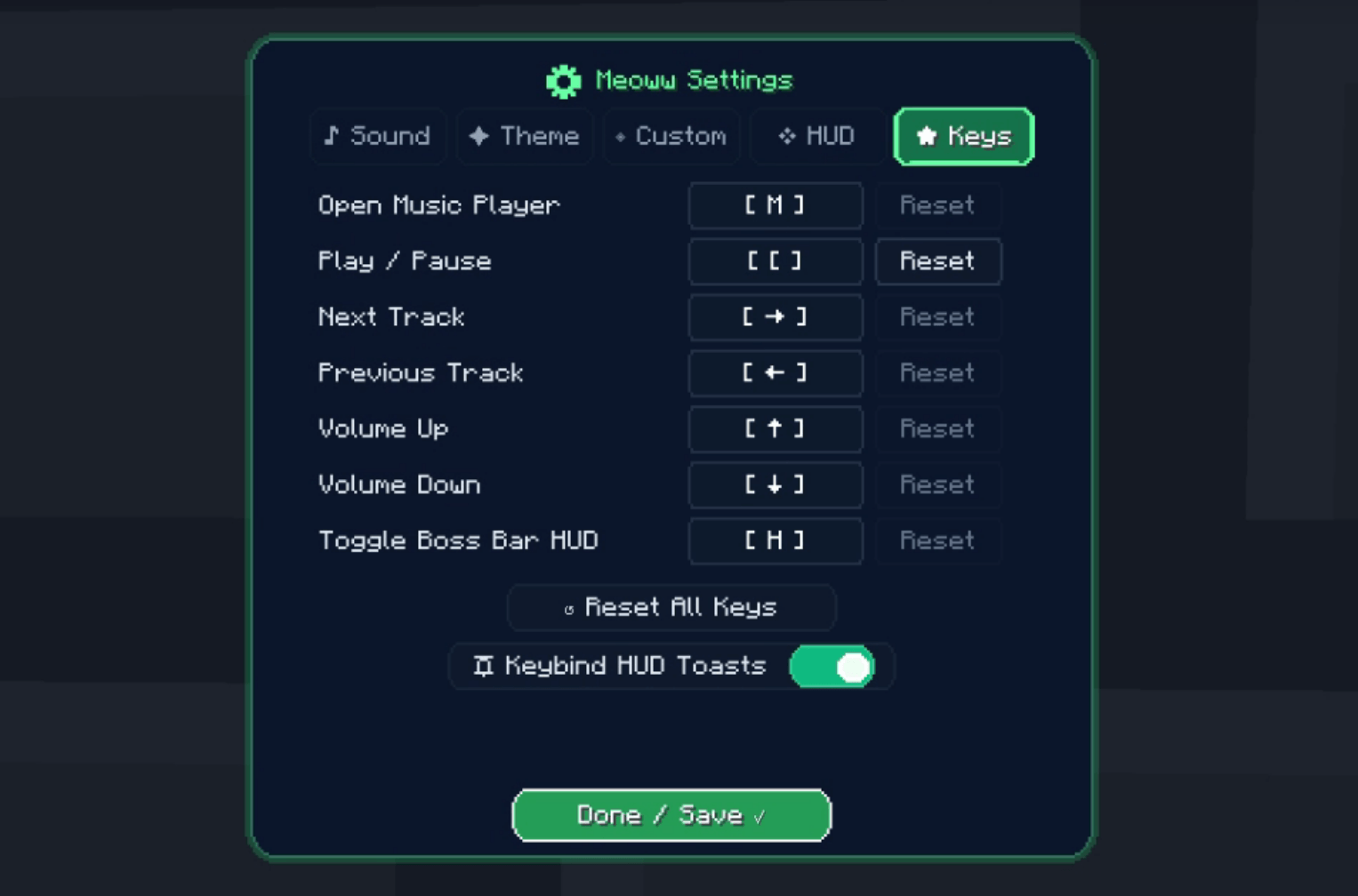 meoww-player-ingame -KEYS/keybind-setting.png
 -
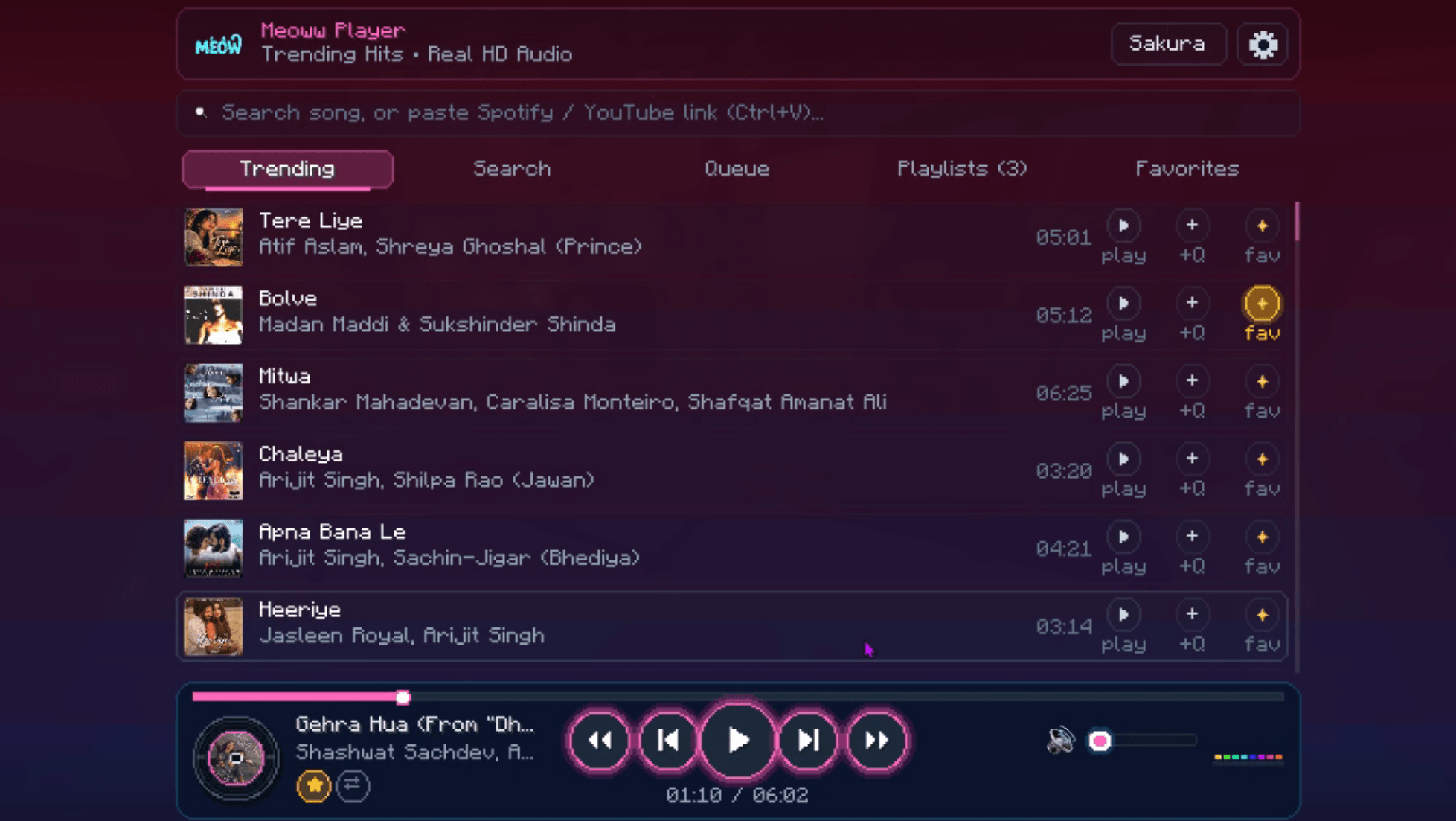 meoww-player-ingame -GUI.png
 -
 ingame-bossbar.png
Versions
Files
Relations
Project Relations
More like this
Similar Mods
Suggestions use data such as tags, dependencies, dependents, descriptions, titles, and more to rank how much they overlap with this mod.
On ModDex
Community snapshot
By the numbers
Statistics

Get it on
Available Platforms
On ModDex
Community snapshot
By the numbers
Statistics
Resources