
Community listing page, reviews here may not be monitored by the author.
Micra Drone

No reviews yet
A programmable farming drone: write scripts to till, plant, and harvest your fields automatically.
Community voices
Reviews
No reviews yet. Be the first to review this project!
Get it on
Available Platforms
About
Project Details
For authors
Embed Badge
If you're the author of this project, you can embed a live badge anywhere that supports HTML or Markdown. It updates automatically whenever ratings change.
Use HTML for any page that supports it, or Markdown for README files and Markdown-based descriptions.
Identifiers
Platform IDs
Resources
External Links
About
Description
Micra Drone
Write code, farm faster. Micra Drone adds a programmable farming drone to Minecraft: craft a Drone Controller, write a script in a small Python-like language, and watch the drone till, plant, and harvest your fields on its own. Inspired by the Steam game The Farmer Was Replaced.
Features
- A real (tiny) programming language — variables,
if/elif/else,while,for i in range(...), comments, and a handful of drone commands (move,till,plant,harvest,can_harvest,is_rotten,get_points,print, …), plus perception commands that read the world around the drone (get_ground,get_block_above,get_time,get_weather,get_biome,get_light). Scripts are written on a rewritable Script Scroll item, or in a full in-game IDE with a live top-down camera view of your plot, a debugger (breakpoints, step/step-out), and a script list. - Claim a plot — place a Drone Controller and a Corner Marker on a diagonal to define a square farming area. The controller can be embedded flush with the farmland, or stood on the surface (the plot is automatically detected one block below). Vanilla farmland inside the plot is kept watered automatically, and crops grow faster than normal whenever the plot is claimed, script running or not.
- Learn from the enchanting table — hold a blank Script Scroll up to an enchanting table to be offered starter scripts and a full command reference, unlocked as you surround the table with more bookshelves (exactly like vanilla enchanting), for a lapis lazuli cost. You can also copy an already-written scroll sitting in a chest, shulker box, or chiseled bookshelf around the table for a flat 1 lapis.
- A script library you can carry — store scrolls in a chest, shulker box, or bookshelf at the plot's other two corners and they show up in the controller's script list automatically. Run the selected script with a lever (redstone on/off) — no GUI required during normal play.
- The controller shows what it's doing — a docked look while idle, an active look while a script is running, and it faces whoever placed it.
- Wheat, carrot, and pumpkin — earn points per crop by harvesting, then spend them in an in-game shop (right-click the Corner Marker) to unlock carrot and pumpkin farming.
- Giant pumpkins — grow a full square of pumpkins at once and they fuse
into a giant pumpkin patch for a large bonus payout on harvest.
Pumpkins also have a ~20% chance to grow "rotten" and yield nothing when
harvested (matches the source game) — check
is_rotten()before you harvest to farm efficiently. - Advancements — a dedicated advancement tab tracks obtaining the controller and marker, unlocking each crop, and harvest-count milestones (10 / 100 / 1000) per crop.
- Multiplayer-friendly — several players can watch the same controller's log/debugger output at once, and harvest achievements are credited to whoever started the run.
Getting started
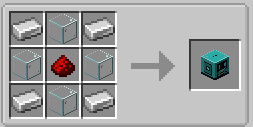
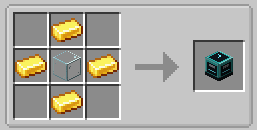
- Craft a Drone Controller (4 iron ingots, 4 glass, 1 redstone) and a Corner Marker (4 gold ingots, 1 glass).
- Place the controller (on the surface or embedded flush with the ground — your choice), then place the marker diagonally from it to size your plot (or skip the marker for a default 5x5 area).
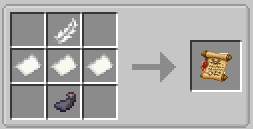
- Craft a blank Script Scroll (3 paper, 1 feather, 1 ink sac) and use it on a nearby enchanting table to learn a starter script or the full command reference.
- Right-click the controller to open the in-game IDE and start editing/running the script. A lever next to the controller runs whatever script is currently selected.
- Right-click the Corner Marker to open the shop and spend earned points on new crops.
Full command reference and playthrough notes: see the GitHub repository README.
Requirements
- Minecraft 1.21.1
- NeoForge 21.1.238
Notes
This is a personal/educational project under active development - expect rough edges and occasional balance changes between versions. Feedback and bug reports are welcome via the GitHub repository's issue tracker.
Source code: All Rights Reserved (see the repository's README.md / gradle.properties for details).
Screenshots
Gallery
-
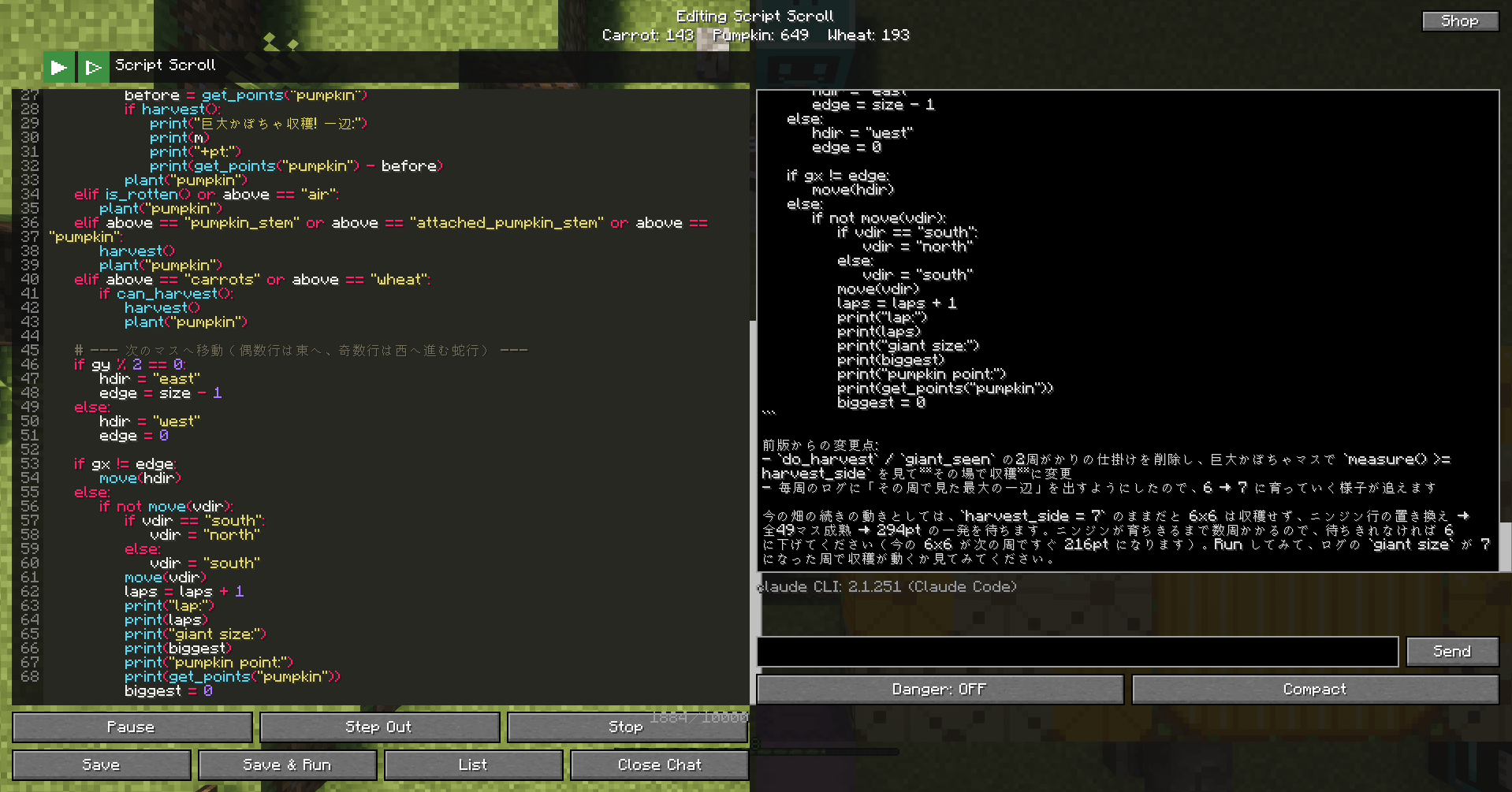 micradrone_gallely_v0_0_10.png micradrone_gallely_v0_0_10.png
 -
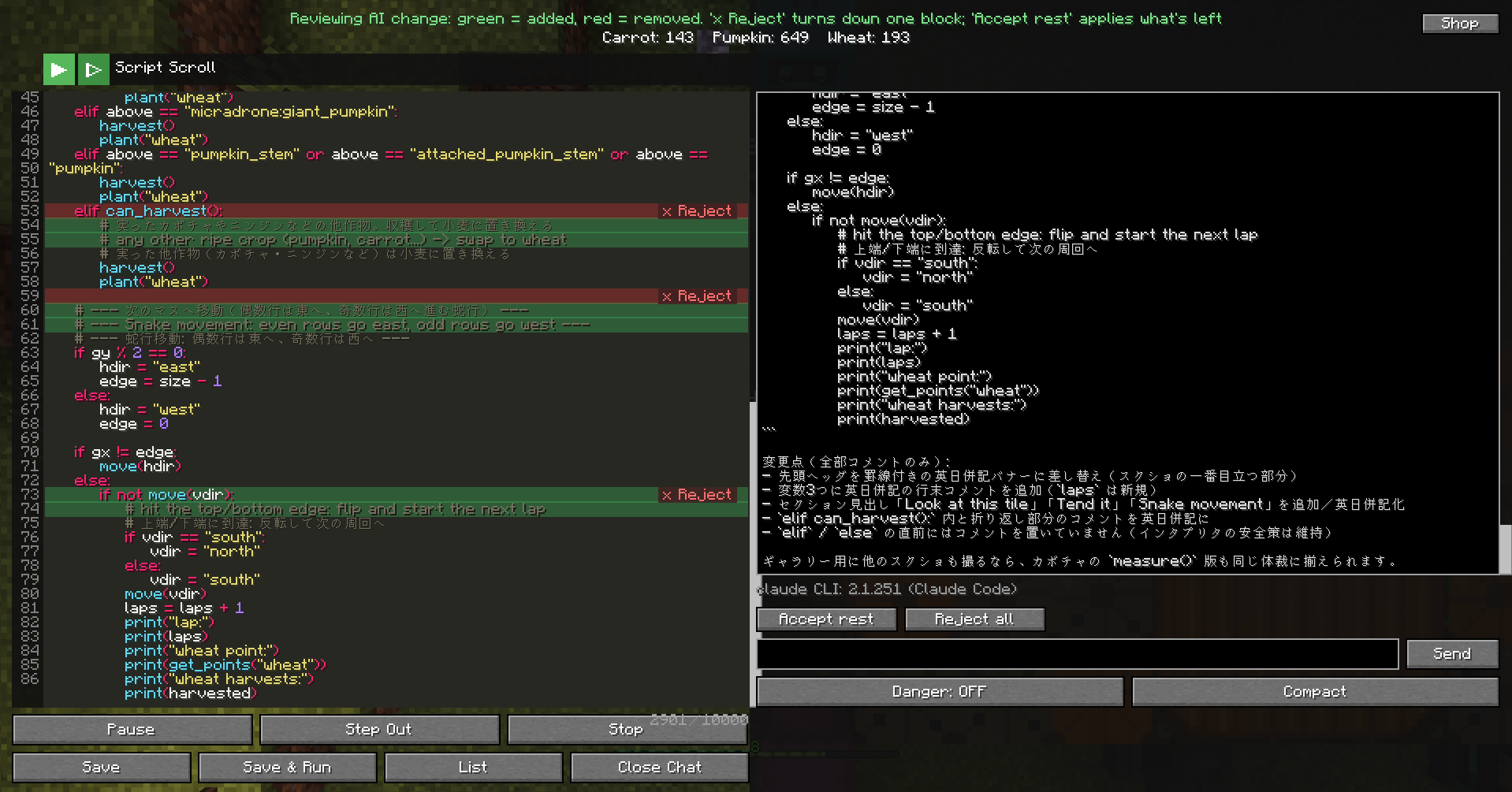 micradrone_gallely_v0_0_10_2.png micradrone_gallely_v0_0_10_2.png
 -
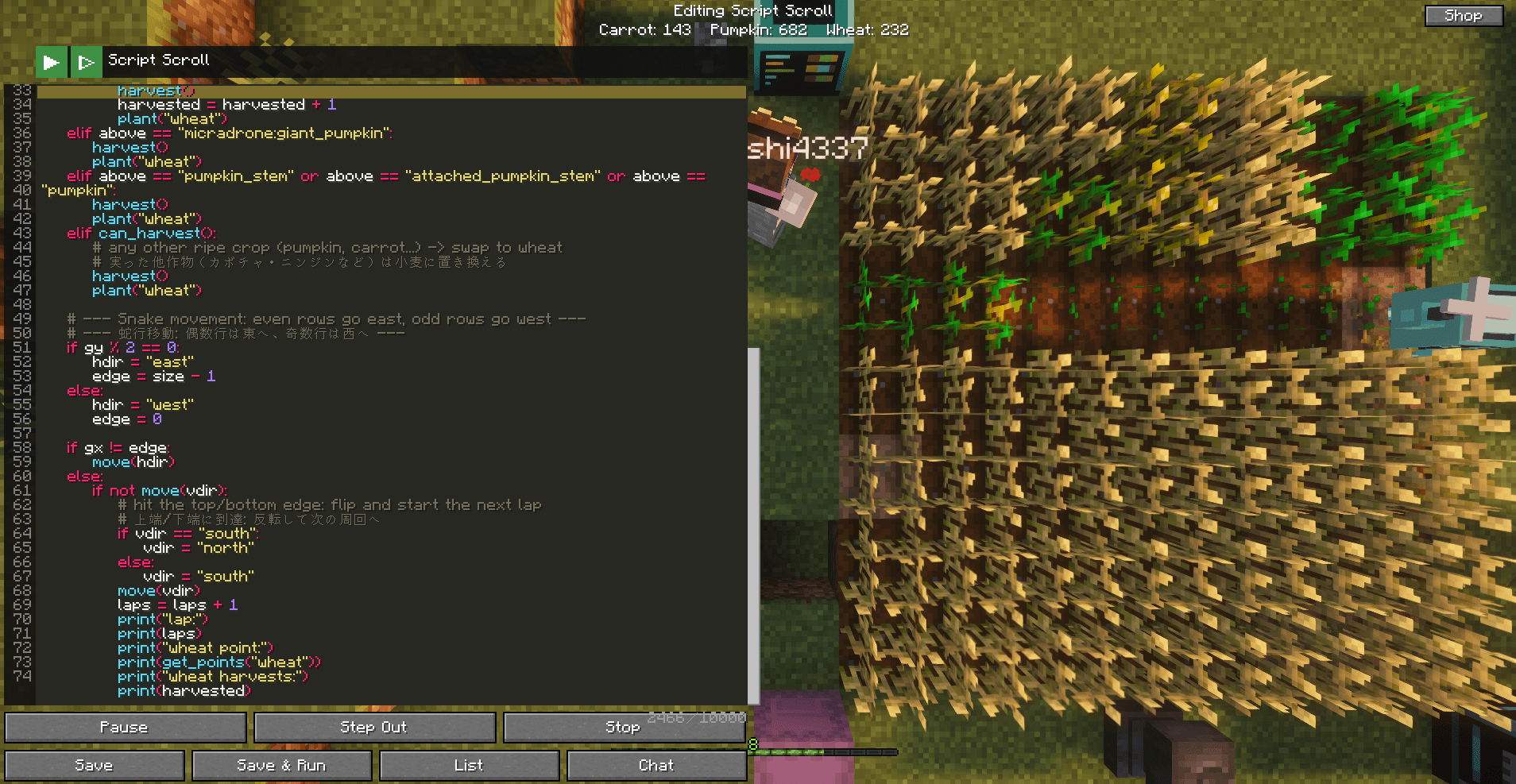 micradrone_gallely_v0_0_10_3.png micradrone_gallely_v0_0_10_3.png
 -
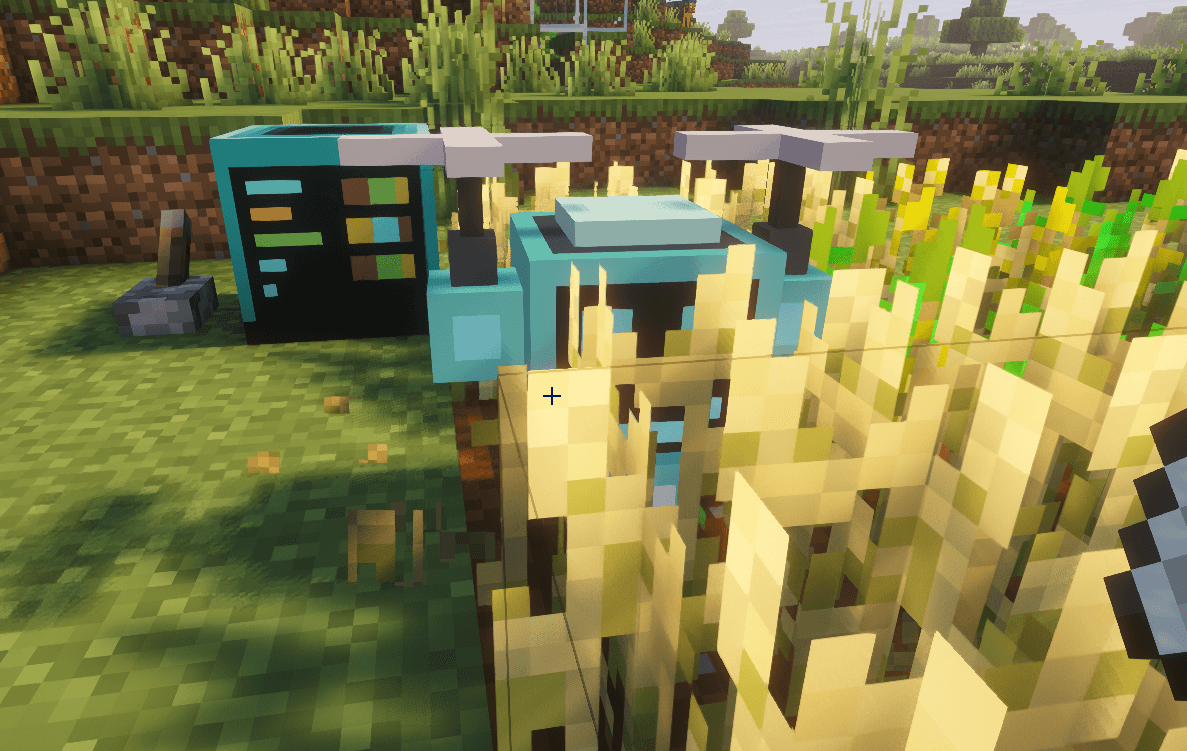 micradrone_gallely_v0_0_10_4.png micradrone_gallely_v0_0_10_4.png
 -
 micradrone_gallely_v0_0_10_5.png micradrone_gallely_v0_0_10_5.png
 -
 micradrone_gallely_v0_0_10_6.png micradrone_gallely_v0_0_10_6.png
 -
 micradrone_gallely_v0_0_10_7.png micradrone_gallely_v0_0_10_7.png
 -
 micradrone_gallely_v0_0_10_8.png micradrone_gallely_v0_0_10_8.png
 -
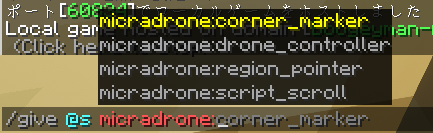 micradrone_gallely_v0_0_10_9.png micradrone_gallely_v0_0_10_9.png
 -
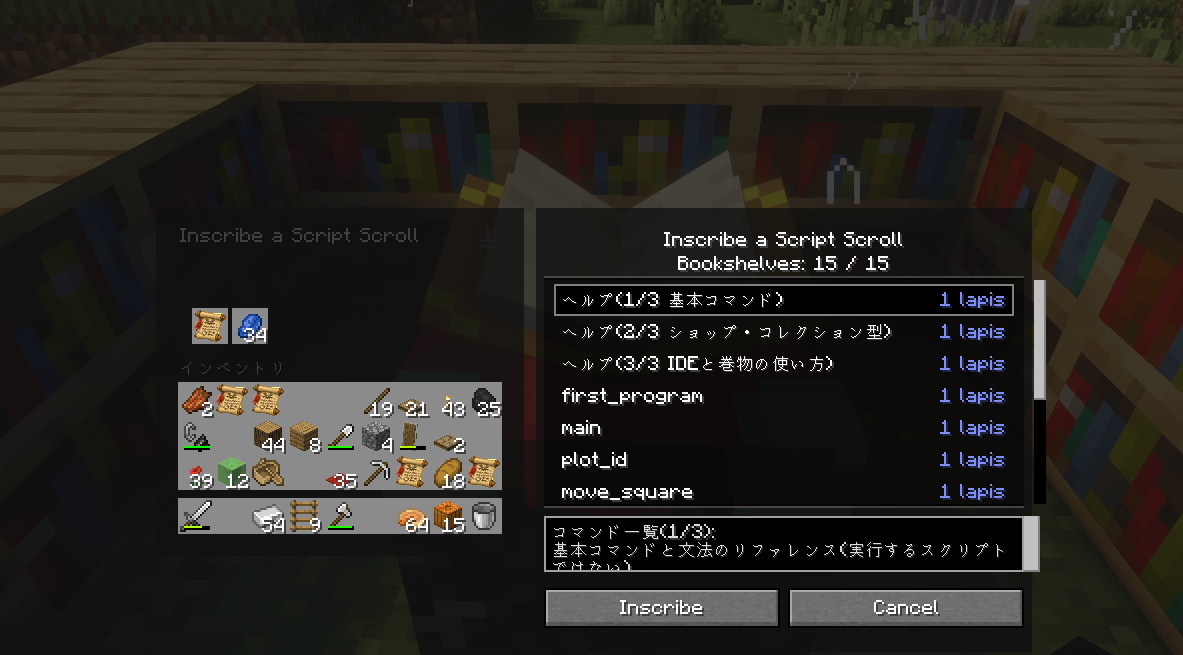 micradrone_gallely_v0_0_10_10.png micradrone_gallely_v0_0_10_10.png
Versions
Files
Relations
Project Relations
More like this
Similar Mods
Suggestions use data such as tags, dependencies, dependents, descriptions, titles, and more to rank how much they overlap with this mod.
On ModDex
Community snapshot
By the numbers
Statistics
Want to reach Minecraft players?
We're looking for a server hosting partner to feature here and other parts of the site. Interested? Send us a message!
Get in touchGet it on
Available Platforms
On ModDex
Community snapshot
By the numbers
Statistics
Resources