
Community listing page, reviews here may not be monitored by the author.
MiguelCrates


No reviews yet
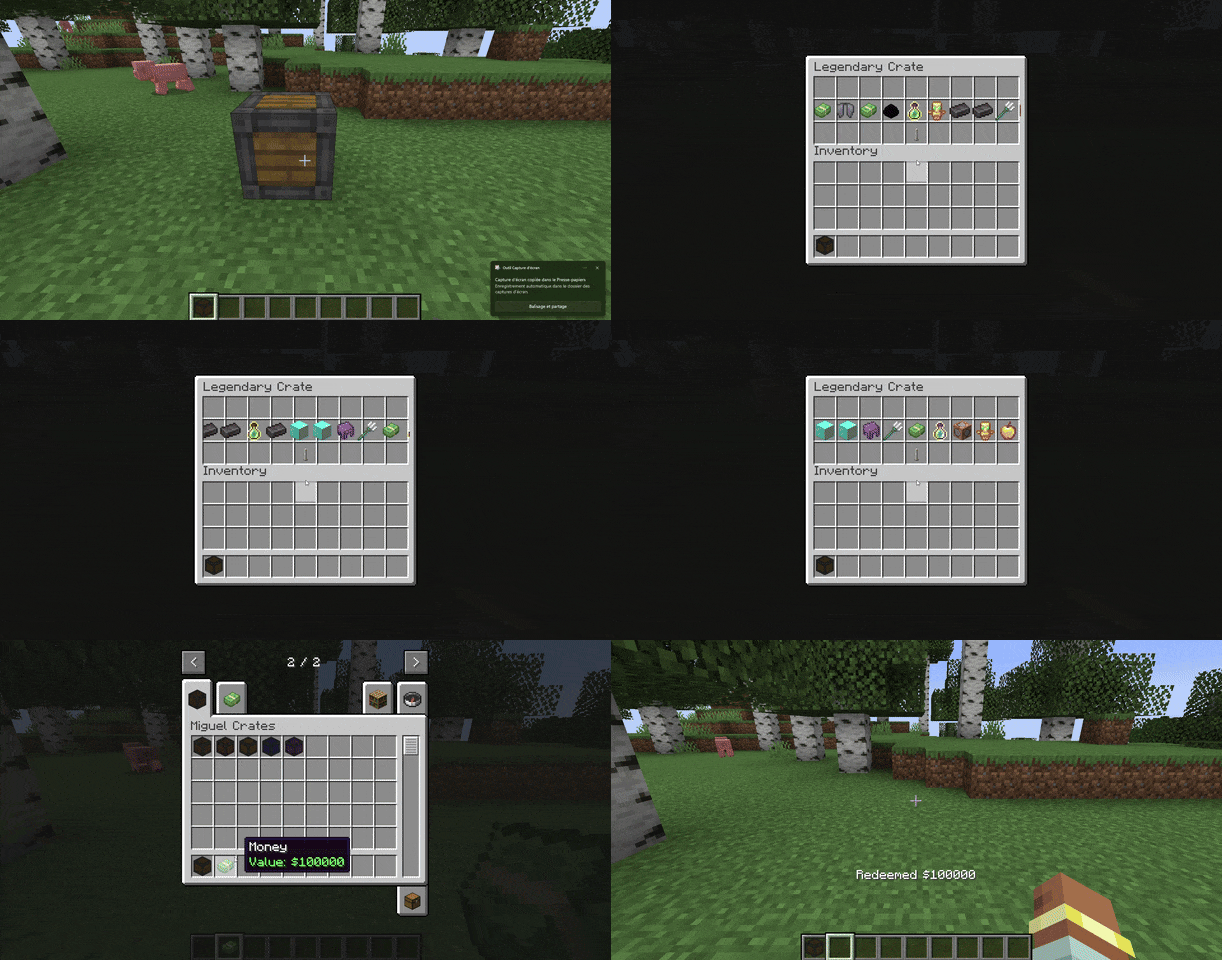
MiguelCrates turns simple item giving into an event. It adds fully animated, exciting lootboxes to your world that hook into your economy and keep players coming back for "just one more spin."
Community voices
Reviews
No reviews yet. Be the first to review this project!
Get it on
Available Platforms
Compatibility
Supported Environments
Must be installed on both the client and the server.
About
Project Details
For authors
Embed Badge
If you're the author of this project, you can embed a live badge anywhere that supports HTML or Markdown. It updates automatically whenever ratings change.
Use HTML for any page that supports it, or Markdown for README files and Markdown-based descriptions.
Identifiers
Platform IDs
About
Description
MiguelCrates
MiguelCrates turns simple item giving into an event. It adds fully animated, exciting lootboxes to your world that hook into your economy and keep players coming back for "just one more spin."
How to Create Your Own Custom Crate
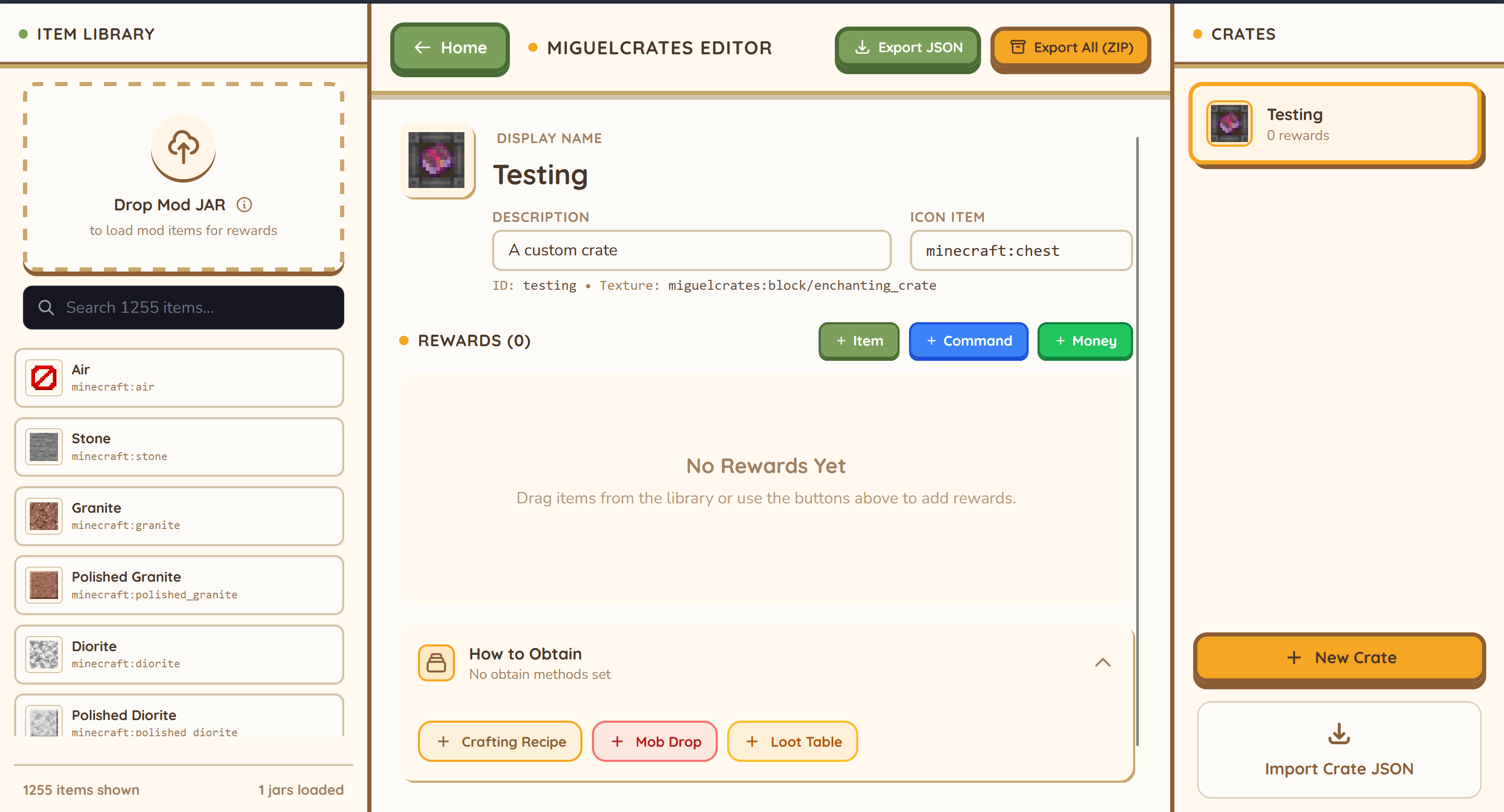
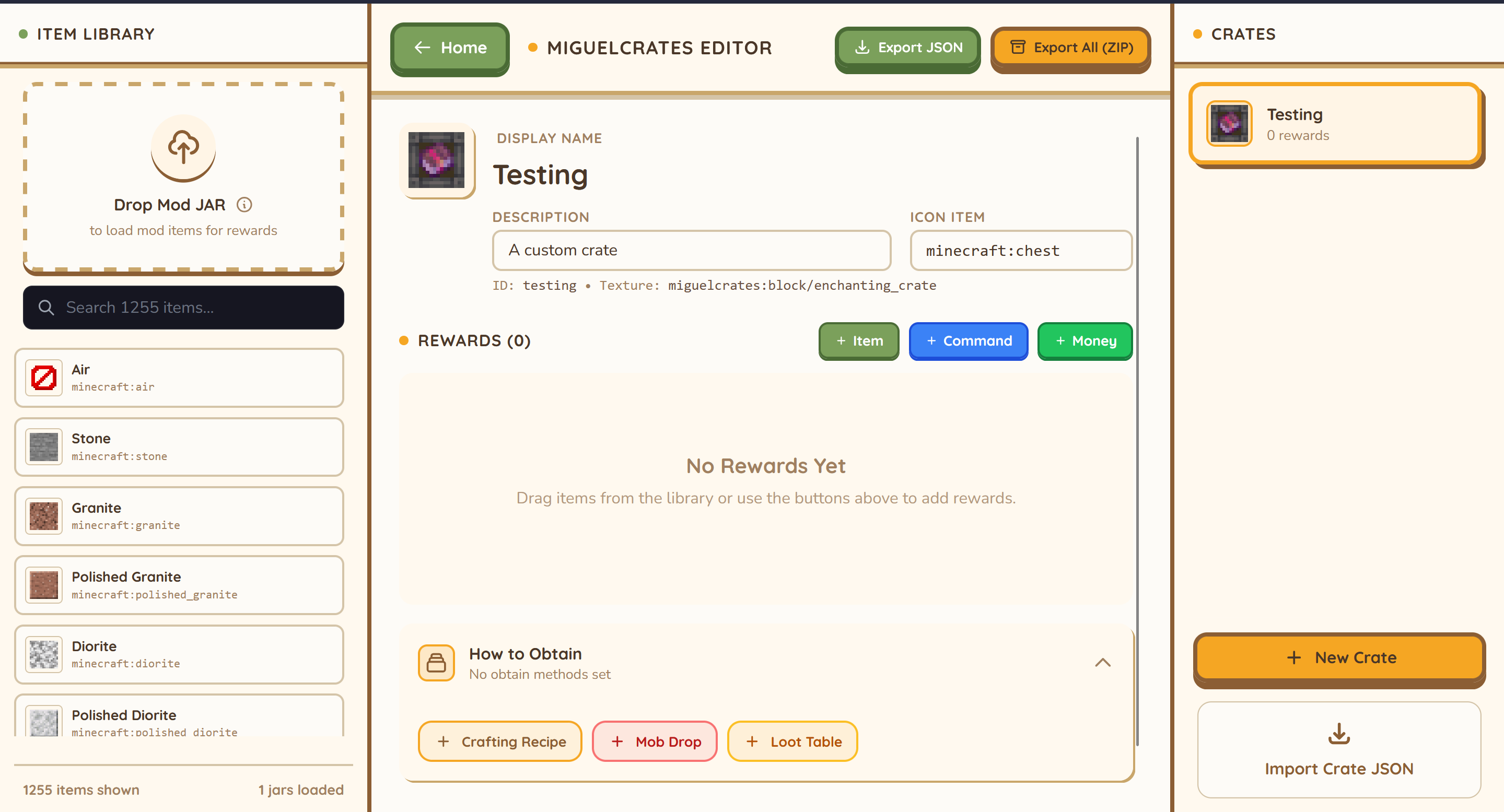
User the crate builder : https://miguel-economy-builder.vercel.app/crate-builder
OR
- Find the Folder: Go to your server’s config folder (
config/migueleconomy/crates). - Copy & Paste: Take an existing file (like
common.json) and copy it. Rename it to something likevip_crate.json. - Edit the Details: Open it with any text editor (like Notepad).
- Change the Name to "VIP Crate".
- Pick a Texture (color) for how it looks.
- List your Rewards: Simply type in the items you want (e.g.,
"minecraft:diamond"), how many to give, and how rare they should be. - Tip: You can even make it run commands or give money!
- Restart: Restart your server, and your new crate is ready to be placed!
{
  "display_name": "My Custom Crate",
  "description": "A description of what's inside.",
  "icon": "minecraft:chest",
  "texture": "miguelcrates:block/common_crate",
  "rewards": [
    ...
  ],
  "obtain": {
    "sources": [
      ...
    ]
  }
}{
"item": "minecraft:enchanted_book",
"quantity": 1,
"enchantments": {
"minecraft:sharpness": 5,
"minecraft:unbreaking": 3
},
"weight": 10
}{
"item": "minecraft:diamond_sword",
"nbt": "{display:{Name:'{\"text\":\"Excalibur\"}'}}",
"weight": 5
}"rewards": [
{
"item": "minecraft:diamond",
"quantity": 2,
"weight": 10
},
{
"command": "give @p minecraft:stone 64",
"weight": 50
},
{
"item": "minecraft:experience_bottle",
"command": "xp add @p 5 levels",
"weight": 10
},
{
"item": "migueleconomy:money",
"nbt": "{MoneyValue:100L}",
"weight": 20
}
]{
"type": "craft",
"recipe": {
"type": "minecraft:crafting_shaped",
"category": "misc",
"pattern": [
"AAA",
"ABA",
"AAA"
],
"key": {
"A": { "item": "minecraft:planks" },
"B": { "item": "minecraft:chest" }
},
"result": {
"id": "miguelcrates:crate",
"count": 1,
"components": {
"minecraft:custom_data": { "CrateId": "your_crate_id" }
}
}
}
}{
"type": "kill",
"entity": "minecraft:zombie",
"chance": 0.05
}{
"type": "loot_table",
"id": "minecraft:chests/simple_dungeon",
"chance": 0.1
}{
"display_name": "Example Crate",
"description": "An example configuration.",
"icon": "minecraft:barrel",
"texture": "miguelcrates:block/common_crate",
"rewards": [
{
"item": "minecraft:apple",
"quantity": 5,
"weight": 50
},
{
"item": "minecraft:golden_apple",
"weight": 10
}
],
"obtain": {
"sources": [
{
"type": "kill",
"entity": "minecraft:skeleton",
"chance": 0.02
}
]
}
}In-Game Commands (Admin)
Use these commands to give crates to yourself or other players.
Give a Crate
/miguelcrate give <player> <crate_id> [amount]
- Example 1 (Give yourself a Rare Crate):
/miguelcrate give @p rare - Example 2 (Give a player 5 Common Crates):
/miguelcrate give PlayerName common 5
Reload Config
/miguelcrate reload
- Refreshes the mod if you edited the JSON files while the server was running.
Open Menu (Shortcuts)
/crates, /crate, or /box

MiguelCrates
MiguelCrates turns simple item giving into an event. It adds fully animated, exciting lootboxes to your world that hook into your economy and keep players coming back for "just one more spin."
How to Create Your Own Custom Crate
User the online Crate Builder : https://miguel-economy-builder.vercel.app/crate-builder
OR
- Find the Folder: Go to your server’s config folder (
config/migueleconomy/crates). - Copy & Paste: Take an existing file (like
common.json) and copy it. Rename it to something likevip_crate.json. - Edit the Details: Open it with any text editor (like Notepad).
- Change the Name to "VIP Crate".
- Pick a Texture (color) for how it looks.
- List your Rewards: Simply type in the items you want (e.g.,
"minecraft:diamond"), how many to give, and how rare they should be. - Tip: You can even make it run commands (with custom icons!) or give money.
- Restart: Restart your server, and your new crate is ready to be placed!
Comple Crate Guide
Creating and Editing Crates
MiguelCrates uses JSON configuration files to define crates. This allows you to easily create new crates or modify existing ones without changing the mod code.
Location
Crate configuration files are located in the config/migueleconomy/crates/ directory of your Minecraft instance.
- Server/Client:
config/migueleconomy/crates/
Each crate is a separate .json file. The file name determines the unique ID of the crate (e.g., common.json -> common).
Crate Structure
The basic structure of a crate JSON file is as follows:
{
"display_name": "My Custom Crate",
"description": "A description of what's inside.",
"icon": "minecraft:chest",
"texture": "miguelcrates:block/common_crate",
"rewards": [
...
],
"obtain": {
"sources": [
...
]
}
}
Fields
| Field | Type | Description |
|---|---|---|
display_name |
String | The name shown in GUIs and items. |
description |
String | Description text shown in tooltips. |
icon |
String | The Item ID used to represent the crate (e.g., minecraft:chest). |
texture |
String | Path to the texture for the custom renderer (usually miguelcrates:block/<name>). |
rewards |
List | A list of possible rewards (see below). |
obtain |
Object | (Optional) Defines how players can get this crate (see below). |
Simplified Enchantments (Recommended)
Instead of using complex NBT strings, you can use the enchantments block to add enchantments to an item. This works for both books and tools.
{
    "item": "minecraft:enchanted_book",
    "quantity": 1,
    "enchantments": {
        "minecraft:sharpness": 5,
        "minecraft:unbreaking": 3
    },
    "weight": 10
}
Advanced NBT
For more complex data (attributes, names, etc.), you can still use the nbt field.
{
    "item": "minecraft:diamond_sword",
    "nbt": "{display:{Name:'{\"text\":\"Excalibur\"}'}}",
    "weight": 5
}
Rewards
The rewards list contains objects defining what players can win.
"rewards": [
  {
    "item": "minecraft:diamond",
    "quantity": 2,
    "weight": 10
  },
  {
    "command": "give @p minecraft:stone 64",
    "weight": 50
  },
  {
    "item": "minecraft:experience_bottle",
    "command": "xp add @p 5 levels",
    "weight": 10
  },
  {
    "item": "migueleconomy:money",
    "nbt": "{MoneyValue:100L}",
    "weight": 20
  }
]
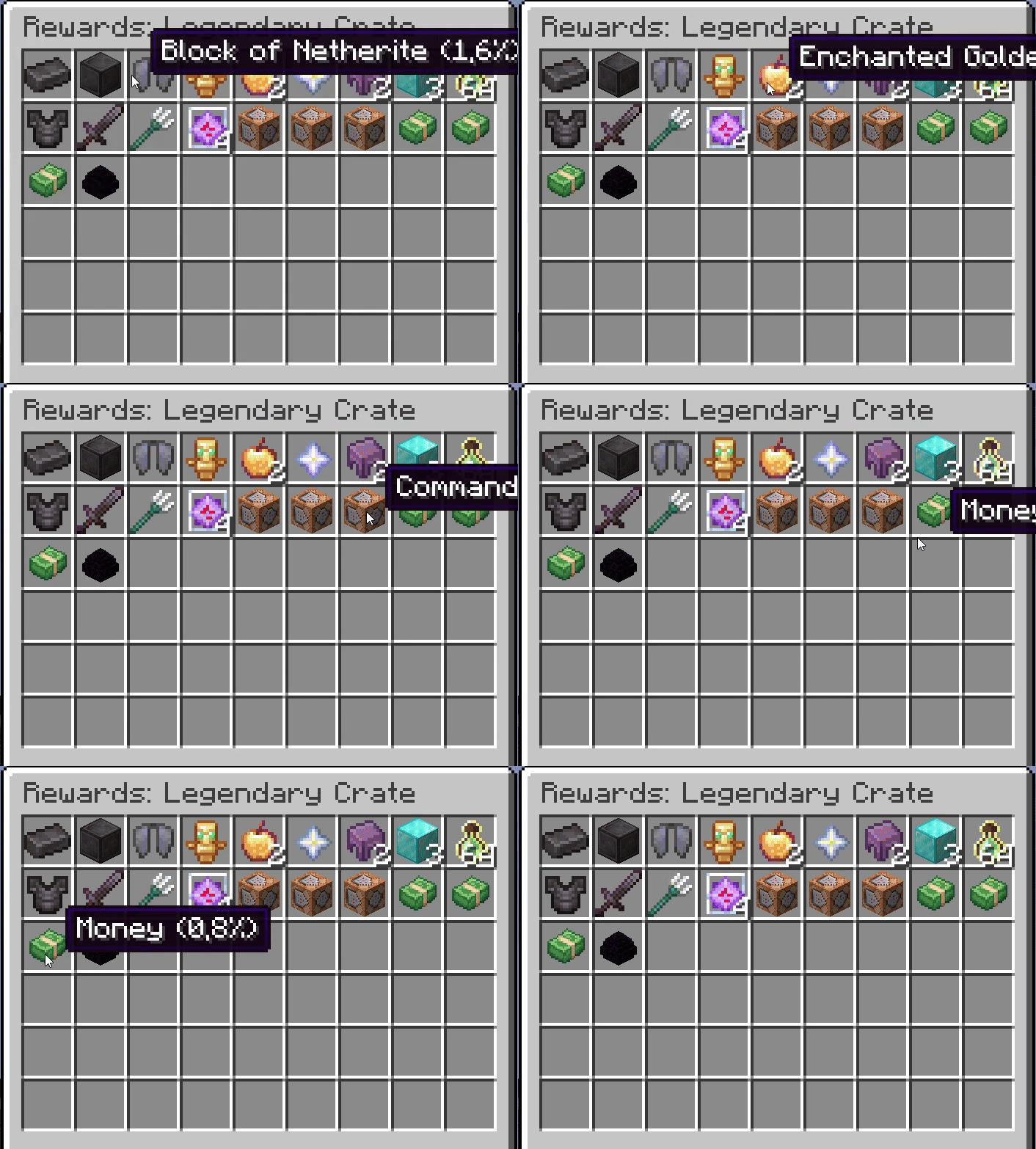
item: Resource location of the item (e.g.,minecraft:iron_sword). If used withcommand, it acts as the icon.command: Command to execute. Use@pfor the player opening the crate.name: (Optional) Custom display name for the reward (e.g. "5 Levels of XP").quantity: (Optional, default 1) Number of items to give.nbt: (Optional) NBT data string for the item.weight: The chance weight. Higher weight = higher chance.- Probability =
weight / total_weight_of_all_rewards
- Probability =
Obtain Methods
The obtain section defines how crates are generated in the world. It contains a list of sources.
1. Crafting (craft)
Allows players to craft the crate in a crafting table.
{
  "type": "craft",
  "recipe": {
    "type": "minecraft:crafting_shaped",
    "category": "misc",
    "pattern": [
      "AAA",
      "ABA",
      "AAA"
    ],
    "key": {
      "A": { "item": "minecraft:planks" },
      "B": { "item": "minecraft:chest" }
    },
    "result": {
      "id": "miguelcrates:crate",
      "count": 1,
      "components": {
        "minecraft:custom_data": { "CrateId": "your_crate_id" }
      }
    }
  }
}
2. Mob Drops (kill)
Drops when a specific entity is killed.
{
  "type": "kill",
  "entity": "minecraft:zombie",
  "chance": 0.05
}
entity: Entity ID (e.g.,minecraft:creeper,minecraft:ender_dragon).chance: Probability from 0.0 to 1.0 (0.05 = 5%).
3. Loot Tables (loot_table)
Injects the crate into vanilla loot tables (chests).
{
  "type": "loot_table",
  "id": "minecraft:chests/simple_dungeon",
  "chance": 0.1
}
id: The Loot Table ID to inject into.chance: Probability the crate will appear in the chest.
Example File (example.json)
{
  "display_name": "Example Crate",
  "description": "An example configuration.",
  "icon": "minecraft:barrel",
  "texture": "miguelcrates:block/common_crate",
  "rewards": [
    {
      "item": "minecraft:apple",
      "quantity": 5,
      "weight": 50
    },
    {
      "item": "minecraft:golden_apple",
      "weight": 10
    }
  ],
  "obtain": {
    "sources": [
      {
        "type": "kill",
        "entity": "minecraft:skeleton",
        "chance": 0.02
      }
    ]
  }
}
In-Game Commands (Admin)
Use these commands to manage crates.
Give a Crate
/miguelcrates give <player> <crate_id> [amount]
- Example 1 (Give yourself a Rare Crate):
/miguelcrates give @p rare - Example 2 (Give a player 5 Common Crates):
/miguelcrates give PlayerName common 5
Restore Default Crates
/miguelcrates default <name|all>
- Restores missing or deleted default crates.
- Example:
/miguelcrates default all(Restores all 20+ themed crates) - Example:
/miguelcrates default miner(Restores just the Miner crate)
Reload Config
/miguelcrates reload
- Refreshes the mod if you edited the JSON files while the server was running.
Open Menu (Shortcuts)
/crates, /crate, or /box
Screenshots
Gallery
-
 Capture d'écran 2026-03-04 134408.png Capture d'écran 2026-03-04 134408.png
 -
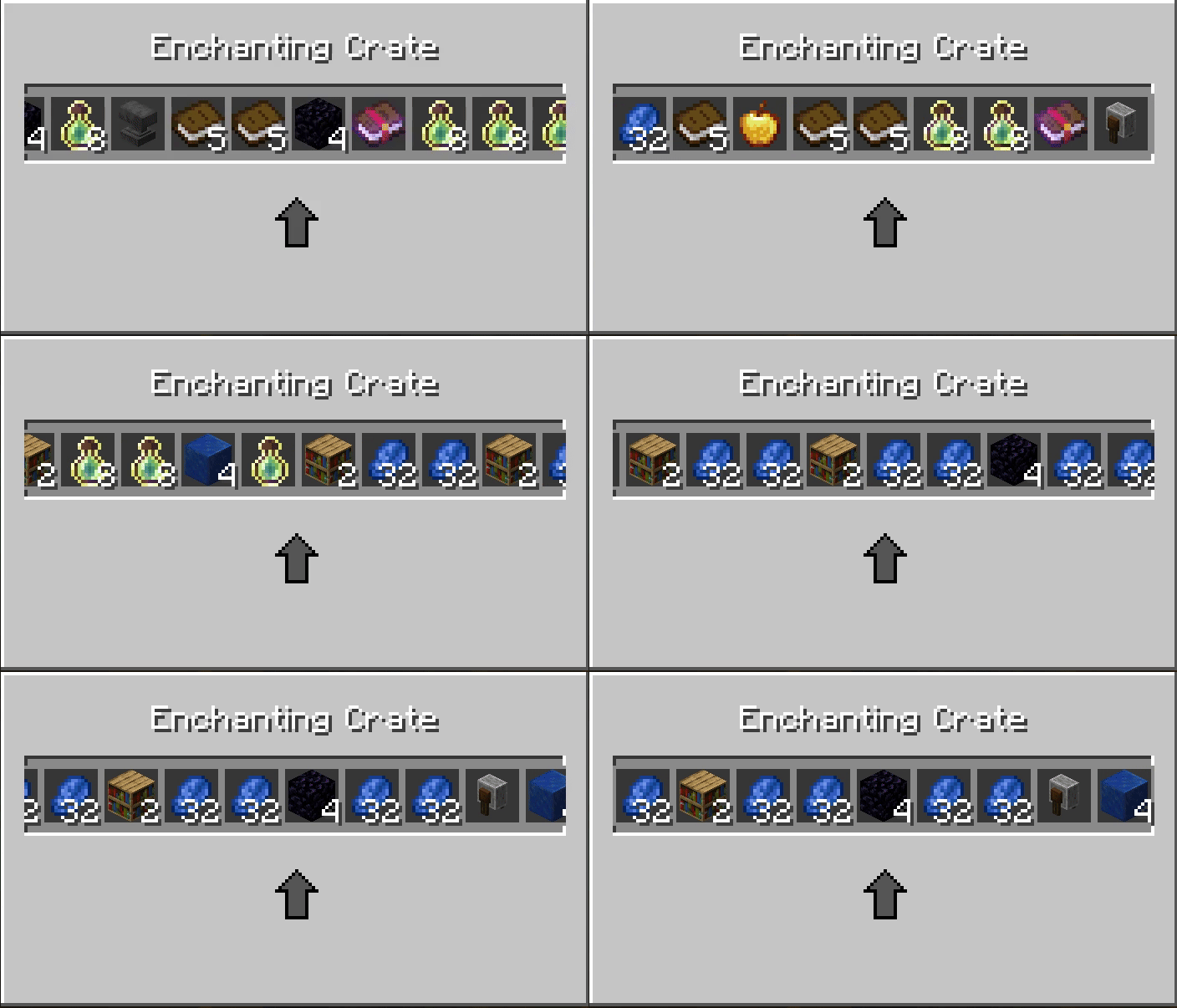 NewUI.gif Only after 1.0.4
 -
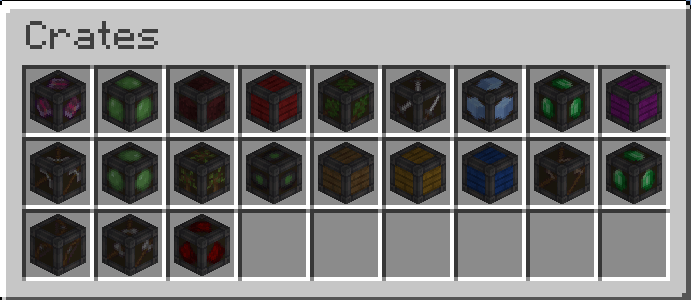 image_2025-12-14_054202026.png image_2025-12-14_054202026.png
 -
 ezgif-10e0cecb66a4b4af.gif ezgif-10e0cecb66a4b4af.gif
 -
 ezgif-1b2ef282f99ca937.gif ezgif-1b2ef282f99ca937.gif
 -
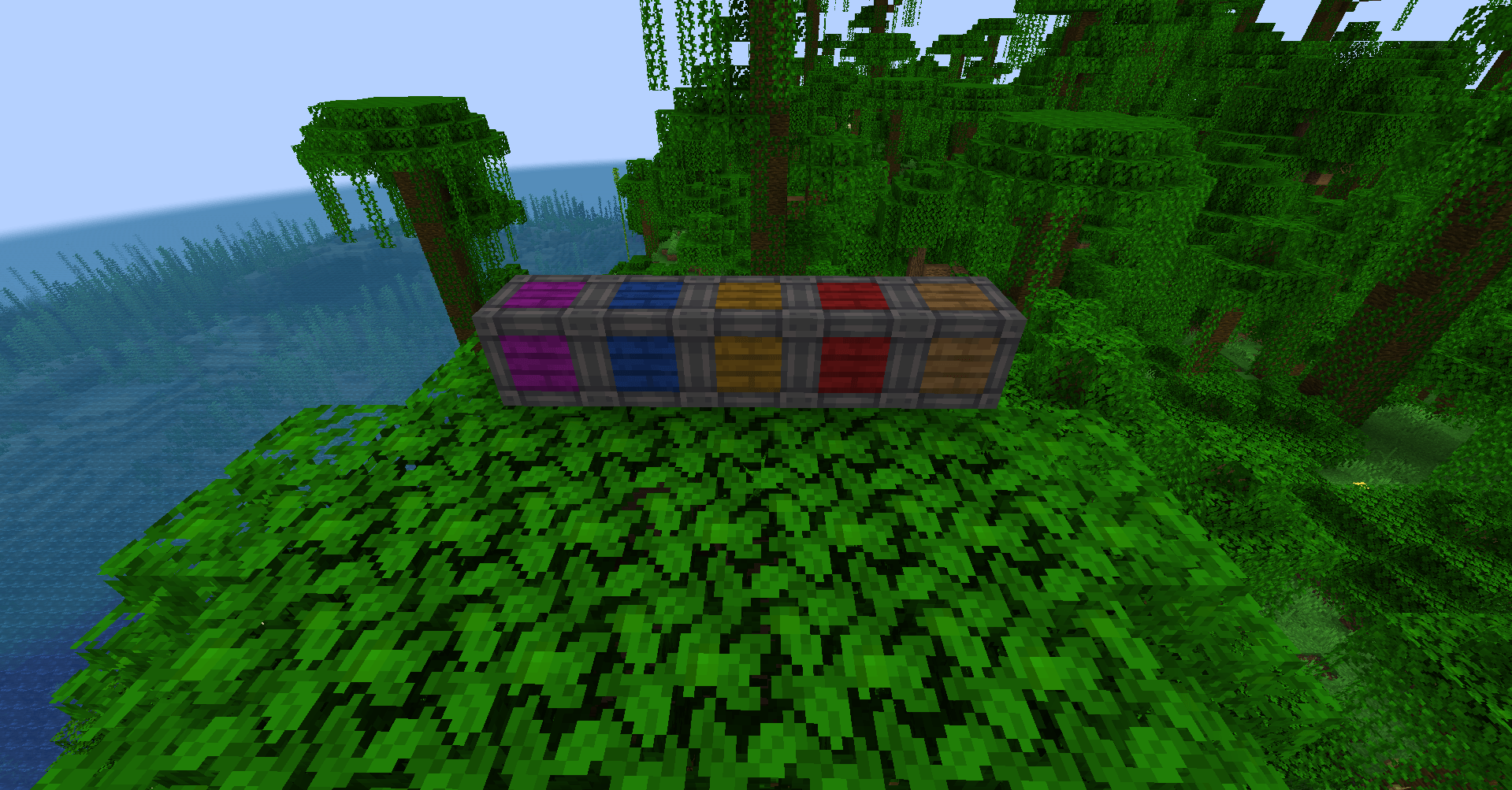 image.png image.png
-

-

-
-
 NewUI After 1.0.4
 -
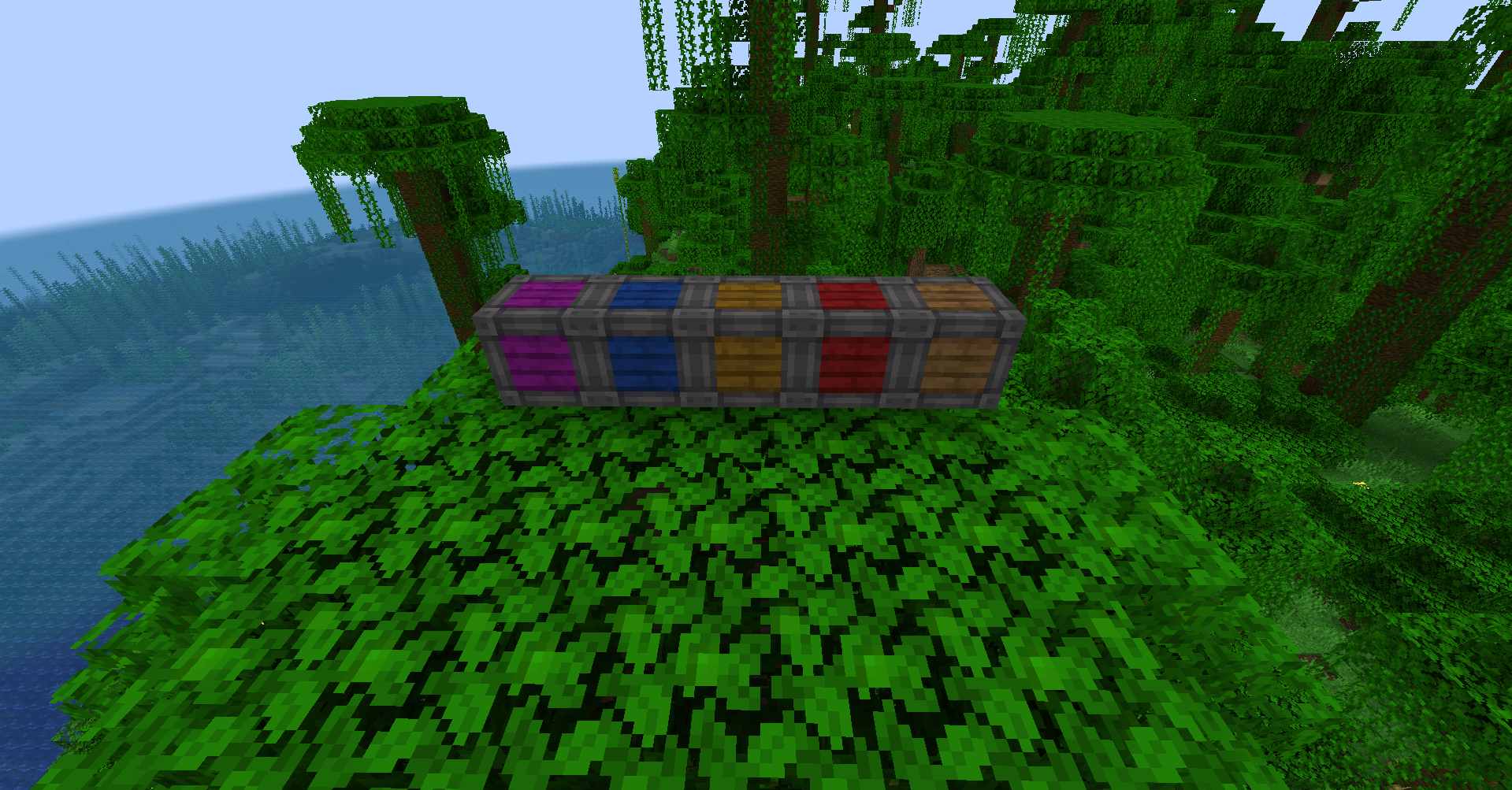 Default crates
Versions
Files
Relations
Project Relations
More like this
Similar Mods
Suggestions use data such as tags, dependencies, dependents, descriptions, titles, and more to rank how much they overlap with this mod.
On ModDex
Community snapshot
By the numbers
Statistics
Want to reach Minecraft players?
We're looking for a server hosting partner to feature here and other parts of the site. Interested? Send us a message!
Get in touchGet it on
Available Platforms
On ModDex
Community snapshot
By the numbers