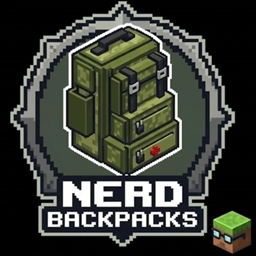
Community listing page, reviews here may not be monitored by the author.
Militar Backpacks

No reviews yet
Militar Backpacks: basic craftings, military style, vanilla friendly
Community voices
Reviews
No reviews yet. Be the first to review this project!
Get it on
Available Platforms
About
Project Details
For authors
Embed Badge
If you're the author of this project, you can embed a live badge anywhere that supports HTML or Markdown. It updates automatically whenever ratings change.
Use HTML for any page that supports it, or Markdown for README files and Markdown-based descriptions.
Identifiers
Platform IDs
About
Description
NerdBackpacks
Tiered backpacks for Minecraft 1.20.1 (Forge) with a vanilla-style inventory, wearable models, and optional Curios support.
Overview
NerdBackpacks adds five upgradeable backpacks that grow by 18 slots each tier (two extra chest rows). You can hold them, place them in the world, wear them on the chestplate slot, or equip them through Curios when that mod is installed.
Contents are stored on the item (and on the block when placed), so upgrades keep your inventory.
| Tier | Item | Slots |
|---|---|---|
| I | Backpack Level I | 27 |
| II | Backpack Level II | 45 |
| III | Backpack Level III | 63 |
| IV | Backpack Level IV | 81 |
| V | Backpack Level V | 99 |
Requirements
| Minecraft | 1.20.1 |
| Loader | Forge 47+ |
| Hard dependencies | None beyond Forge |
Optional integrations
| Mod | What it adds |
|---|---|
| Curios | Equip on back / chest slots; on-body render |
| JEI | Shows backpack crafting / upgrade recipes |
| Jade | Shows placed backpack contents (hold Shift) |
| Mouse Tweaks | Drag-and-drop in the backpack GUI (scroll wheel sorting is disabled so backpack scrolling works) |
How to use
Crafting
- Craft a Sack (
saco) from string and leather. - Craft Backpack Level I, then upgrade through the crafting table using the previous backpack + materials.
- Upgrading preserves the backpack’s stored items (NBT).
Inventory GUI
- Right-click a backpack in your hand to open it.
- Larger backpacks (IV–V) use a scrollbar and mouse wheel (up to 7 visible rows).
- Middle-click over the backpack area to sort (A→Z, full stacks first).
- Backpacks cannot be placed inside other backpacks.
Place & pick up
- Shift + right-click with a backpack to place it in the world.
- Right-click a placed backpack to open it.
- Shift + right-click a placed backpack to pick it up (inventory is kept on the item).
Wear & open equipped
- Equip in the vanilla chestplate slot, or in Curios Back / Chest.
- Only one backpack can be worn at a time (chest or Curios, not both / not two Curios slots).
- Press B (default) to open the equipped backpack — remappable under Controls → Nerd Backpacks.
- Empty-hand right-click in the air also opens the worn backpack.
Placed backpacks use a model-fitting hitbox (not a full block). Worn backpacks render on the player’s back.
Languages
- English (
en_us) - Portuguese — Brazil (
pt_br)
Version
Current release: 1.0.0 — see changelog/1.0.0.md.
License
See mods.toml / project license field (All Rights Reserved unless otherwise stated by the author).
Screenshots
Gallery
Versions
Files
Relations
Project Relations
More like this
Similar Mods
Suggestions use data such as tags, dependencies, dependents, descriptions, titles, and more to rank how much they overlap with this mod.
On ModDex
Community snapshot
By the numbers
Statistics
Want to reach Minecraft players?
We're looking for a server hosting partner to feature here and other parts of the site. Interested? Send us a message!
Get in touchGet it on
Available Platforms
On ModDex
Community snapshot
By the numbers