
Mine Prevention
No reviews yet
This is a simple client-side mod that gives you the ability to allow or disallow the mining of certain blocks.
Fabric is a mod loader for versions 1.14+ of Minecraft, particularly popular for client side and optimization mods.
Community voices
Reviews
Click once to include, again to exclude, again to clear
No reviews yet. Be the first to review this project!
Get it on
Available Platforms
 Modrinth
Compatibility
Supported Environments
About
Project Details
For authors
Embed Badge
If you're the author of this project, you can embed a live badge anywhere that supports HTML or Markdown. It updates automatically whenever ratings change.
Use HTML for any page that supports it, or Markdown for README files and Markdown-based descriptions.
Identifiers
Platform IDs
About
Description
Mine Prevention



This is a simple client-side mod that gives you the ability to avoid mining certain blocks.
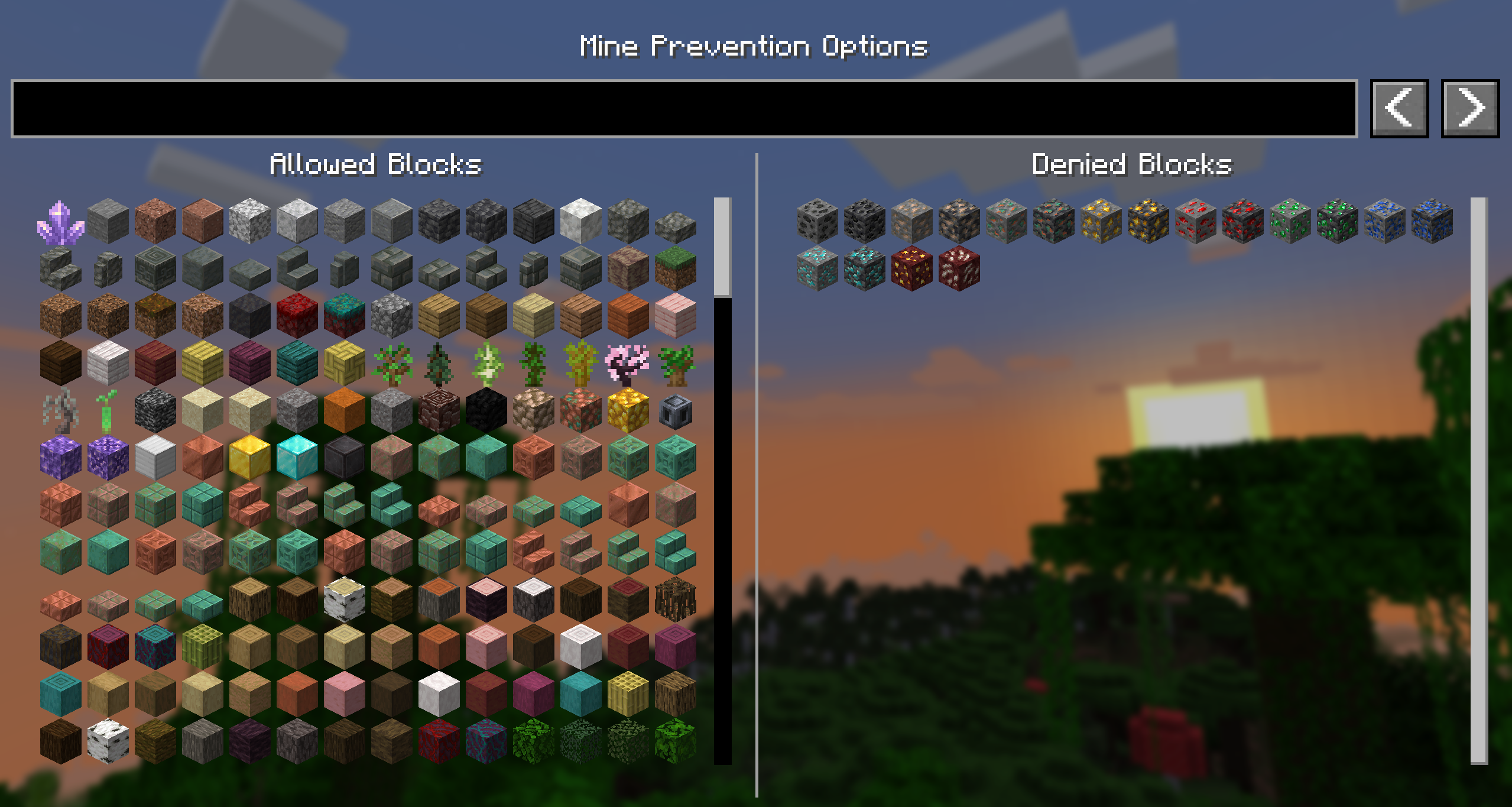
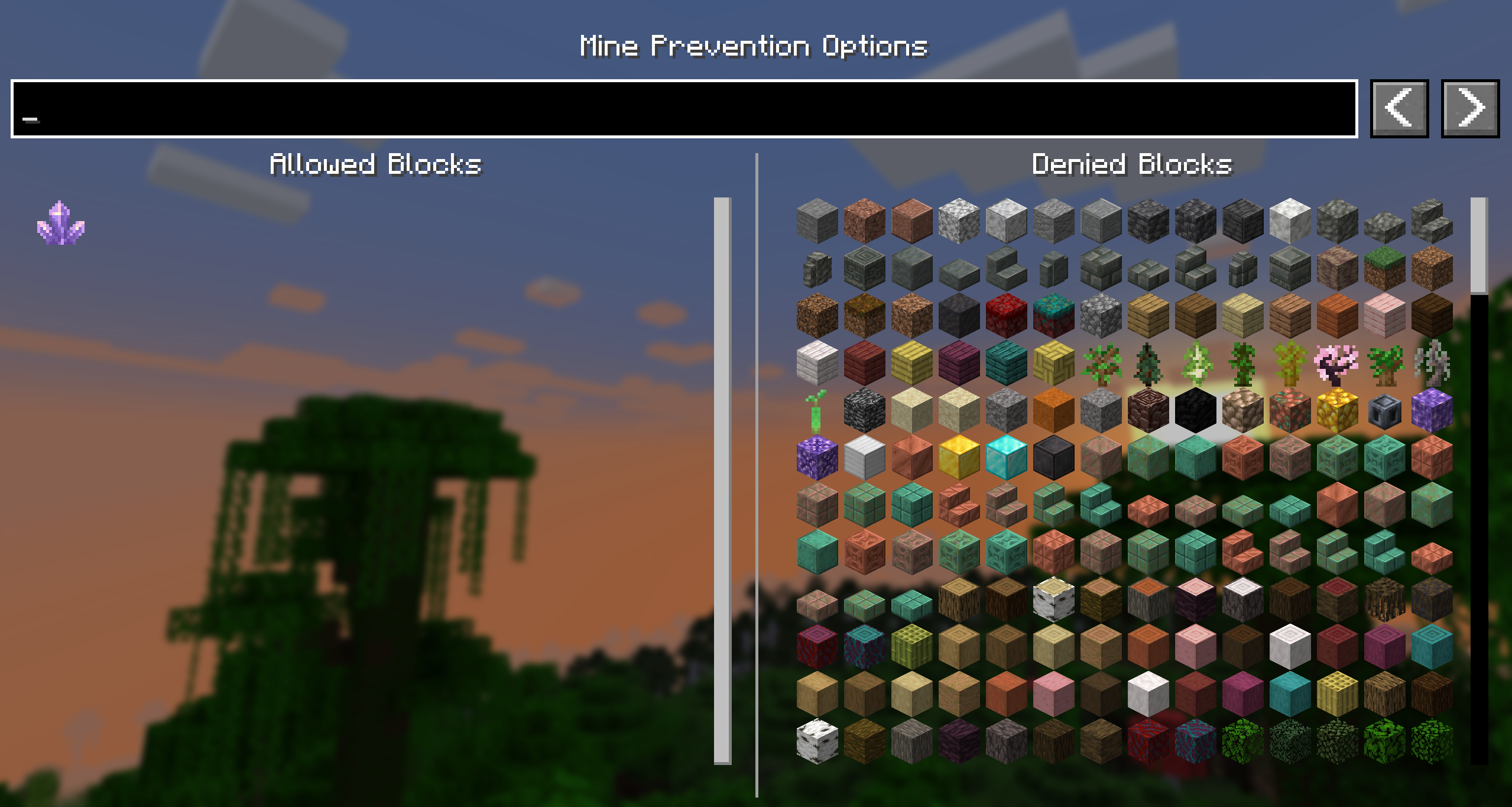
For example, block all ores while you're mining without Silktouch or Fortune so you can save them for later! Or perhaps only allow yourself to mine large amethyst buds so that you don't accidentally break the budding block!
Usage
Simply press 'M' to open the GUI and select the blocks you want to block or allow. The keybind can be changed in the controls menu, and you can also choose to remove it in favour of ModMenu.
The config file for this mod is located in the config folder of your Minecraft directory, and is called mineprevention.json. It only contains a deny list, to minimise the amount of data stored.
Images
Contributing
Contributions and suggestions are always welcome! Please limit all issues to only one feature at a time - feel free to open multiple at once if you have many ideas. Similarly, please limit pull requests to a single feature at a time and try to follow the existing code style.
To further discuss or get notifications of new updates, check out my Discord. If you like what I do, consider supporting me on Ko-Fi! 
Screenshots
Gallery
-
 Deny Filter Don't allow mining of any ores (perhaps you're saving them for fortune?)
 -
 Allow Filter Only allow fully grown amethysts.
Versions
Files
Relations
Project Relations
More like this
Similar Mods
Suggestions use data such as tags, dependencies, dependents, descriptions, titles, and more to rank how much they overlap with this mod.
On ModDex
Community snapshot
By the numbers
Statistics

Want to reach Minecraft players?
We're looking for a server hosting partner to feature here and other parts of the site. Interested? Send us a message!
Get in touchGet it on
Available Platforms
On ModDex
Community snapshot
By the numbers