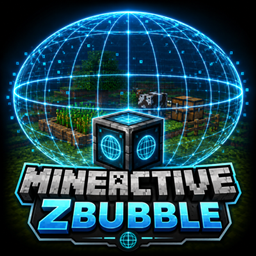
Community listing page, reviews here may not be monitored by the author.
MineActiveZbubble

No reviews yet
A block that displays a 3D holographic bubble representing an active area with a configurable ellipsoid shape. Perfect for visually defining farms and AFK zones in your Minecraft world.
Community voices
Reviews
No reviews yet. Be the first to review this project!
Get it on
Available Platforms
About
Project Details
For authors
Embed Badge
If you're the author of this project, you can embed a live badge anywhere that supports HTML or Markdown. It updates automatically whenever ratings change.
Use HTML for any page that supports it, or Markdown for README files and Markdown-based descriptions.
Identifiers
Platform IDs
Resources
External Links
About
Description
MineActiveZbubble
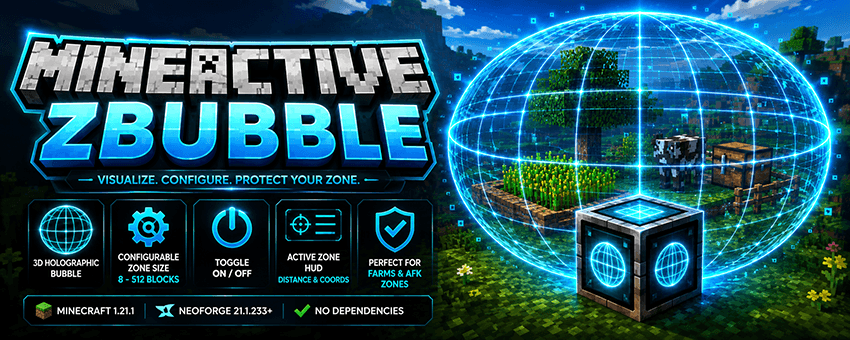
Minecraft 1.21.1 · NeoForge 21.1.233 No Dependencies (NeoForge Only)
Short Description
A block that displays a 3D holographic bubble representing an active area with a configurable ellipsoid shape. Perfect for visually defining farms and AFK zones in your Minecraft world.
Features
- 3D holographic bubble — A wireframe ellipsoid centered on the block and visible to all players.
- Configurable zone size — Set the total X / Y / Z dimensions from 8 to 512 blocks. Default: 64×64×64.
- Per-block ON/OFF toggle — Disable the bubble without breaking the block.
- Active Zone HUD — When entering an active bubble, the HUD displays
ACTIVE ZONE, along with the distance to the center and relative coordinates (X / Y / Z). - Enter/leave notifications — Receive a notification when entering or leaving the active zone.
- Persistent configuration — Dimensions and enabled state are saved using NBT, survive world restarts, and synchronize with all connected clients.
- Dedicated Creative Mode tab containing the block.
How to Use
- Get the block — Craft it or use the command:
- Crafting: 8 Glass + 1 Ender Pearl.
- Command (OP Level 2):
/mineactivezbubble give - Alias:
/mineactivezbubble block
- Place the block wherever you want the active zone to be.
- Right-click the block to open the configuration GUI:
- X / Y / Z fields: Set the total dimensions of the ellipsoid. Default: 64. Minimum: 8. Maximum: 512.
- Example: A value of 64 means a radius of 32 blocks in each direction.
- Bubble ON/OFF button: Enables or disables the bubble rendering and active zone.
- Save button: Applies the settings and synchronizes them with all players.
- Default button: Restores 64×64×64 with the bubble enabled.
- Done! The holographic bubble will appear in the world, and when players enter it, the HUD will guide them toward its center.
Commands
| Command | Permission | Description |
|---|---|---|
/mineactivezbubble give |
OP Level 2 | Gives you the Zbubble Block. Alias: /mineactivezbubble block |
Recipe
G G G
G E G
G G G

G = Glass
E = Ender Pearl
→ 1 × Zbubble Block
Requirements
- Minecraft: 1.21.1
- Mod Loader: NeoForge 21.1.233 or later
- Dependencies: None — standalone mod
Screenshots
Gallery
Versions
Files
Relations
Project Relations
More like this
Similar Mods
Suggestions use data such as tags, dependencies, dependents, descriptions, titles, and more to rank how much they overlap with this mod.
On ModDex
Community snapshot
By the numbers
Statistics
Want to reach Minecraft players?
We're looking for a server hosting partner to feature here and other parts of the site. Interested? Send us a message!
Get in touchGet it on
Available Platforms
On ModDex
Community snapshot
By the numbers
Statistics
Resources