
Community listing page, reviews may not be monitored by the author.


Community voices
Reviews
No reviews yet. Be the first to review this project!
Get it on
Available Platforms
Compatibility
Supported Environments
Runs entirely on the client. Works on vanilla servers.
About
Project Details
For authors
Embed Badge
If you're the author of this project, you can embed a live badge anywhere that supports HTML or Markdown. It updates automatically whenever ratings change.
Use HTML for any page that supports it, or Markdown for README files and Markdown-based descriptions.
Identifiers
Platform IDs
Resources
External Links
About
Description
MineBench
Test your computer's performance with Minecraft!
Bench Guide
1. First, open NeoForge Minecraft with MineBeench and change the video settings as shown below. (Or use the options.txt to your local Minecraft).
2. Second, create a new world using the settings below.
3. Third, run the command "/setbenchrule".
4. Fourth, after the message "Setting is done." is displayed, run the command "/startbench".
5. Fifth, if Minecraft crashes and shuts down, go to the logs folder in your local Minecraft Log folder and check lastest.log.
(e.g. C:\Users\UserName\AppData\Roaming.minecraft\logs\latest.log).
6. Finally, the number ending in mbs at the end of latest.log is the benchmark result of your MineBench test.
Warning
PLEASE DO NOT USE ANY OTHER MODS.
The numbers shown in chat may not be accurate. Please check the log for detailed numbers.
Bench score
CPU and video card redirects are not advertisements or solicitations to purchase. This is for reference only.
CPU: AMD Ryzen™ 5 9600X, GPU: NVIDA GeForce RTX™ 4070 SUPER, RAM: TeamGroup DDR5-5600 CL46 Elite(16GBx2), Max RAM: 20GB, MineBeench Version: 1.0.0 => 605,841mbs
Screenshots
Gallery
-
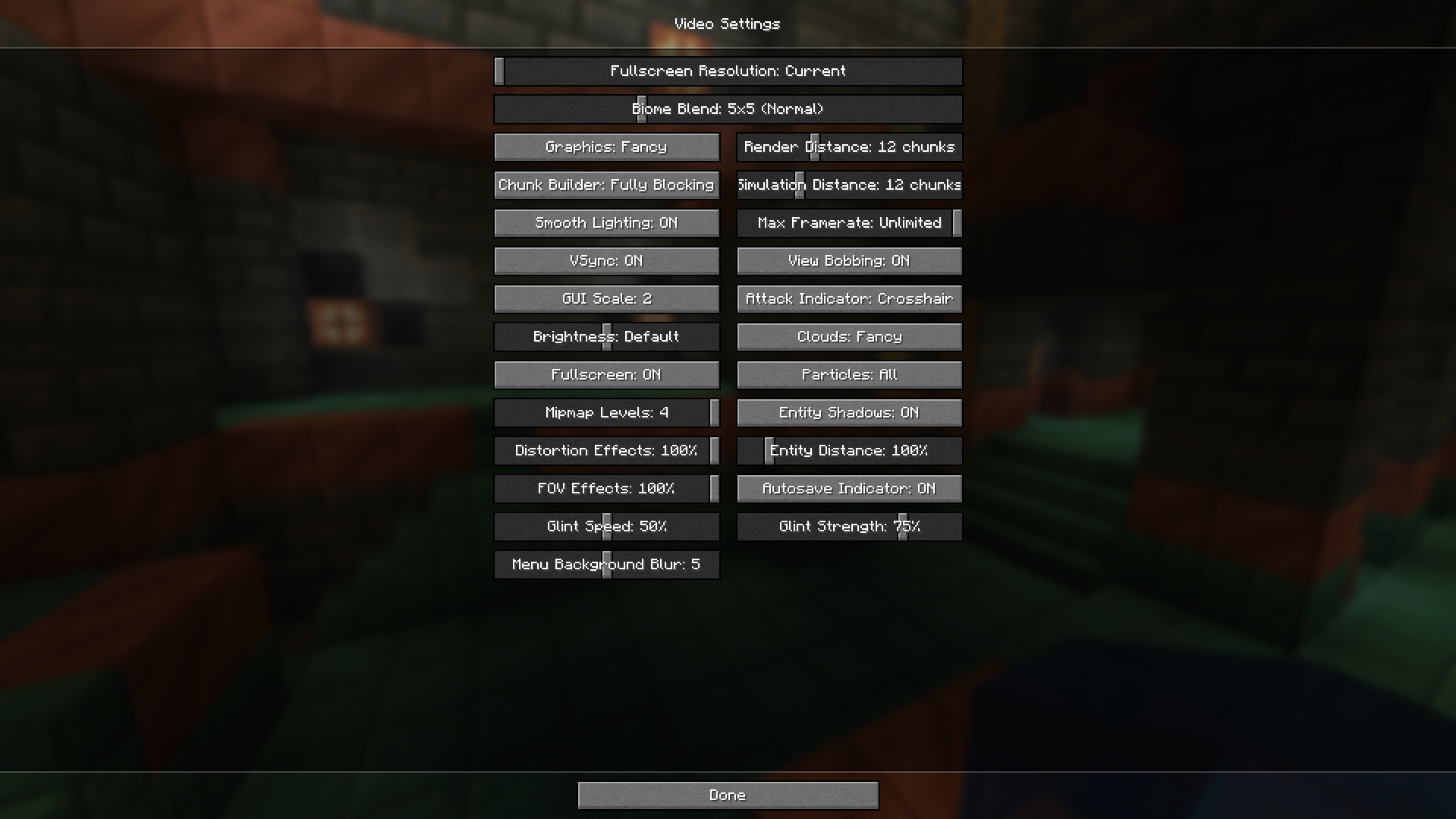 Video Settings Video Settings
 -
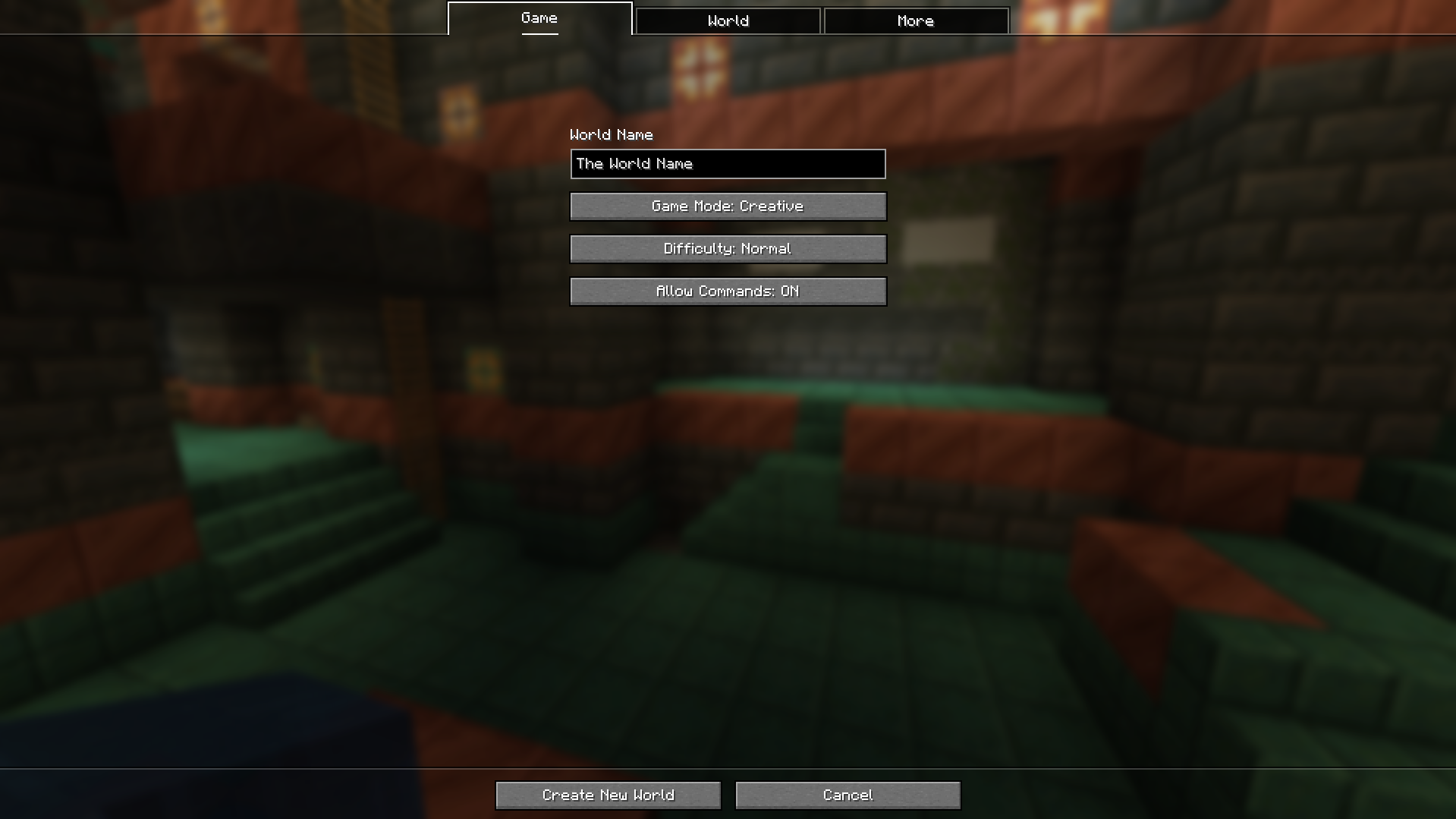 Map Settings 1
 -
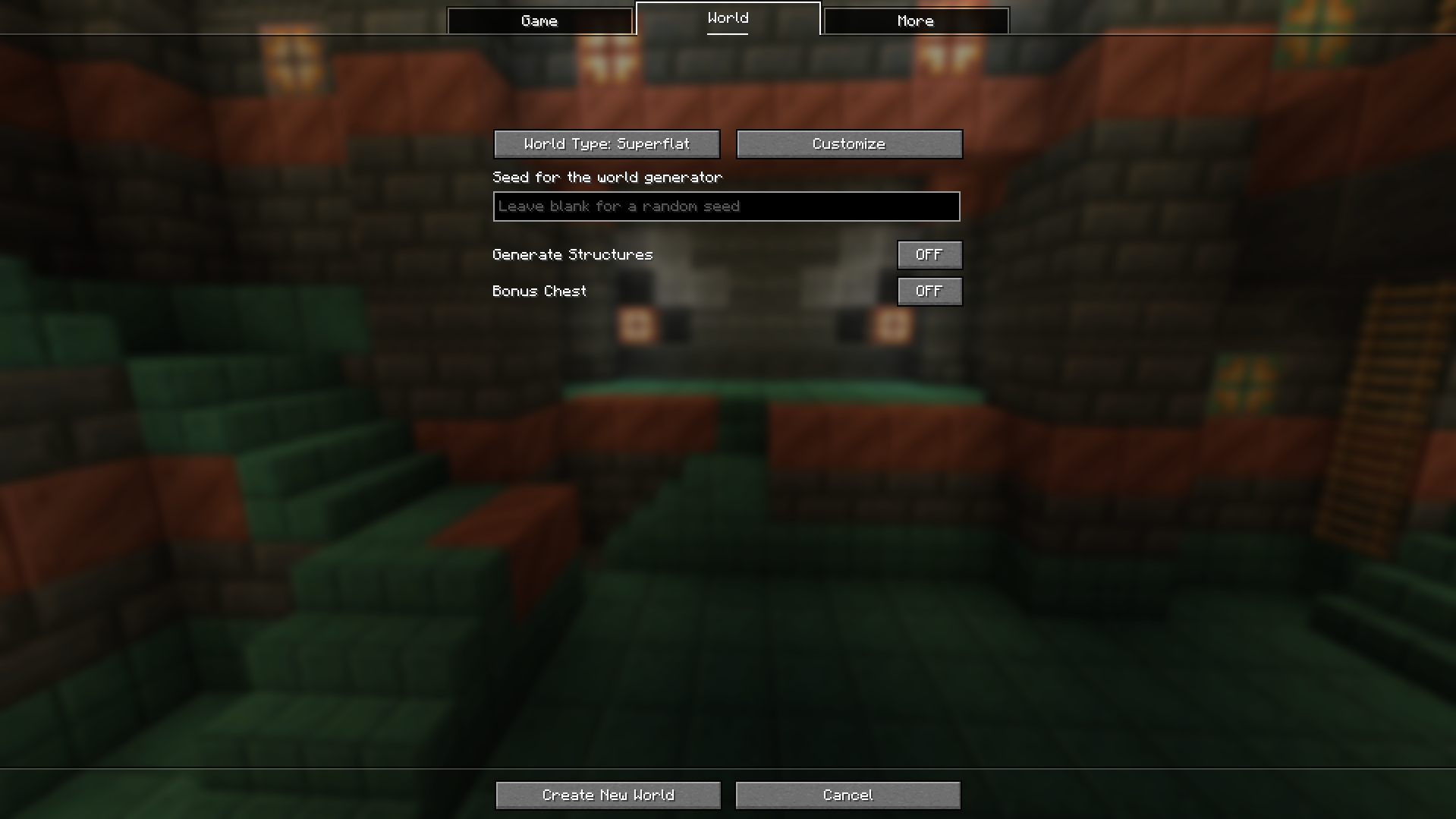 Map Settings 2
Versions
Files
Relations
Project Relations
More like this
Similar Mods
Suggestions use data such as tags, dependencies, dependents, descriptions, titles, and more to rank how much they overlap with this mod.
On ModDex
Community snapshot
By the numbers
Statistics

 (opens in a new tab)
Get it on
Available Platforms
On ModDex
Community snapshot
By the numbers
Statistics
Resources