Community listing page, reviews here may not be monitored by the author.
MineChromium


No reviews yet
Adds a Picture-In-Picture Browser window using mcef
Community voices
Reviews
No reviews yet. Be the first to review this project!
Get it on
Available Platforms
Compatibility
Supported Environments
Runs entirely on the client. Works on vanilla servers.
About
Project Details
For authors
Embed Badge
If you're the author of this project, you can embed a live badge anywhere that supports HTML or Markdown. It updates automatically whenever ratings change.
Use HTML for any page that supports it, or Markdown for README files and Markdown-based descriptions.
Identifiers
Platform IDs
About
Description
🌐 PIP Browser – In-Game Picture-in-Picture Web Browser
MineChromium adds a fully functional Chromium-powered web browser to Minecraft, viewable as a draggable HUD overlay. Browse wikis, watch videos, follow maps, or keep chats open—all without leaving the game. 
✨ Features
In-Game Web Browser: Full MCEF browser with Back/Forward/Refresh and quick Google access. Picture-in-Picture Mode: Draggable, minimizable overlay that stays active while you play.
Highly Customizable:
Drag to move, Right Click to resize.
Adjustable opacity and color themes via a built-in picker.
Persistent Settings: Position, size, colors, and transparency are saved automatically. 
🎮 Controls (Default)
Home – Open/close browser
Middle-Click (Edit Mode) – Color/transparency picker
Left Mouse Button - Drags window
Right Mouse Button - Resizes window
🚀 Getting Started
Install MCEF, open the browser with Home, navigate normally, resize and position as needed, and minimize when not in use.
📋 Requirements
Minecraft 1.21.1–1.21.4 (NeoForge/Fabric) MCEF 2.1.6+
🐛 Notes
Requires proper MCEF setup. Some sites may not function due to Chromium restrictions. Performance depends on website complexity.
📜 License MIT Developed by Mr_Zylr using MCEF
🌐 PIP Browser – In-Game Picture-in-Picture Web Browser
MineChromium adds a fully functional Chromium-powered web browser to Minecraft, viewable as a draggable HUD overlay. Browse wikis, watch videos, follow maps, or keep chats open—all without leaving the game.
✨ Features
In-Game Web Browser: Full MCEF browser with Back/Forward/Refresh and quick Google access. Picture-in-Picture Mode: Draggable, minimizable overlay that stays active while you play.
Highly Customizable:
Drag to move, Right Click to resize.
Adjustable opacity and color themes via a built-in picker.
Persistent Settings: Position, size, colors, and transparency are saved automatically.
🎮 Controls (Default)
Home – Open/close browser
Middle-Click (Edit Mode) – Color/transparency picker
Left Mouse Button - Drags window
Right Mouse Button - Resizes window
🚀 Getting Started
Install MCEF, open the browser with Home, navigate normally, resize and position as needed, and minimize when not in use.
📋 Requirements
Minecraft 1.21.1–1.21.4 (NeoForge/Fabric) MCEF 2.1.6+
🐛 Notes
Requires proper MCEF setup. Some sites may not function due to Chromium restrictions. Performance depends on website complexity.
📜 License MIT Developed by Mr_Zylr using MCEF
Screenshots
Gallery
-
 Google Home Page
 -
 Youtube Open
 -
 Fullscreen Youtube
 -
 Color/Transparency Editor
 -
 PIP Browser Youtube Fullscreen
 -
 PIP Youtube
 -
 Transparency
-
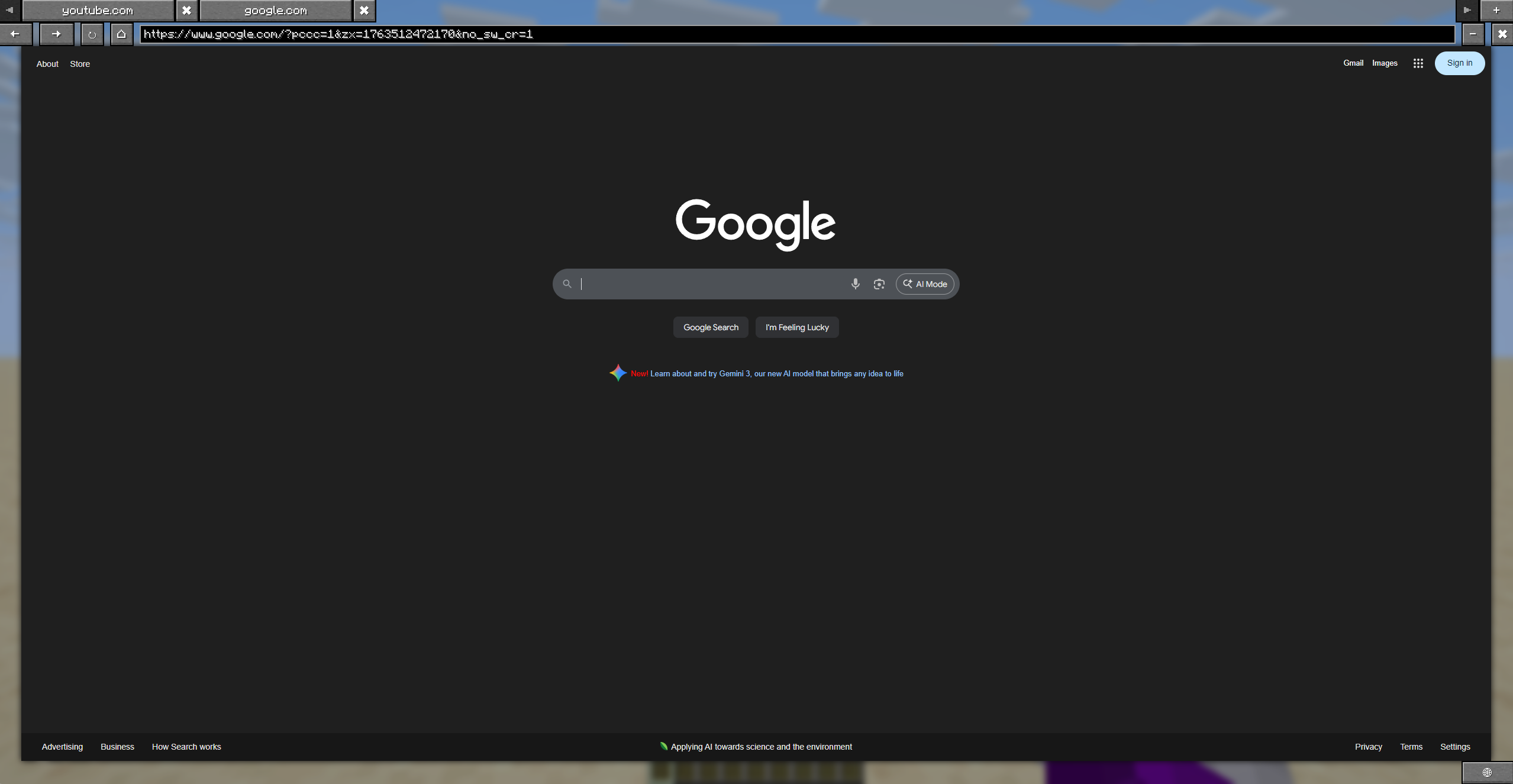 Browser Screen
 -
 JEI Integration JEI wraps around the browser
 -
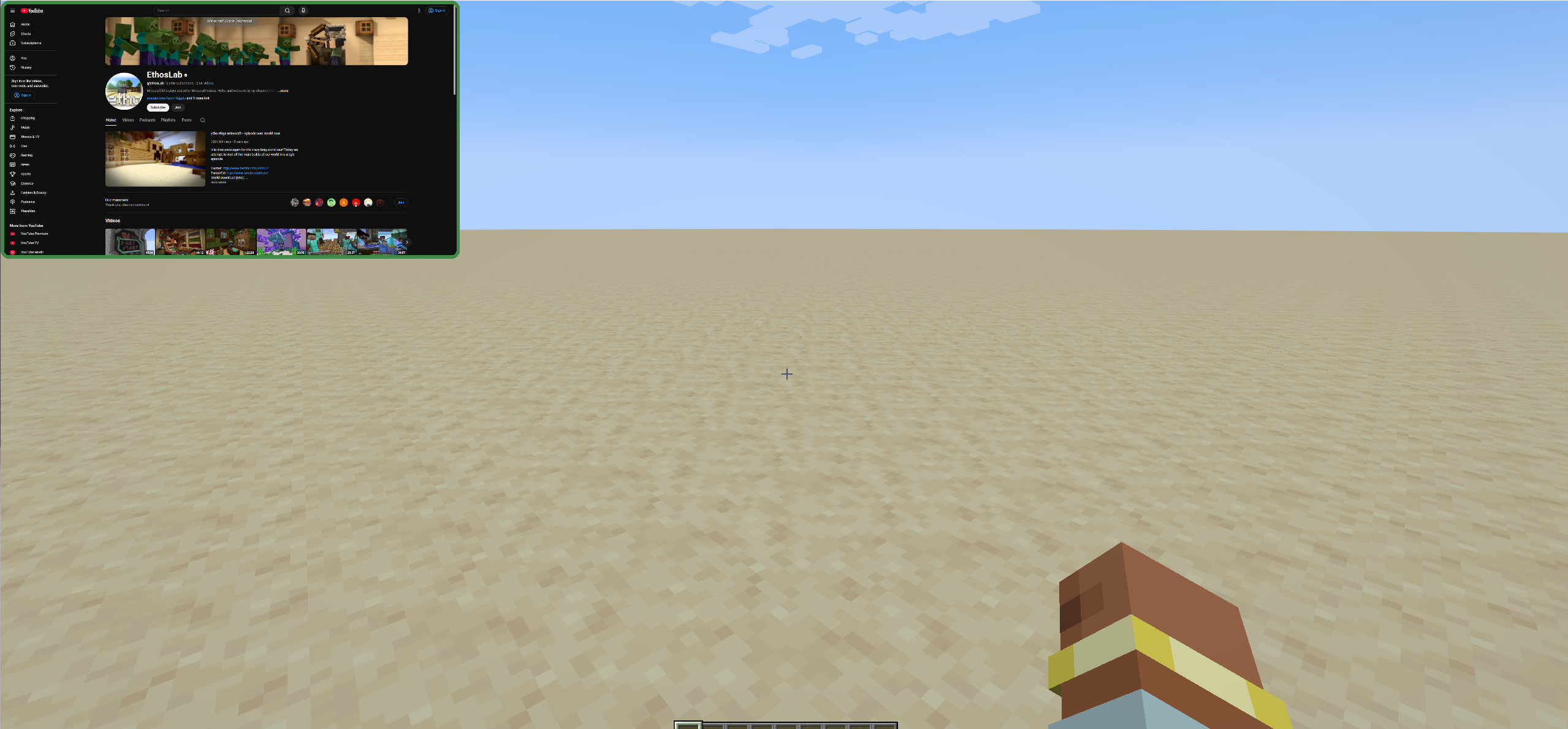 PIP Mode
 -
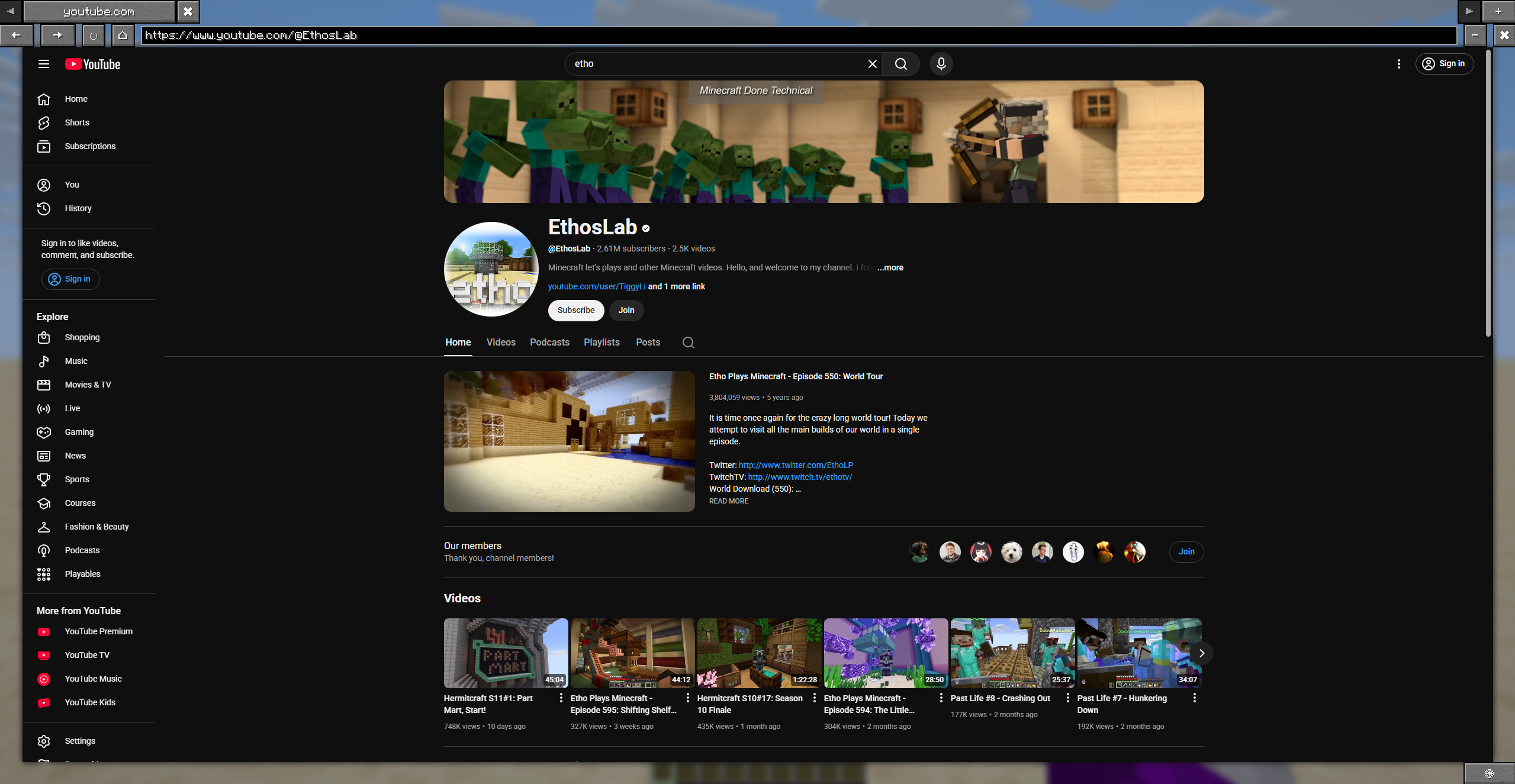 Youtube
 -
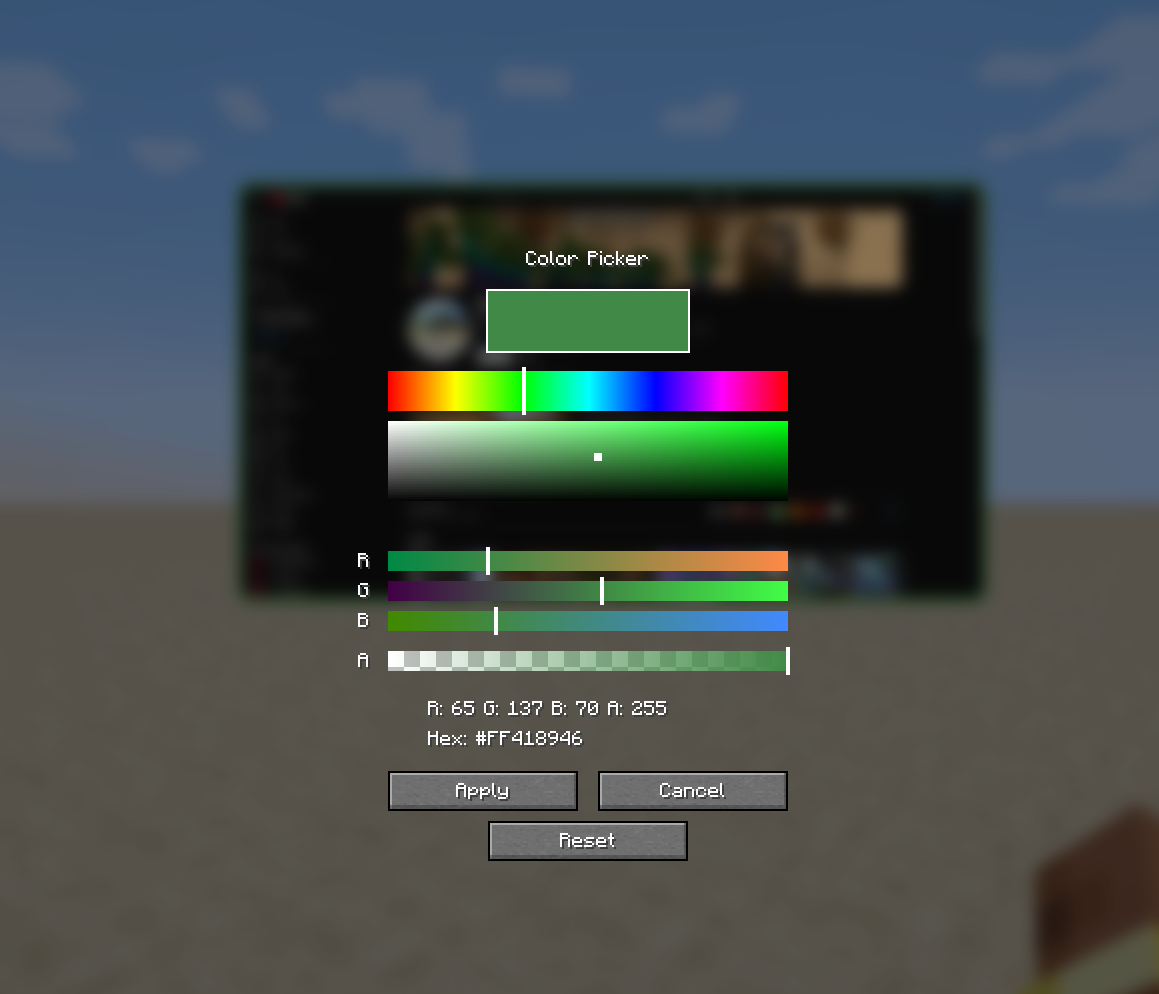 Color Picker Screen Edit the color of the border and the transparency of the browser widget
 -
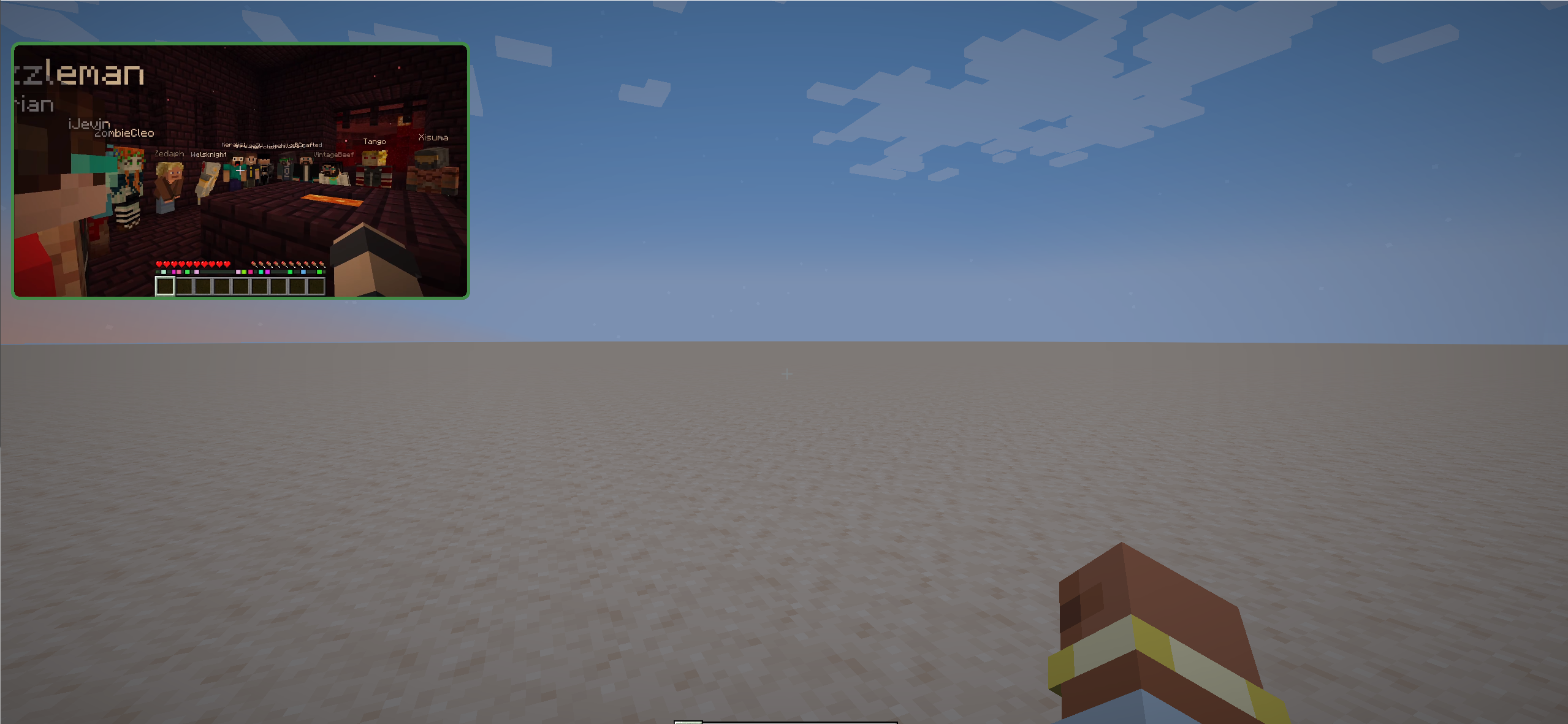 Fullscreen Youtube video
 -
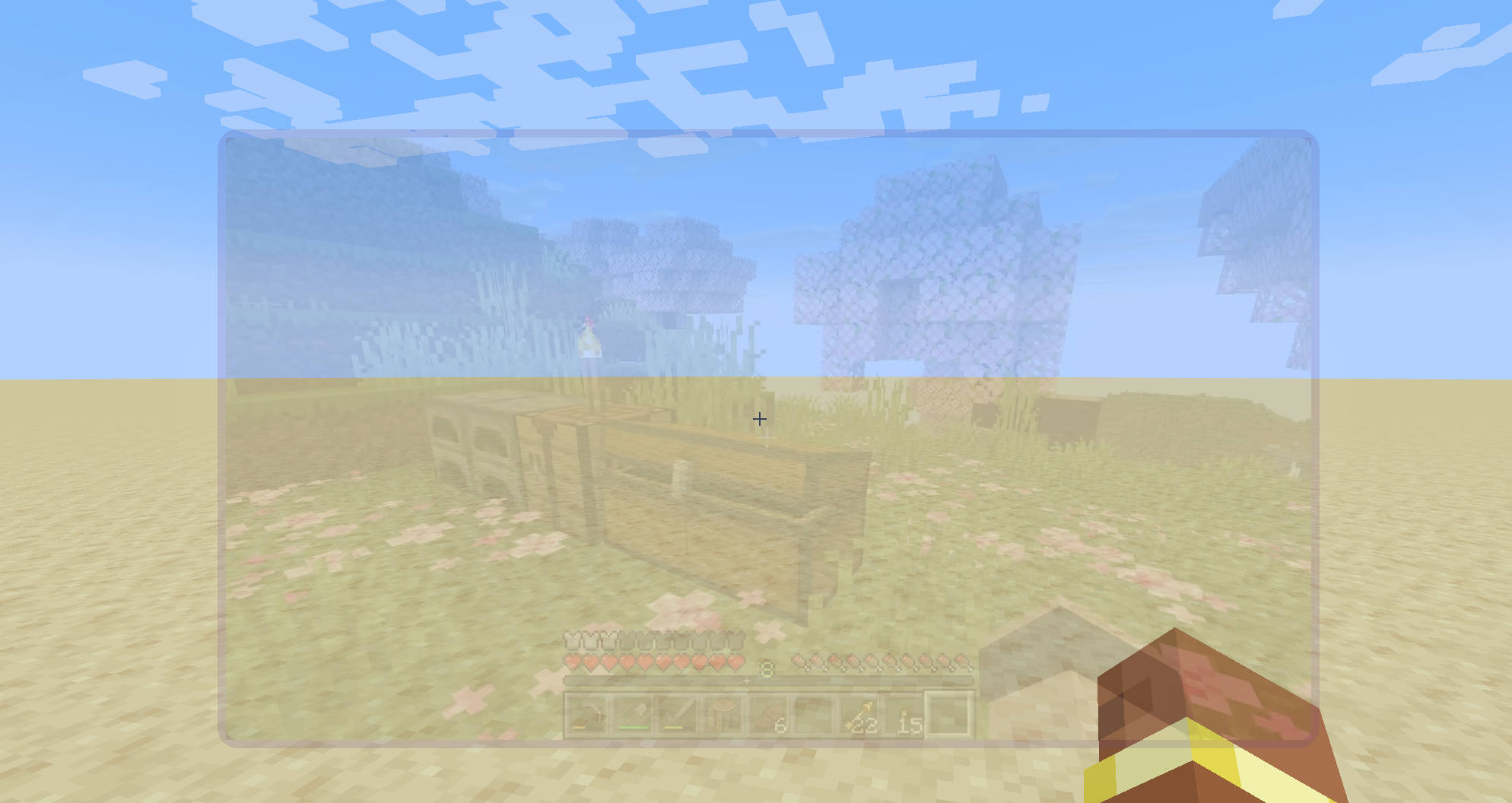 Transparent window
Versions
Files
Relations
Project Relations
More like this
Similar Mods
Suggestions use data such as tags, dependencies, dependents, descriptions, titles, and more to rank how much they overlap with this mod.
On ModDex
Community snapshot
By the numbers
Statistics
Want to reach Minecraft players?
We're looking for a server hosting partner to feature here and other parts of the site. Interested? Send us a message!
Get in touchGet it on
Available Platforms
On ModDex
Community snapshot
By the numbers