
Minecraft Custom Day/Night Mod
No reviews yet
A server-side only Fabric mod for Minecraft that allows you to configure the length of day and night.
Enhances game performance and optimizes resource usage.
Fabric is a mod loader for versions 1.14+ of Minecraft, particularly popular for client side and optimization mods.
Community voices
Reviews
Click once to include, again to exclude, again to clear
No reviews yet. Be the first to review this project!
Get it on
Available Platforms
 Modrinth
Compatibility
Supported Environments
Runs entirely on the server. Also works in singleplayer.
About
Project Details
For authors
Embed Badge
If you're the author of this project, you can embed a live badge anywhere that supports HTML or Markdown. It updates automatically whenever ratings change.
Use HTML for any page that supports it, or Markdown for README files and Markdown-based descriptions.
Identifiers
Platform IDs
About
Description
☀️ Custom Day/Night Mod 🌙
Take full control of Minecraft's day/night cycle — no client mod needed.
A lightweight, server-side only Fabric mod for Minecraft 1.21.11 that lets you customize exactly how long day and night last in the Overworld. Whether you want marathon building sessions under the sun or short, intense nights — this mod makes it effortless.



✨ Features
- Two ways to customize — use speed multipliers or set exact tick-based durations
- Interactive chat menu — click buttons in chat to adjust settings live, no client mod required
- Live duration preview — the menu shows the resulting day, night, and full cycle lengths in human-readable time
- Hot-reload config — change settings on the fly without restarting the server
- Save & restore defaults — persist changes to disk or reset everything with one click
- Safety limits — values are clamped to safe ranges to prevent server crashes
- In-game commands — check status, reload config, set values, and toggle logging from the chat
- Version-stamped logging — all console and chat messages include the mod name and version
- Vanilla-client friendly — players don't need to install anything
- Zero world data changes — safe to add or remove at any time
🚀 Getting Started
- Drop the mod
.jarinto your server'smods/folder (requires Fabric Loader ≥ 0.18.4 and Fabric API ≥ 0.141.2). - Start the server — a default config file will be created automatically.
- Run
/customdaynightin-game to open the interactive settings menu, or editconfig/customdaynightmod.propertiesdirectly (see below). - Use the menu buttons to tweak values, then click [Save] to persist changes to disk.
⚙️ Configuration
File: config/customdaynightmod.properties
# Speed multipliers (1.0 = normal speed, 0.5 = half speed / twice as long)
day_multiplier=1.0
night_multiplier=1.0

# Absolute lengths in ticks (overrides multipliers when > 0)
absolute_day_length=0
absolute_night_length=0

# Log day/night transitions to the server console
log_phase_changes=true
Quick reference: 1 Minecraft tick = 50 ms · 20 ticks = 1 second · 12,000 ticks = 10 real-time minutes (the default length of both day and night).
How it works
| Setting | What it does |
|---|---|
day_multiplier / night_multiplier |
Scales the speed of time progression. A value of 0.5 makes that phase last twice as long; 2.0 makes it twice as fast. |
absolute_day_length / absolute_night_length |
Sets the phase duration to an exact number of ticks. When set to a value greater than 0, this takes priority over the multiplier. |
log_phase_changes |
When true, prints a message to the server console each time the world transitions between day and night. |
⚠️ Safety Limits
To prevent server instability, all values are automatically clamped to safe ranges:
| Setting | Min | Max | Notes |
|---|---|---|---|
day_multiplier / night_multiplier |
0.01 | 100.0 | Prevents time freeze or extreme speed |
absolute_day_length / absolute_night_length |
20 ticks (1 s) | 2,400,000 ticks (~2 h) | Set to 0 to disable (use multiplier instead) |
If a value outside the allowed range is entered via command or config file, it is silently clamped and a warning is shown in chat.
📖 Examples
Example 1: Extended day for builders (50 min day / 10 min night)
absolute_day_length=60000
absolute_night_length=12000
☀️ Day lasts 50 minutes (60,000 ticks) — plenty of time to build.
🌙 Night lasts 10 minutes (12,000 ticks) — standard length.
Example 2: Slow down daytime only (20 min day / 10 min night)
day_multiplier=0.5
night_multiplier=1.0
| Phase | Default | With this config |
|---|---|---|
| ☀️ Day | 10 min | 20 min (half speed → twice as long) |
| 🌙 Night | 10 min | 10 min (unchanged) |
Tip: You can mix and match — for example, use
absolute_day_lengthfor a precise daytime duration while usingnight_multiplierto scale the night.
🔧 Commands
All commands require operator permission level 4 (full ops).
Interactive Menu
| Command | Description |
|---|---|
/customdaynight |
Open the interactive settings menu (same as /customdaynight menu) |
/customdaynight menu |
Open the interactive settings menu |
The menu displays all current settings with clickable [−] / [+] buttons to adjust values in steps, a [✎] button to type a custom value, and action buttons to [Save], [Reload], or [Defaults]. Clicking a button pre-fills the command in your chat bar — just press Enter to confirm.
A duration summary at the bottom shows the effective day, night, and full cycle lengths (e.g. ☀ Day: 10m 0s · ☽ Night: 10m 0s · ⏱ Full Cycle: 20m 0s).
Tip: After running the command, press T to reopen chat, click a button, then press Enter.
Configuration Commands
| Command | Description |
|---|---|
/customdaynight set dayMultiplier <value> |
Set the day speed multiplier |
/customdaynight set nightMultiplier <value> |
Set the night speed multiplier |
/customdaynight set absoluteDayLength <value> |
Set the absolute day length in ticks (0 to disable) |
/customdaynight set absoluteNightLength <value> |
Set the absolute night length in ticks (0 to disable) |
Utility Commands
| Command | Description |
|---|---|
/customdaynight reload |
Reload the config file from disk (discards unsaved changes) |
/customdaynight save |
Save the current in-memory settings to the config file |
/customdaynight defaults |
Reset all settings to default values (does not save to disk) |
/customdaynight status |
Display the current settings menu |
/customdaynight togglePhaseLogging |
Toggle day/night transition messages on or off |
🔗 Links
📄 License
This project is licensed under the MIT License.
Screenshots
Gallery
-
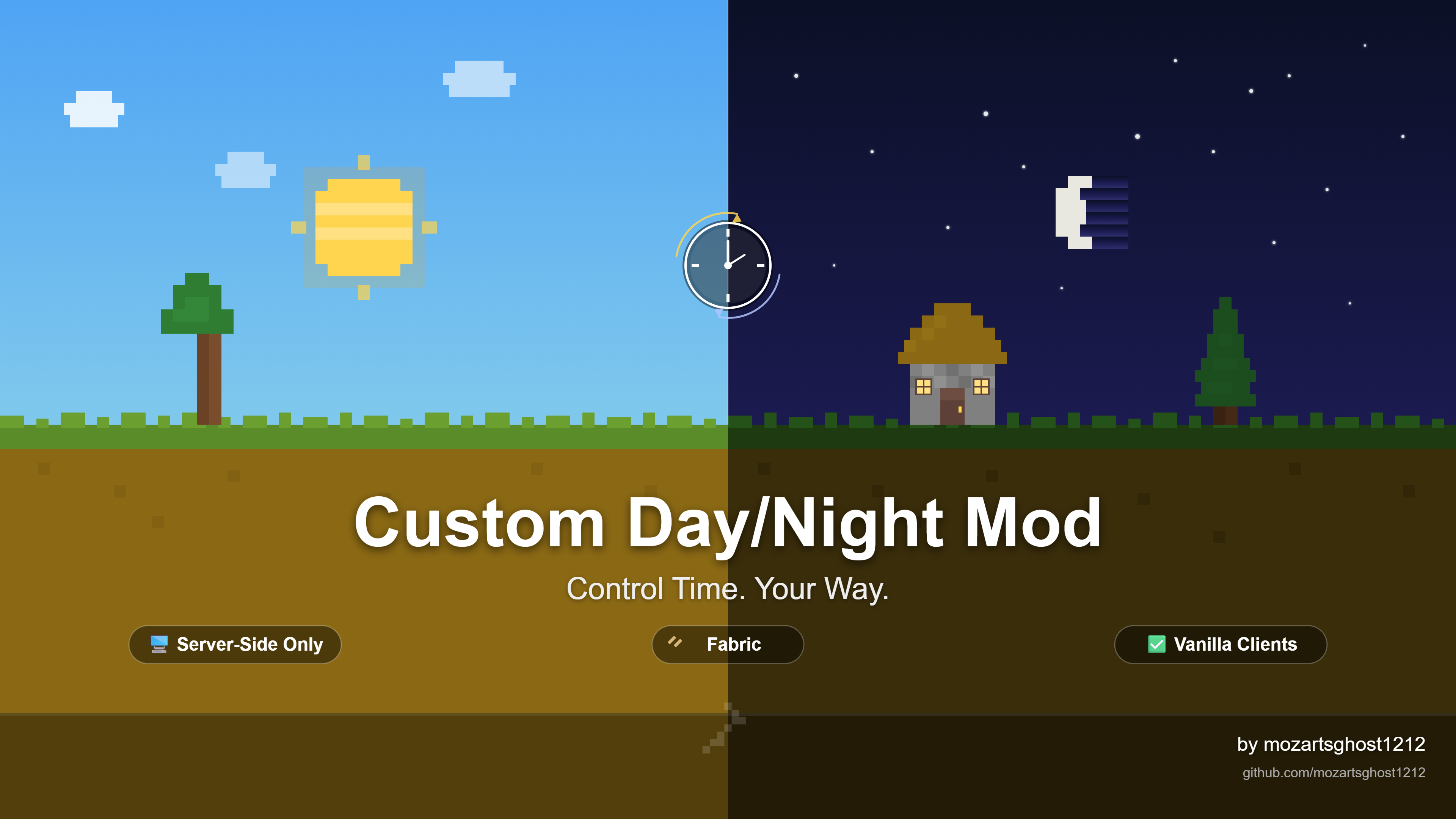 Customize Length of Night and Day Longer days or longer nights, your choice.
 -
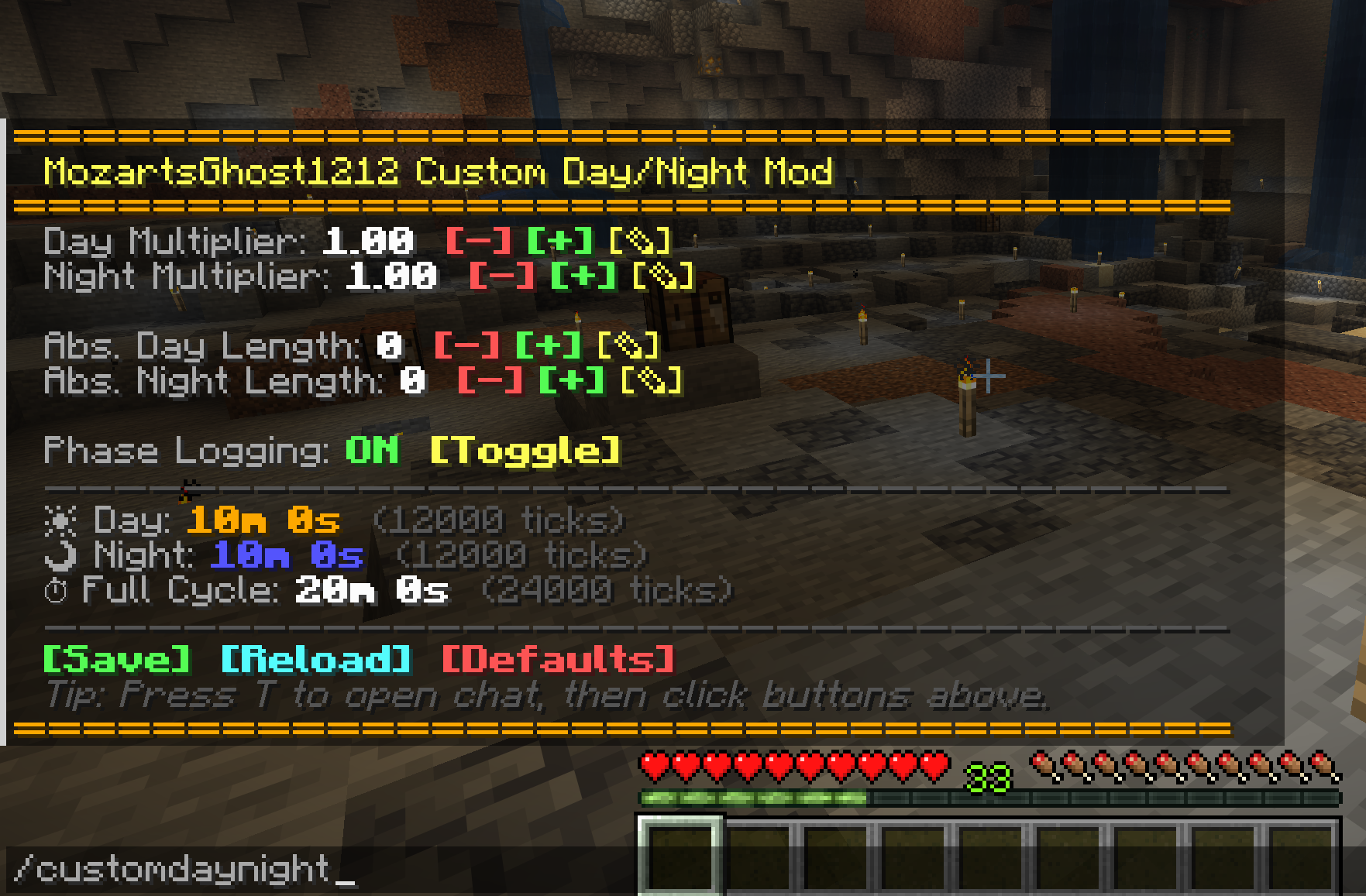 Custom Day/Night Chat Menu Change the length of day and night using an interactive chat menu.
Versions
Files
Relations
Project Relations
More like this
Similar Mods
Suggestions use data such as tags, dependencies, dependents, descriptions, titles, and more to rank how much they overlap with this mod.
On ModDex
Community snapshot
By the numbers
Statistics

Want to reach Minecraft players?
We're looking for a server hosting partner to feature here and other parts of the site. Interested? Send us a message!
Get in touchGet it on
Available Platforms
On ModDex
Community snapshot
By the numbers