Community listing page, reviews here may not be monitored by the author.
Demo+

No reviews yet
A Recreation of the Demo Version of Minecraft with a few features added on
Community voices
Reviews
No reviews yet. Be the first to review this project!
Get it on
Available Platforms
About
Project Details
For authors
Embed Badge
If you're the author of this project, you can embed a live badge anywhere that supports HTML or Markdown. It updates automatically whenever ratings change.
Use HTML for any page that supports it, or Markdown for README files and Markdown-based descriptions.
Identifiers
Platform IDs
Resources
External Links
About
Description
"The demo is so fun, wait its nearly out of time? oh..."
Demo+ is a mod that recreates the offical demo of the game and adds a few fixes on to it.
DISCLAIMER: If your mod crashes, It is likely because another mod is in your mods folder, Demo+ only allows itself and pre-loaded mods (Minecraft and Neoforge), This is to mimic not being able to modify the Demo game
How do i play it?
- Download the mod
- Put it in your mods folder (Make sure thats the only mod in your mods folder, otherwise the mod will fail the loading)
- Run the launcher for that version, it should work
What is it about?
The mod will remove the Singleplayer, Multiplayer and the Minecraft Realms buttons. Instead they are replaced with "Play Demo World" and "Reset Demo World"
Once you joined the Demo after creating it, the game pops up with a Demo intro every time you rejoin if the timer is still active (else it will pop up with an expired notice), If its your first time in that demo world, clicking "Continue Playing!" will pop up chat messages telling you how to play along with the time limit
Cheats are disabled, You have a set seed every run along with being locked in survival mode. A Starter Chest is near spawn aswell
The timer will be in your top right corner, If your demo world is still active it would say "Time remaining: ", otherwise it will say "Demo has Expired!", As long as the game is not paused the timer will be counting down. You have 1 Hour and 40 Minutes to do whatever you want in that world before your world is locked permanently and you can no longer interact with the world (You will also be switched to Adventure mode and the World Difficulty will be Peaceful). The only way to reset the timer is to Reset the Demo World.
Screenshots
Gallery
-
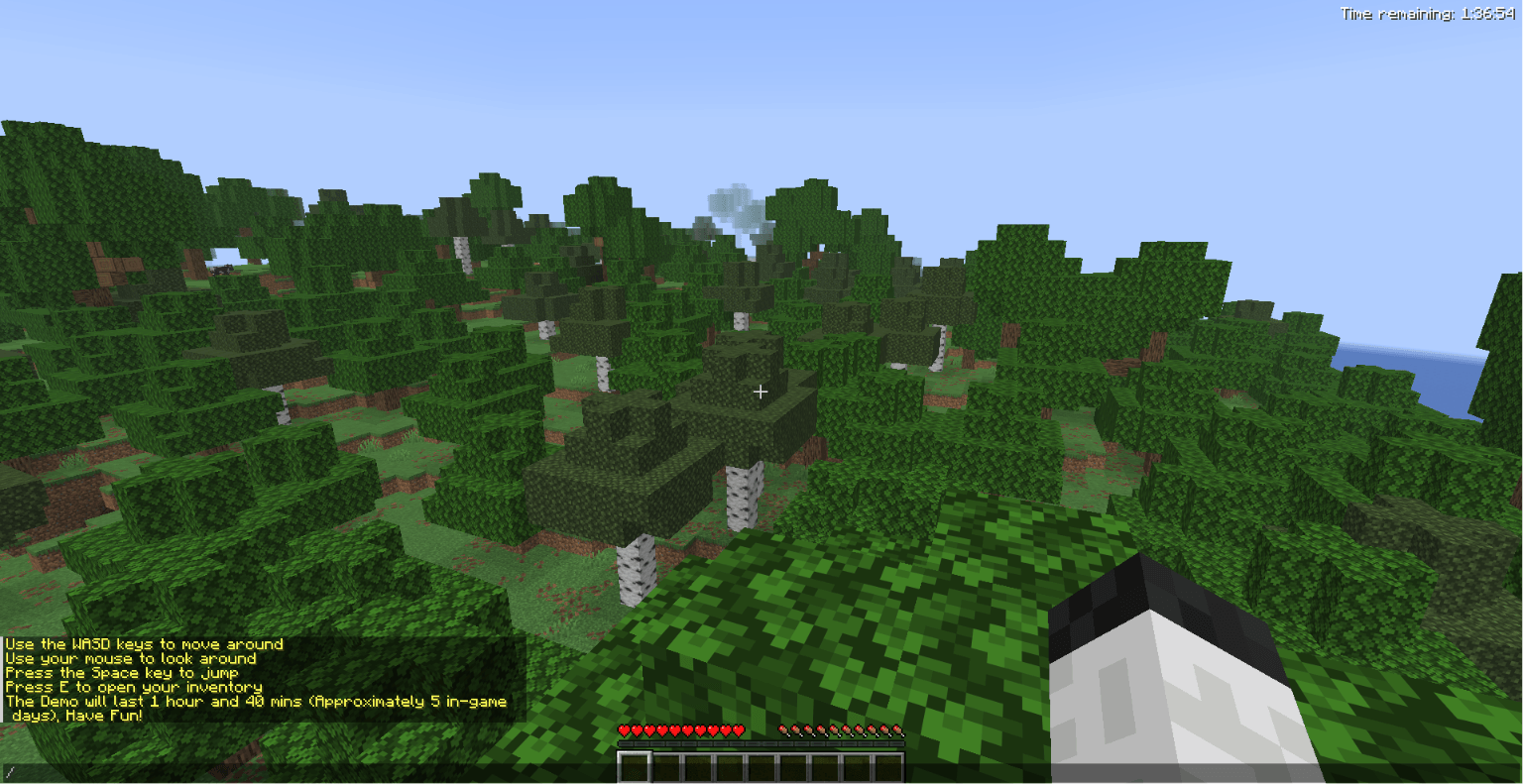 In-Game Screenshot 2026-07-21 125523.png
 -
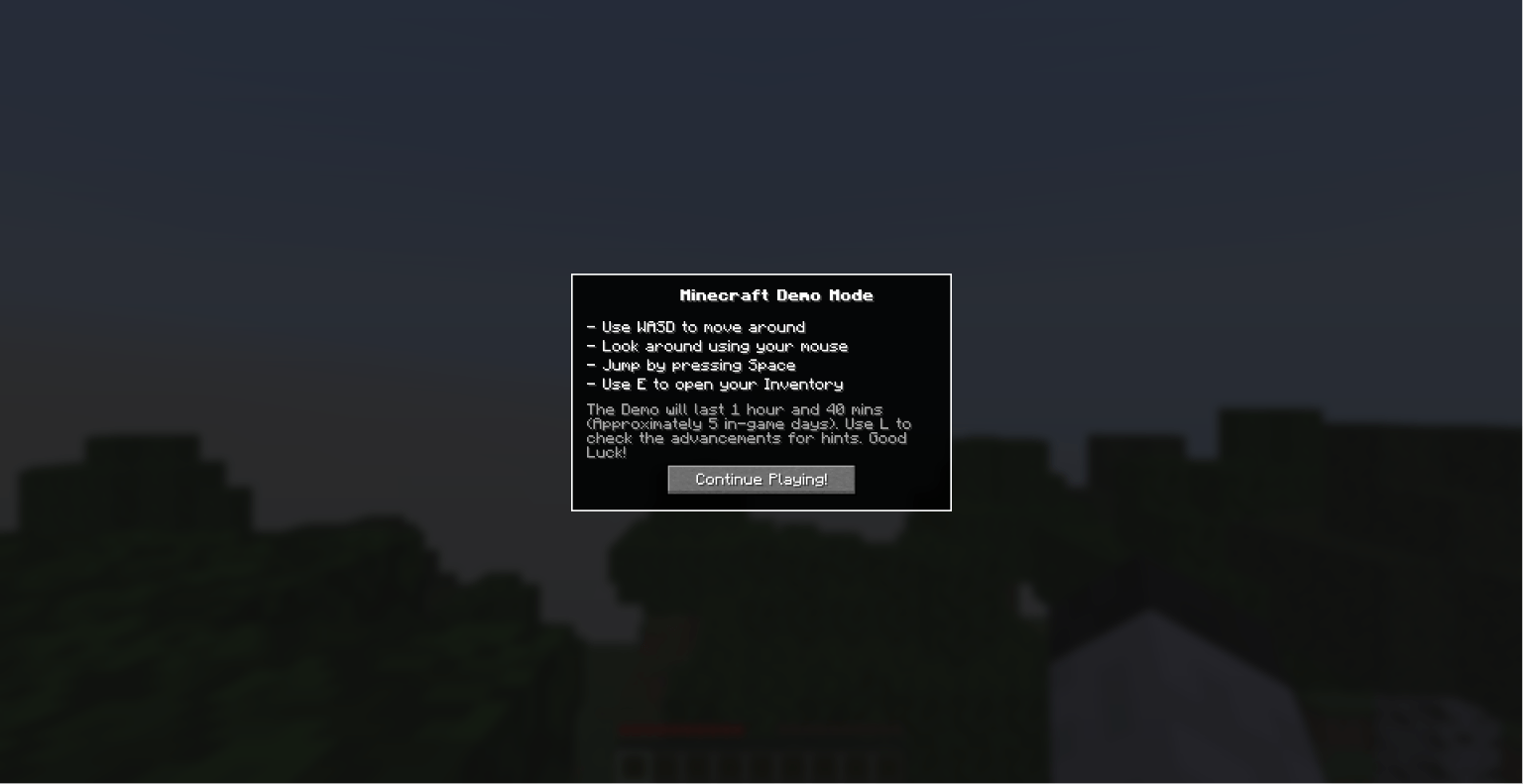 Intro to Demo Screenshot 2026-07-21 125135.png
 -
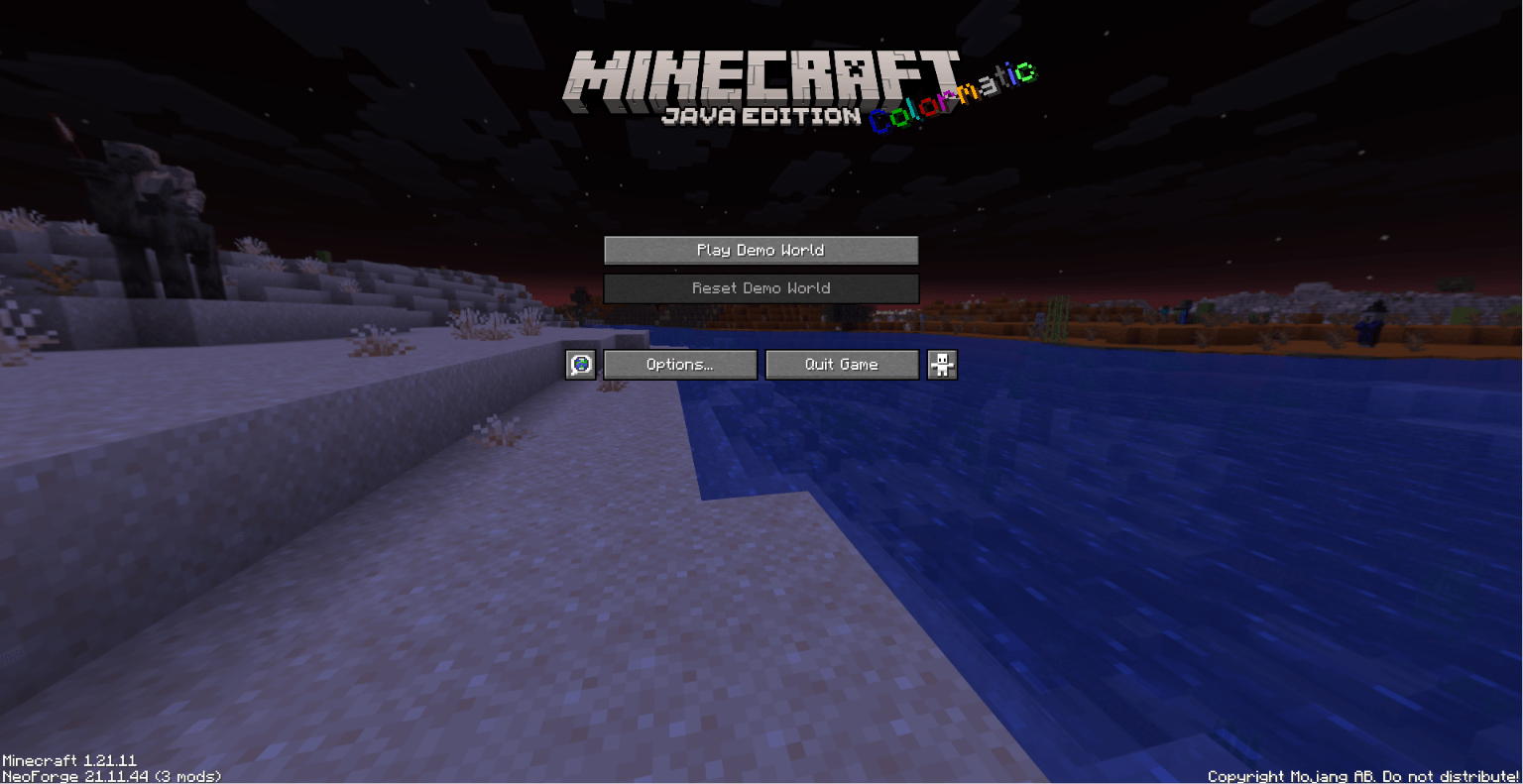 Title Screen Screenshot 2026-07-21 124940.png
Versions
Files
Relations
Project Relations
More like this
Similar Mods
Suggestions use data such as tags, dependencies, dependents, descriptions, titles, and more to rank how much they overlap with this mod.
On ModDex
Community snapshot
By the numbers
Statistics
Want to reach Minecraft players?
We're looking for a server hosting partner to feature here and other parts of the site. Interested? Send us a message!
Get in touchGet it on
Available Platforms
On ModDex
Community snapshot
By the numbers
Statistics
Resources