Community listing page, reviews may not be monitored by the author.
Soundtrack Controller

No reviews yet
Take control of Minecraft’s soundtrack with track selection, favorites, shuffle, repeat, playback controls, and customizable music frequency.

Community voices
Reviews
No reviews yet. Be the first to review this project!
Get it on
Available Platforms
About
Project Details
For authors
Embed Badge
If you're the author of this project, you can embed a live badge anywhere that supports HTML or Markdown. It updates automatically whenever ratings change.
Use HTML for any page that supports it, or Markdown for README files and Markdown-based descriptions.
Identifiers
Platform IDs
Resources
External Links
About
Description
Take Control of Minecraft's Soundtrack
Music Manager gives you direct control over Minecraft's background music through a simple in-game interface.
Instead of leaving Minecraft to decide everything about when and what music plays, you can choose the tracks you want to hear, create a rotation that fits your playstyle, and control playback without leaving the game.
Features
-
Enable or disable individual Minecraft music tracks
-
Browse tracks by category, including Overworld, Nether, End, Creative, Underwater, Menu, Credits, and more
-
Favorite individual tracks
-
Play only your favorites
-
Shuffle or play tracks sequentially
-
Repeat the current track
-
Previous, Play, Pause, Resume, Stop, and Next controls
-
Choose between Vanilla, Frequent, and Continuous music frequency modes
-
Persistent settings between game sessions
-
Dimension-aware music selection
-
Seamless music playback while traveling between dimensions — the currently playing song continues through portals instead of restarting
-
Client-side operation
Version 1.0
Version 1.0 establishes the core Music Manager playback system and interface.
Future releases are planned to expand the system with playlists, custom music importing, volume controls, fades, and more advanced context-aware soundtrack controls.
Compatibility
Minecraft: 26.1.2
Mod Loader: NeoForge
Environment: Client
Screenshots
Gallery
-
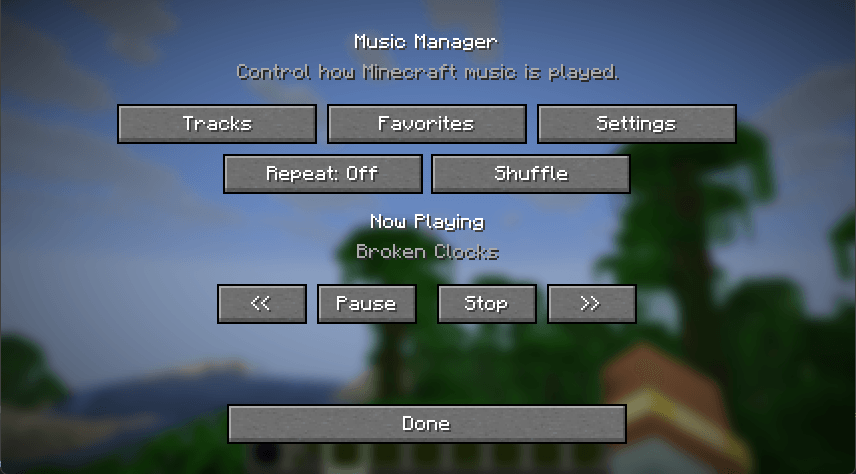 image_2026-09-27_214513052.png image_2026-09-27_214513052.png
 -
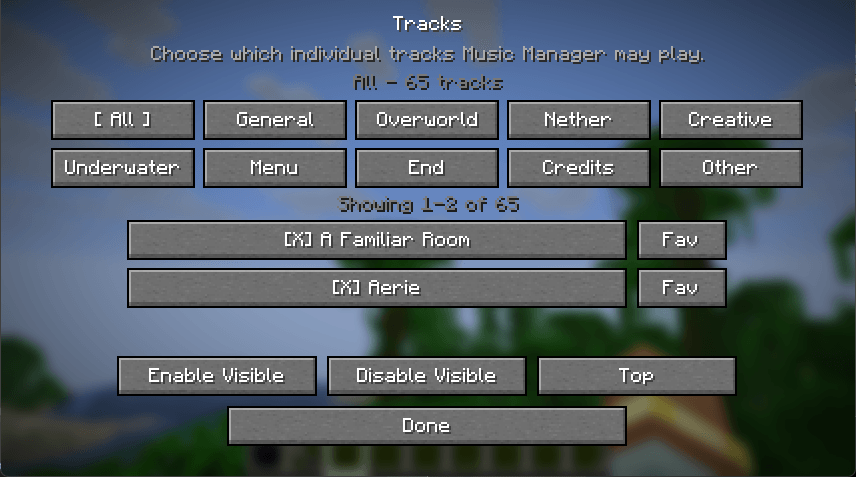 image_2026-09-27_214543949.png image_2026-09-27_214543949.png
 -
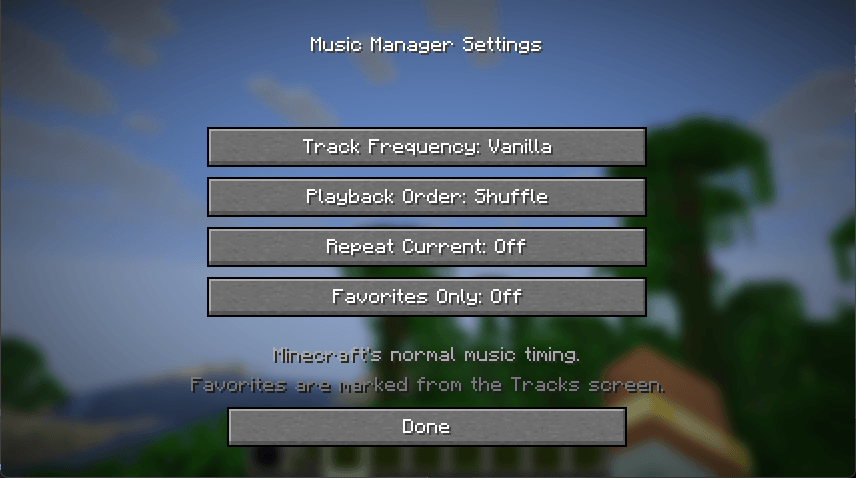 image_2026-09-27_214617177.png image_2026-09-27_214617177.png
Versions
Files
Relations
Project Relations
More like this
Similar Mods
Suggestions use data such as tags, dependencies, dependents, descriptions, titles, and more to rank how much they overlap with this mod.
On ModDex
Community snapshot
By the numbers
Statistics
 (opens in a new tab)
Get it on
Available Platforms
On ModDex
Community snapshot
By the numbers
Statistics
Resources