
MineLights
No reviews yet
MineLights is a Minecraft mod that brings RGB lighting integrations to Minecraft Java Edition - OpenRGB, Corsair iCUE, Logitech G HUB, Razer Chroma, MSI Mystic Light, ASUS Aura, SteelSeries GameSense, and Wooting
Neoforge is a fork of the Minecraft Forge available for versions 1.20.1+ of Minecraft. Many Forge mods are compatible with Neoforge and vice versa.
Fabric is a mod loader for versions 1.14+ of Minecraft, particularly popular for client side and optimization mods.
Community voices
Reviews
Click once to include, again to exclude, again to clear
No reviews yet. Be the first to review this project!
Get it on
Available Platforms
 Modrinth
Compatibility
Supported Environments
About
Project Details
For authors
Embed Badge
If you're the author of this project, you can embed a live badge anywhere that supports HTML or Markdown. It updates automatically whenever ratings change.
Use HTML for any page that supports it, or Markdown for README files and Markdown-based descriptions.
Identifiers
Platform IDs
About
Description
MineLights
MineLights running on an Asus laptop. Video courtesy of Nukepatrol99.
MineLights is a Minecraft Fabric mod that brings your world to life with dynamic RGB lighting effects for your peripherals. It targets a range of Minecraft versions (1.14.3+) and uses a modular design to support a wide range of hardware.
Currently supported: Minecraft 1.14.3 - 26.2 (Fabric), Minecraft 1.20.2 - 26.2 (NeoForge)
Features
- Extensive Multi-SDK Support: Integrates with a wide array of RGB SDKs simultaneously, including OpenRGB, Corsair iCUE, Logitech G HUB, Razer Chroma, MSI Mystic Light, ASUS Aura, SteelSeries GameSense, and Wooting.
- Dynamic Environmental Effects: Your lighting changes in real-time based on your in-game surroundings.
- Biome Colors: Your keyboard's background color smoothly transitions to match the biome you're in.
- Weather Effects: Experience rain and dramatic lightning flashes during in-game thunderstorms.
- Status Effects: Your lighting will react when you are on fire, poisoned, or withering.
- Block Effects: Standing in lava, fire, or portals will trigger unique lighting themes.
- In-Game Status Bars: Use your keyboard's function keys as real-time status bars for health, hunger, and experience, alongside tracking other players or waypoints!
- Compass: A compass on your numpad (Extended keyboards only) will appear, if you have either a compass or recovery compass in your inventory! Alternatively it can always be displayed via a toggle in settings.
- Highly Configurable: An in-game configuration screen (via Mod Menu) lets you enable/disable every feature, integration, and even individual devices.
- Multiple Languages: Support for English, Anglish, German and Chinese (Simplified) has been added (Along with some joke languages)
Supported RGB Software
- OpenRGB Full device support (DIRECT mode!). Requires OpenRGB - Windows, Linux and MacOS.
- Corsair iCUE: Full device support for keyboards, mice, headsets, and more via the iCUE SDK (requires Corsair iCUE - Windows).
- Logitech G HUB / Lightsync: Controls Logitech G keyboards, mice, headsets, and other Lightsync-enabled gear (requires Logitech G HUB - Windows).
- Razer Chroma: Extensive support for all Razer Chroma-enabled peripherals like keyboards, mice, and mousepads (requires Razer Synapse - Windows).
- MSI Mystic Light: Control for motherboards, GPUs, and other devices via the Mystic Light SDK (requires MSI Center - Windows).
- ASUS Aura Sync: Control for motherboards, GPUs, and other devices via the ASUS Aura SDK (requires Armoury Crate - Windows).
- SteelSeries GameSense: Integration with SteelSeries peripherals like keyboards, mice, and headsets (requires SteelSeries GG - Windows).
- Wooting: Direct, low-latency control for Wooting analog keyboards (requires Wootility software to be running - Windows).
- Novation: Support for Novation MIDI controllers like the Launchpad, enabling unique grid-based effects (Windows).
- Raspberry Pi Pico: Directly control custom DIY lighting projects powered by a Raspberry Pi Pico (Windows).
- Yeelights Directly control your Yeelights smarthome bulbs (Universal).
This project uses the RGB.Net Nuget package.
🛠️ Installation
Prerequisites
- Minecraft Fabric: You must have the Fabric Loader installed.
- Mod Menu: Required to access the in-game configuration screen.
- Cloth Config API: Required to access the in-game configuration screen.
- (Optional) OpenRGB: If you want to use OpenRGB devices, make sure the OpenRGB server is running before you launch Minecraft.
- (Optional) All other RGB software: If you have any other hardware, ensure their official software is installed and running.
Installation
- Simply place the mod in your mods folder, then start Minecraft. Wait 20+- seconds, and your RGB will be detected! (112MB+- download for the RGB Server on Windows on first launch).
Installing MineLights version 2.2: Simply place the mod in your mods folder, then start Minecraft. Follow the on-screen instructions.
Installing MineLights version 2.1 or below: Follow the guide in the release changelog.
Usage
- Launch Minecraft: Start the game with your Fabric profile.
- Configure:
- In the main menu, go to Mods > MineLights > Config (the gear icon).
- Enable the integrations you want to use (OpenRGB, Corsair iCUE, etc.).
- Save the config.
- Refresh devices to show newly added devices.
- You can re-enter the config to disable specific devices if you wish.
- ⚠️: MSI Mystic Light integration requires you to restart the MineLights server as administrator to work!
- Enjoy! Your lighting will now sync with your game.
Roadmap
- Windows Dynamic Lighting: Integration with Windows Dynamic Lighting is planned for the future.
- Improve Device Compatibility: Continuously working to improve support for more devices across all SDKs.
- Community Testing: Ideally have testers, well test!
- Resolve Issues: I aim to resolve problems either within the issues page or issues I personally find and log.
Contributing
Contributions are welcome! Please fork the repository and submit a pull request.
Contact
For any questions, suggestions, or bug reports, please open an issue on the GitHub repository.
Screenshots
Gallery
-
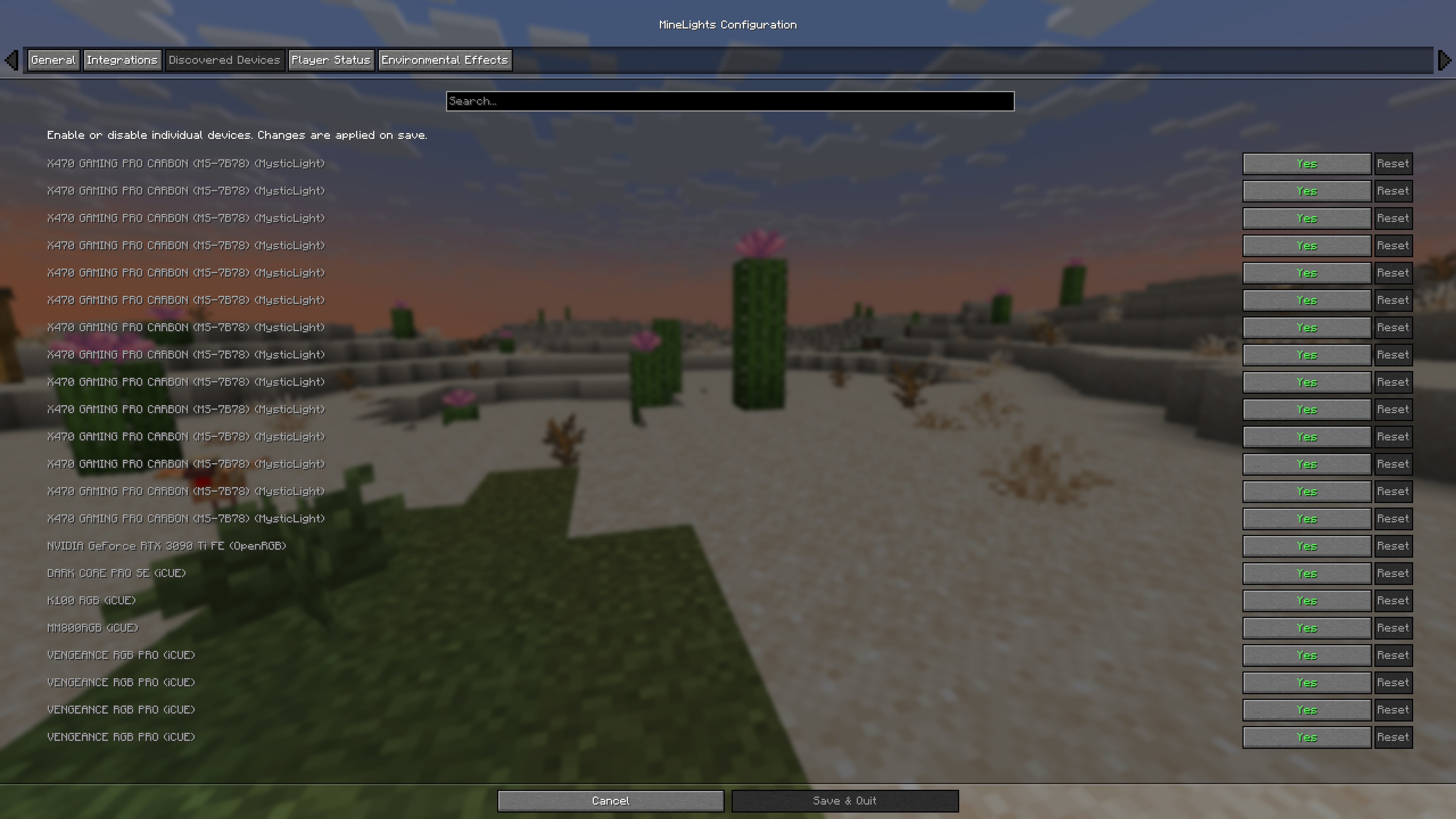 Config screen - Identified devices Supports any OpenRGB, iCue and Mystic Light device!
 -
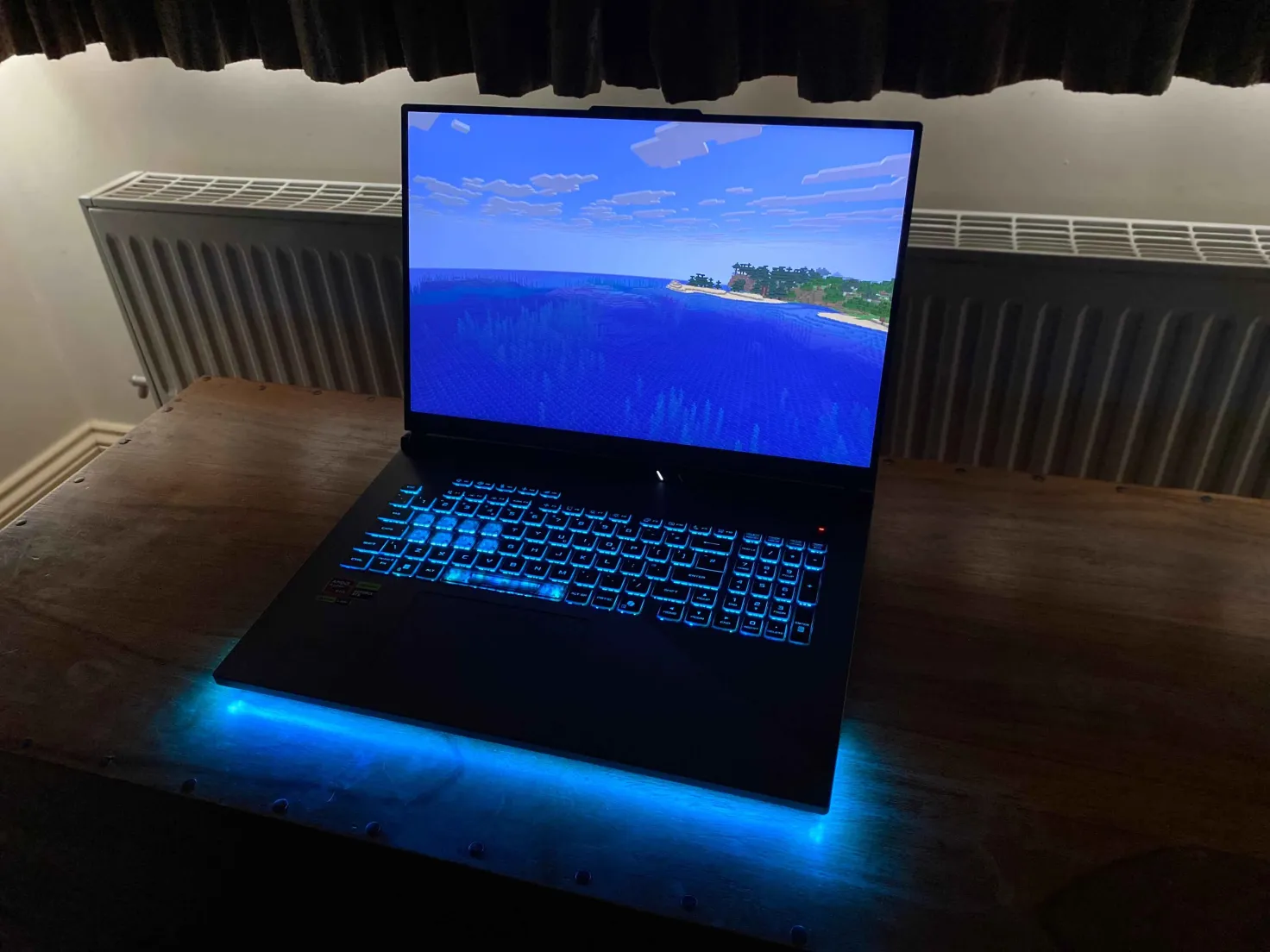 MineLights - Ocean MineLights running on an Asus laptop, in the ocean biome
 -
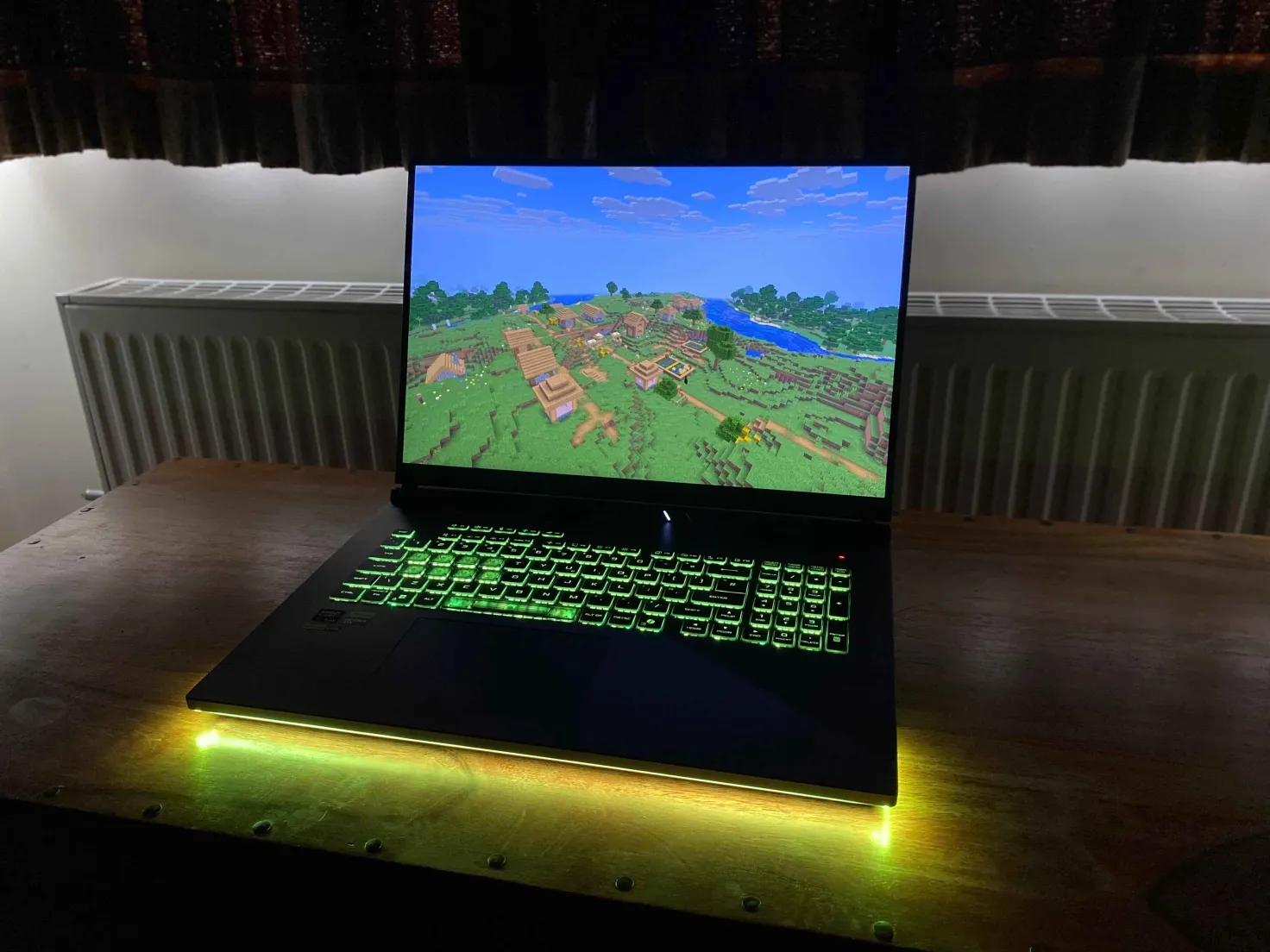 In-game - Plains biome MineLights running on an Asus laptop
 -
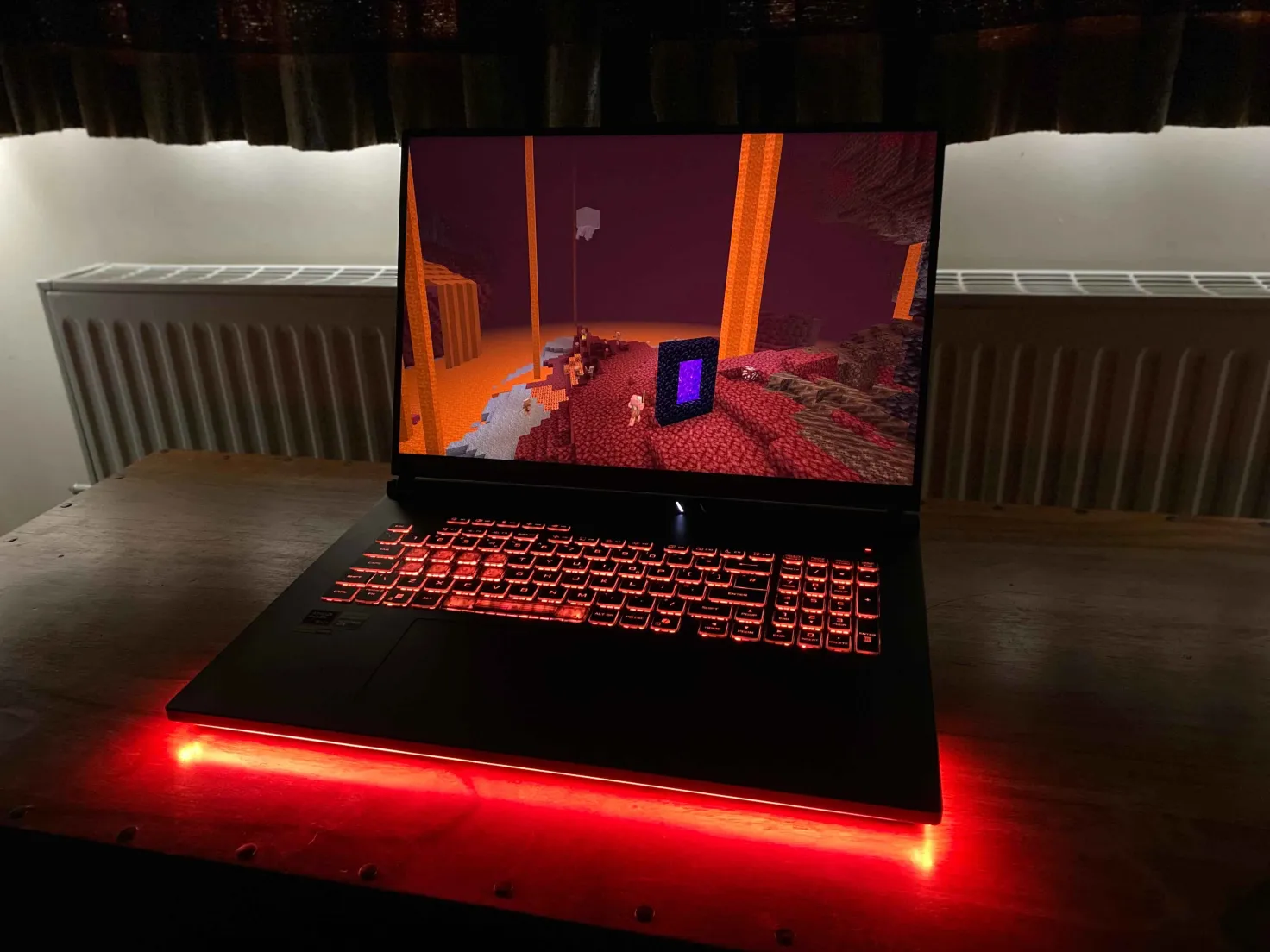 In-game - Nether MineLights running on an Asus laptop
 -
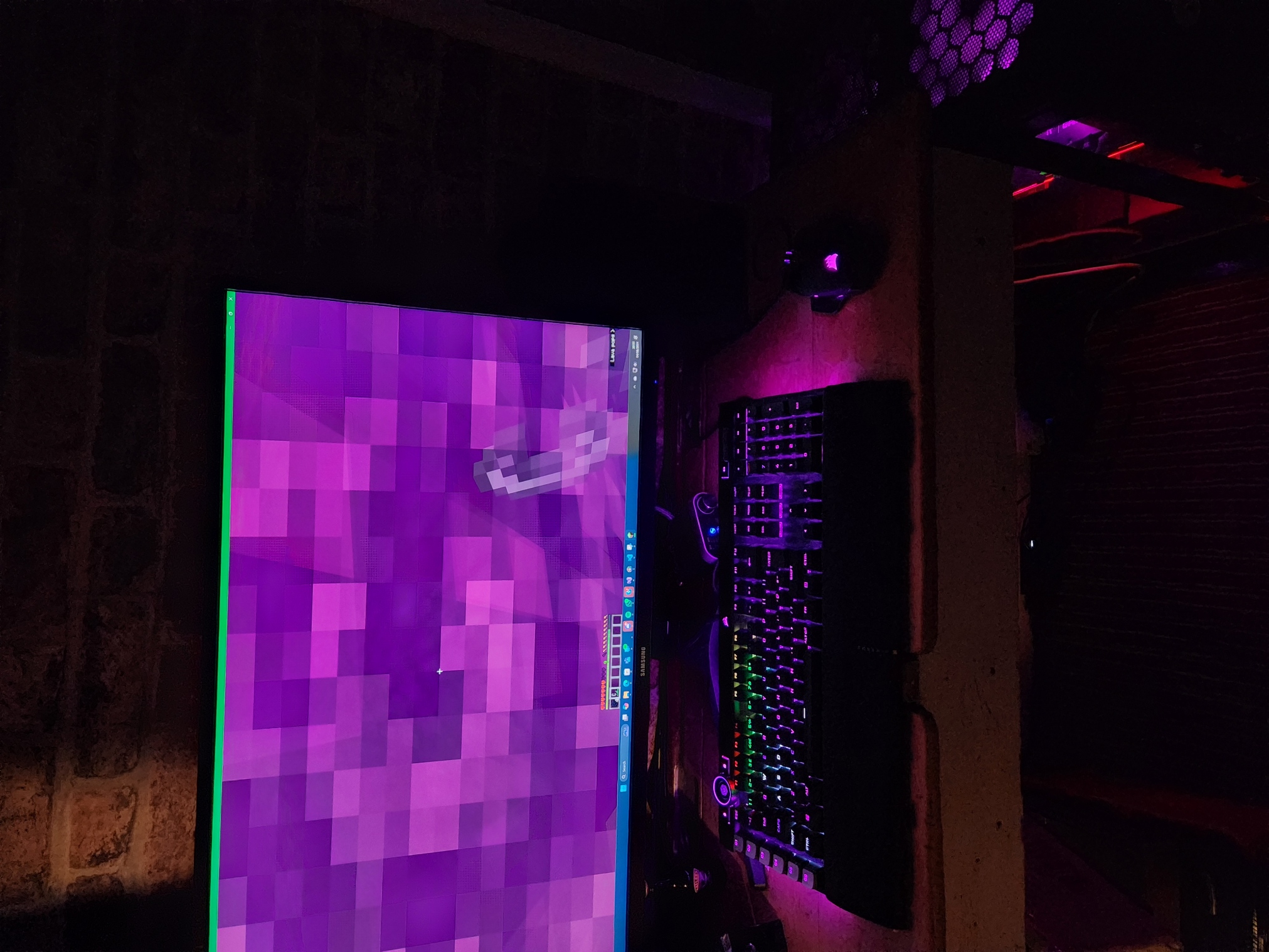 In-game - Nether Portal When standing in a portal, the devices have a "nether portal effect" applied.
 -
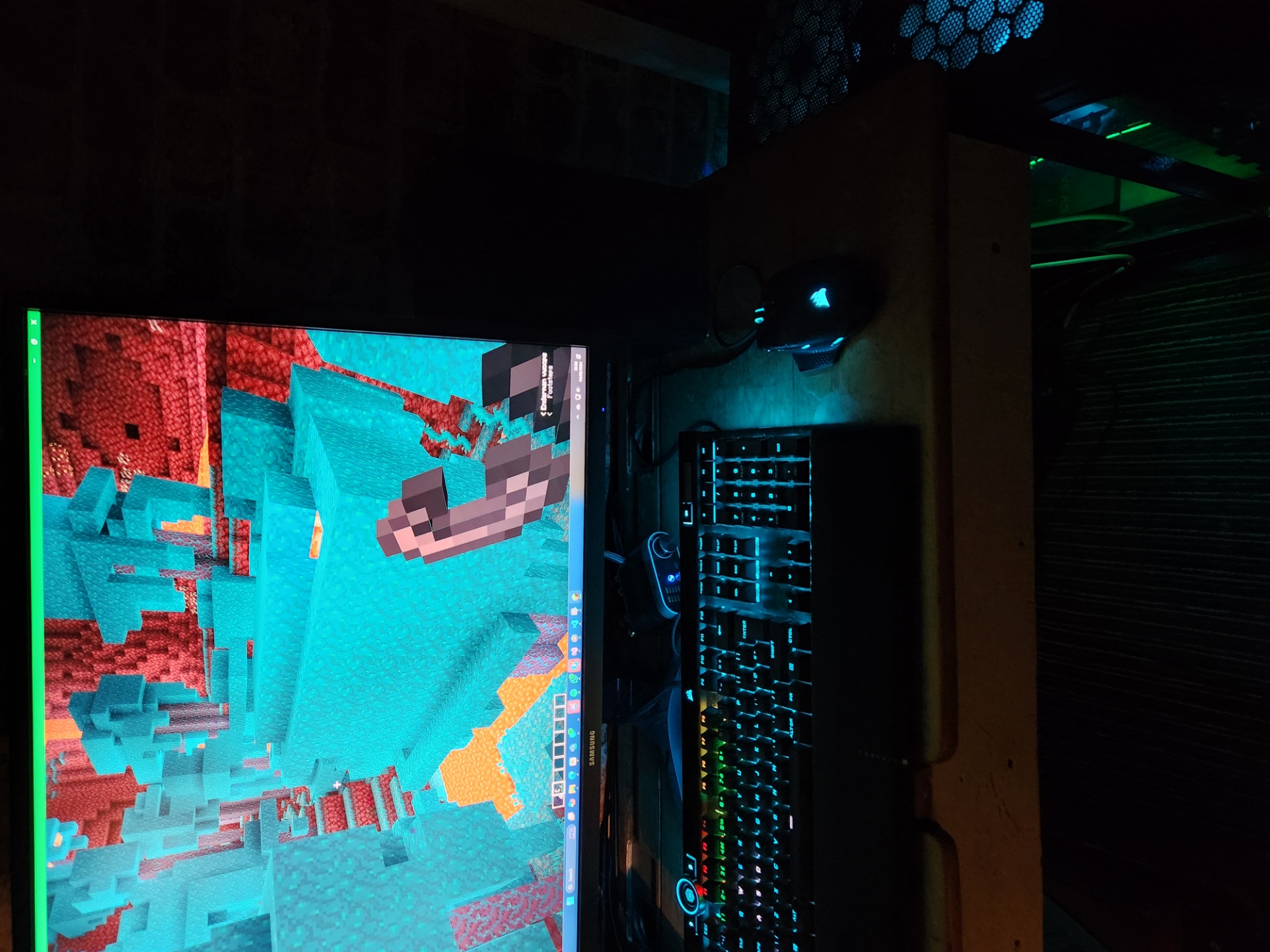 In-game - Warped Forest
 -
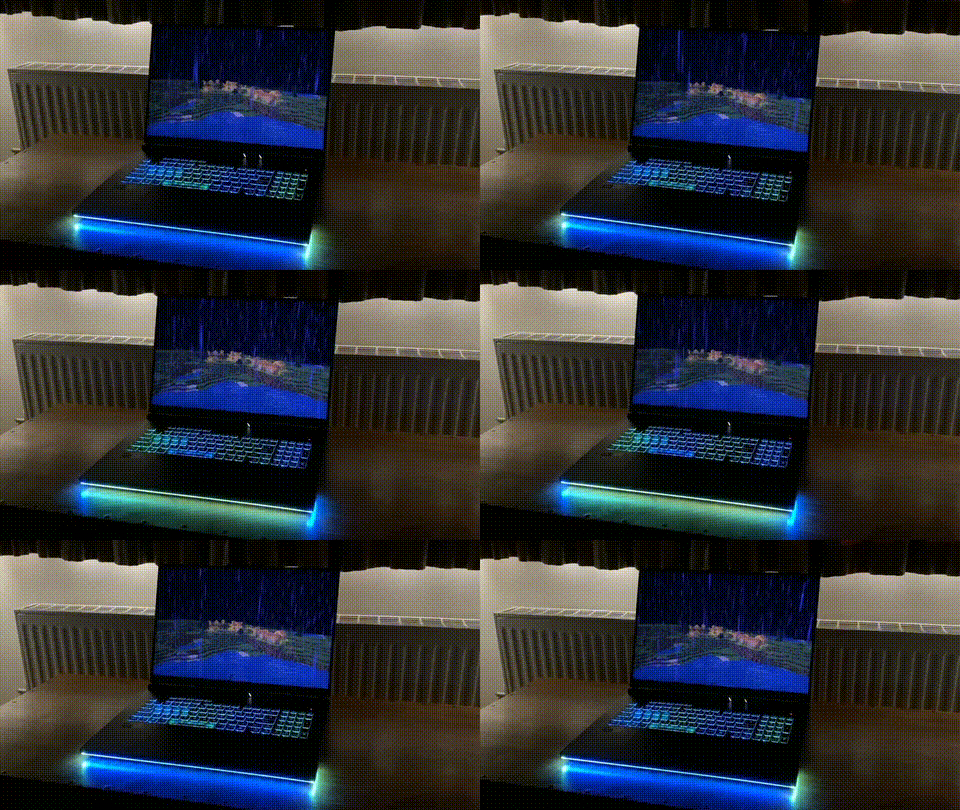 MineLights - Thunderstorm MineLights running on an Asus laptop
 -
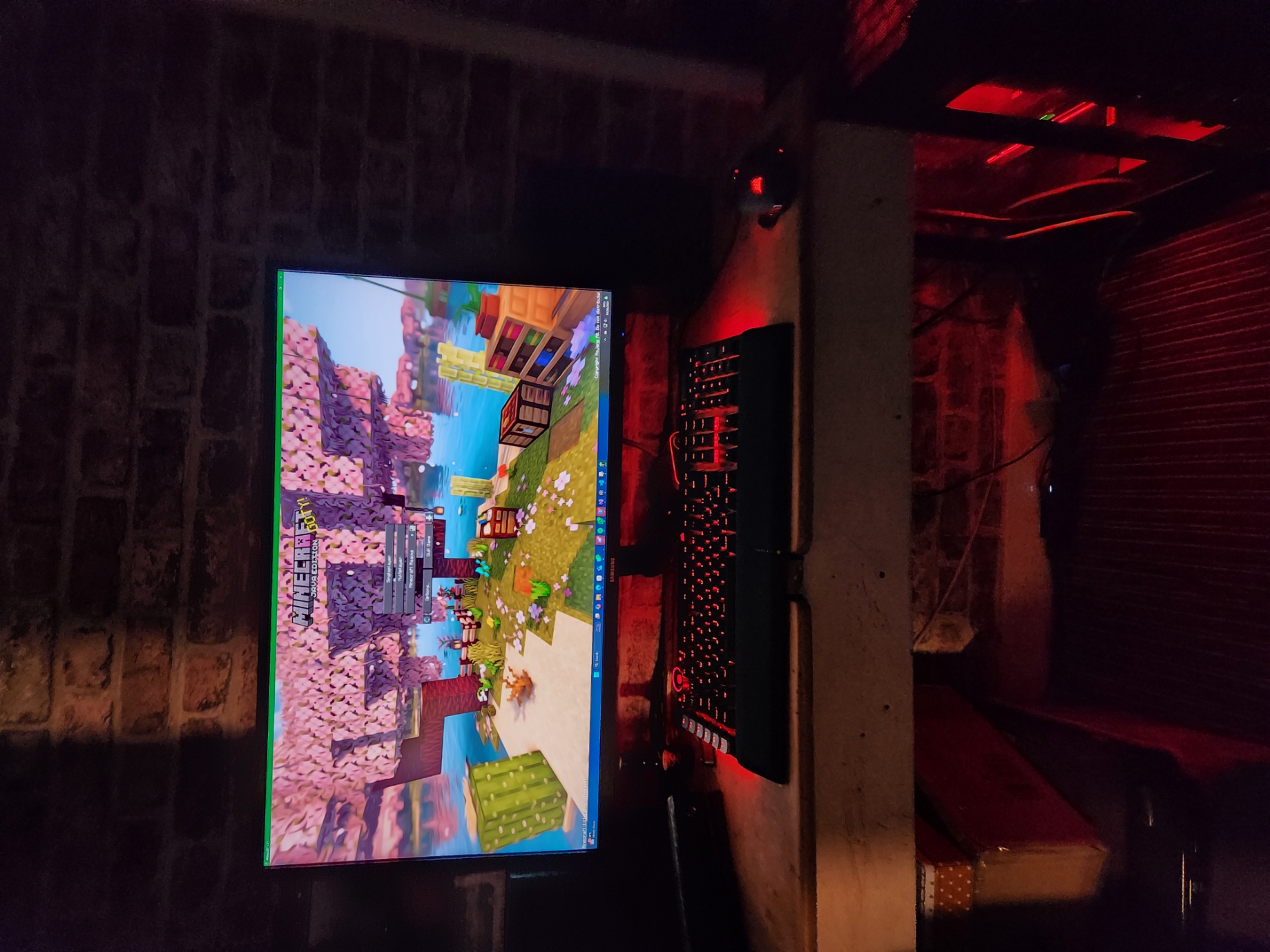 Minecraft main screen All devices show the Mojang red colour when not in a world.
 -
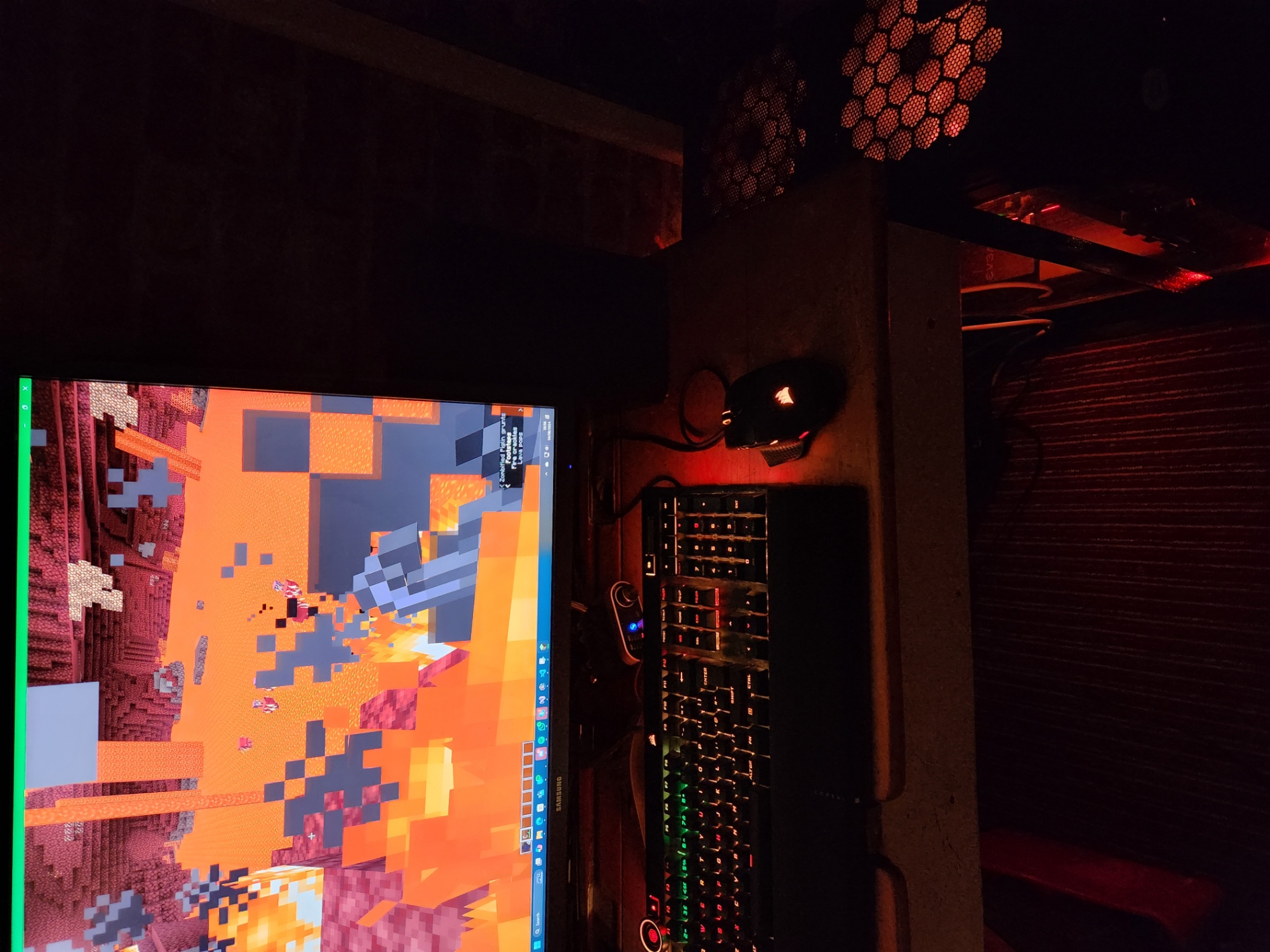 In-game - On fire When the player is on fire, an effect plays on all devices.
 -
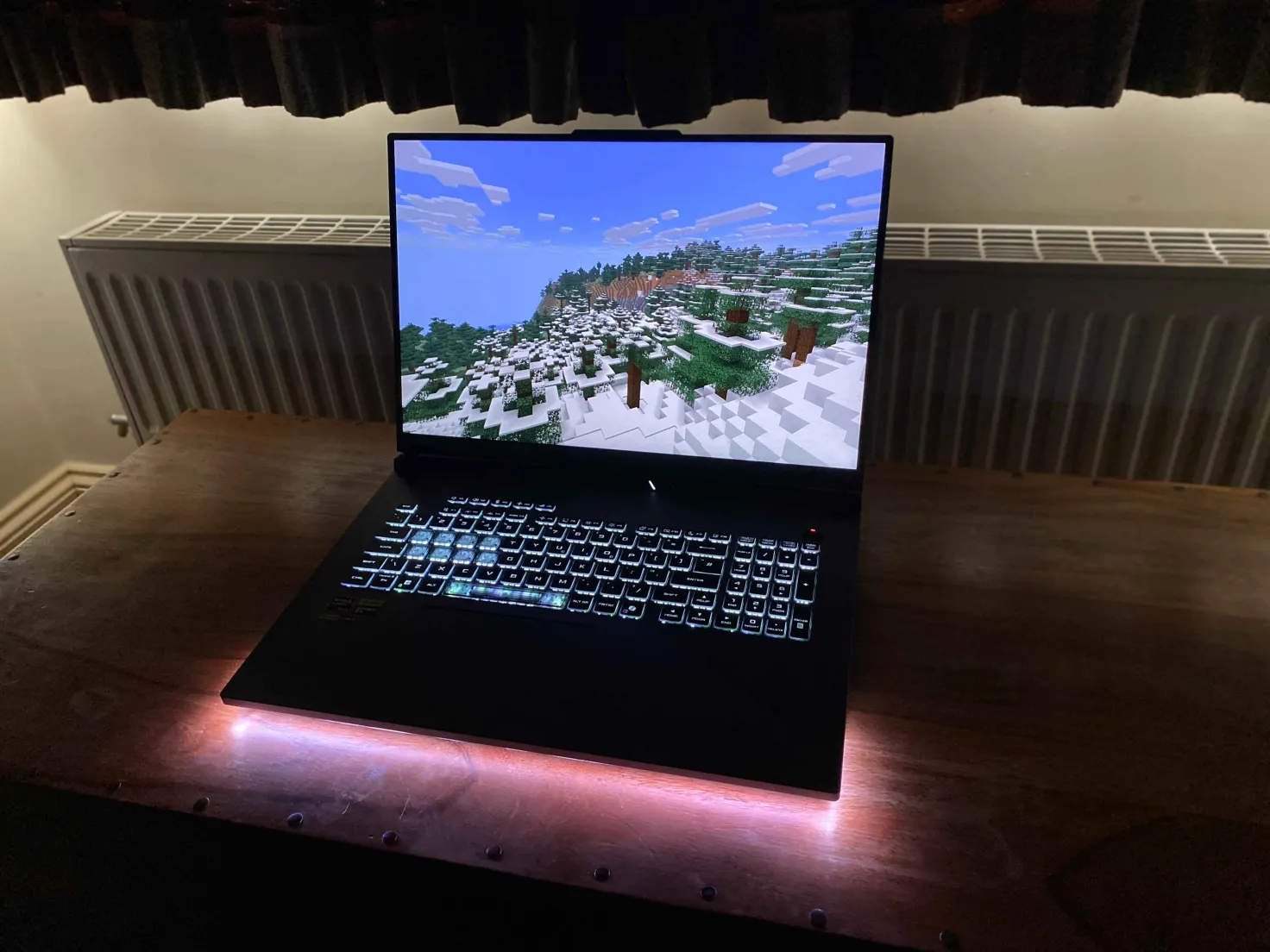 In-Game - Ice biome
 -
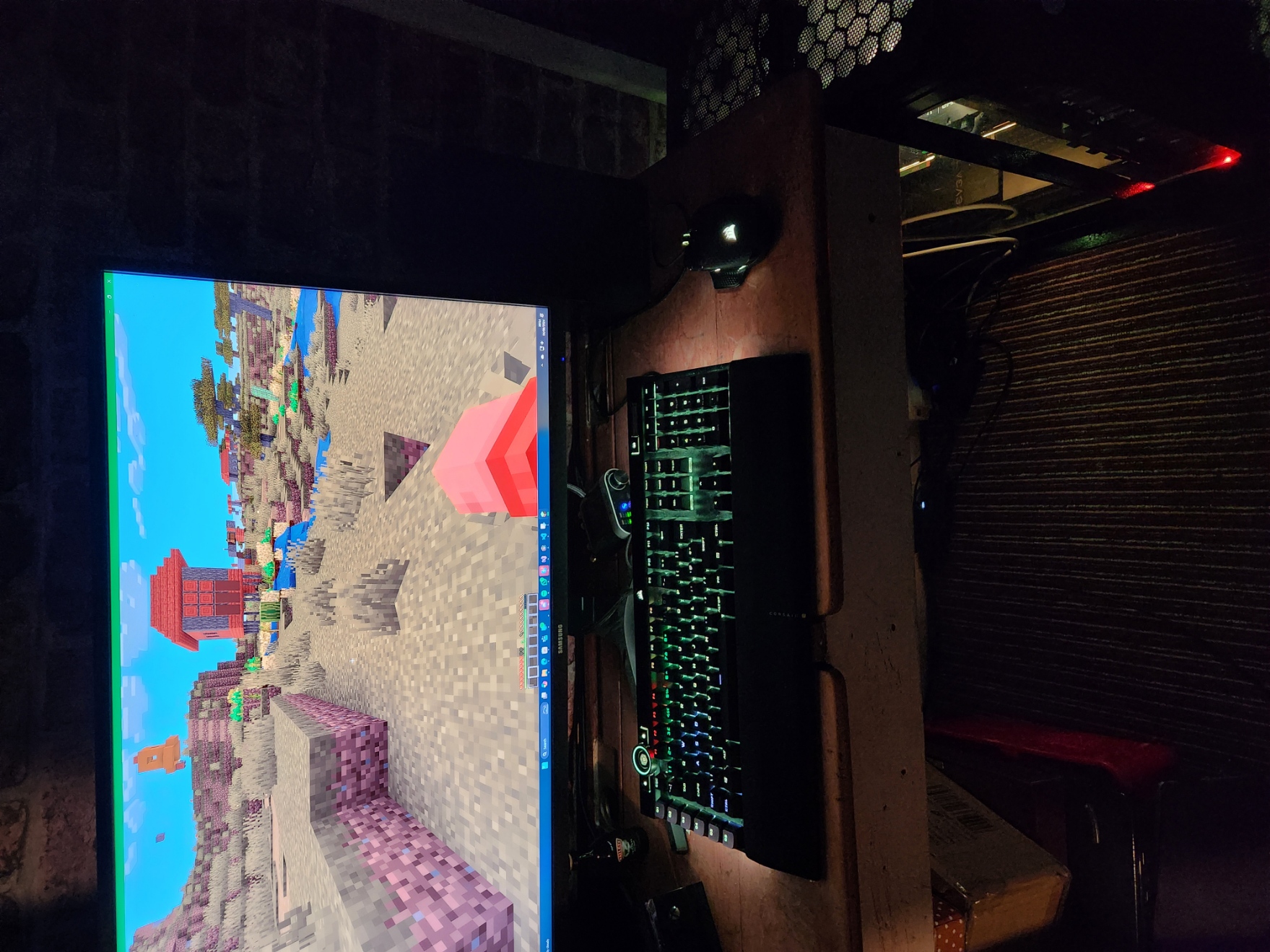 In-game - Savanna biome
Versions
Files
Relations
Project Relations
More like this
Similar Mods
Suggestions use data such as tags, dependencies, dependents, descriptions, titles, and more to rank how much they overlap with this mod.
On ModDex
Community snapshot
By the numbers
Statistics

Want to reach Minecraft players?
We're looking for a server hosting partner to feature here and other parts of the site. Interested? Send us a message!
Get in touchGet it on
Available Platforms
On ModDex
Community snapshot
By the numbers