
Community listing page, reviews here may not be monitored by the author.
MineRaft

No reviews yet
Vanilla recreation of the hit game "Raft"
Community voices
Reviews
No reviews yet. Be the first to review this project!
Get it on
Available Platforms
Compatibility
Supported Environments
Runs entirely on the client. Works on vanilla servers.
About
Project Details
For authors
Embed Badge
If you're the author of this project, you can embed a live badge anywhere that supports HTML or Markdown. It updates automatically whenever ratings change.
Use HTML for any page that supports it, or Markdown for README files and Markdown-based descriptions.
Identifiers
Platform IDs
About
Description





Transforms your survival Minecraft experience into a recreation of the hit game 'Raft' This datapack comes with an overhauled experience, with new mechanics, new blocks, structures, and even new mobs!
Since this is a Datapack and Resource pack, both can be installed once server side and will apply to all players that join, voiding the need for each player to install the pack!


Building
- Decorate to your hearts content!
- You can place various large structures such as foundations, smelteries, collection nets and more with a grid-like building style!
- You can tear down structures with your builders hammer!
Flotsam
- Scoop up various types of junk to craft with!
- Flotsam spawns around the raft and can be fished up with a fishing rod
Steve the Shark
- Chomp Chomp
- Steve is a friendly lil' fellow!
- He circles your raft and occasionly scoots in to take a snack off it

Q. How do I download the pack?
A. Install the datapack in the vanilla world creation menu! ¹
Q. I cant find the resource pack!
A. Go to the Versions tab, find the datapack version you want and click the name, then scroll to the bottom and install the resource pack. ²
Q. When is * feature going to be added / When is it going to be updated to * version??
A. Join the Discord for update discussion :D
Q. I experienced a bug, what do I do?
A. Join the Discord and file a bug report, or make an issue on the github! :D

¹ How To Download!
Data Pack:
- Click the latest Datapack version.
- Scroll down and Download the Primary file.
- If you want to create a World, go to Singleplayer > Create New World > Data Packs > Open Pack Folder. (It is not recommended to put it in an already existing world!)
- Copy/Cut and Paste the downloaded file there.
- Open/Create your world.
- Note: You need to also install the Required Resource Pack.
Required Resource Pack:
- Click the Datapack featured version.
- Scroll down and Download the Required Resource Pack.
- Open Minecraft and go to Options > Resource Packs > Open Pack Folder.
- Copy/Cut and Paste the downloaded file there.
- Activate the Resource Pack. (you can reload the resources with f3+t ingame)
See image below for reference
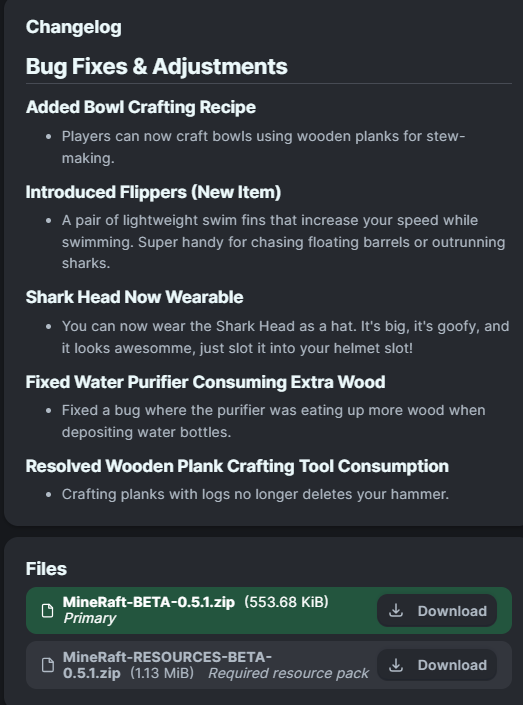
² How to get Resource Pack!

* Release Dates
There is no SET date for update releases, though we can confirm that the 1.0.0 update is in the works, you can join the discord for more info!
Screenshots
Gallery
-
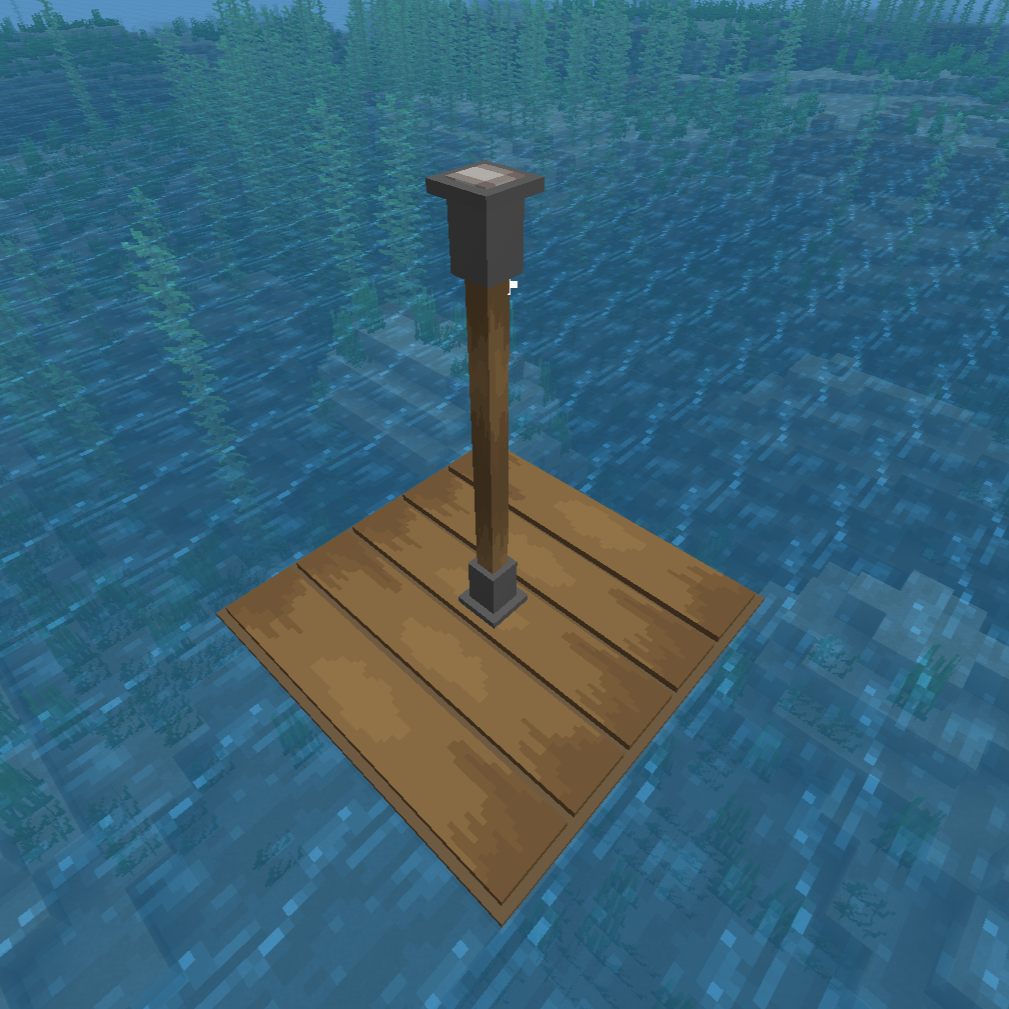 Wooden Support A sturdy pillar that can support platforms
 -
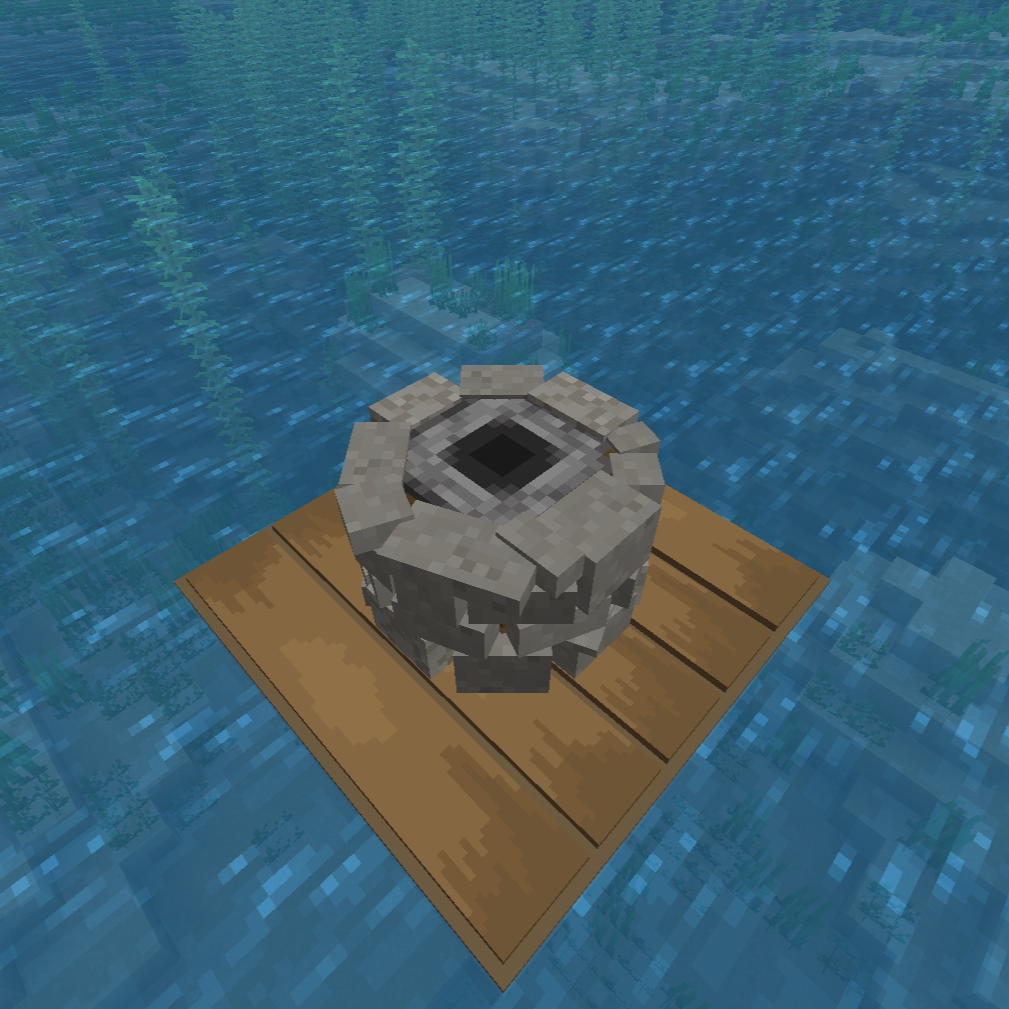 Smeltery A simple smeltery to refine your ores, and cook your food
 -
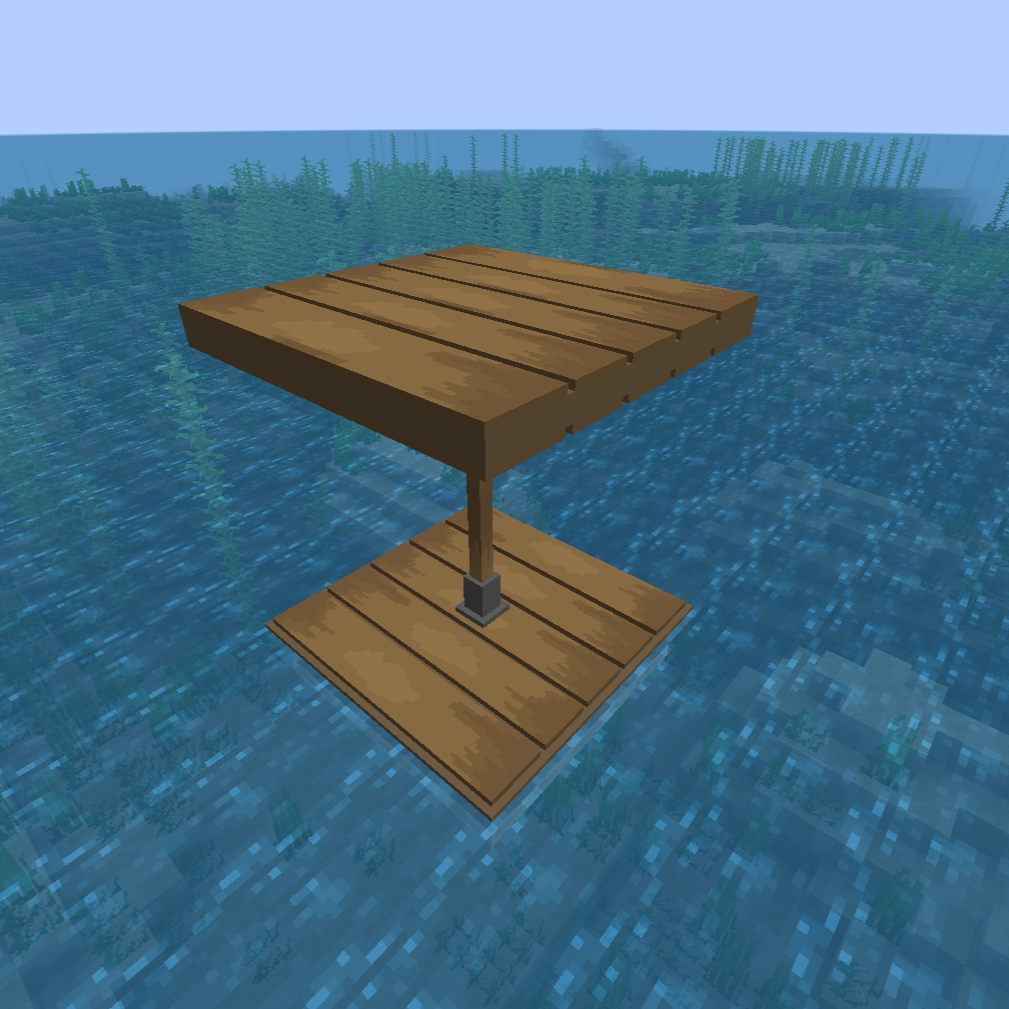 Wooden Platform A Simple floor
 -
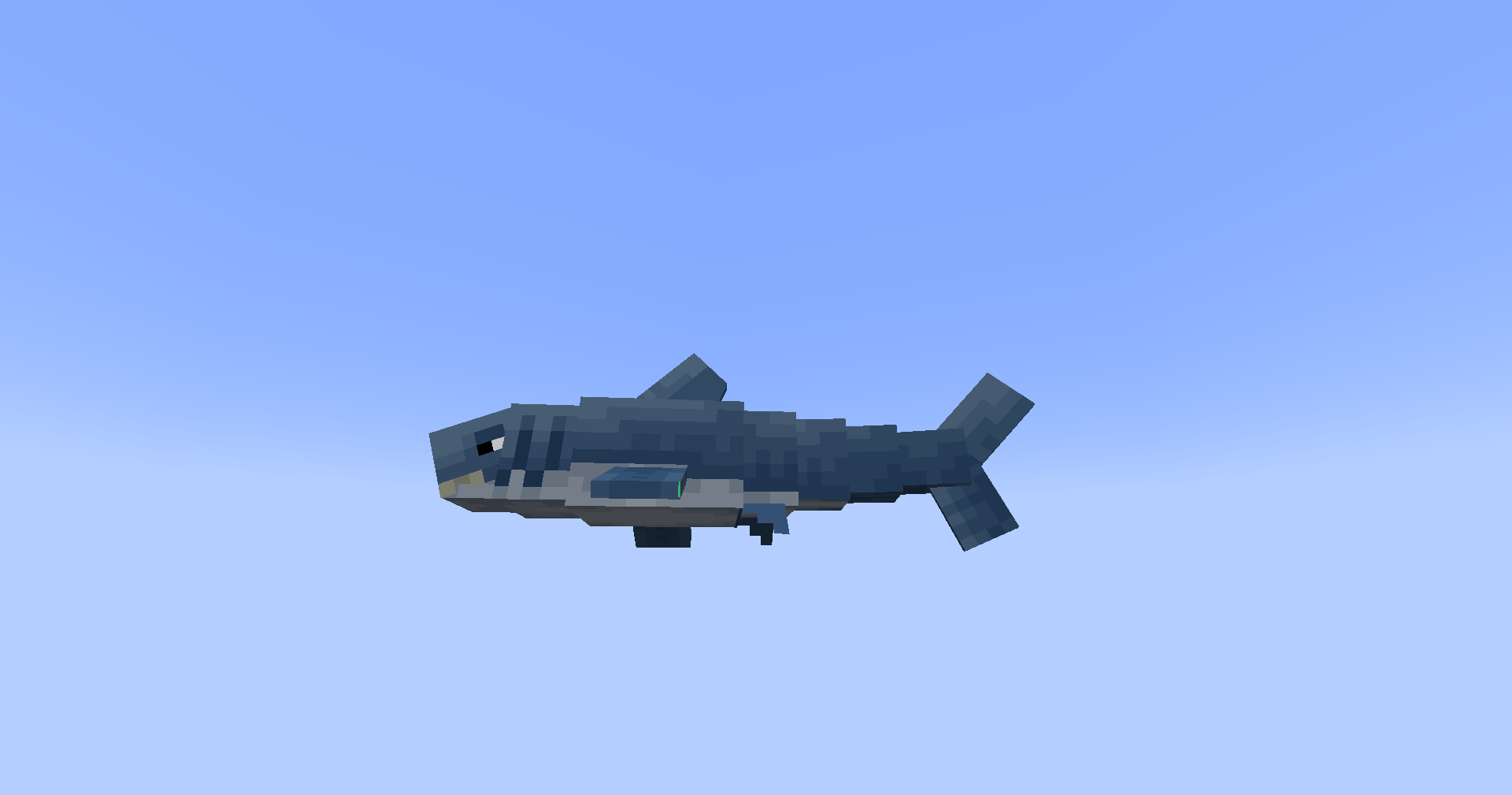 Steve The Shark Hes a hungry fellow
 -
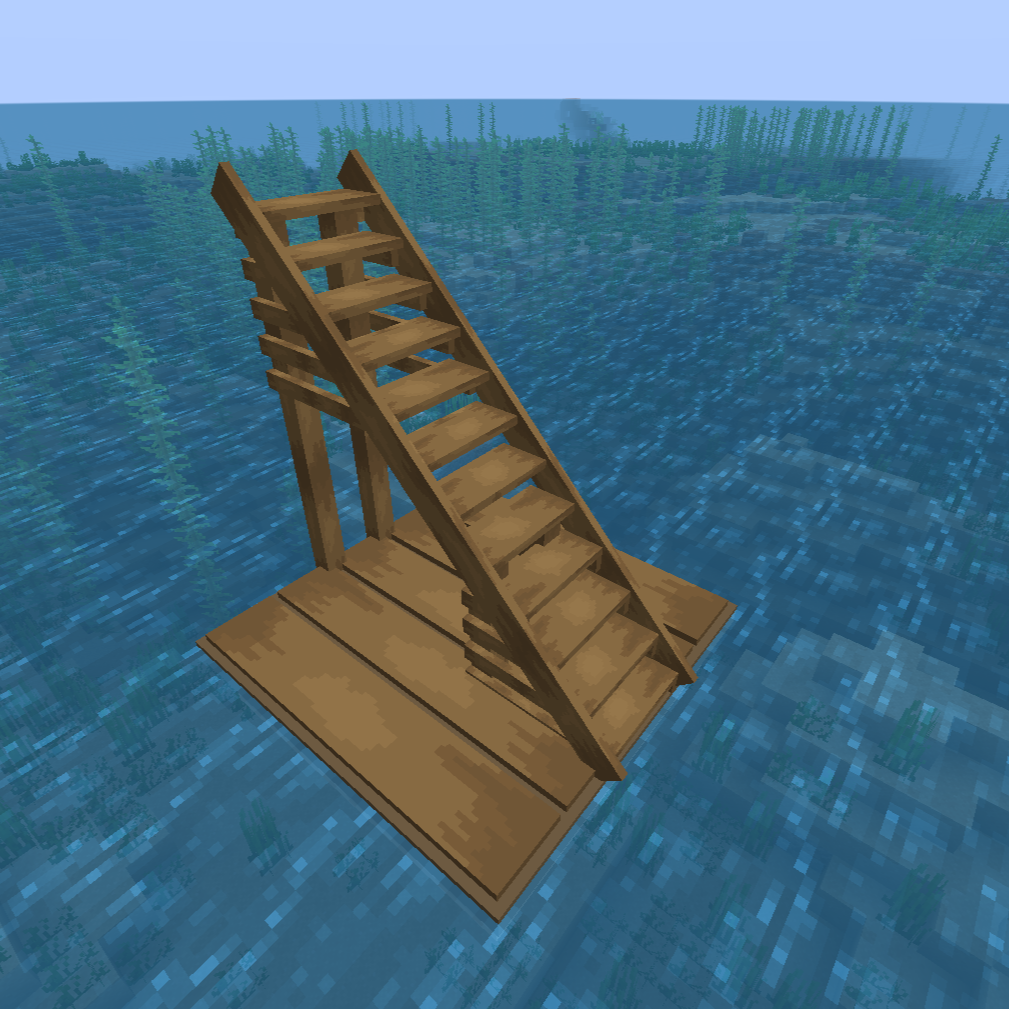 Wooden Staircase I dont know what too put here tbh its a staircase
 -
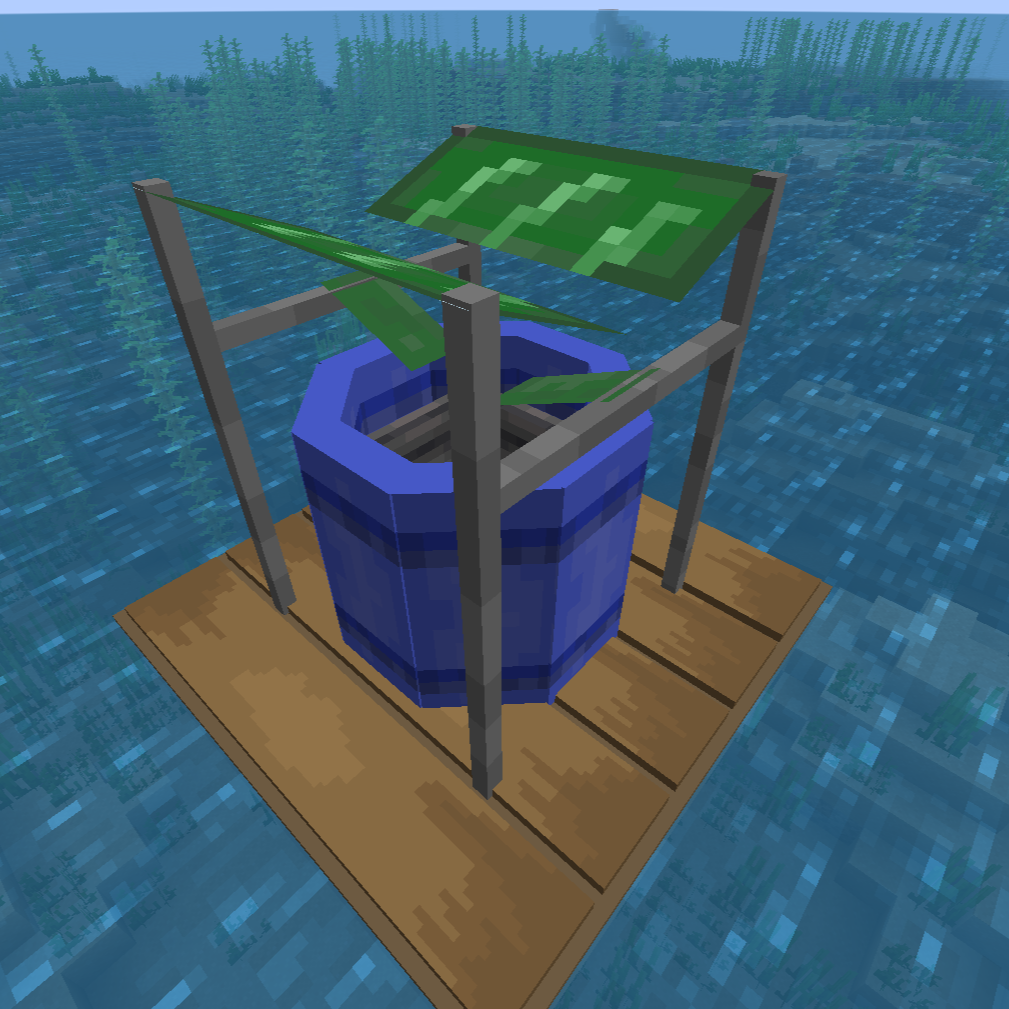 Rain Collector A System to collect water to help keep you hydrated
 -
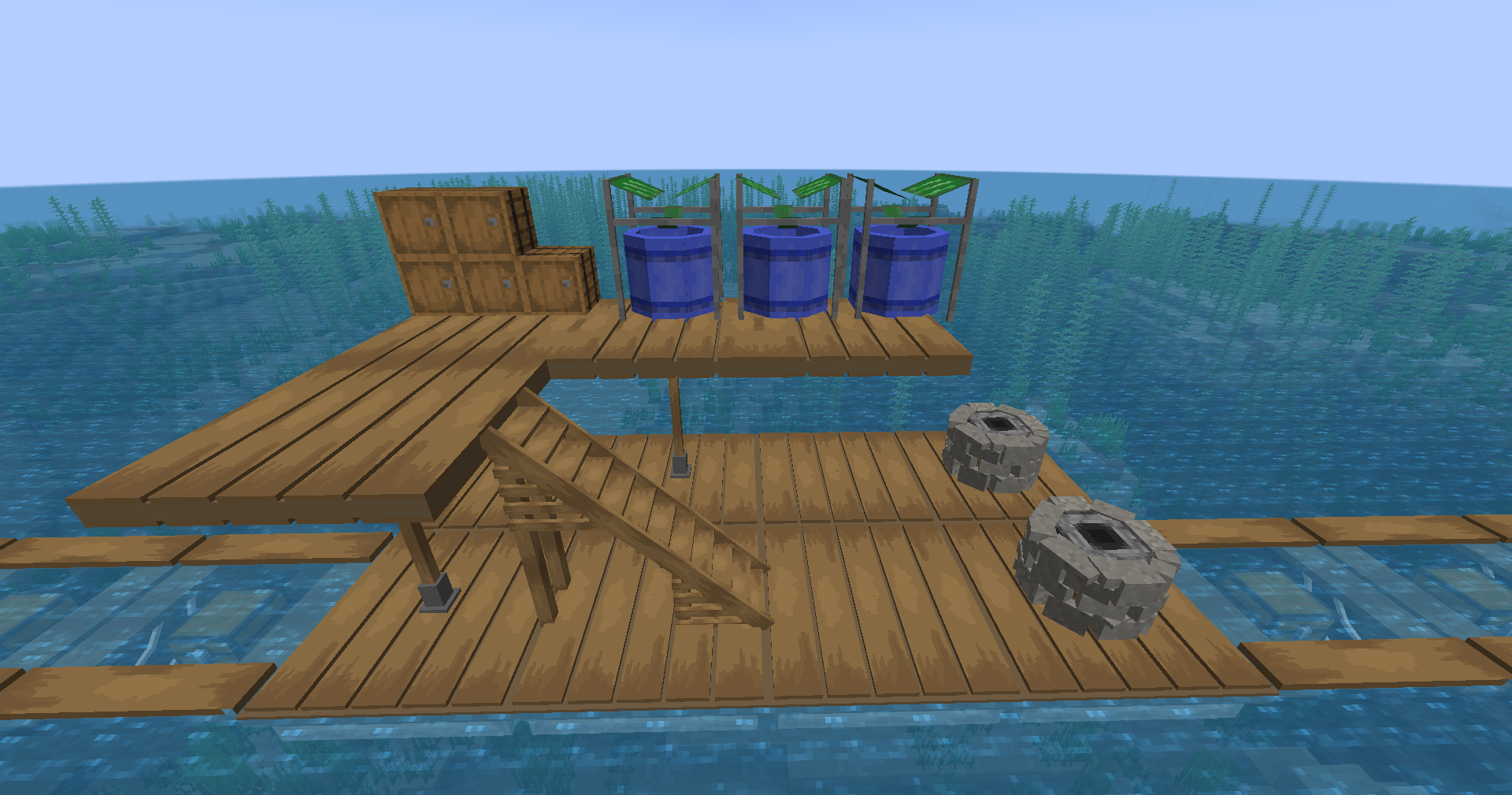 My Gameplay raft A raft that i assembled through my playthrough
Versions
Files
Relations
Project Relations
More like this
Similar Mods
Suggestions use data such as tags, dependencies, dependents, descriptions, titles, and more to rank how much they overlap with this mod.
On ModDex
Community snapshot
By the numbers
Statistics

Want to reach Minecraft players?
We're looking for a server hosting partner to feature here and other parts of the site. Interested? Send us a message!
Get in touchGet it on
Available Platforms
On ModDex
Community snapshot
By the numbers