
Minescript HUD Addon
No reviews yet
This mod adds the ability to draw custom HUD elements in Minescript.
Fabric is a mod loader for versions 1.14+ of Minecraft, particularly popular for client side and optimization mods.
Community voices
Reviews
Click once to include, again to exclude, again to clear
No reviews yet. Be the first to review this project!
Get it on
Available Platforms
 Modrinth
Compatibility
Supported Environments
About
Project Details
For authors
Embed Badge
If you're the author of this project, you can embed a live badge anywhere that supports HTML or Markdown. It updates automatically whenever ratings change.
Use HTML for any page that supports it, or Markdown for README files and Markdown-based descriptions.
Identifiers
Platform IDs
About
Description
Minescript HUD Addon
This mod adds the ability to draw custom HUD elements in Minescript.
Documentation can be found in the wiki.
Bugs/Features
If you have any suggestions, or found any bugs, please fill out this google form.
currently working on adding interactions such as hover and click events
Features
- Draw text on the HUD
- Draw rectangles and gradient rectangles
- Render items
- Render textures
- Render custom shapes
- Animate all element properties
- Detect mouse hover and click events
- Control display duration and render layers
Installation
- Install Minescript.
- Place this addon in your
modsfolder. - Launch the game.
Example
from hud_renderer import *

add_text("Hello World",x=10,y=10,color=argb(255,255,255,255),shadow=True,display_duration=5)
Animations
All HUD elements can be animated using animation functions.
from hud_renderer import *

def move(text:TextObject):
    text.x+=1

_id=add_text("I can MOVE!",x=10,y=10,color=Colors.WHITE,shadow=True,display_duration=5)

animate_text(_id,move)
Mouse Events
All objects can detect mouse hover and click events.
from minescript import echo
from hud_renderer import *

def hover(text:TextObject,mouse:MouseObject,exited:bool):
    if (exited):
        text.color=Colors.WHITE
    else:
        text.color=Colors.GREEN

def click(text:TextObject,mouse:MouseObject):
    echo("Clicked!")

_id=add_text("Click me!",x=10,y=10,color=Colors.WHITE,shadow=True,display_duration=10)

add_mouse_callbacks_and_wait(_id,on_hover=hover,on_click=click)
Layer System
Elements are rendered in layers.
Elements with higher layer values render above elements with lower layers.
API Overview
A more detailed API can be found on the wiki.
Text
add_text(...)add_text_with_background(...)add_advanced_text(...)add_advanced_text_with_background(...)animate_text(...)animate_text_with_background(...)
Rectangles
add_rectangle(...)add_rectangle_from_corners(...)add_gradient_rectangle(...)add_stroked_rectangle(...)animate_rectangle(...)
Items
add_item(...)add_advanced_item(...)animate_item(...)
Textures
Note: Custom textures must be added by a resource pack in the
assets/minescripthud/textures/gui/sprites/folder.
add_texture(...)add_advanced_texture(...)animate_texture(...)
Shapes
add_shape(...)add_advanced_shape(...)animate_shape(...)add_line(...)add_multiline(...)add_triangle(...)add_quad(...)add_circle(...)add_ellipse(...)
Utility functions
argb(...)argb_to_int(...)alpha_from_int(...)add_async_mouse_callbacks(...)add_mouse_callbacks_and_wait(...)wait_until_removed(...)remove_element(...)clear()suppress_done_message()
Screenshots
Gallery
-
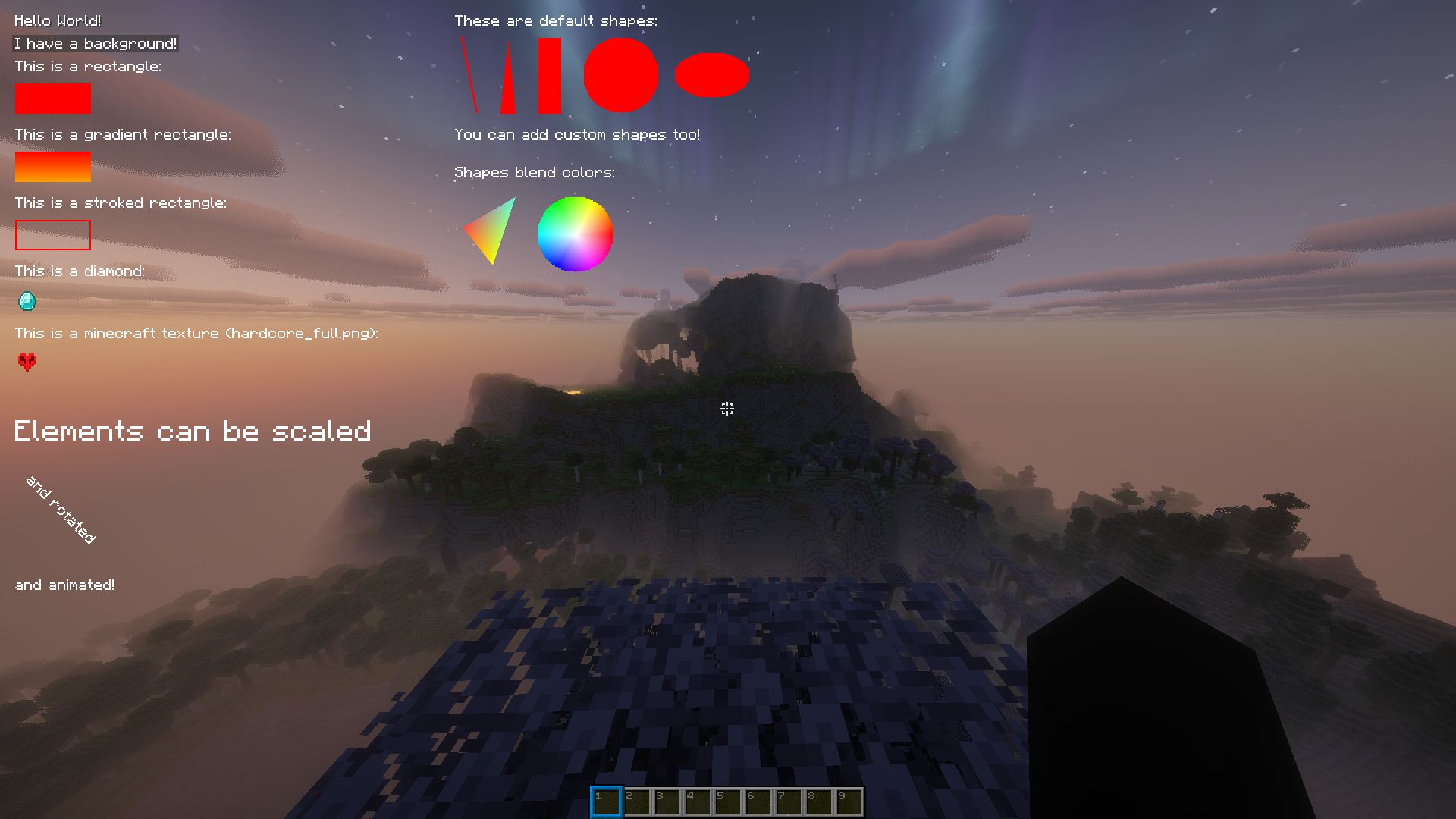 Example
Versions
Files
Relations
Project Relations
More like this
Similar Mods
Suggestions use data such as tags, dependencies, dependents, descriptions, titles, and more to rank how much they overlap with this mod.
On ModDex
Community snapshot
By the numbers
Statistics

Want to reach Minecraft players?
We're looking for a server hosting partner to feature here and other parts of the site. Interested? Send us a message!
Get in touchGet it on
Available Platforms
On ModDex
Community snapshot
By the numbers