
Community listing page, reviews here may not be monitored by the author.
MineTranslator

No reviews yet
A smart client-side Minecraft translator for chat, player messages, NPC dialogue, item names, and tooltips.
Community voices
Reviews
No reviews yet. Be the first to review this project!
Get it on
Available Platforms
Compatibility
Supported Environments
Runs entirely on the client. Works on vanilla servers.
About
Project Details
For authors
Embed Badge
If you're the author of this project, you can embed a live badge anywhere that supports HTML or Markdown. It updates automatically whenever ratings change.
Use HTML for any page that supports it, or Markdown for README files and Markdown-based descriptions.
Identifiers
Platform IDs
Resources
External Links
About
Description
🌍 MineTranslator
MineTranslator is a client-side Minecraft translation mod for Fabric.
Play on multilingual servers without language barriers. MineTranslator can translate chat messages, player messages, NPC dialogue, item names, tooltips, lore, and more — directly inside Minecraft.
No server installation is required. Install it on your client and start playing! ✨
📚 Required Library
⚠️ MineTranslator requires the MineTranslator Library to work.
You must install both files:
- 🌍 MineTranslator
- 📚 MineTranslator Library
➡️ Download MineTranslator Library
Make sure that the versions of MineTranslator, MineTranslator Library, and Minecraft are compatible with each other.
Without the library, the mod will not launch or function correctly.
✨ Features
- 💬 Automatic chat translation
- 👥 Player message translation
- 🧙 NPC dialogue translation
- ⚔️ Item name translation
- 📜 Item tooltip and lore translation
- ⌨️ Manual translation with keybinds
- 🌐 Multiple translation providers
- ⚡ Translation cache for faster repeated translations
- 🎨 Modern in-game settings menu
- 🧩 Client-side only
- 🖌️ Preserves Minecraft text colors and formatting where possible
- 🧱 Fabric support
- 📦 Supports Minecraft 1.16.5 and newer versions
💬 Chat Translation
MineTranslator helps you understand messages from other players in real time.
It can translate:
- normal chat messages;
- player messages;
- NPC messages;
- server dialogue;
- mixed-language messages;
- manually selected chat messages.
You can choose between automatic translation and manual translation using a keybind.
⚔️ Item Translation
MineTranslator can also translate item information.
Supported item translation:
- item names;
- item descriptions;
- lore;
- abilities;
- stats;
- tooltip text.
The mod tries to preserve the original Minecraft colors and formatting, keeping translated items clean and natural.
🌐 Translation Providers
MineTranslator supports several translation providers depending on the mod version:
- Google Translation
- DeepL
- Gemini
- Claude
- OpenAI
Some providers may require an API key.
🔐 API keys are stored locally on your computer and are never sent to Minecraft servers.
🧩 Client-side Only
MineTranslator works only on the client.
That means:
- ✅ You can use it on multiplayer servers.
- ✅ The server does not need to install anything.
- ✅ Other players do not need the mod.
- ✅ It does not change server-side gameplay.
📦 Installation
- Install Fabric Loader for your Minecraft version.
- Install Fabric API if required by your build.
- Download the correct version of MineTranslator.
- Download the matching version of MineTranslator Library.
- Place both
.jarfiles in your Minecraftmodsfolder. - Launch Minecraft.
Required files
MineTranslator-[version]+[minecraft-version].jar
MineTranslator-Library-[version]+[minecraft-version].jar
Screenshots
Gallery
-
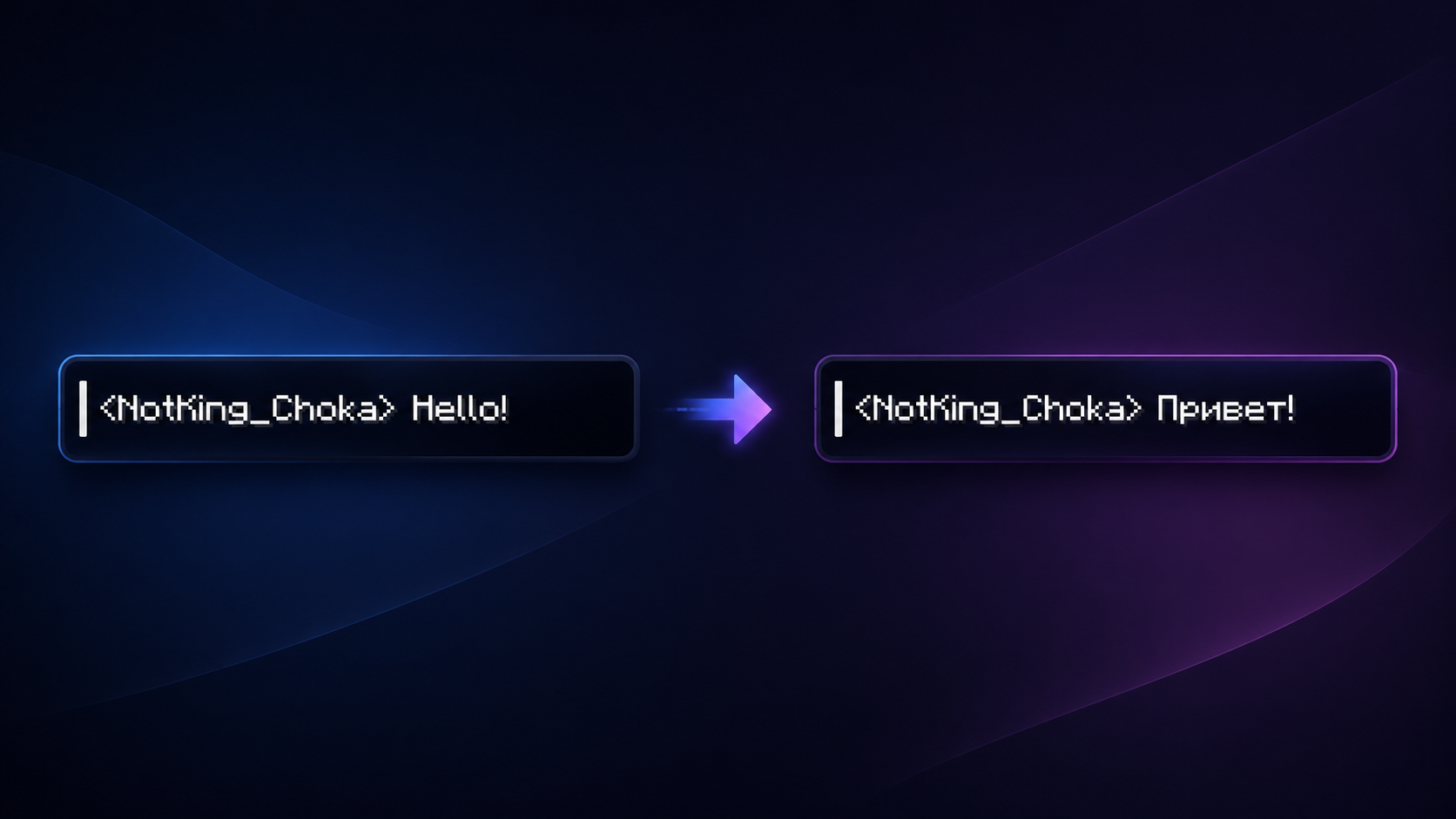 A clear example of how translation works.
 -
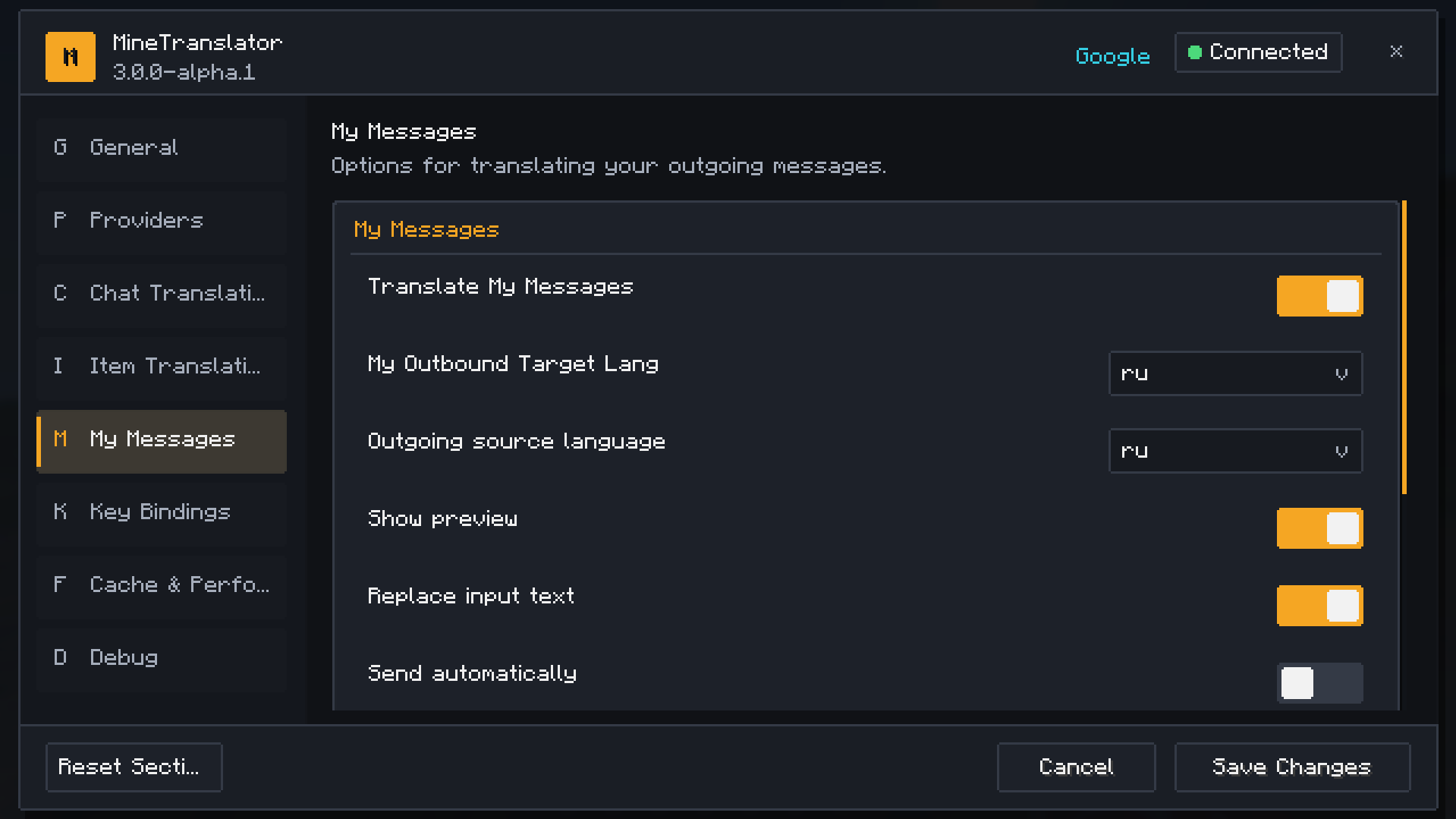 My messeges
 -
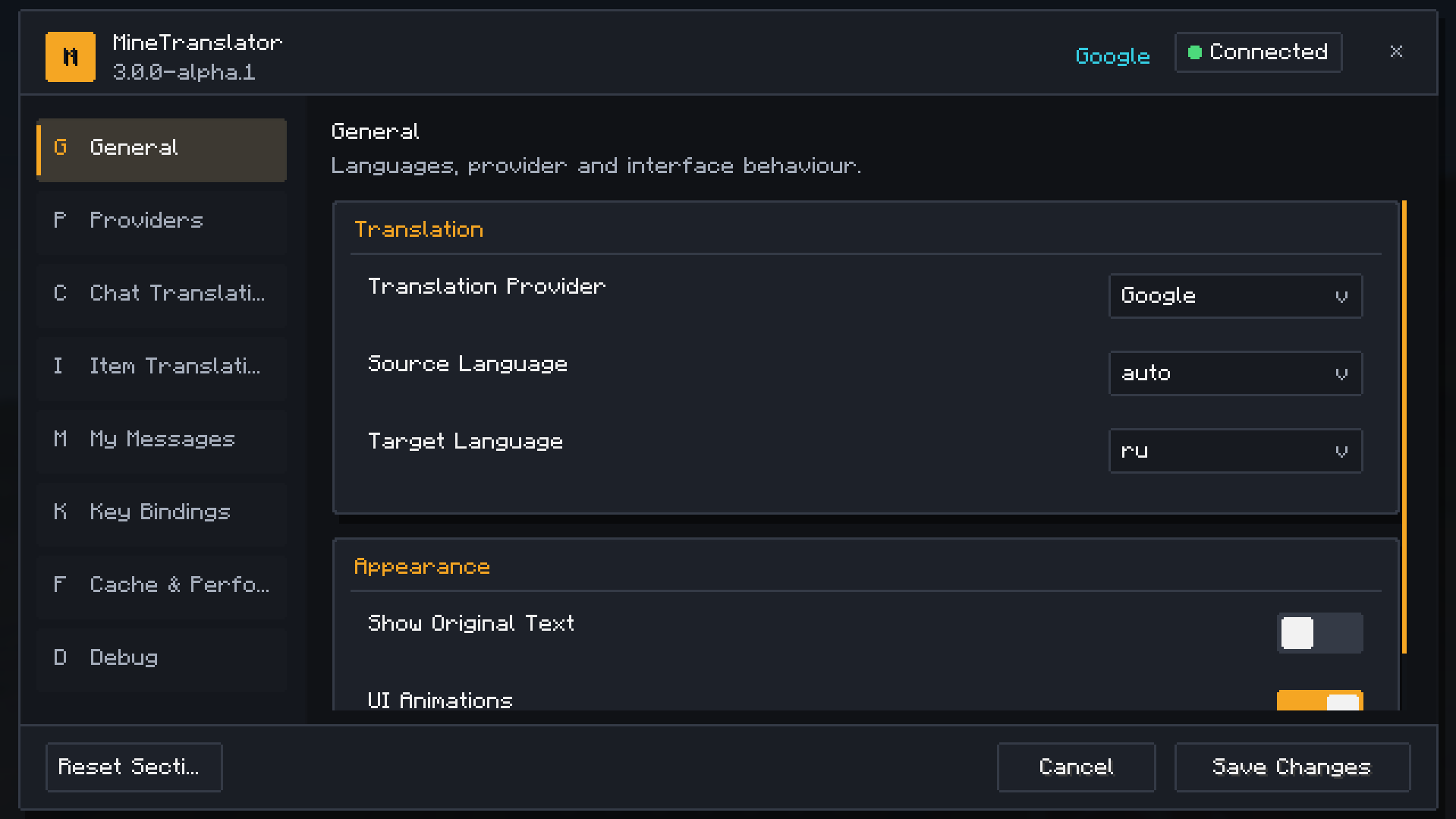 General
 -
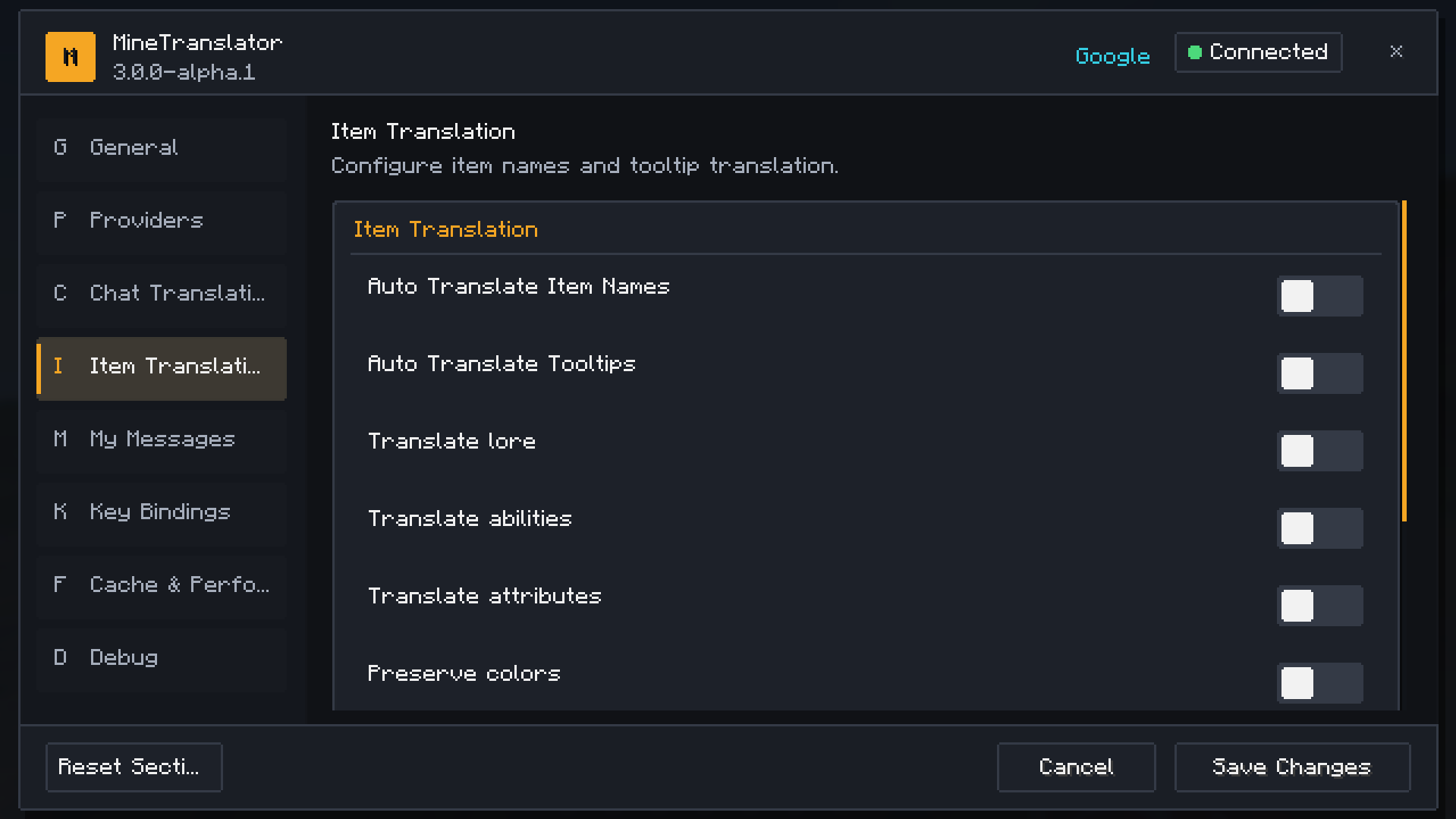 Item translation
 -
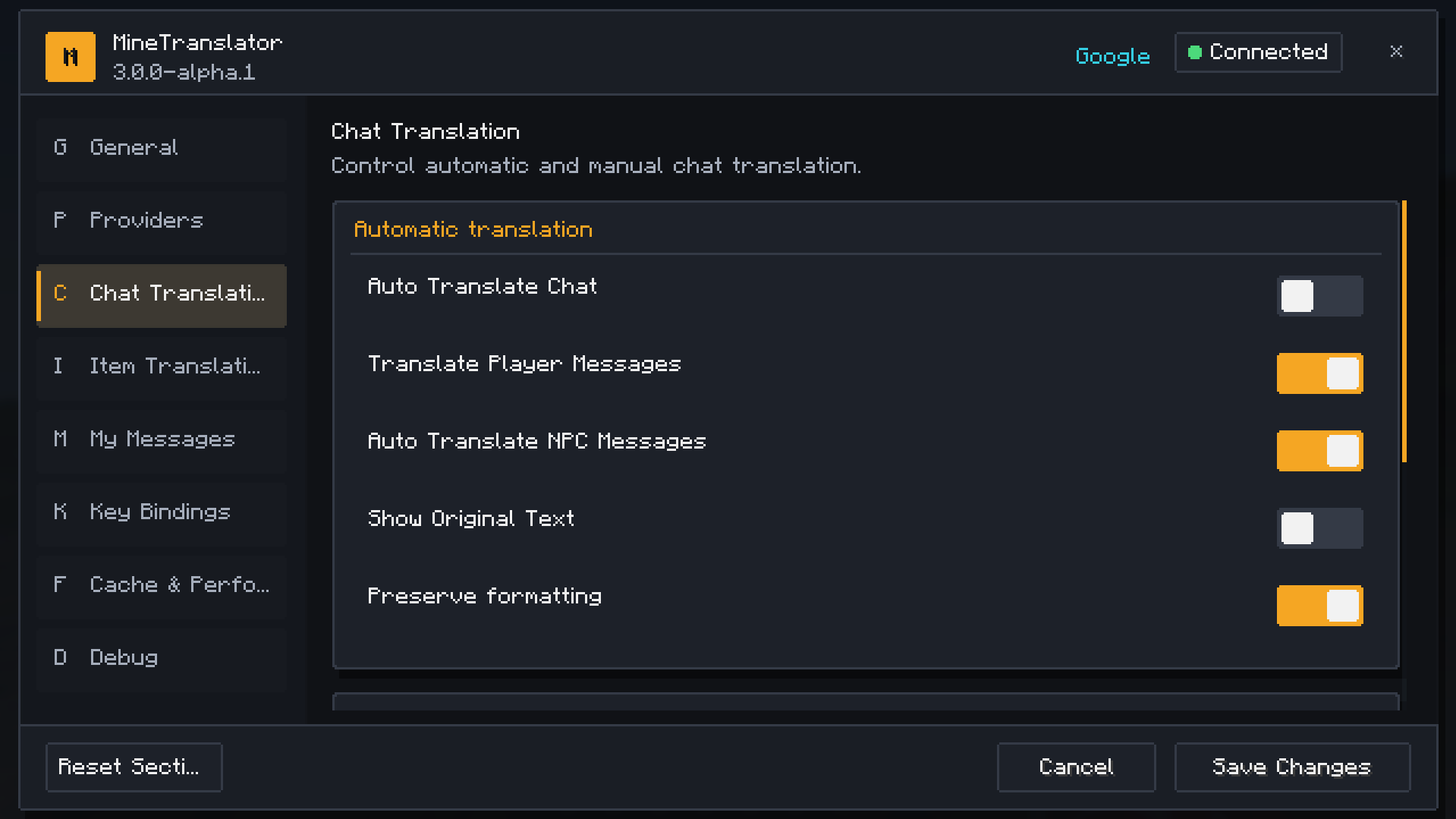 Chat translation
 -
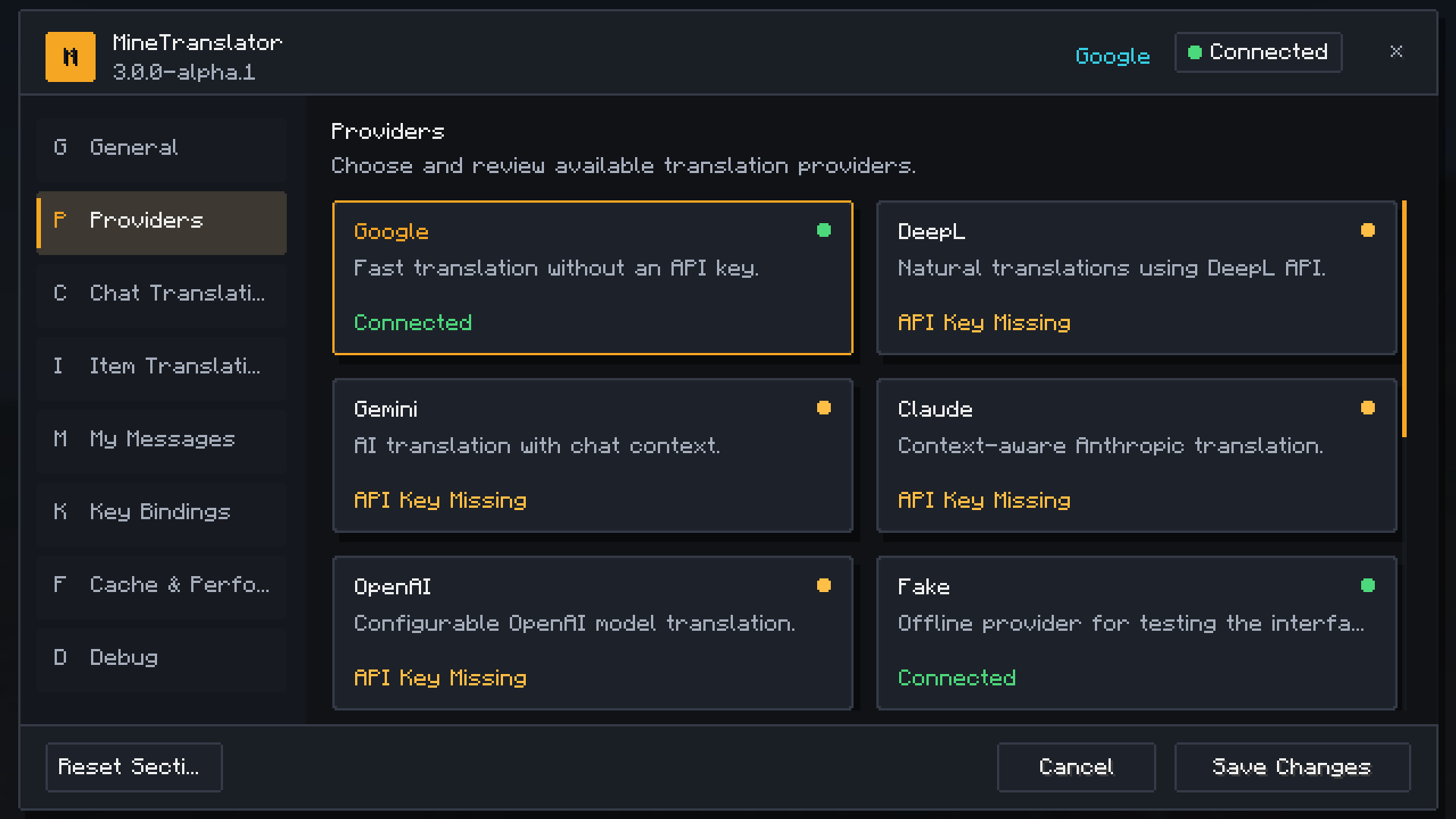 Providers
Versions
Files
Relations
Project Relations
More like this
Similar Mods
Suggestions use data such as tags, dependencies, dependents, descriptions, titles, and more to rank how much they overlap with this mod.
On ModDex
Community snapshot
By the numbers
Statistics

Want to reach Minecraft players?
We're looking for a server hosting partner to feature here and other parts of the site. Interested? Send us a message!
Get in touchGet it on
Available Platforms
On ModDex
Community snapshot
By the numbers
Statistics
Resources