
MiningQol
No reviews yet
MiningQOL for hypixel skyblock. 1.21.10 fabric, yes it is Ai/vibe coded, shut up
Fabric is a mod loader for versions 1.14+ of Minecraft, particularly popular for client side and optimization mods.
Community voices
Reviews
Click once to include, again to exclude, again to clear
No reviews yet. Be the first to review this project!
Get it on
Available Platforms
 Modrinth
Compatibility
Supported Environments
About
Project Details
For authors
Embed Badge
If you're the author of this project, you can embed a live badge anywhere that supports HTML or Markdown. It updates automatically whenever ratings change.
Use HTML for any page that supports it, or Markdown for README files and Markdown-based descriptions.
Identifiers
Platform IDs
Resources
External Links
About
Description
MiningQOL
discord: ratity
A modern Minecraft Fabric mod for 1.21.8 that provides quality-of-life improvements for mining in Hypixel Skyblock.
Built with the Vexel GUI library for a sleek, modern interface with smooth animations and an intuitive card-based design.
Features
Corpse ESP
Highlight and track different types of corpses in the Crystal Hollows:
- Lapis Armor Corpses (Blue)
- Tungsten Corpses (Gray)
- Umber Corpses (Brown)
- Vanguard Corpses (Red)
- Fully customizable with individual toggles for each type
Mining Profit Tracker
Real-time profit tracking for your mining sessions:
- Tracks gemstone drops (Rough, Flawed, Fine, Flawless, Perfect)
- Automatic Hypixel Bazaar price fetching
- Option to use NPC prices instead
- Configurable pristine chance
- Draggable HUD position
- Display options for different gem tiers
- Session-based tracking with reset functionality
Efficient Miner Overlay
Visual overlay showing efficiency when mining blocks:
- Color-coded efficiency indicators
- Two visualization modes: modern gradient or classic heatmap
- Helps optimize mining patterns
Pickaxe Cooldown Display
- HUD showing current pickaxe ability cooldown
- Displays when Maniac Miner or similar abilities are active
- Configurable position and title display
- Customizable cooldown threshold for title visibility
Name Hider
Privacy feature to hide your username:
- Replace your name with custom text
- Solid color or gradient color options
- RGB color picker for both colors
Glass Pane Sync
Fixes gemstone (stained glass) pane connections when mining:
- Makes panes behave like they did in 1.8.9
- Properly updates visual connections when breaking adjacent panes
- Purely cosmetic client-side fix
Click Lock
Click lock functionality for mining (use responsibly):
- Configurable mining slot and cooldown
- Rod swap support
- Second drill support
- Tab list cooldown integration
- Visual HUD indicator
Command Keybinds
- Bind any chat command to any keyboard key
- Easy-to-use keybind editor in GUI
Miscellaneous
- Auto-skip /sho load: Automatically runs
/sho skipto 1after/sho load
Installation
- Make sure you have Fabric Loader installed for Minecraft 1.21.8
- Download Fabric API for 1.21.8
- Download the latest release of MiningQOL from the Releases page
- Place the downloaded
.jarfile in your.minecraft/modsfolder - Launch Minecraft with the Fabric profile
Usage
Open the config GUI in-game with /miningconfig command.
Modern GUI Interface
The mod features a sleek, modern interface built with the Vexel GUI library:
- Card-based design - Clean, organized categories with smooth hover effects
- Powerful search - Search bar that finds settings across all categories
- Search by feature name (e.g., "profit", "cooldown")
- Search by specific settings (e.g., "bazaar", "heatmap", "gradient")
- Search by keywords (e.g., "lapis", "rod swap", "pristine")
- Instant navigation - Fast screen transitions with no loading delays
- Responsive controls - Modern sliders, toggles, and color pickers
Categories
- Mining Profit - Track earnings and optimize gains with bazaar integration
- Efficient Miner - Overlay showing players with max mining efficiency
- Corpse ESP - Highlight different corpse types in Crystal Hollows
- Pickaxe Cooldown - HUD for ability cooldown tracking
- Name Hider - Customize or hide your name display with gradients
- Click Lock - Click lock functionality for mining (use responsibly)
- Command Keybinds - Bind any command to any key for quick access
- Misc - Glass pane sync, auto-skip /sho load, and more
Configuration
All settings are saved automatically to config/miningqol.json and persist between game sessions.
Dependencies
- Minecraft Version: 1.21.8
- Loader: Fabric Loader 0.16.14+
- Fabric API: 0.130.0+1.21.8
- Fabric Language Kotlin: 1.13.0+kotlin.2.1.0
- Vexel GUI Library: 121 (included)
- Java Version: Java 21
Disclaimer
This mod is designed for Hypixel Skyblock and includes features like click lock. Use at your own risk. Always check Hypixel's rules regarding allowed modifications. The developers are not responsible for any consequences from using this mod.
Most features are purely visual/informational and should be safe, but features like click lock may be against server rules.
Building from Source
git clone https://github.com/Rinity9801/MiningQOL.git
cd MiningQOL
./gradlew build
The built jar will be in build/libs/
Screenshots
Gallery
-
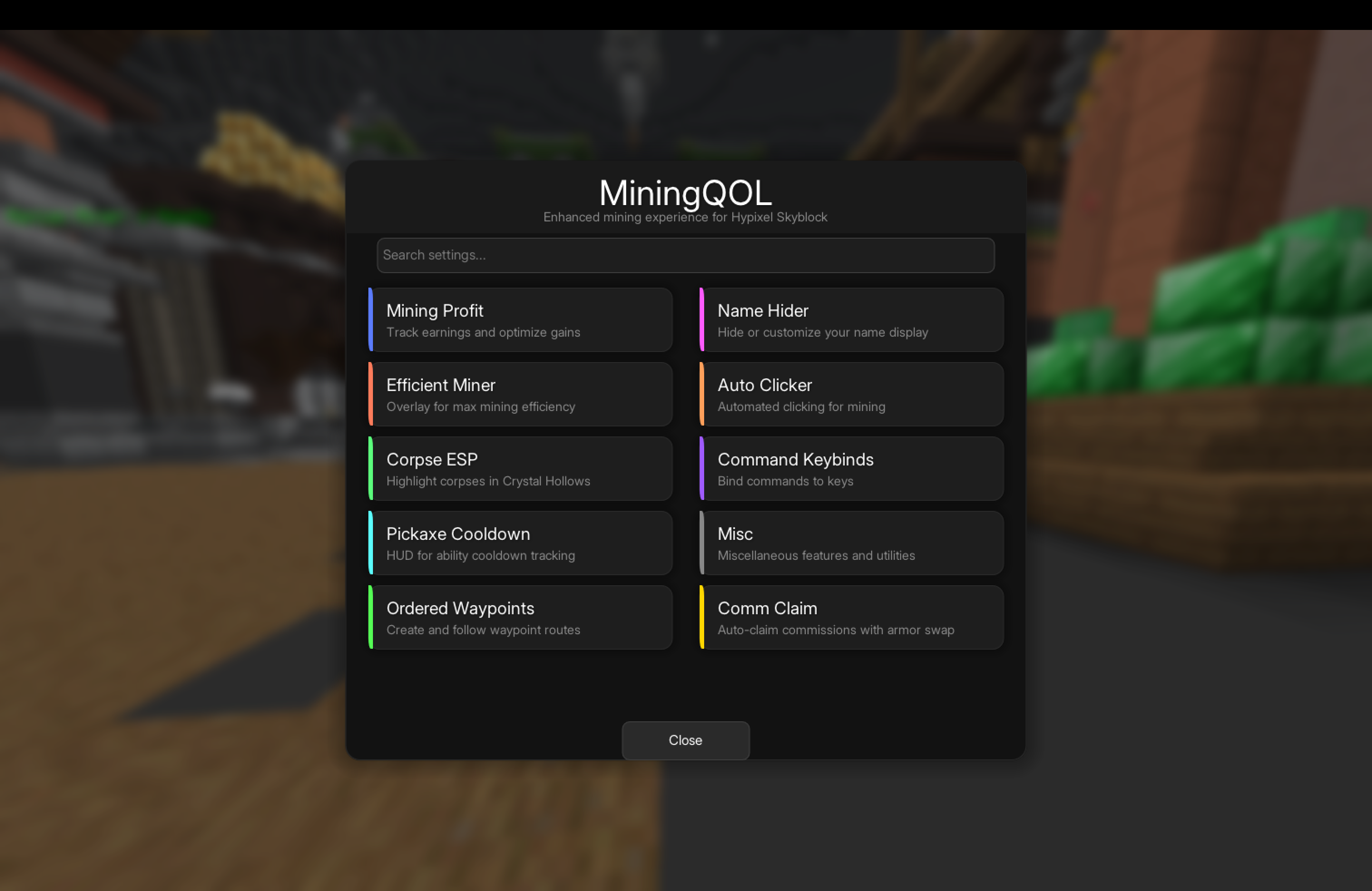 Gui/config
 -
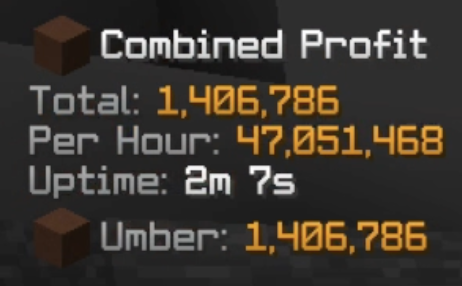 Profit tracker
 -
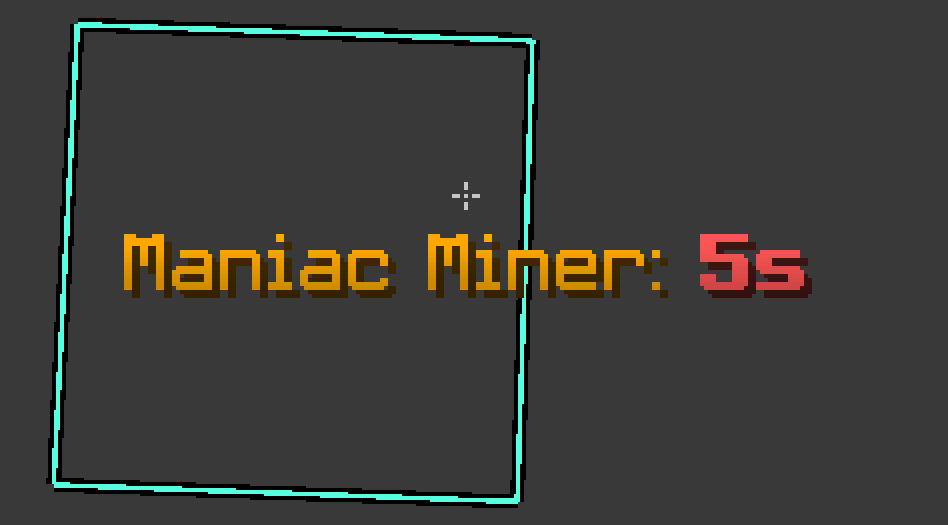 Pickaxe ability cooldown display
 -
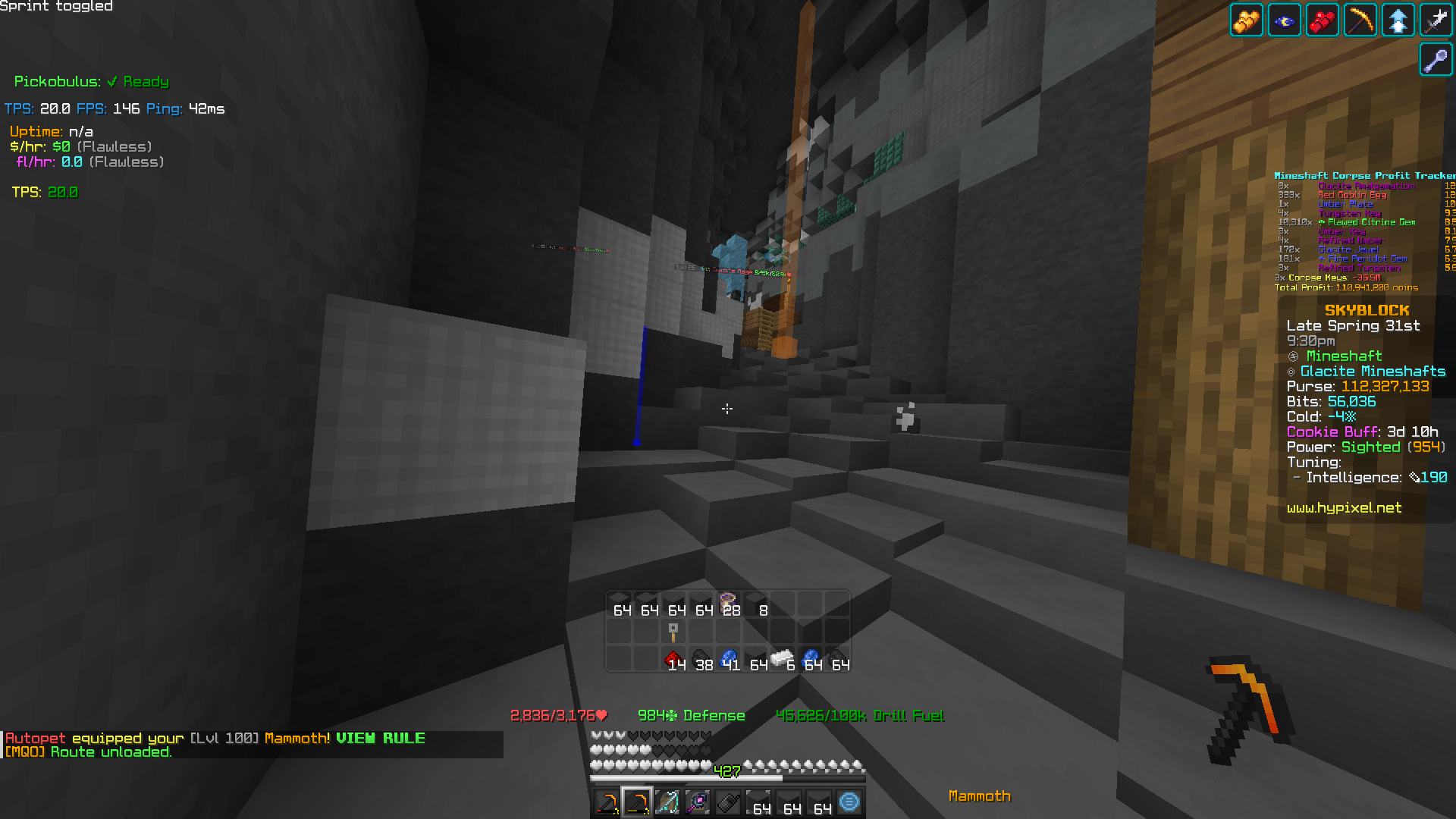 Corpse ESP
 -
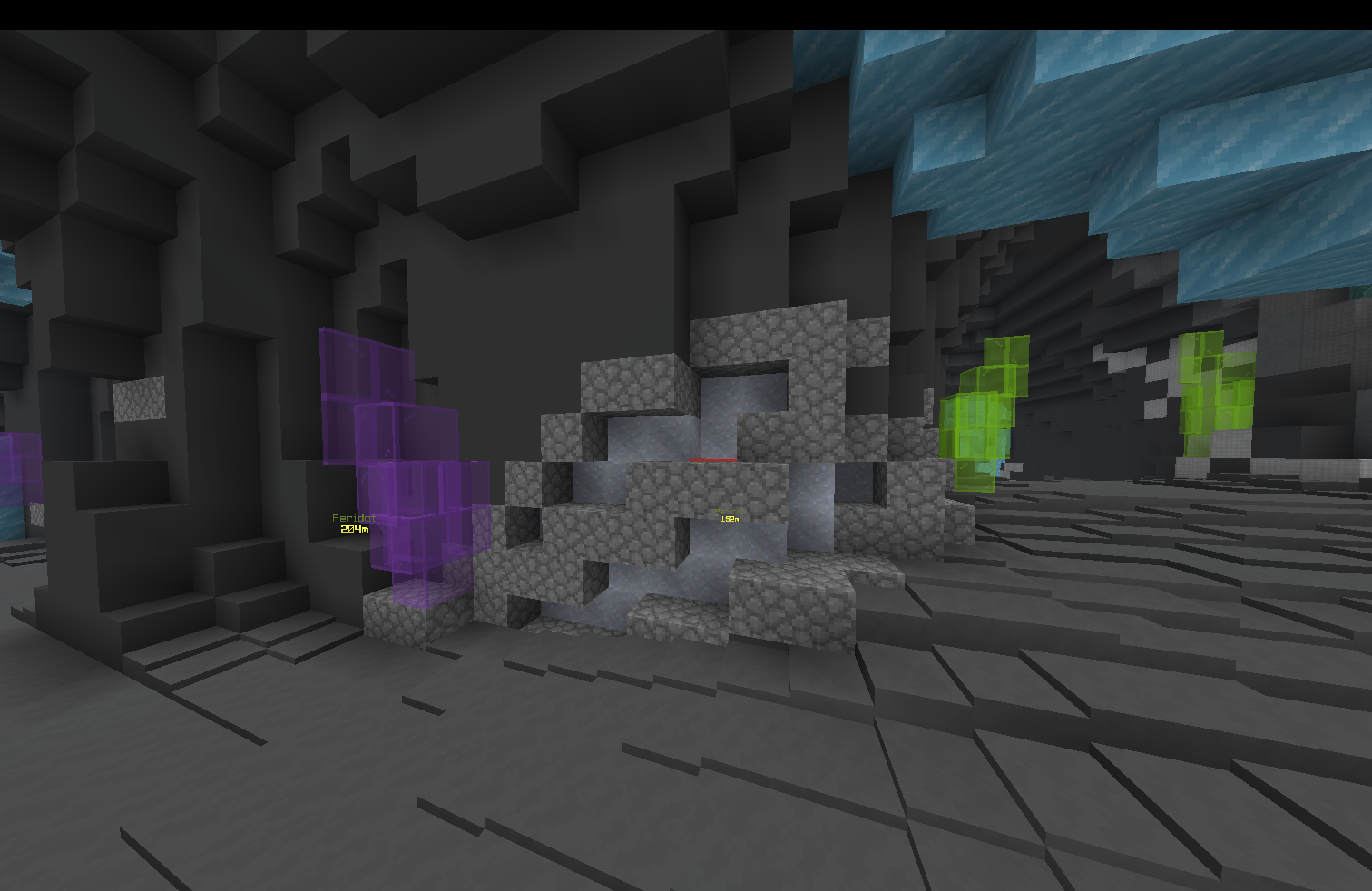 Tungsten without heatmap overlay
 -
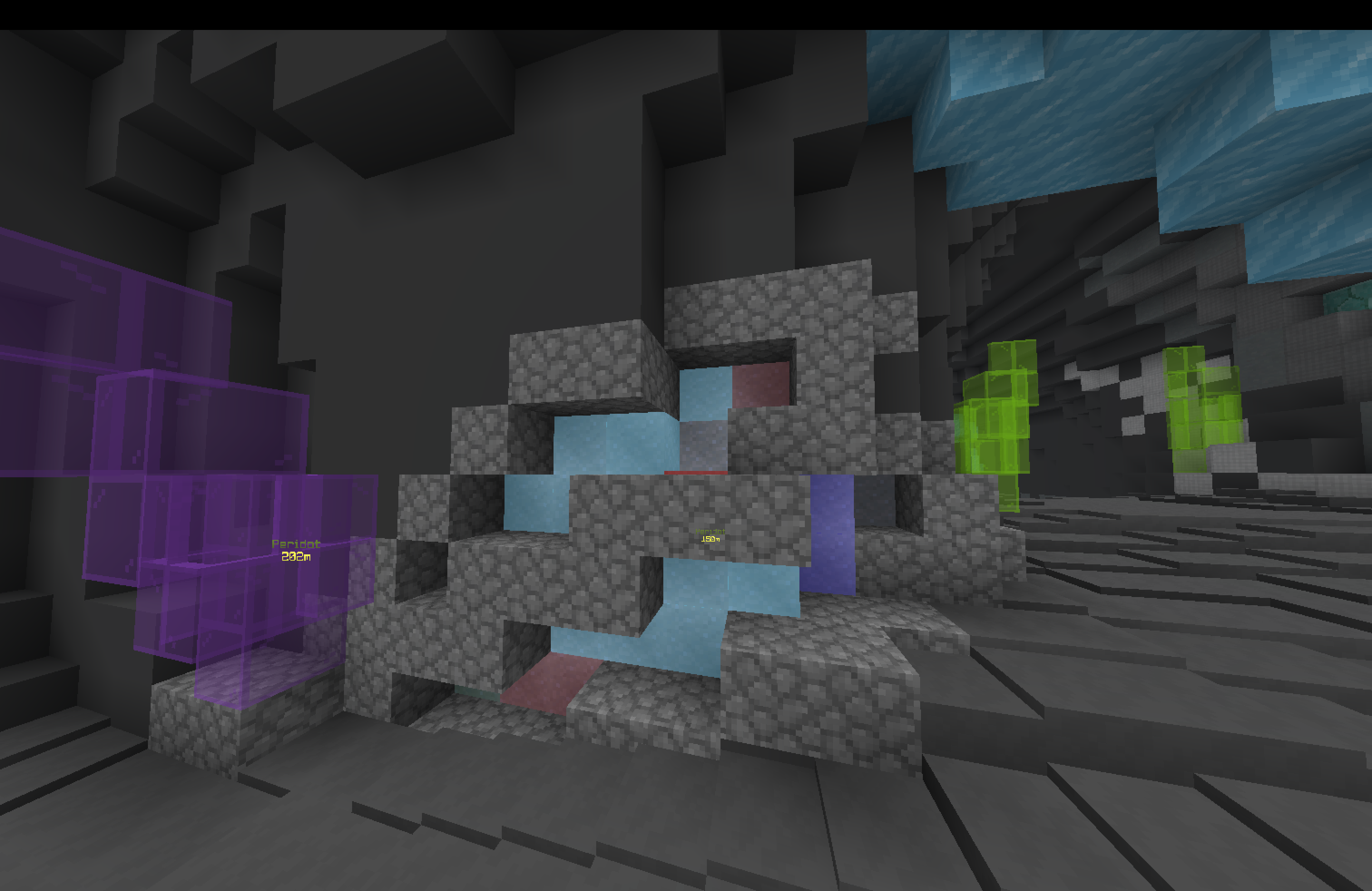 Tungsten with heatmap overlay Credits to https://chattriggers.com/modules/v/Coleweight. green < red < light blue < deep blue
Versions
Files
Relations
Project Relations
More like this
Similar Mods
Suggestions use data such as tags, dependencies, dependents, descriptions, titles, and more to rank how much they overlap with this mod.
On ModDex
Community snapshot
By the numbers
Statistics

Want to reach Minecraft players?
We're looking for a server hosting partner to feature here and other parts of the site. Interested? Send us a message!
Get in touchGet it on
Available Platforms
On ModDex
Community snapshot
By the numbers
Statistics
Resources