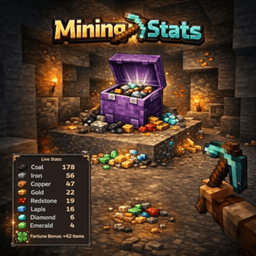
Community listing page, reviews here may not be monitored by the author.
MiningStats


No reviews yet
MiningStats tracks ore mining statistics in real-time, counting mined ores and calculating Fortune enchantment bonuses via an on-screen HUD overlay.
Community voices
Reviews
No reviews yet. Be the first to review this project!
Get it on
Available Platforms
Compatibility
Supported Environments
Runs entirely on the client. Works on vanilla servers.
About
Project Details
For authors
Embed Badge
If you're the author of this project, you can embed a live badge anywhere that supports HTML or Markdown. It updates automatically whenever ratings change.
Use HTML for any page that supports it, or Markdown for README files and Markdown-based descriptions.
Identifiers
Platform IDs
Resources
External Links
About
Description
⛏️ MiningStats
Track every ore you mine. See your Fortune bonus. All in a clean HUD.
MiningStats is a lightweight, client-side Fabric mod that gives you live mining statistics directly on your screen. Whether you're strip mining for diamonds or hunting ancient debris in the Nether — MiningStats keeps count so you don't have to.
✨ Features
📊 Live Ore Tracking
- Manual session control — Start and pause tracking whenever you want with J
- Automatic counting — Every ore you break during an active session is tracked instantly
- 10 vanilla ores — Coal, Iron, Gold, Diamond, Emerald, Lapis Lazuli, Redstone, Copper, Nether Quartz, Ancient Debris
- Deepslate support — Deepslate variants are recognized and optionally merged with normal ores
- Modded ore support — Add custom block IDs in the config (e.g.
create:zinc_ore) - Smart detection — Only counts player-mined ores (ignores TNT, pistons, commands, etc.)
🍀 Fortune Bonus Calculation
- Real-time tracking — See exactly how many extra drops Fortune gave you
- Per-ore breakdown — Fortune bonus tracked individually for each ore type
- Silk Touch aware — Automatically detects Silk Touch and skips bonus counting
🖥️ Clean HUD Overlay
- Ore icons — Beautiful item icons next to each ore count
- Two display modes — Toggle between full and compact HUD with H
- Session timer — Track how long you've been actively mining (paused time excluded)
- Pause indicator — HUD title shows pause status in orange when session is paused
- Smart visibility — HUD only appears while holding a pickaxe, keeping your screen clean
- Adjustable opacity — Customize the background transparency to your liking
🎉 Milestones & Effects
- Milestone alerts — Get a chat message when you hit milestones like 100 Diamonds
- Golden flash — Visual effect when mining Diamonds or Ancient Debris
- Session summary — See your full stats in chat when leaving a world
🎮 Controls
| Key | Action |
|---|---|
| J | Start / Pause session |
| H | Toggle compact / full HUD mode |
| K | Reset current session |
⚙️ Customization
Configure the mod to your preferences via Mod Menu + Cloth Config, or by editing .minecraft/config/miningstats.json:
- HUD position (all 4 screen corners)
- HUD background opacity
- Always visible or only with pickaxe
- Merge deepslate variants on/off
- Custom milestone thresholds
- Modded ore tracking
- Session summary on/off
📋 Requirements
- Minecraft: 1.21 – 1.21.11 & 26.x
- Fabric Loader: 0.18.3 or higher
- Fabric API: Required
- Java: 21 or higher
- Mod Menu + Cloth Config: Optional (for in-game config screen)
🚀 How It Works
- You join a world and get a hint to press J
- Press J to start your mining session
- Mine ores — the HUD updates instantly with counts and Fortune bonus
- Press J again to pause tracking (timer pauses too)
- Hit a milestone? You get a chat notification!
- Leave the world and get a full session summary
Start, pause, and resume whenever you want — you're in full control.
💡 Perfect For
- Strip Miners — Track your diamond haul across long mining sessions
- Nether Explorers — Count every piece of Ancient Debris without pen and paper
- Fortune Testers — See exactly how much Fortune is boosting your drops
- Completionists — Chase milestone achievements while you mine
- Everyone — Anyone who wants to know their mining stats at a glance!
❓ FAQ
Does this mod work on servers? Yes! It's fully client-side and works on any server without server-side installation.
Does it affect performance? No. MiningStats is lightweight and only processes data when you break an ore block.
Are stats saved between sessions? No. Stats are per-session only and reset when you leave a world. You can also manually reset with K.
Does it detect Fortune correctly? Yes. MiningStats reads the Fortune level from your held pickaxe and calculates the bonus based on actual dropped items.
🌍 Languages
Available in English and German.
🔗 Links
- Issues & Bugs: GitHub Issues
- Source Code: GitHub Repository
📜 License
This mod is open-source and licensed under the MIT License.
⛏️ MiningStats
Track every ore you mine. See your Fortune bonus. All in a clean HUD.
MiningStats is a lightweight, client-side Fabric mod that gives you live mining statistics directly on your screen. Whether you're strip mining for diamonds or hunting ancient debris in the Nether — MiningStats keeps count so you don't have to.
✨ Features
📊 Live Ore Tracking
- Manual session control — Start and pause tracking whenever you want with J
- Automatic counting — Every ore you break during an active session is tracked instantly
- 10 vanilla ores — Coal, Iron, Gold, Diamond, Emerald, Lapis Lazuli, Redstone, Copper, Nether Quartz, Ancient Debris
- Deepslate support — Deepslate variants are recognized and optionally merged with normal ores
- Modded ore support — Add custom block IDs in the config (e.g.
create:zinc_ore) - Smart detection — Only counts player-mined ores (ignores TNT, pistons, commands, etc.)
🍀 Fortune Bonus Calculation
- Real-time tracking — See exactly how many extra drops Fortune gave you
- Per-ore breakdown — Fortune bonus tracked individually for each ore type
- Silk Touch aware — Automatically detects Silk Touch and skips bonus counting
🖥️ Clean HUD Overlay
- Ore icons — Beautiful item icons next to each ore count
- Two display modes — Toggle between full and compact HUD with H
- Session timer — Track how long you've been actively mining (paused time excluded)
- Pause indicator — HUD title shows pause status in orange when session is paused
- Smart visibility — HUD only appears while holding a pickaxe, keeping your screen clean
- Adjustable opacity — Customize the background transparency to your liking
🎉 Milestones & Effects
- Milestone alerts — Get a chat message when you hit milestones like 100 Diamonds
- Golden flash — Visual effect when mining Diamonds or Ancient Debris
- Session summary — See your full stats in chat when leaving a world
🎮 Controls
| Key | Action |
|---|---|
| J | Start / Pause session |
| H | Toggle compact / full HUD mode |
| K | Reset current session |
⚙️ Customization
Configure the mod to your preferences via Mod Menu + Cloth Config, or by editing .minecraft/config/miningstats.json:
- HUD position (all 4 screen corners)
- HUD background opacity
- Always visible or only with pickaxe
- Merge deepslate variants on/off
- Custom milestone thresholds
- Modded ore tracking
- Session summary on/off
📋 Requirements
- Minecraft: 1.21 – 26.1
- Fabric Loader: 0.18.3 or higher
- Fabric API: Required
- Java: 21 or higher
- Mod Menu + Cloth Config: Optional (for in-game config screen)
🚀 How It Works
- You join a world and get a hint to press J
- Press J to start your mining session
- Mine ores — the HUD updates instantly with counts and Fortune bonus
- Press J again to pause tracking (timer pauses too)
- Hit a milestone? You get a chat notification!
- Leave the world and get a full session summary
Start, pause, and resume whenever you want — you're in full control.
💡 Perfect For
- Strip Miners — Track your diamond haul across long mining sessions
- Nether Explorers — Count every piece of Ancient Debris without pen and paper
- Fortune Testers — See exactly how much Fortune is boosting your drops
- Completionists — Chase milestone achievements while you mine
- Everyone — Anyone who wants to know their mining stats at a glance!
❓ FAQ
Does this mod work on servers? Yes! It's fully client-side and works on any server without server-side installation.
Does it affect performance? No. MiningStats is lightweight and only processes data when you break an ore block.
Are stats saved between sessions? No. Stats are per-session only and reset when you leave a world. You can also manually reset with K.
Does it detect Fortune correctly? Yes. MiningStats reads the Fortune level from your held pickaxe and calculates the bonus based on actual dropped items.
🌍 Languages
Available in English and German.
🔗 Links
- Issues & Bugs: GitHub Issues
- Source Code: GitHub Repository
📜 License
This mod is open-source and licensed under the MIT License.
Screenshots
Gallery
-
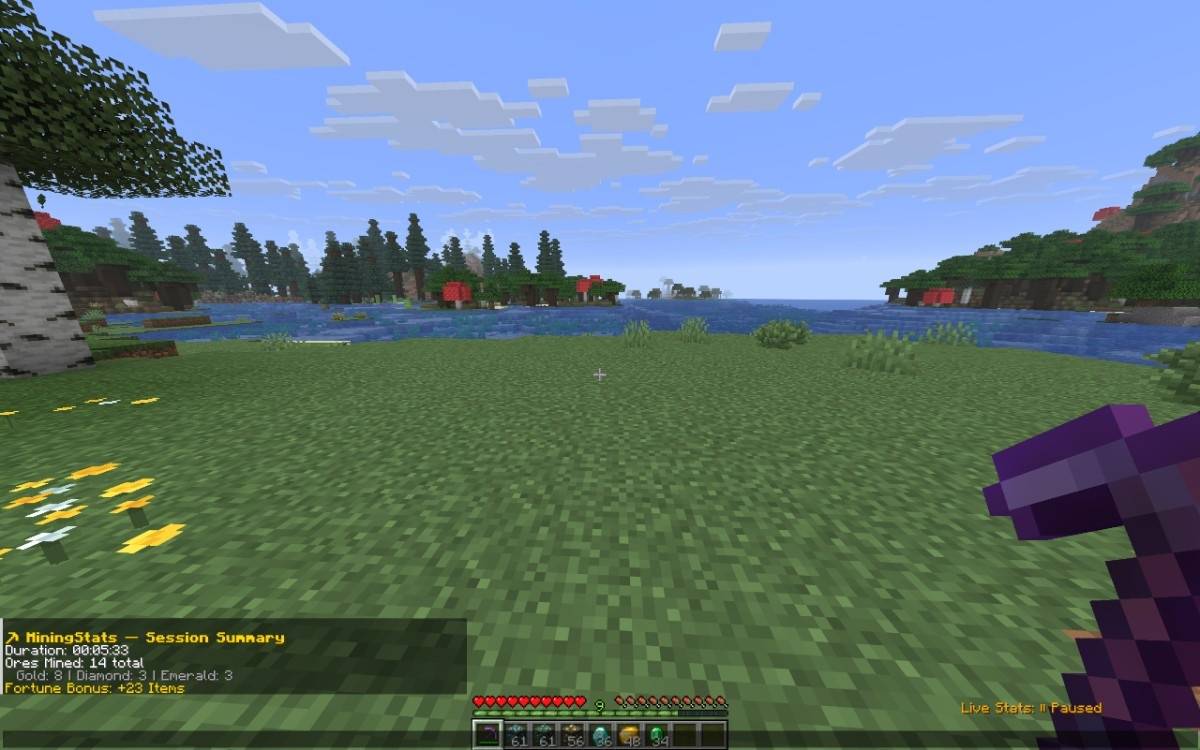 Session summary After you mined, you can stop your session and you will get this kind of summary in your chat. What you have mined and how many ores you have got with your fortune as the bonus.
 -
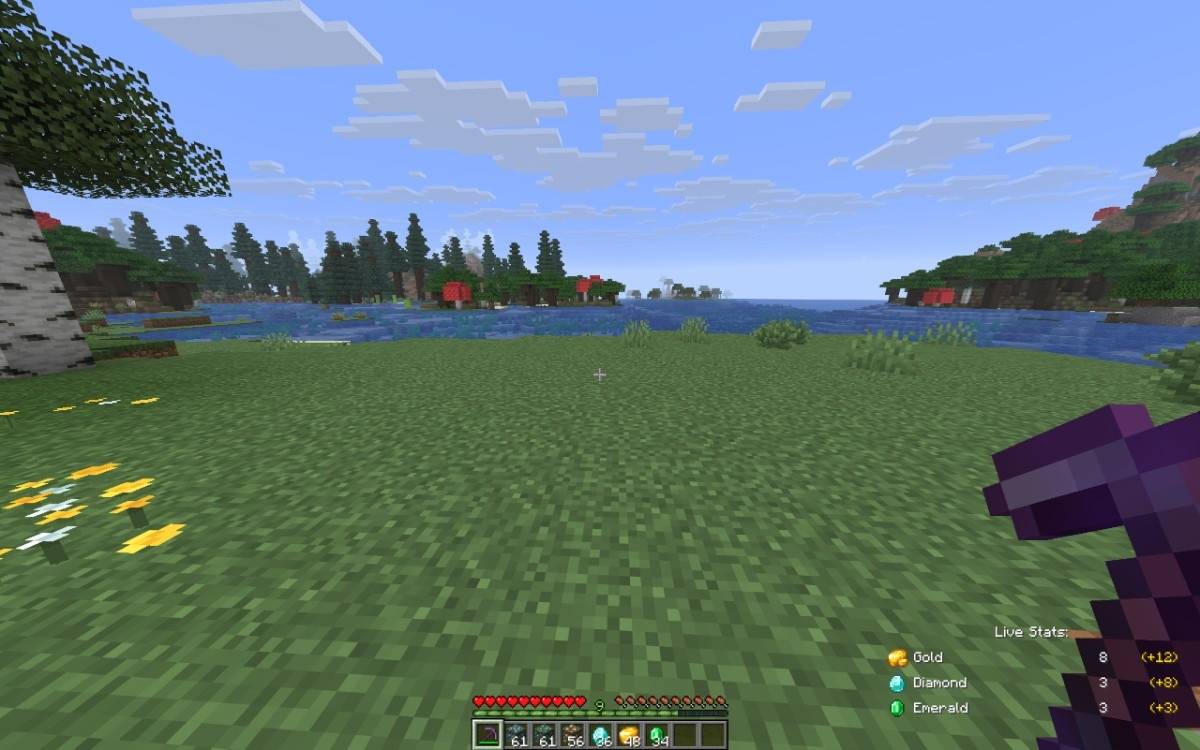 Live stats while you are mining You can decide where you want to have the live stats view. As an example this will be right bottom. The first column is how many you have currently mined and on the right side you can see how many with your fortune is the bonus.
-
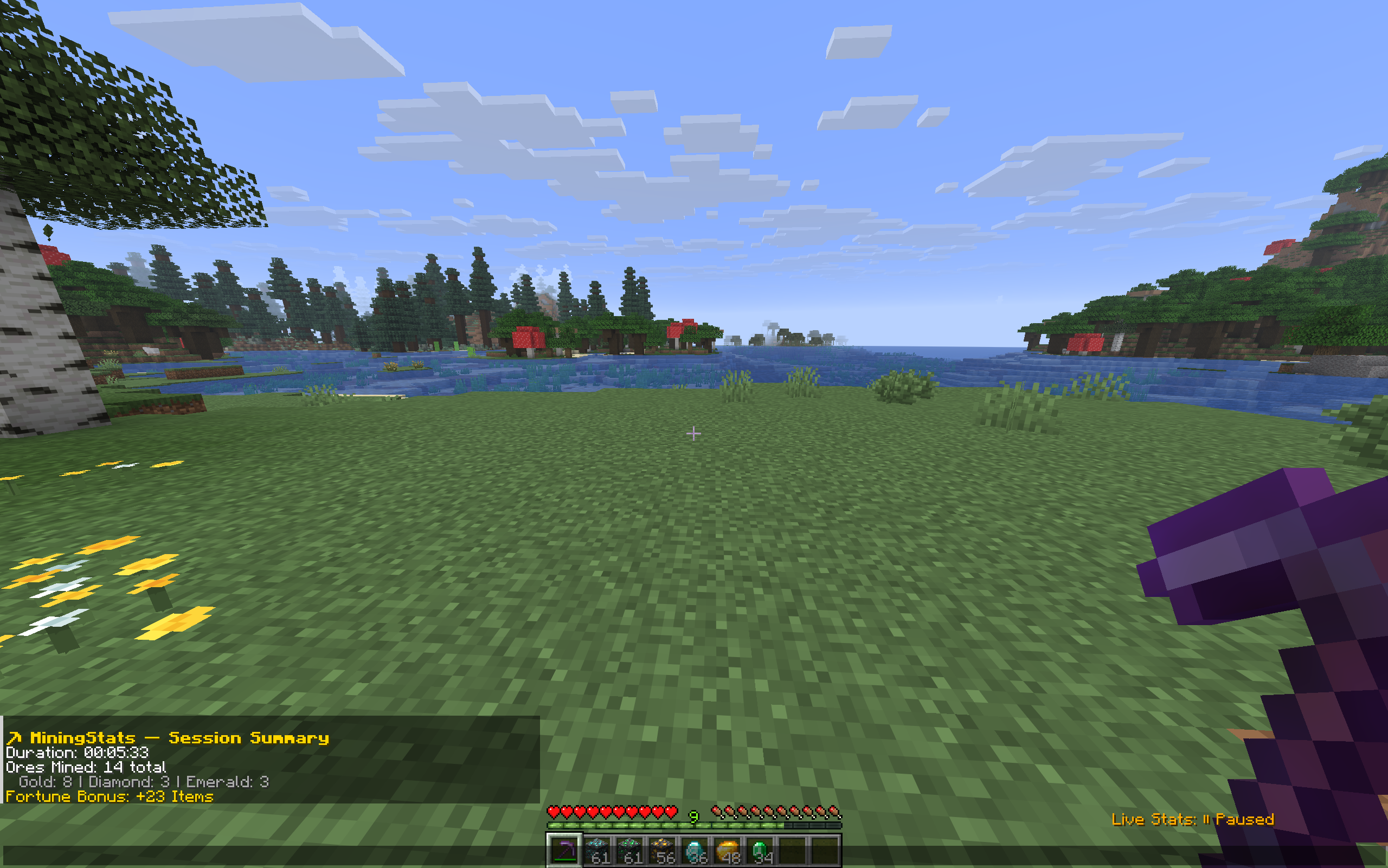 Session summary After you mined, you can stop your session and you will get this kind of summary in your chat. What you have mined and how many ores you have got with your fortune as the bonus.
 -
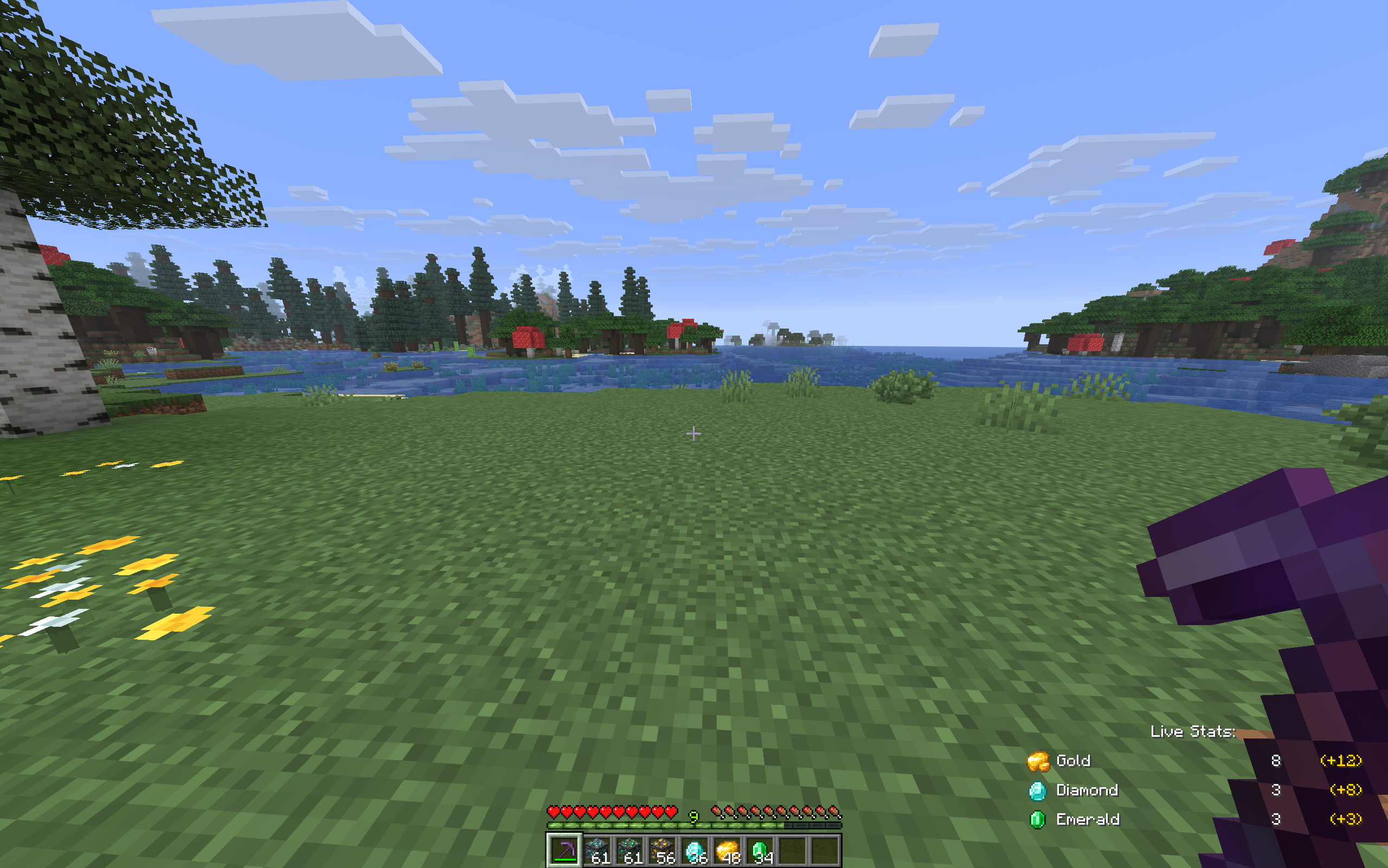 Live stats while you are mining You can decide where you want to have the live stats view. As an example this will be right bottom. The first column is how many you have currently mined and on the right side you can see how many with your fortune is the bonus.
 -
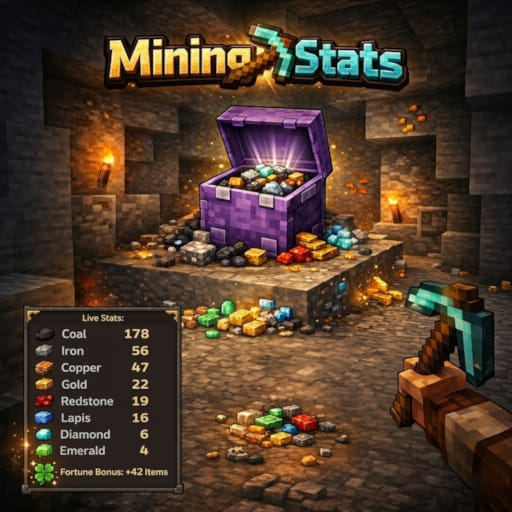 Mining stats, your visual advisor while you are mining
Versions
Files
Relations
Project Relations
More like this
Similar Mods
Suggestions use data such as tags, dependencies, dependents, descriptions, titles, and more to rank how much they overlap with this mod.
On ModDex
Community snapshot
By the numbers
Statistics
Want to reach Minecraft players?
We're looking for a server hosting partner to feature here and other parts of the site. Interested? Send us a message!
Get in touchGet it on
Available Platforms
On ModDex
Community snapshot
By the numbers
Statistics
Resources