
Community listing page, reviews may not be monitored by the author.
Minion Squad

No reviews yet
Summon a squad of AI-powered minions that mine, collect items, and deposit loot for you — each with unique player skins, upgradeable via custom enchantments

Community voices
Reviews
No reviews yet. Be the first to review this project!
Get it on
Available Platforms
About
Project Details
For authors
Embed Badge
If you're the author of this project, you can embed a live badge anywhere that supports HTML or Markdown. It updates automatically whenever ratings change.
Use HTML for any page that supports it, or Markdown for README files and Markdown-based descriptions.
Identifiers
Platform IDs
Resources
External Links
About
Description
Minion Squad
Summon minions that mine, collect and store resources for you while you explore.
Minion Squad lets you summon up to 4 helper minions that will mine blocks, pick up items, and deposit everything into a chest automatically.
How it works
Use the Command Stick to manage everything. Right-click a chest to set it as the storage point, then shift-right-click to spawn a minion. Open the Command Stick GUI to assign mining tasks and set a target depth.
Your minions will dig down, build staircases, handle water, and bring all the loot back to your chest on their own.
Minion names & skins
Each minion gets a random name from well-known Minecraft players (Dream, Technoblade, Grian, etc.) and actually wears their skin. The name appears above their head so you can tell them apart.
Hunger
Minions get hungry over time. When their hunger reaches zero, they stop working until you feed them. Just right-click them with any food to get them going again.
Enchantments
You can enchant your Command Stick at an enchanting table to boost the minions you summon:
- Haste (I-III) — makes your minions move faster
- Expansion (I-III) — gives them more inventory space
- Precision (I) — minions mine with silk touch
Other details
- Minions persist when you log out or leave the area
- When a minion dies, it drops its inventory and you get a death message in chat
- You can open a minion's inventory by right-clicking it (shows their HP and hunger)
- A "Dismiss All" button lets you remove all your minions at once
Screenshots
Gallery
-
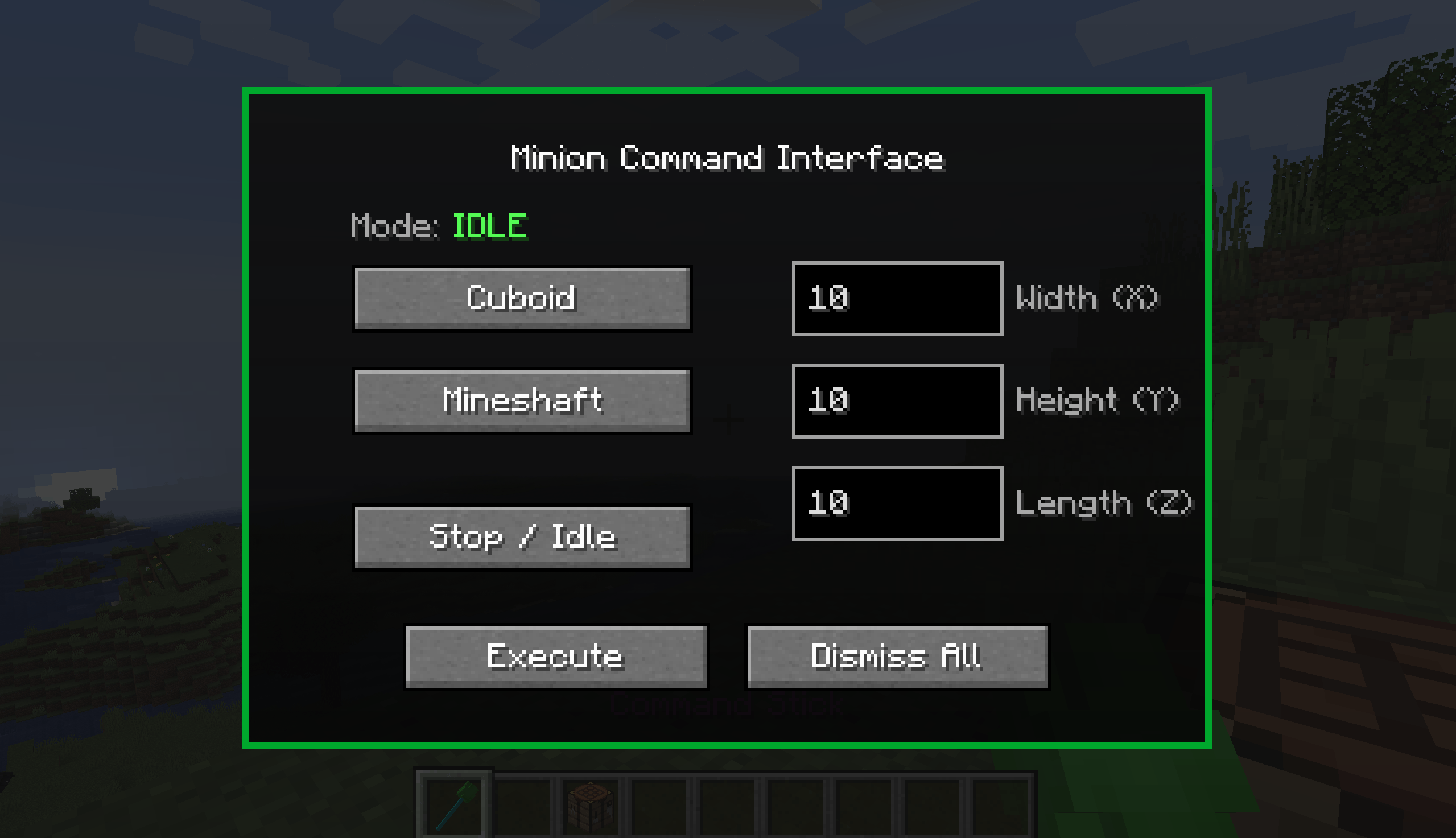 menu.png menu.png
 -
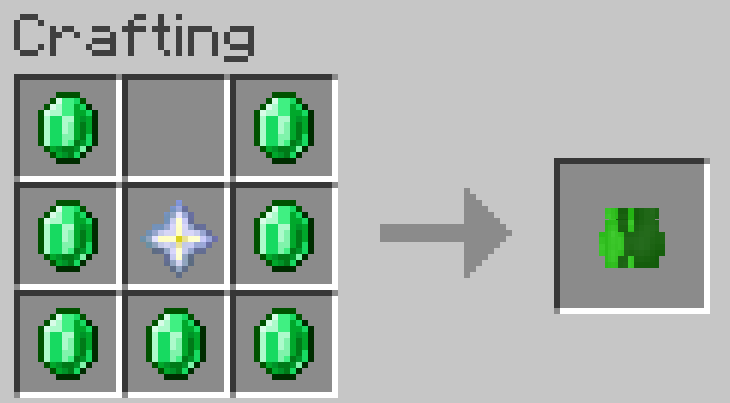 emerald_core_recipe.png emerald_core_recipe.png
 -
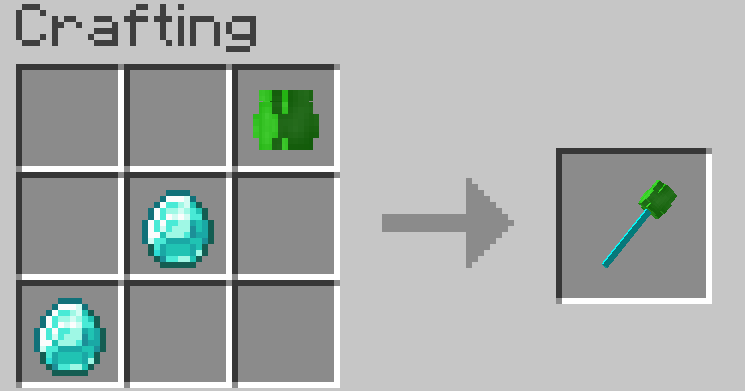 command_stick_recipe.png command_stick_recipe.png
Versions
Files
Relations
Project Relations
More like this
Similar Mods
Suggestions use data such as tags, dependencies, dependents, descriptions, titles, and more to rank how much they overlap with this mod.
On ModDex
Community snapshot
By the numbers
Statistics

Get it on
Available Platforms
On ModDex
Community snapshot
By the numbers
Statistics
Resources