
Mob Farm Helpers (Forge)
No reviews yet
Add some helpers for mob farm
Focuses on automation and resource processing through scientific and mechanical means, utilizing systems like electricity (RF/FE/etc), air pressure, or rotation.
Features machines that produce and store energy or resources.
Enhances farming mechanics and introduces new crops and livestock.
Forge is a popular mod loader for versions 1.1+ of Minecraft.
Community voices
Reviews
Click once to include, again to exclude, again to clear
No reviews yet. Be the first to review this project!
Get it on
Available Platforms
 CurseForge
About
Project Details
For authors
Embed Badge
If you're the author of this project, you can embed a live badge anywhere that supports HTML or Markdown. It updates automatically whenever ratings change.
Use HTML for any page that supports it, or Markdown for README files and Markdown-based descriptions.
Identifiers
Platform IDs
About
Description
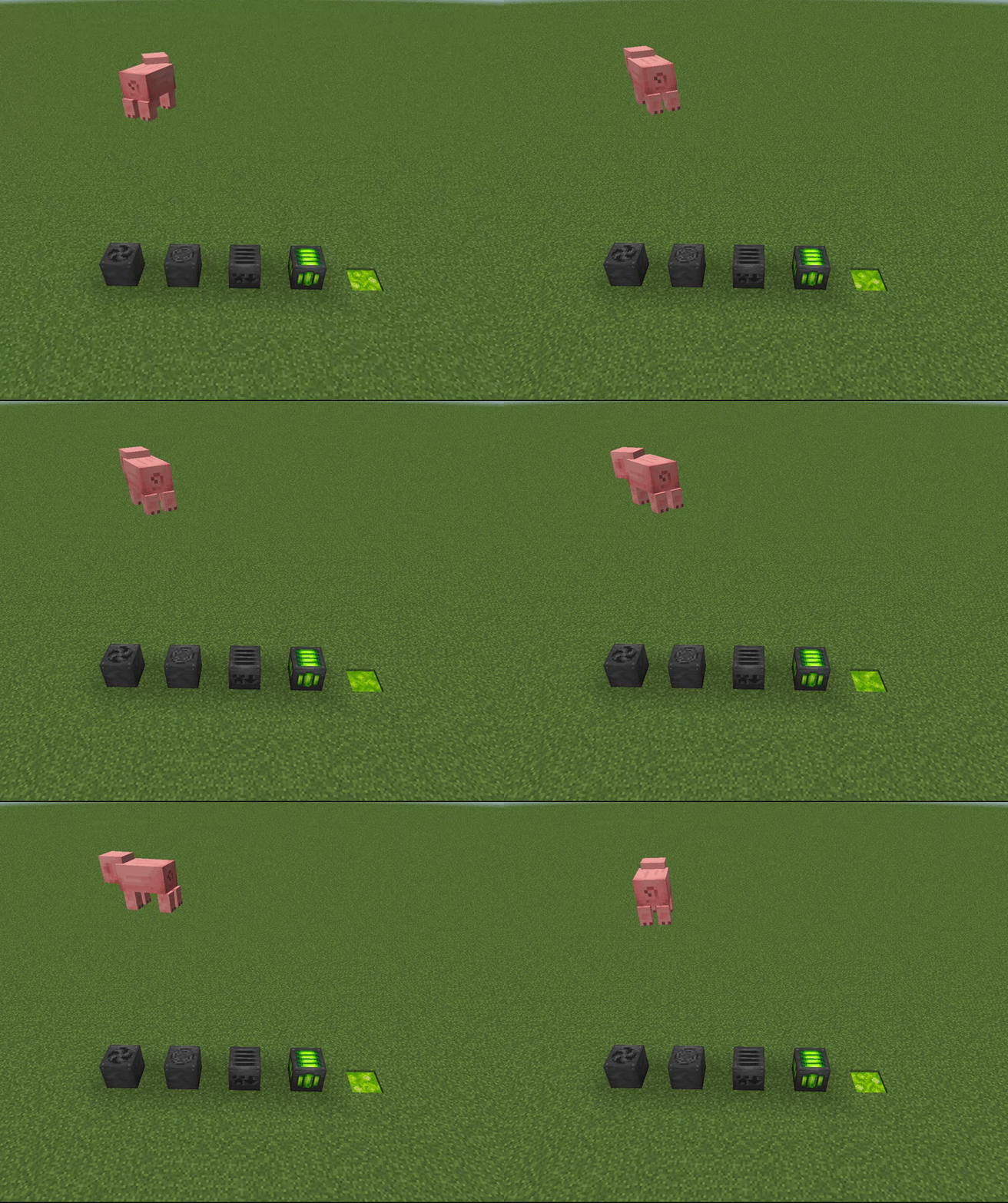
MobFarmHelpers (MobFarmUtilities) is a Minecraft mod which adds tools for making mob farms. It currently supports 1.16 and 1.18 for both Fabric and Forge (Fabric version is here).
Links
- Check out the Mod Wiki!
- Join my Discord Server if you have any questions or suggestions!
- Support me on Patreon if you like this mod!
Features

- Fan to move mobs around
- Item Collector to pick up the loot
- XP Collector and Liquid Experience
- Slaughterer to kill mobs automatically while also receiving XP
Guide
Fan
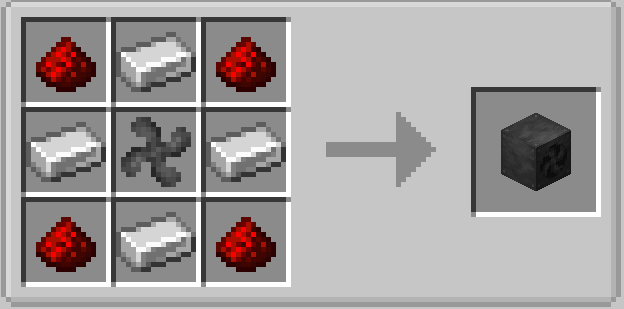
Fans can push entities to the direction it's facing and can also be upgraded.
Upgrades:
- Width: Iron ingot * 4
- Height: Redstone Dust * 4
- Speed: Feather * 4
- Distance: Sugar * 2
Crafting Recipe:
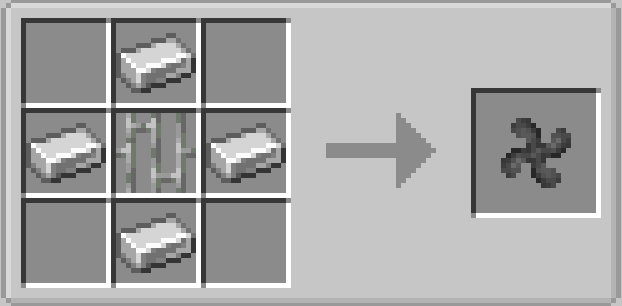
Fan Blade:
Item Collector
Item Collector can collect all the items around 10x5x10 and will be stored inside its inventory.
Crafting Recipe: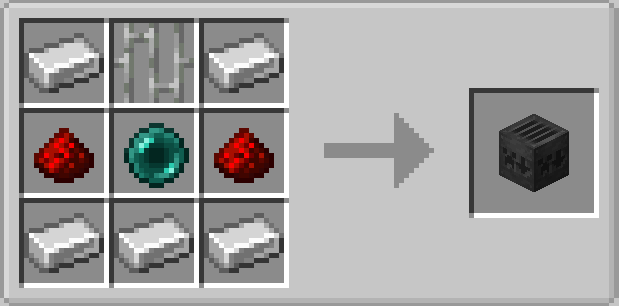
Experience Collector:
Experience Collector will collect all the xb orbs in an area of 10x5x10. The collected xp will store in the machine and will drop out if the block has been mined.
Crafting Recipe:

Upgrade System
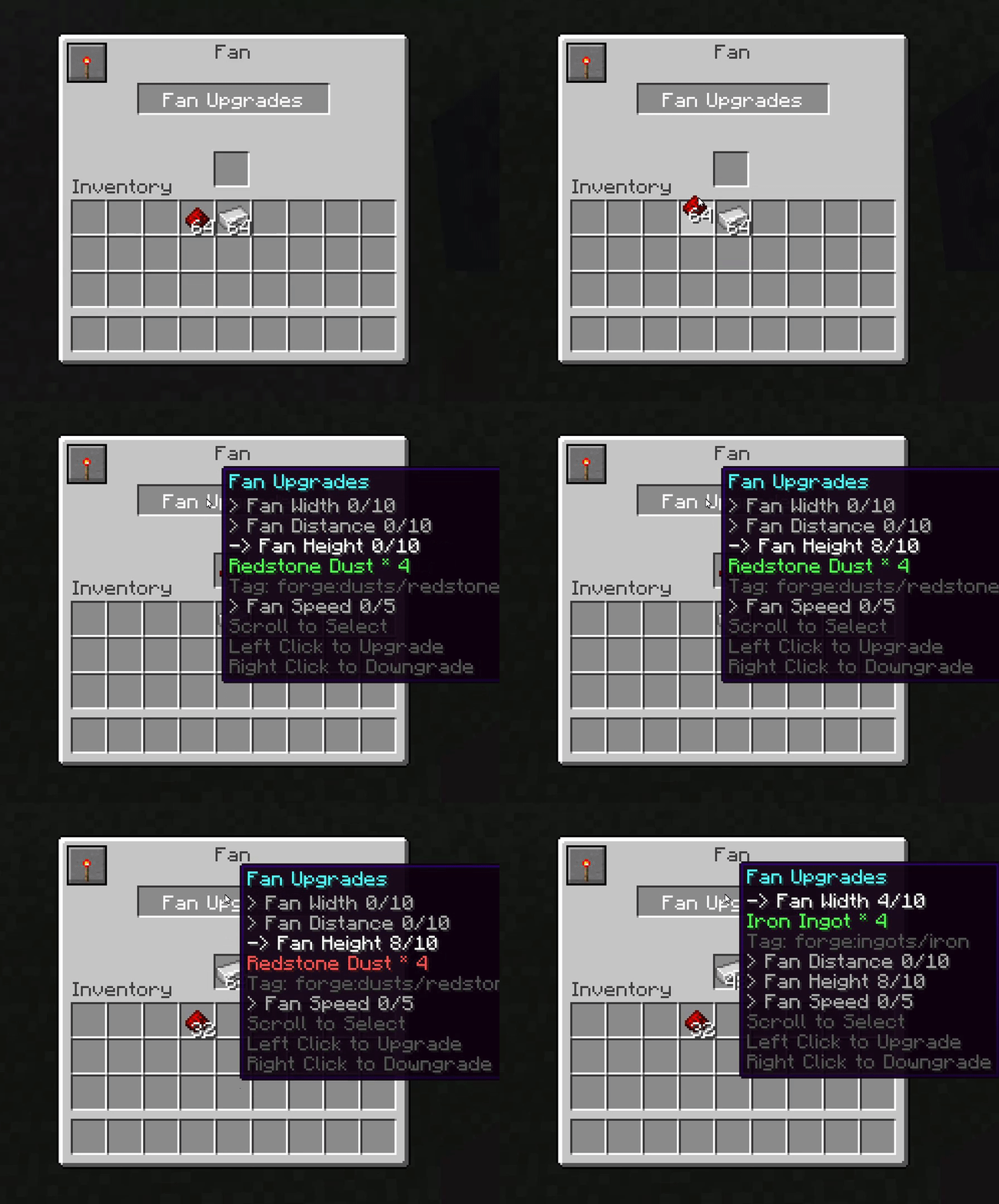
You can upgrade machines to get a better efficiency. Scroll up and down to select the upgrade and use left click to upgrade (make sure you have enough materials!) and right click to downgrade (make sure the slot has enough space). If multiple materials are supported, it will show one by one (the tag will also be displayed).
If you have mined a block with the upgrades, materials will be dropped.
Redstone Modes
You may notice that redstone can control the machine. There are 3 modes in total:
- High: Active if powered
- Low: Active if unpowered
- Ignore: Ignores all redstone signal and keep active
You can change the mode by clicking the button on the left top corner.
Made by yzl210 aka 6LeoMC
Textures/page by TEMHOTAOKEAHA
Screenshots
Gallery
Versions
Files
Relations
Project Relations
More like this
Similar Mods
Suggestions use data such as tags, dependencies, dependents, descriptions, titles, and more to rank how much they overlap with this mod.
On ModDex
Community snapshot
By the numbers
Statistics
Want to reach Minecraft players?
We're looking for a server hosting partner to feature here and other parts of the site. Interested? Send us a message!
Get in touchGet it on
Available Platforms
On ModDex
Community snapshot
By the numbers