

Mob Madness
Grab your sword and shield! Hostile Mobs now have a 5% chance to spawn as an Augmented version. Augmented versions are considered ELITE versions of the vanilla mob. Augmented mob will have increased attributes, and a potential to inhibit custom behaviors.
No ratings yet
Be the first to rate it.
Community listing page
Community listing page, reviews may not be monitored by the author.

Community voices
Reviews
No reviews yet. Be the first to review this project!
Get it on
Available Platforms
About
Project Details
For authors
Embed Badge
If you're the author of this project, you can embed a live badge anywhere that supports HTML or Markdown. It updates automatically whenever ratings change.
Use HTML for any page that supports it, or Markdown for README files and Markdown-based descriptions.
Identifiers
Platform IDs
About
Description
Don’t Trust the Creepers!
Expect the unexpected with the Mob Madness Vanilla+ data pack. In this data pack Hostile Mobs have a 5% chance to spawn as an Augmented version. Augmented versions are considered ELITE versions of the vanilla mob. What does this mean? It means the Augmented mob will have increased attributes, and a potential to inhibit custom behaviors. Fancy a Small Multiplayer experience? This data pack is Realm compatible and features a great PVE experience.
What it Adds
- 25+ Mob Augmentations
- New Hostile Mob Behaviors
- Hardmode Difficulty Enhanced
- SMP/Realms Friendly
- 26.2 Compatible
- No Resource Pack Needed - Plug and Play Pack
Realms/SMP Friendly
This data pack is Realms compatible! If you fancy a multiplayer experience, simply create a single player world and add the data pack to it. Once it is created, upload the world to your realm and you are good to go!
Server Load: Low Impact
How to Install - Easy to Install Data Pack
- Download the Data pack
- Open Minecraft Launcher >> Launch Game
- At Main Menu >> Select Single Player >> Create New World >> More Tab
- Select Data Packs >> Open Pack Folder >> Drag the Zipped Voa_data file into this folder.
- Close the File Browser >> Toggle the file so that it is under the Selected Column.
- Good to Go >> You can now hit Create New World.
Special Thanks
I wanted to give very special thanks to the following creators/communities:
Your tutorials and discord servers were incredibly helpful in the creation of this data pack. Thank You for all that you do, KEEP BEING AWESOME!
I also want to thank the amazing Friends and Family that helped me test out, and troubleshoot many of the bugs that were previously present.
*Thank You Benji, Spence, Andrew, Haley, Ted, and Madison.
Have feedback? Found a Bug? Got an interesting idea? Let me know in the comments below!
Screenshots
Gallery
-
 Mob Madness Mob Madness Datapack created by Beagleblocks
-
 Expect The Unexpected Hostile Mobs have a 5% chance to spawn with augmented abilities
-
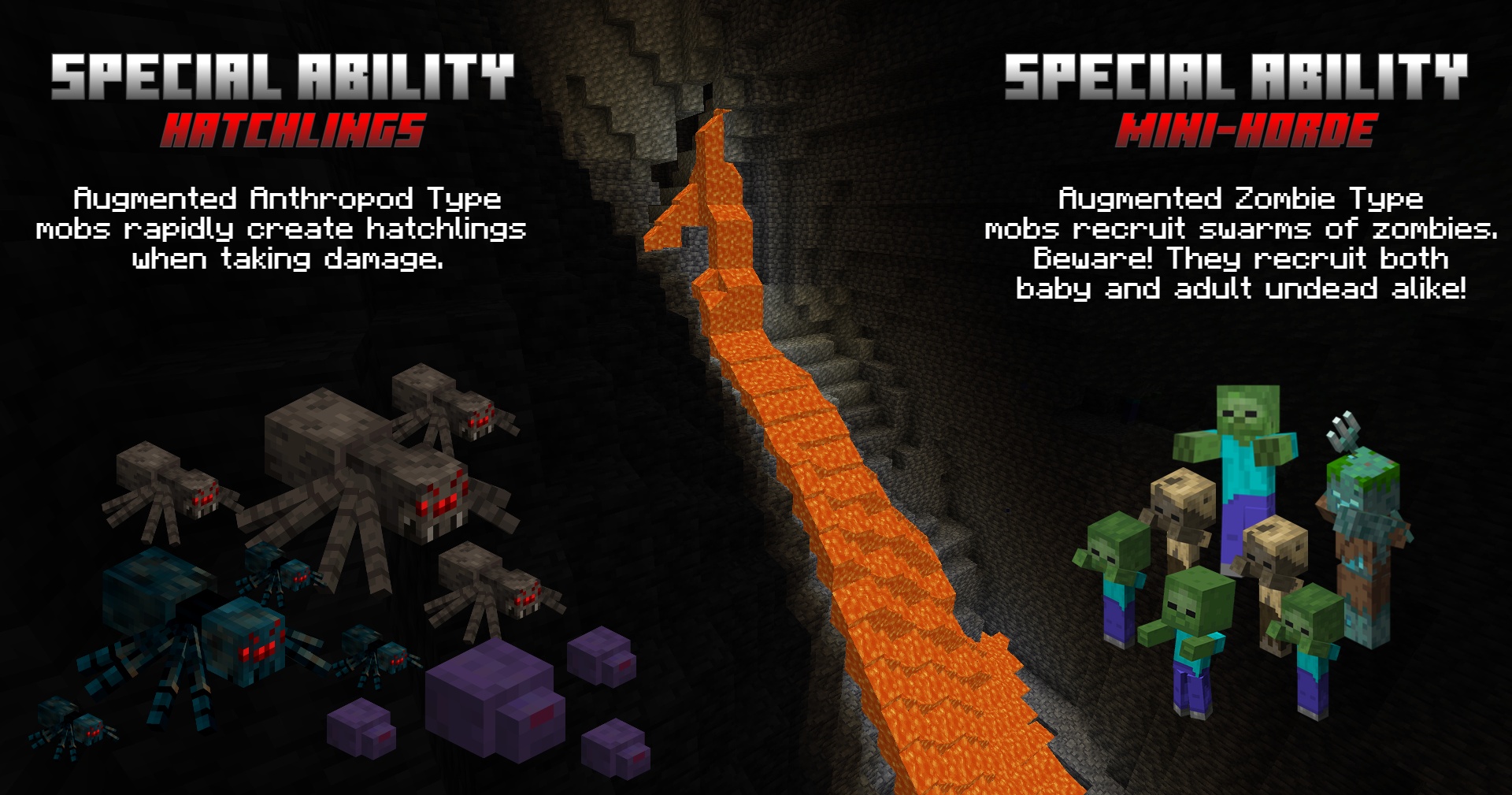 Special Abilities Hatchling & Horde Special Abilities
-
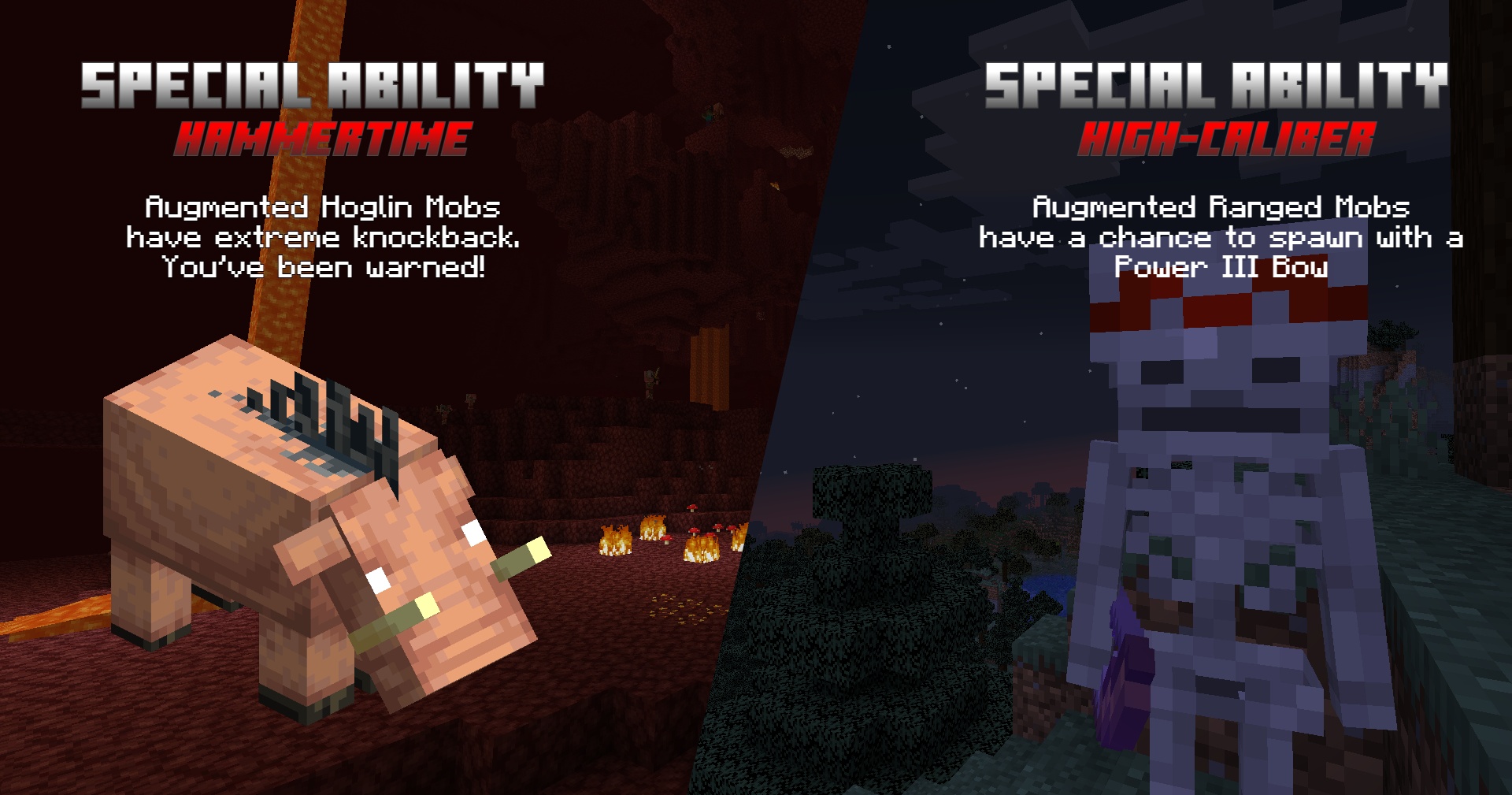 Special Abilities 2 Hammertime & High-Caliber Special Abilities
-
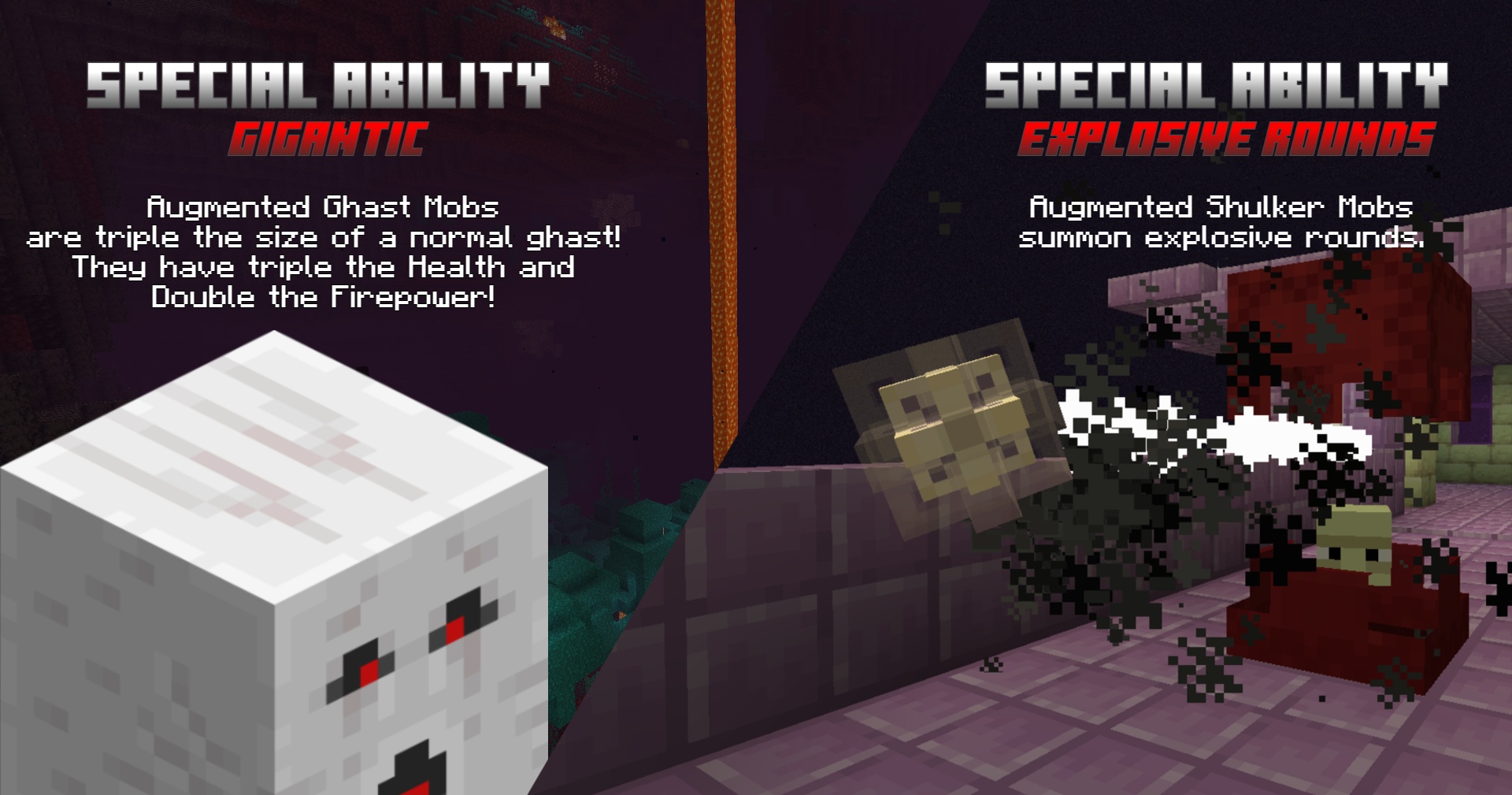 Special Abilities 3 Gigantic & Explosive Rounds Special Abilities
Versions
Files
Relations
Project Relations
More like this
Similar Mods
Suggestions use data such as tags, dependencies, dependents, descriptions, titles, and more to rank how much they overlap with this mod.
Stats
- Downloads
- 2k
- Used in
- 0 modpacks
- Followers
- 0
- In stacks
- 0
- Created
- Last synced
-
Oct 9, 2026 1:17 AM UTC
New file updates sync automatically.
When ModDex last fully re-synced this project from CurseForge or Modrinth. A new file release triggers a resync usually within minutes, and every project is also re-synced on a schedule. Edits that don't ship a file, such as a new description or screenshots, are checked every few hours and can appear before this date changes.
How syncing works
External Links

Stats
- Downloads
- 2k
- Used in
- 0 modpacks
- Followers
- 0
- In stacks
- 0
- Created
- Last synced
-
Oct 9, 2026 1:17 AM UTC
New file updates sync automatically.
When ModDex last fully re-synced this project from CurseForge or Modrinth. A new file release triggers a resync usually within minutes, and every project is also re-synced on a schedule. Edits that don't ship a file, such as a new description or screenshots, are checked every few hours and can appear before this date changes.
How syncing works