
Community listing page, reviews may not be monitored by the author.
MobSpawnController


No reviews yet
MobSpawnController lets modpack authors and server administrators configure how vanilla and modded mobs spawn through an in-game interface.

Community voices
Reviews
No reviews yet. Be the first to review this project!
Get it on
Available Platforms
Compatibility
Supported Environments
Required on the server. Installing it on the client adds functionality.
About
Project Details
For authors
Embed Badge
If you're the author of this project, you can embed a live badge anywhere that supports HTML or Markdown. It updates automatically whenever ratings change.
Use HTML for any page that supports it, or Markdown for README files and Markdown-based descriptions.
Identifiers
Platform IDs
Resources
External Links
About
Description
MobSpawnController
MobSpawnController lets modpack authors and server administrators configure how vanilla and modded mobs spawn through an in-game interface. Control spawn sources and conditions, add extra spawns, adjust attributes, and create equipment and entity NBT presets.
Features
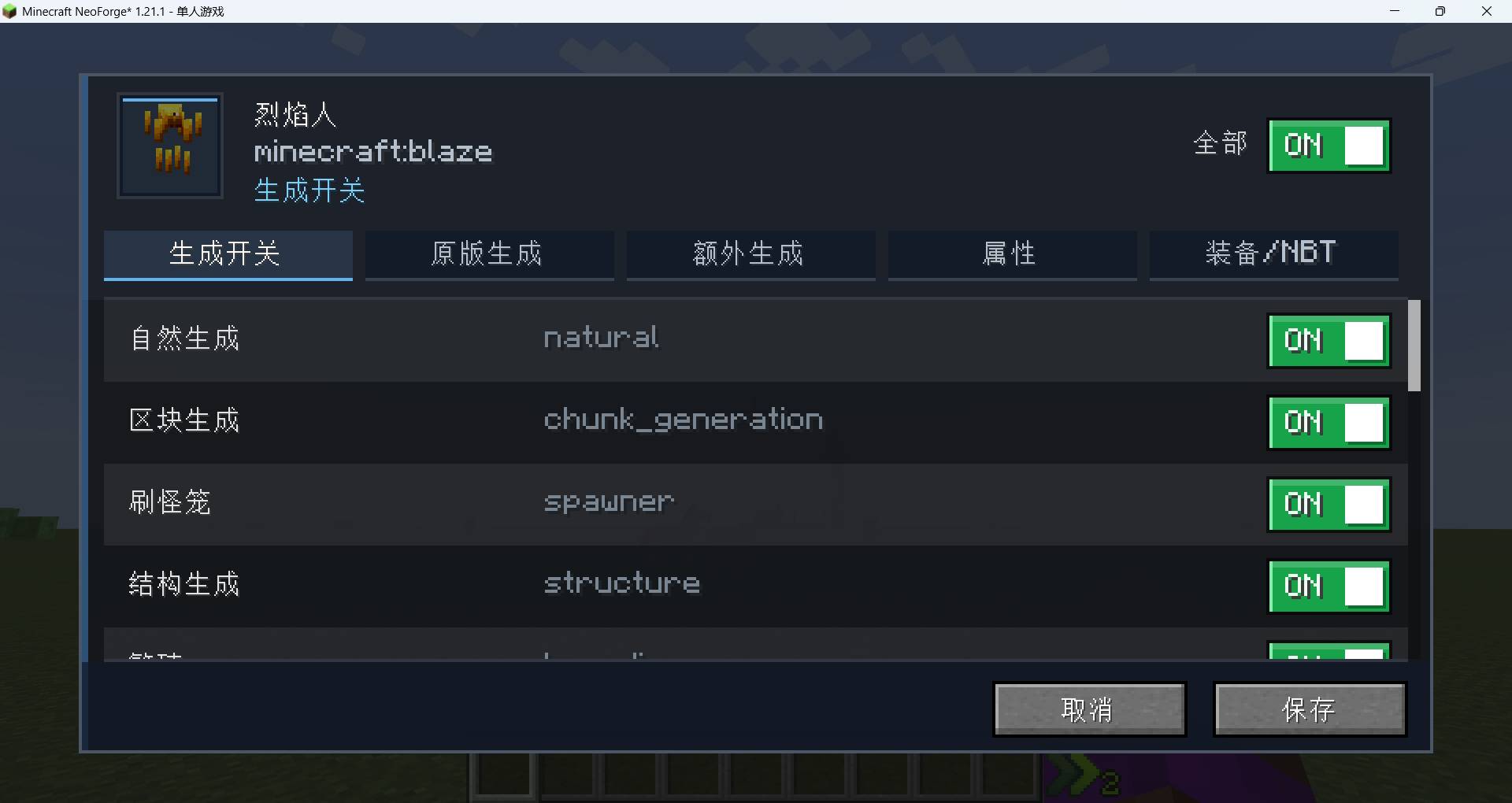
- Spawn toggles: Enable or disable individual spawn types for each mob, including natural spawning, spawners, breeding, spawn eggs, commands, and conversions.
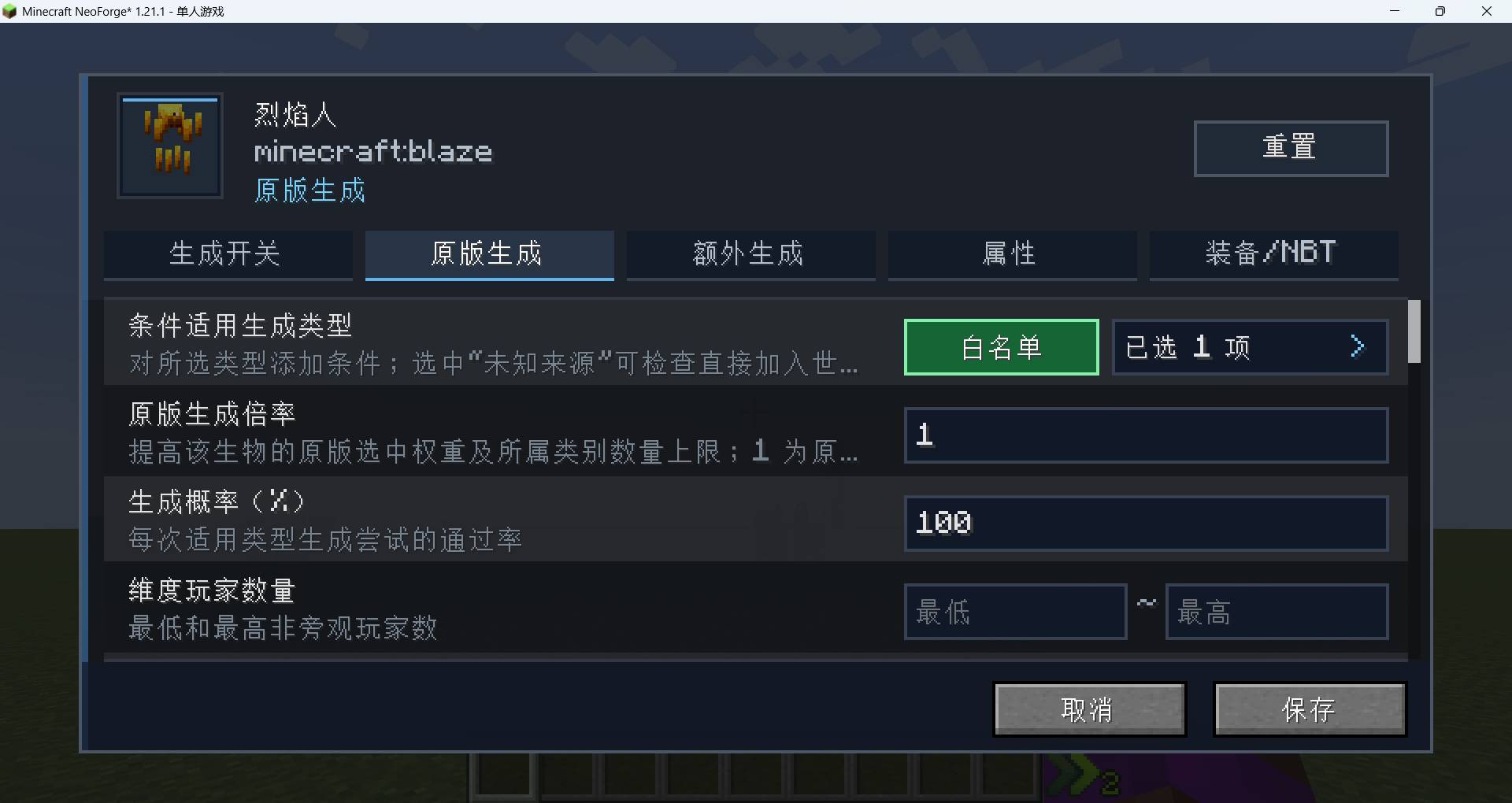
- Spawn conditions and multipliers: Configure chance, height, light, time, weather, dimensions, biomes, structures, surrounding blocks, player distance, and population limits. Select which spawn types the conditions apply to, with whitelist and blacklist options. Vanilla spawn multipliers adjust selection weights and category mob caps.
- Unknown-origin conditions: Select Unknown origin to apply conditions to mobs added directly to the world without a recognized spawn source. Turning off every spawn toggle also blocks these unclassified new spawns.
- Extra spawning: Create additional spawns with their own conditions. Configure the per-second trigger chance, amount per trigger, placement, distance, and world or nearby population limits. Extra spawning uses its own conditions and still follows the spawn toggles.
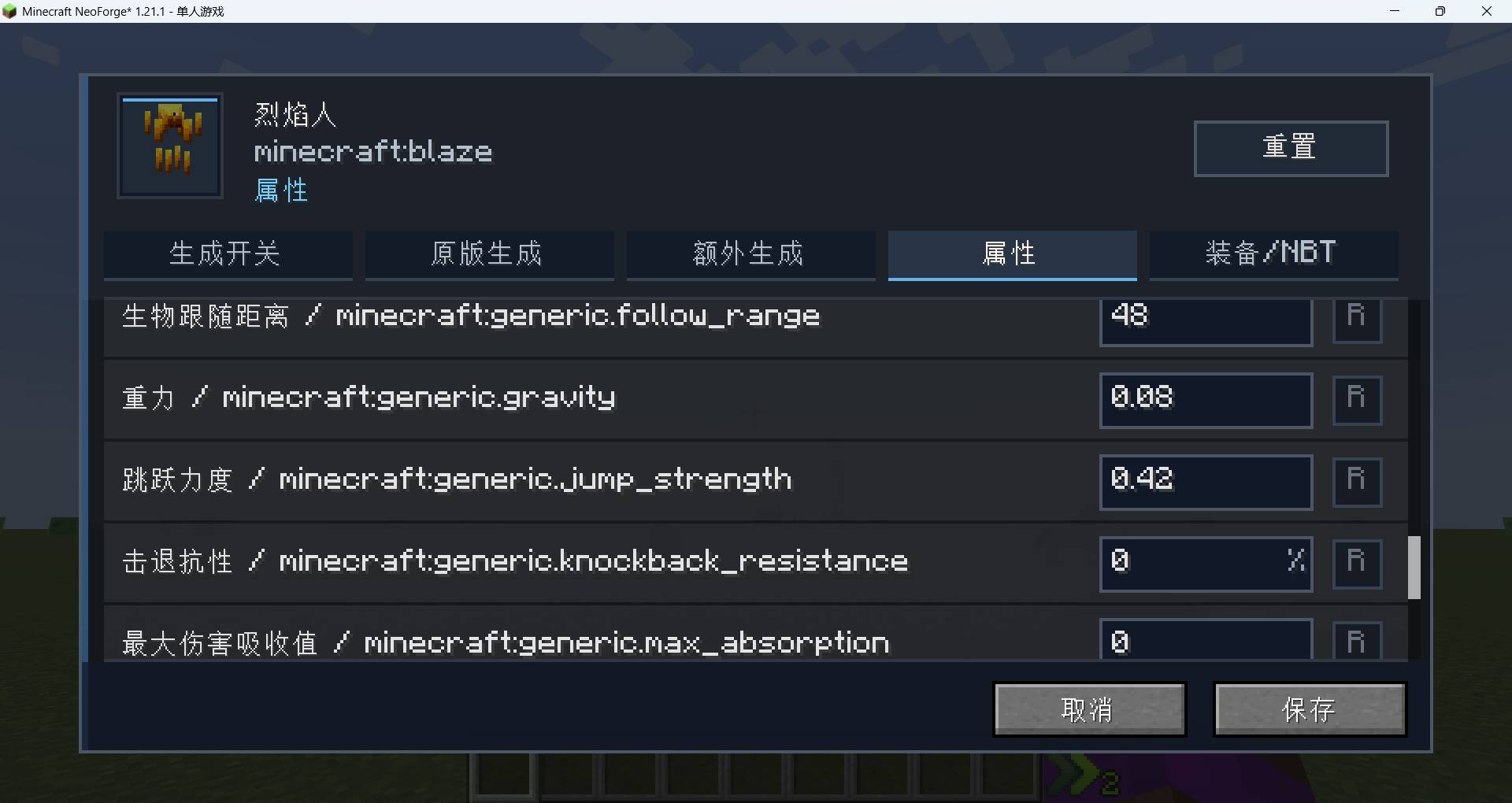
- Attribute overrides: Adjust supported attributes such as maximum health, attack damage, movement speed, and armor, using numeric values or percentage-based controls.
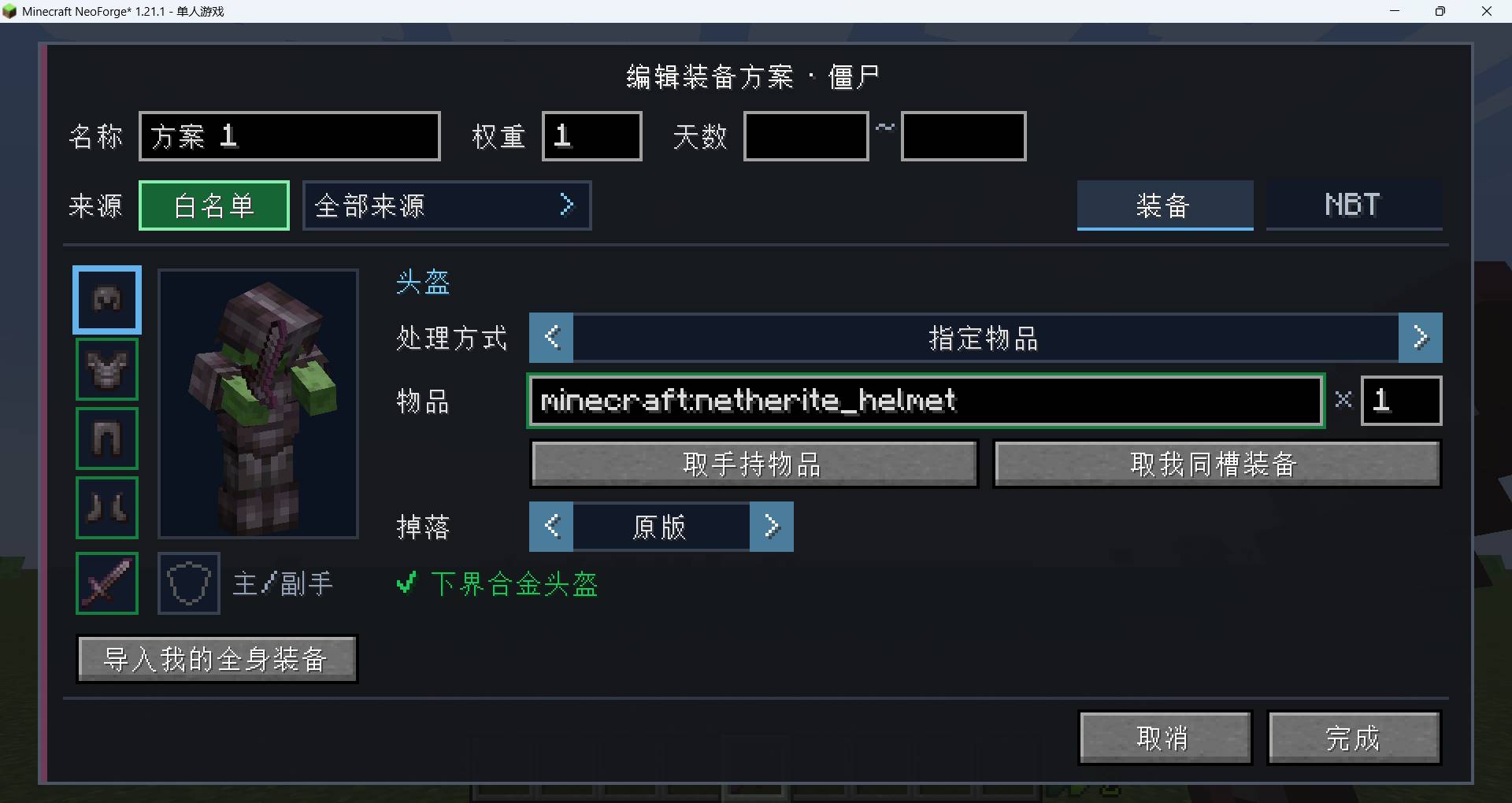
- Equipment and entity NBT presets: Create multiple weighted presets per mob with an application chance. Configure six equipment slots, item data, drop chances, and entity NBT; filter presets by spawn source and world day. Import your worn and held equipment directly into a preset.
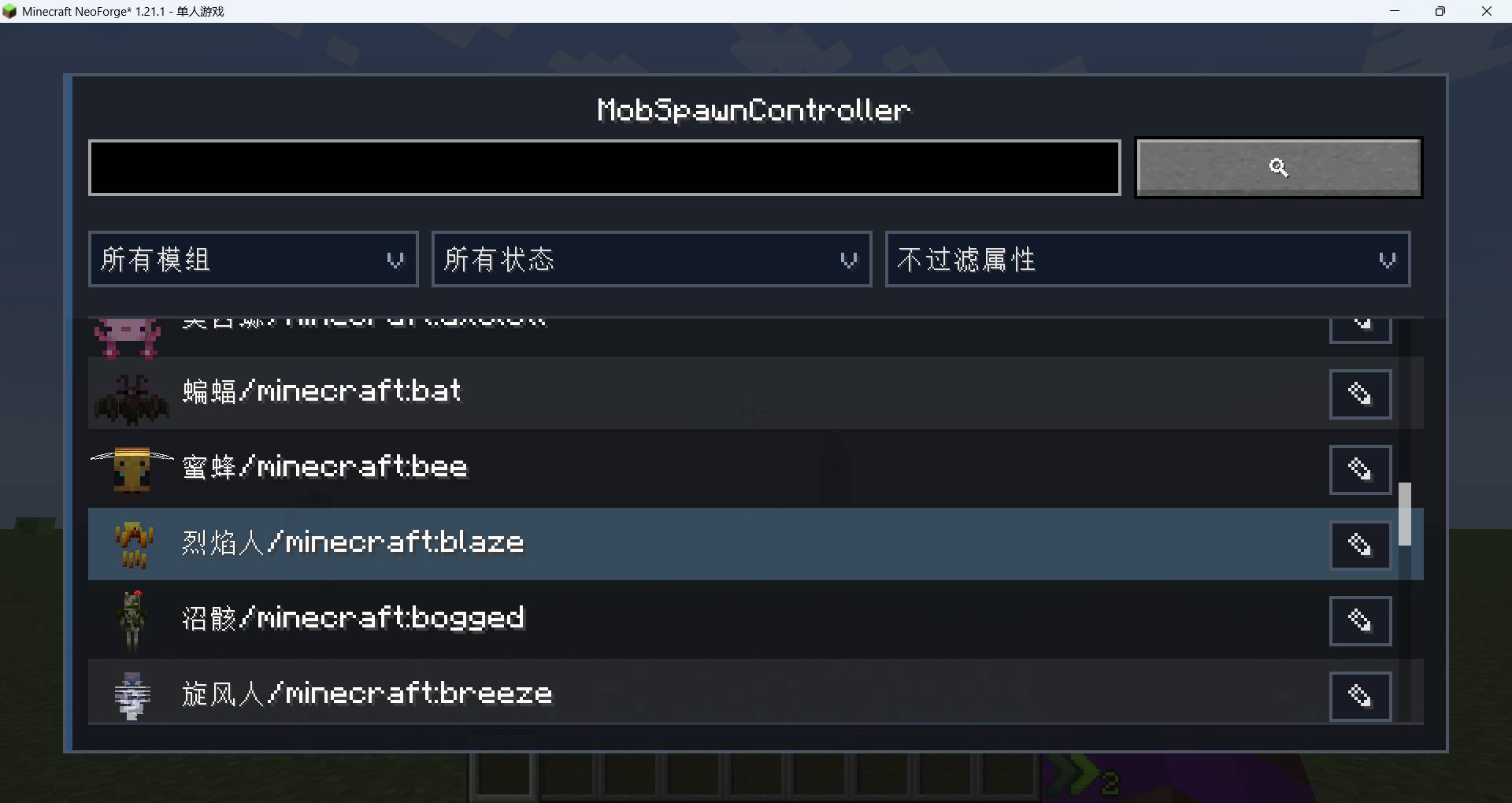
The GUI includes mob previews, search, configuration filters, and pickers for dimensions, biomes, structures, and blocks. Optional Serene Seasons integration adds seasonal spawn conditions.
Getting started
Press N in-game to open the editor. The key can be changed in Minecraft's Controls menu. Editing requires OP or equivalent permission level 2; enable cheats when configuring a single-player world.
Spawn toggles can also be managed with /mobspawncontroller or its alias /msc:
/msc minecraft:zombie natural false
/msc minecraft:zombie all false
/msc list minecraft:zombie
/msc clear minecraft:zombie
Rules are saved to config/mobspawncontroller/rules.json, making them easy to include with a modpack or server configuration. Spawn rules govern new spawns and do not remove existing mobs.
Supported versions and installation
| Minecraft | Mod loaders | Java |
|---|---|---|
| 1.20.1 | Fabric, Forge | 17+ |
| 1.21.1 | Fabric, NeoForge | 21+ |
- Fabric builds require Fabric API. Serene Seasons is optional; seasonal conditions are ignored when it is absent.
- Server-only installations can use commands and the JSON configuration. To use the GUI on a server, install the matching mod version on the server and the administrator's client.
MobSpawnController
MobSpawnController lets modpack authors and server administrators configure how vanilla and modded mobs spawn through an in-game interface. Control spawn sources and conditions, add extra spawns, adjust attributes, and create equipment and entity NBT presets.
Features
- Spawn toggles: Enable or disable individual spawn types for each mob, including natural spawning, spawners, breeding, spawn eggs, commands, and conversions.
- Spawn conditions and multipliers: Configure chance, height, light, time, weather, dimensions, biomes, structures, surrounding blocks, player distance, and population limits. Select which spawn types the conditions apply to, with whitelist and blacklist options. Vanilla spawn multipliers adjust selection weights and category mob caps.
- Unknown-origin conditions: Select Unknown origin to apply conditions to mobs added directly to the world without a recognized spawn source. Turning off every spawn toggle also blocks these unclassified new spawns.
- Extra spawning: Create additional spawns with their own conditions. Configure the per-second trigger chance, amount per trigger, placement, distance, and world or nearby population limits. Extra spawning uses its own conditions and still follows the spawn toggles.
- Attribute overrides: Adjust supported attributes such as maximum health, attack damage, movement speed, and armor, using numeric values or percentage-based controls.
- Equipment and entity NBT presets: Create multiple weighted presets per mob with an application chance. Configure six equipment slots, item data, drop chances, and entity NBT; filter presets by spawn source and world day. Import your worn and held equipment directly into a preset.
The GUI includes mob previews, search, configuration filters, and pickers for dimensions, biomes, structures, and blocks. Optional Serene Seasons integration adds seasonal spawn conditions.
Getting started
Press N in-game to open the editor. The key can be changed in Minecraft's Controls menu. Editing requires OP or equivalent permission level 2; enable cheats when configuring a single-player world.
Spawn toggles can also be managed with /mobspawncontroller or its alias /msc:
/msc minecraft:zombie natural false
/msc minecraft:zombie all false
/msc list minecraft:zombie
/msc clear minecraft:zombie
Rules are saved to config/mobspawncontroller/rules.json, making them easy to include with a modpack or server configuration. Spawn rules govern new spawns and do not remove existing mobs.
Supported versions and installation
| Minecraft | Mod loaders | Java |
|---|---|---|
| 1.20.1 | Fabric, Forge | 17+ |
| 1.21.1 | Fabric, NeoForge | 21+ |
- Fabric builds require Fabric API. Serene Seasons is optional; seasonal conditions are ignored when it is absent.
- Server-only installations can use commands and the JSON configuration. To use the GUI on a server, install the matching mod version on the server and the administrator's client.
Screenshots
Gallery
-
 1.jpg 1.jpg
-
 2.jpg 2.jpg
-
 3.jpg 3.jpg
-
 4.jpg 4.jpg
-
 5.jpg 5.jpg


Versions
Files
Relations
Project Relations
More like this
Similar Mods
Suggestions use data such as tags, dependencies, dependents, descriptions, titles, and more to rank how much they overlap with this mod.
On ModDex
Community snapshot
By the numbers
Statistics

Get it on
Available Platforms
On ModDex
Community snapshot
By the numbers
Statistics
Resources