Community listing page, reviews here may not be monitored by the author.
MobVolume

No reviews yet
In this mod, you can change de volume of the minecraft entities

Community voices
Reviews
No reviews yet. Be the first to review this project!
Get it on
Available Platforms
About
Project Details
For authors
Embed Badge
If you're the author of this project, you can embed a live badge anywhere that supports HTML or Markdown. It updates automatically whenever ratings change.
Use HTML for any page that supports it, or Markdown for README files and Markdown-based descriptions.
Identifiers
Platform IDs
Resources
External Links
About
Description
# MobVolume
**Control the volume of every mob in Minecraft, independently.**
Tired of Endermen screeching louder than your music, or Creepers sneaking up in dead silence? MobVolume lets you set a custom volume multiplier for every single entity in the game — individually, with zero server-side requirements.
## Features
- 🎚️ **Per-entity volume control** — Adjust the volume of any mob from 0% (fully muted) to 300% (boosted) using a smooth, perceptually-accurate slider.
- 🔍 **Instant search** — Quickly find any mob by typing part of its name (e.g. "zombie", "cat", "ender").
- 🖱️ **Clean, vanilla-style UI** — Open the mob list with **Right Shift**, browse mob icons and names, and tweak settings without ever touching a config file.
- 💾 **Auto-save settings** — Your volume preferences are saved automatically and persist across game restarts.
- ⚡ **Zero performance impact** — No background ticking, no entity scanning, no wasted frames. MobVolume only does work when a sound actually plays.
- 🌐 **Works everywhere** — 100% client-side. No server-side mod or plugin required — works in singleplayer, on vanilla servers, and on any third-party host (Aternos, Hostinger, etc.) exactly the same way.
- 🧩 **Mod-friendly** — Designed to play nicely alongside Sodium, Iris, Mod Menu, Simple Voice Chat, and other popular client mods.
## How it works
MobVolume hooks into each entity's sound output and applies your chosen multiplier only to that entity's sounds — nothing else is touched. The master volume, sound categories, and other mods' audio are completely unaffected. Because everything happens locally on your own sound engine, there's nothing to install or configure on the server side; if you can hear it, MobVolume can control it.
## How to use
1. Press **Right Shift** in-game to open the MobVolume menu.
2. Search for or scroll to the mob you want to adjust.
3. Click it to open its settings screen.
4. Drag the slider (or use **Mute** / **Reset** / **Max**) to set its volume from 0% to 300%.
5. Done — the change applies instantly and saves automatically.
Screenshots
Gallery
-
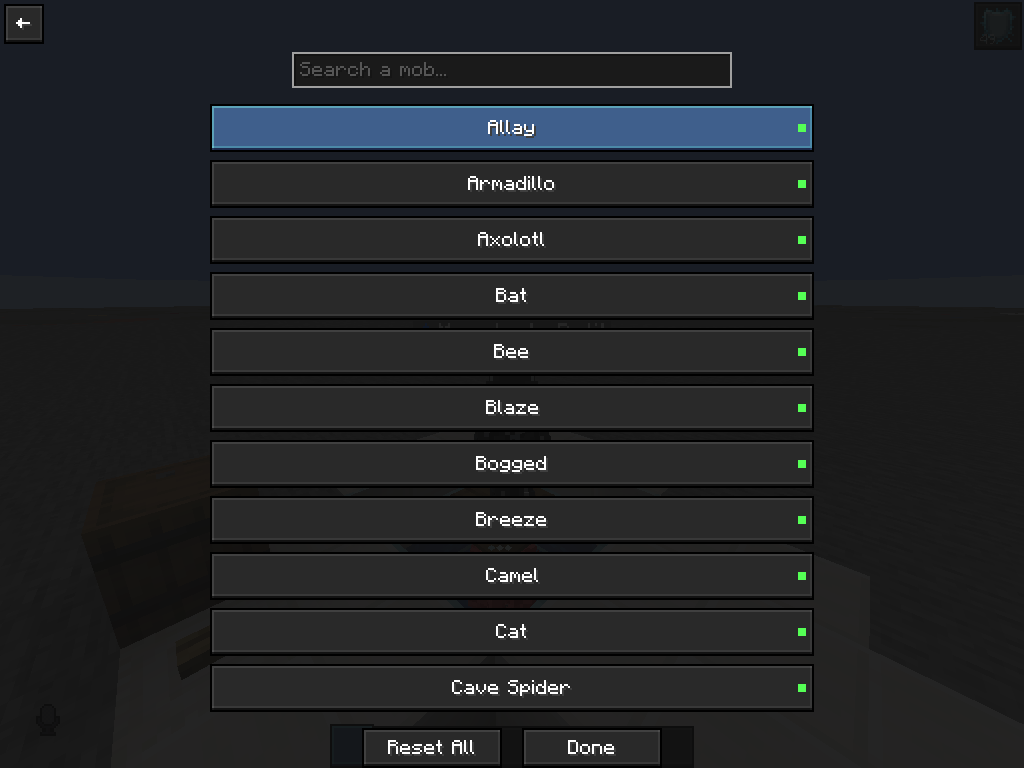 Mob Volume Menu Menu (open with "right control")
 -
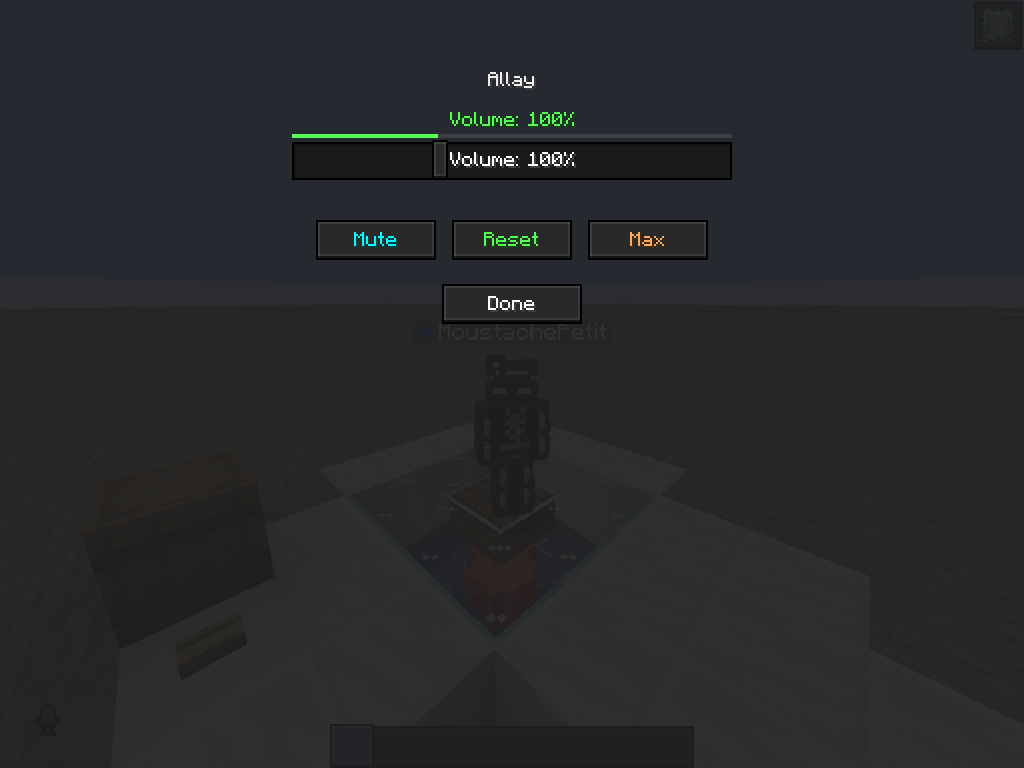 Change Volume Change volume
 -
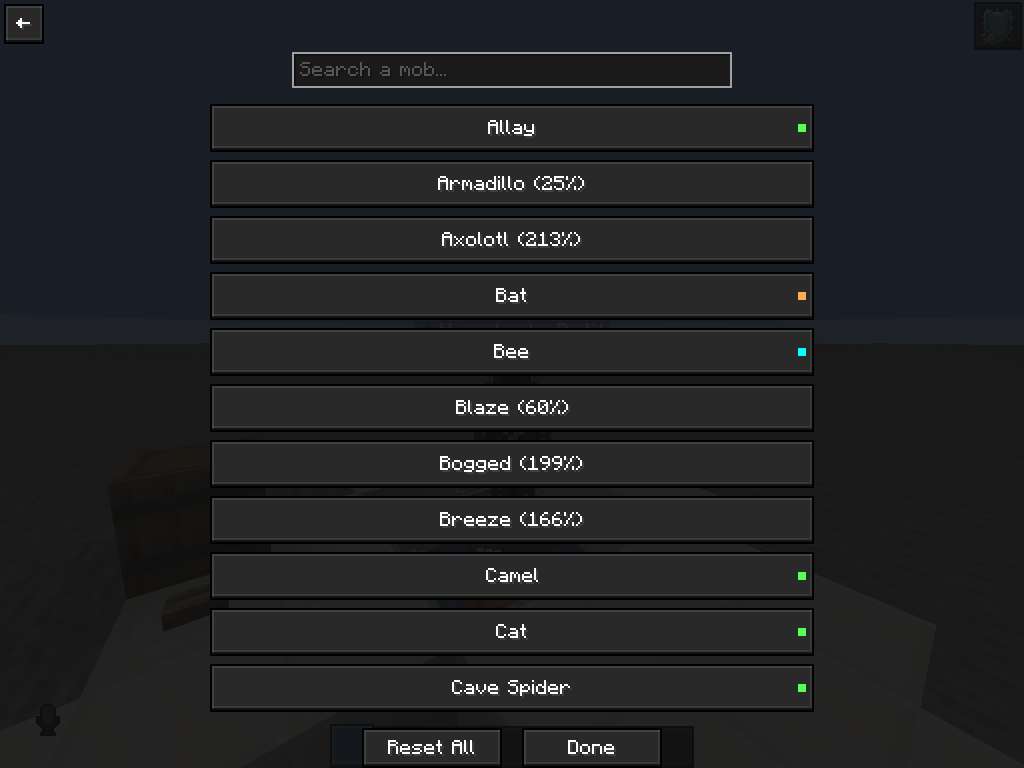 Look How it look when you change the volumes of mobs
Versions
Files
Relations
Project Relations
More like this
Similar Mods
Suggestions use data such as tags, dependencies, dependents, descriptions, titles, and more to rank how much they overlap with this mod.
On ModDex
Community snapshot
By the numbers
Statistics
 (opens in a new tab)
Get it on
Available Platforms
On ModDex
Community snapshot
By the numbers
Statistics
Resources