
Community listing page, reviews here may not be monitored by the author.
ModContours

No reviews yet
Mod Contours is a client-side mod for Minecraft Forge that helps organize your inventory by visually grouping items from the same mod using dynamic colored outlines.
Community voices
Reviews
No reviews yet. Be the first to review this project!
Get it on
Available Platforms
Compatibility
Supported Environments
Runs entirely on the client. Works on vanilla servers.
About
Project Details
For authors
Embed Badge
If you're the author of this project, you can embed a live badge anywhere that supports HTML or Markdown. It updates automatically whenever ratings change.
Use HTML for any page that supports it, or Markdown for README files and Markdown-based descriptions.
Identifiers
Platform IDs
About
Description
🎨 Mod Contours

Mod Contours is a client-side mod for Minecraft Forge that helps organize your inventory by visually grouping items from the same mod using dynamic colored outlines. If you're tired of getting lost in an inventory filled with hundreds of items from different mods, Mod Contours is made for you!
✨ Showcase

🚀 Features
- Dynamic Outlines: Items from the same mod are automatically grouped together with a shared colored outline.
- Smart Detection: The mod automatically identifies which mod each item belongs to.
- High Performance: Designed with minimal impact on game performance.
- Fully Configurable: Customize outline thickness, fill transparency, and outline style through the configuration file.
- Multilingual: The interface and documentation are available in multiple languages.
📦 Installation
-
Make sure you have Minecraft Forge installed: https://files.minecraftforge.net/net/minecraftforge/forge/
-
Download the latest version of the mod:
- GitHub Releases: https://github.com/mrdiovkrad/ModContours/releases
- Modrinth: https://modrinth.com/mod/modcontours
- CurseForge: https://www.curseforge.com/minecraft/mc-mods/modcontours (Coming Soon)
-
Place the downloaded
.jarfile into themodsfolder in your Minecraft directory. -
Launch the game and enjoy!
⚙️ Configuration
All mod settings can be changed through the in-game mod configuration menu. You can customize:
- Outline thickness
- Fill transparency
- Outline style
- And many other settings for the perfect appearance!
🌍 Supported Languages
- English
- Russian
- German
- Spanish
- French
- Chinese (Simplified)
- Japanese
- Portuguese (Brazil)
- Polish
- Korean
Developed by APPLYOK | Author: MrDioVkrad
Screenshots
Gallery
-
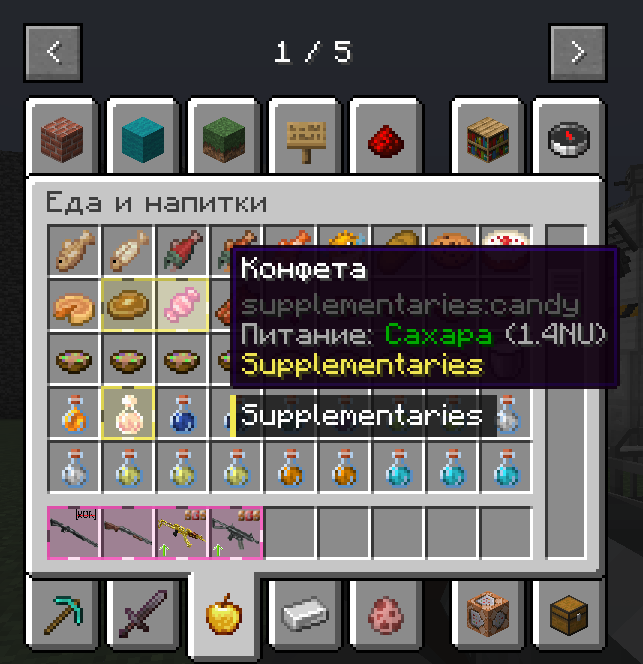 ModContours 0.1.1
 -
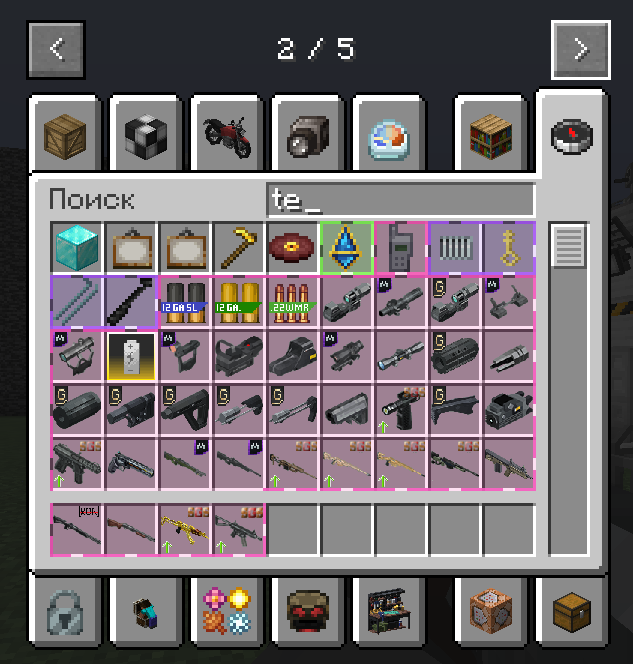 ModContours 0.1.1
 -
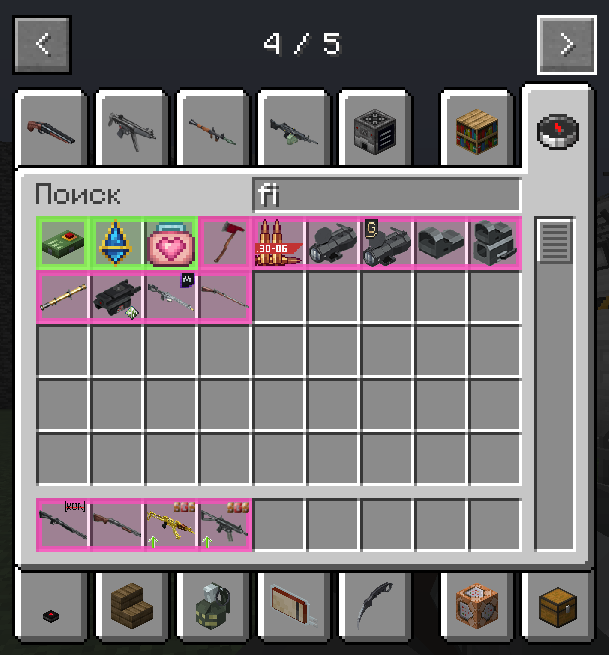 ModContours 0.1.1
 -
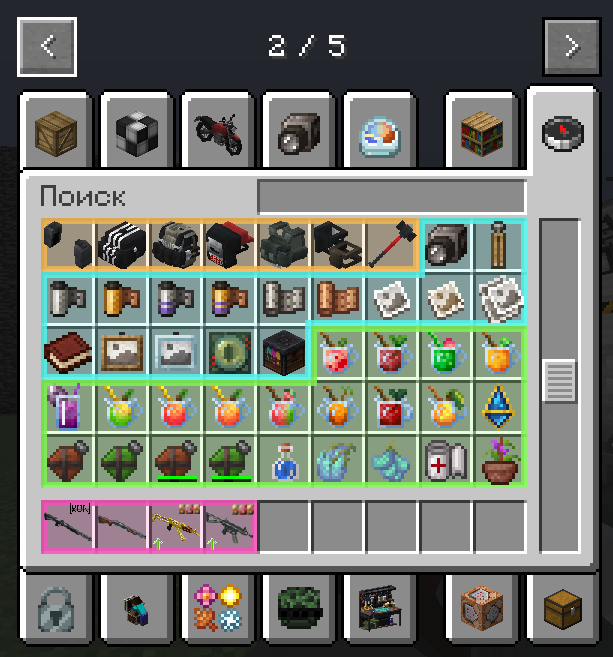 ModContours 0.1.1
 -
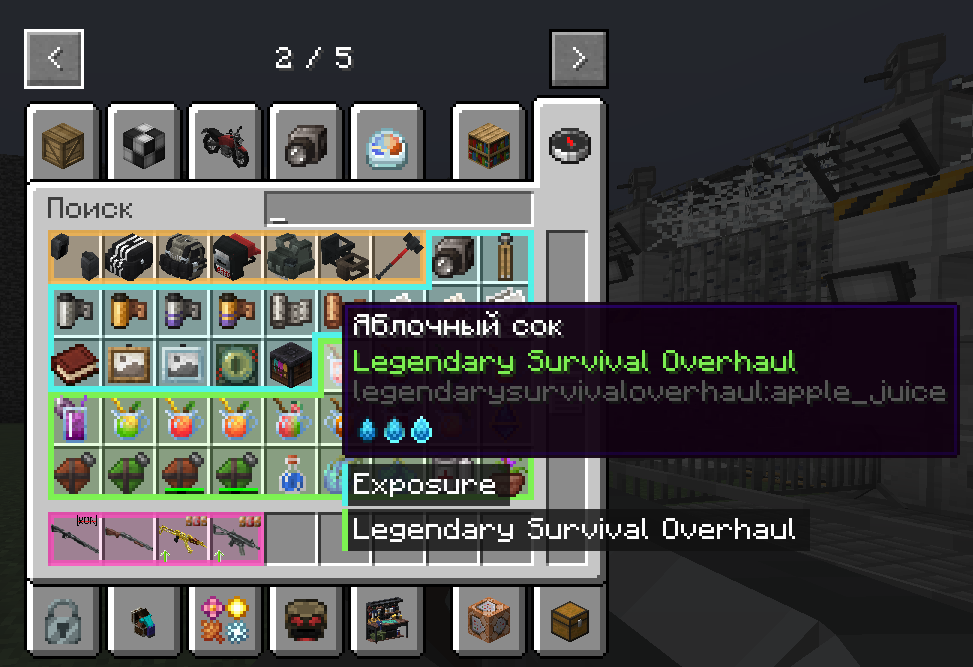 ModContours 0.1.1
 -
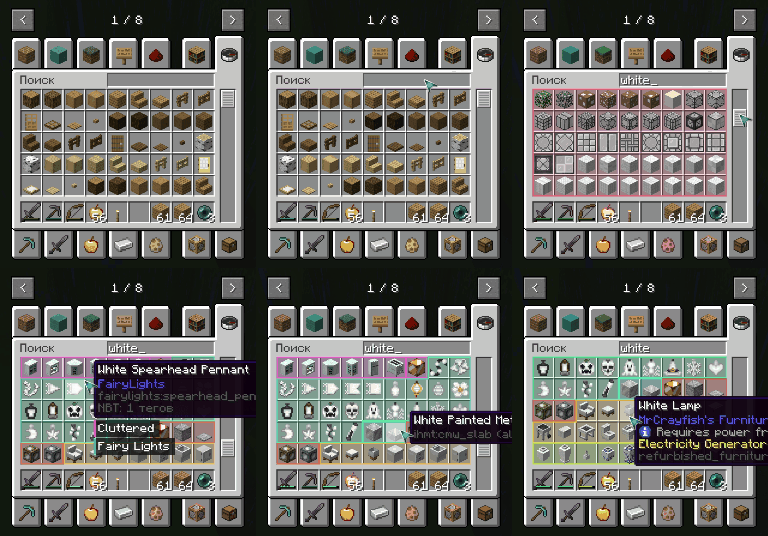 ModContours 0.1.1
 -
 Icon mod
Versions
Files
Relations
Project Relations
More like this
Similar Mods
Suggestions use data such as tags, dependencies, dependents, descriptions, titles, and more to rank how much they overlap with this mod.
On ModDex
Community snapshot
By the numbers
Statistics

Want to reach Minecraft players?
We're looking for a server hosting partner to feature here and other parts of the site. Interested? Send us a message!
Get in touchGet it on
Available Platforms
On ModDex
Community snapshot
By the numbers