
Community listing page, reviews here may not be monitored by the author.
Moderately Enough Effect Descriptions (MEED)


JEED/Emiffect addon with support for over 100 mods and 600 status effects!

Community voices
Reviews
No reviews yet. Be the first to review this project!
Get it on
Available Platforms
Compatibility
Supported Environments
Required on the client. Installing it on the server adds functionality.
Must be installed on both the client and the server.
Varies by version.
About
Project Details
For authors
Embed Badge
If you're the author of this project, you can embed a live badge anywhere that supports HTML or Markdown. It updates automatically whenever ratings change.
Use HTML for any page that supports it, or Markdown for README files and Markdown-based descriptions.
Identifiers
Platform IDs
About
Description
📖 About 📖
INSPIRED BY JUST ENOUGH EFFECT DESCRIPTIONS (JEED)
Moderately Enough Effect Descriptions (MEED) is a JEED/EMIffect addon that provides support for many different mods! You'll be able to discover and learn about 600+ status effects for 100+ mods and counting!
Just like JEED, you'll be able to view information about status effects, including their descriptions, which mod they're from, their effect color, and which items apply/cause the effect, in either JEI, REI, or EMI! While the mod is only needed on the client, I really recommend having it on the server because it will allow the effect-providing items, blocks, mobs, other effects, and fluids to show up under the description!
This mod is constantly adding support for new mods and will try and update to the most popular Minecraft versions as soon as possible!
Currently Supported Mods:
Required:
Optional Supported Mods:
A-C
D-L
M-S
T-Z

🧪 Customization🧪
This mod obviously does not have support for all mods! If you'd like, you can easily change or add effect descriptions by adding/changing the string "effect.[mod_id].[effect_name].description" in the lang file. I'd really appreciate it if you commented descriptions you add so that I could add them to the mod! For a more in-depth tutorial on basic customization, see the JEED CurseForge page.
MEED adds a command to quickly check for all effects missing descriptions. Running /meed missingdescriptions lists every mod (and the specific effect IDs) missing a description. This is useful for quickly bugtesting descriptions you make, and for seeing what effects need descriptions when creating modpacks!
MEED also adds a custom recipe condition, mod_version_range, that lets a recipe only load when a mod falls within the given version range. This is necessary and useful for handling breaking changes between mod versions. For example, when a mod's structure and/or content changes enough that an old compatibility recipe would throw a parsing error on the new version, but you still need that recipe to work for players on older versions (In MEED's case, the mod Relics is an example).
Using mod_version_range
Add it to any recipe's conditions like so:
{
  "neoforge:conditions": [
    {
      "type": "meed:mod_version_range",
      "modid": "somemod",
      "versionRange": "[1.2.0,1.5.0]"
    }
  ],
  "type": "your:recipe_type",
  ...
}
(On the 1.20.1/Forge version of MEED, use the top-level "conditions" key instead of "neoforge:conditions".)
Since a version range check also fails if the mod isn't loaded at all, mod_version_range, for simplicity, should be used on its own in place of a separate mod_loaded condition when you also need to gate by version.
Version Range Syntax Examples:
| Range | Result |
|---|---|
[1.0.0,2.0.0] |
1.0.0 to 2.0.0, inclusive on both ends |
[1.0.0,2.0.0) |
1.0.0 to 2.0.0, excluding 2.0.0 |
(1.0.0,2.0.0) |
Strictly between 1.0.0 and 2.0.0 |
[1.0.0,) |
1.0.0 and anything newer, open-ended |
(,2.0.0) |
Anything older than 2.0.0 |
If the target mod isn't installed at all, or its version falls outside the range, the recipe is skipped with no parsing errors or crashes. This is the same mechanism vanilla/Forge/NeoForge conditions use and can be used in place of them, just extended to check version ranges rather than only presence.
Feel free to use this in your modpack, and also feel free to leave any questions, comments, bugs/issues, and mod requests in the issues or comment section!
Join the Community!


📖 About 📖
INSPIRED BY JUST ENOUGH EFFECT DESCRIPTIONS (JEED)
Moderately Enough Effect Descriptions (MEED) is a JEED/EMIffect addon that provides support for many different mods! You'll be able to discover and learn about 600+ status effects for 100+ mods and counting!
Just like JEED, you'll be able to view information about status effects, including their descriptions, which mod they're from, their effect color, and which items apply/cause the effect, in either JEI, REI, or EMI! While the mod is only needed on the client, I really recommend having it on the server because it will allow the effect-providing items, blocks, mobs, other effects, and fluids to show up under the description!
This mod is constantly adding support for new mods and will try and update to the most popular Minecraft versions as soon as possible!
Currently Supported Mods:
(These mods may not all be on Modrinth yet, but will still be listed and included in updates)
Spoiler
Choose one:
Choose one:
For Fabric mods:
Optional Supported Mods:
Ars Elemental
Corail Tombstone
Sculky Bits
Potions Master
CAS' Extra Potions
Divine Weaponry - Better Combat
Blood and Madness
Deep Blood
Mobs of Sins
Feywild
Trials Chambers [1.20.1 Backport]
🧪 Customization🧪
This mod obviously does not have support for all mods! If you'd like, you can easily change or add effect descriptions by adding/changing the string "effect.[mod_id].[effect_name].description" in the lang file. I'd really appreciate it if you commented descriptions you add so that I could add them to the mod! For a more in-depth tutorial on basic customization, see the JEED CurseForge page.
MEED adds a command to quickly check for all effects missing descriptions. Running /meed missingdescriptions lists every mod (and the specific effect IDs) missing a description. This is useful for quickly bugtesting descriptions you make, and for seeing what effects need descriptions when creating modpacks!
MEED also adds a custom recipe condition, mod_version_range, that lets a recipe only load when a mod falls within the given version range. This is necessary and useful for handling breaking changes between mod versions. For example, when a mod's structure and/or content changes enough that an old compatibility recipe would throw a parsing error on the new version, but you still need that recipe to work for players on older versions (In MEED's case, the mod Relics is an example).
Using mod_version_range
Spoiler
Add it to any recipe's conditions like so:
{
  "neoforge:conditions": [
    {
      "type": "meed:mod_version_range",
      "modid": "somemod",
      "versionRange": "[1.2.0,1.5.0]"
    }
  ],
  "type": "your:recipe_type",
  ...
}
(On the 1.20.1/Forge version of MEED, use the top-level "conditions" key instead of "neoforge:conditions".)
Since a version range check also fails if the mod isn't loaded at all, mod_version_range, for simplicity, should be used on its own in place of a separate mod_loaded condition when you also need to gate by version.
Version Range Syntax Examples:
| Range | Result |
|---|---|
[1.0.0,2.0.0] | 1.0.0 to 2.0.0, inclusive on both ends |
[1.0.0,2.0.0) | 1.0.0 to 2.0.0, excluding 2.0.0 |
(1.0.0,2.0.0) | Strictly between 1.0.0 and 2.0.0 |
[1.0.0,) | 1.0.0 and anything newer, open-ended |
(,2.0.0) | Anything older than 2.0.0 |
If the target mod isn't installed at all, or its version falls outside the range, the recipe is skipped with no parsing errors or crashes. This is the same mechanism vanilla/Forge/NeoForge conditions use and can be used in place of them, just extended to check version ranges rather than only presence.
Feel free to use this in your modpack, and also feel free to leave any questions, comments, bugs/issues, and mod requests in my Discord server or the GitHub!
Join the Community!
Screenshots
Gallery
-
 Too many Status Effects Ever have too many status effects and they're from mods you've never played before so you have absolutely no clue what they're doing? (Besides causing chaos)
 -
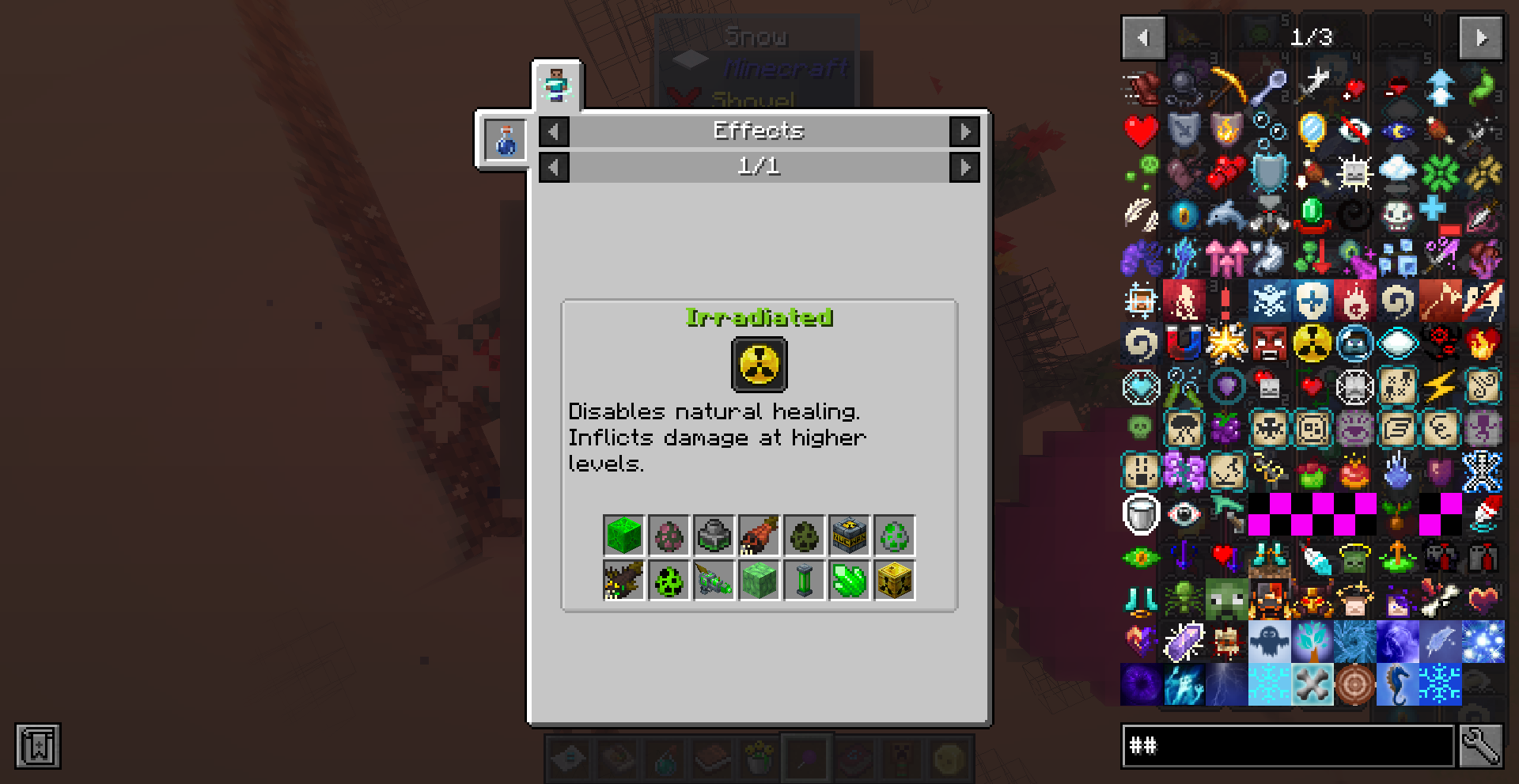
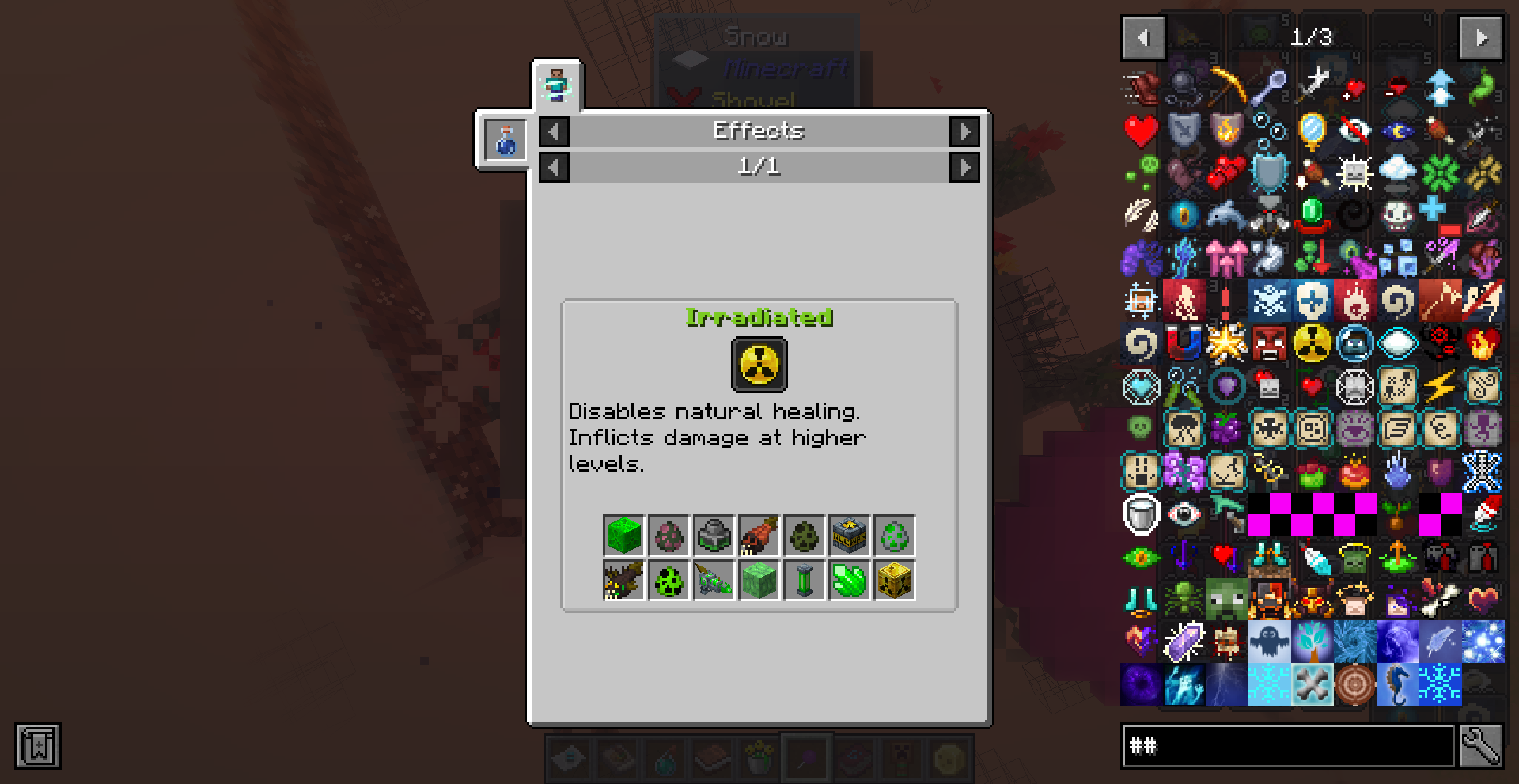 Sweet Relief Well this mod helps ease that pain! Just click on a modded status effect in the inventory, JEI, REI, or EMI and a helpful popup will appear! Learn what the effect does, how to get the effect, and the effect name and color!
 -
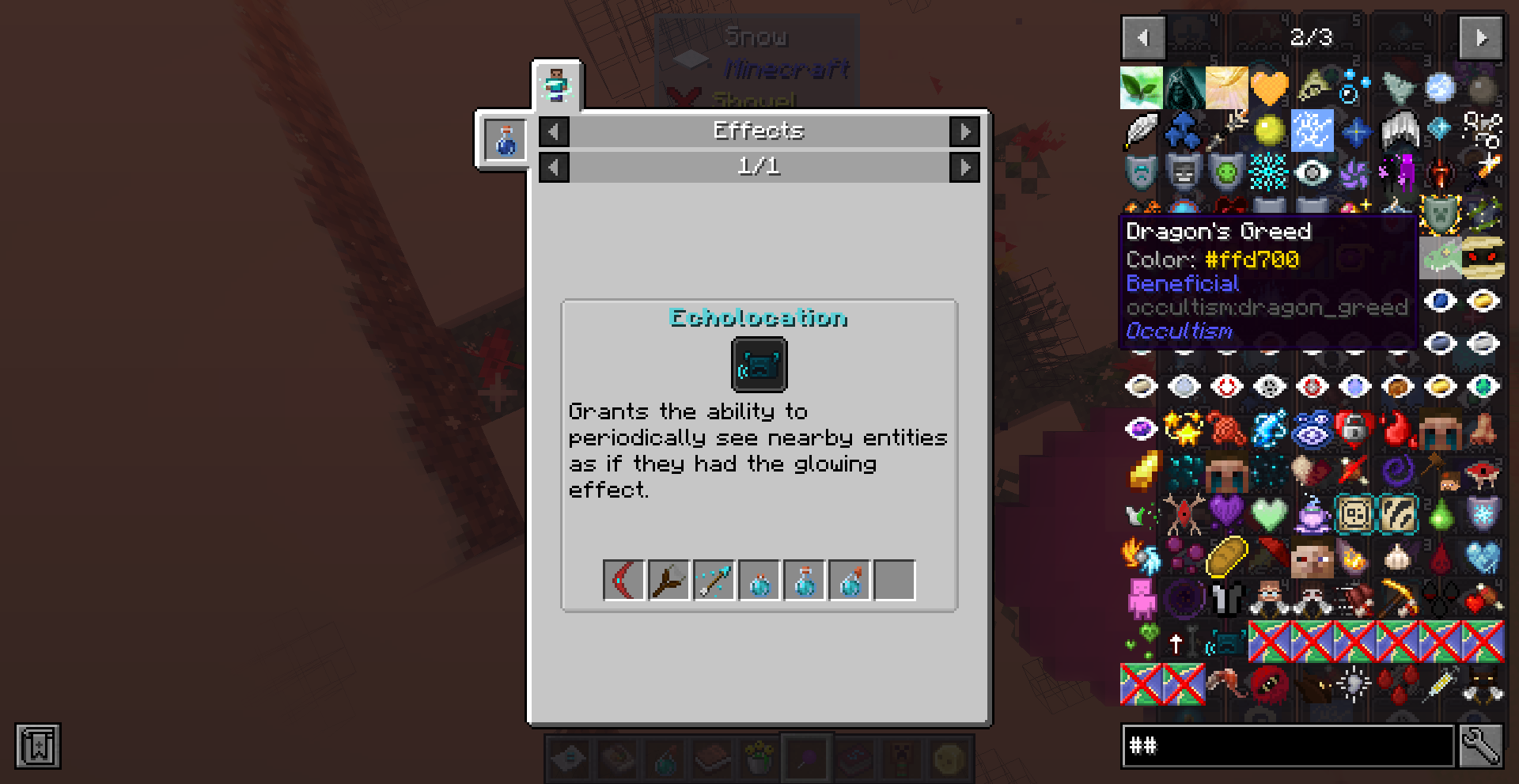 Short Info This mod adds the modded effect colors to the tooltip.
 -
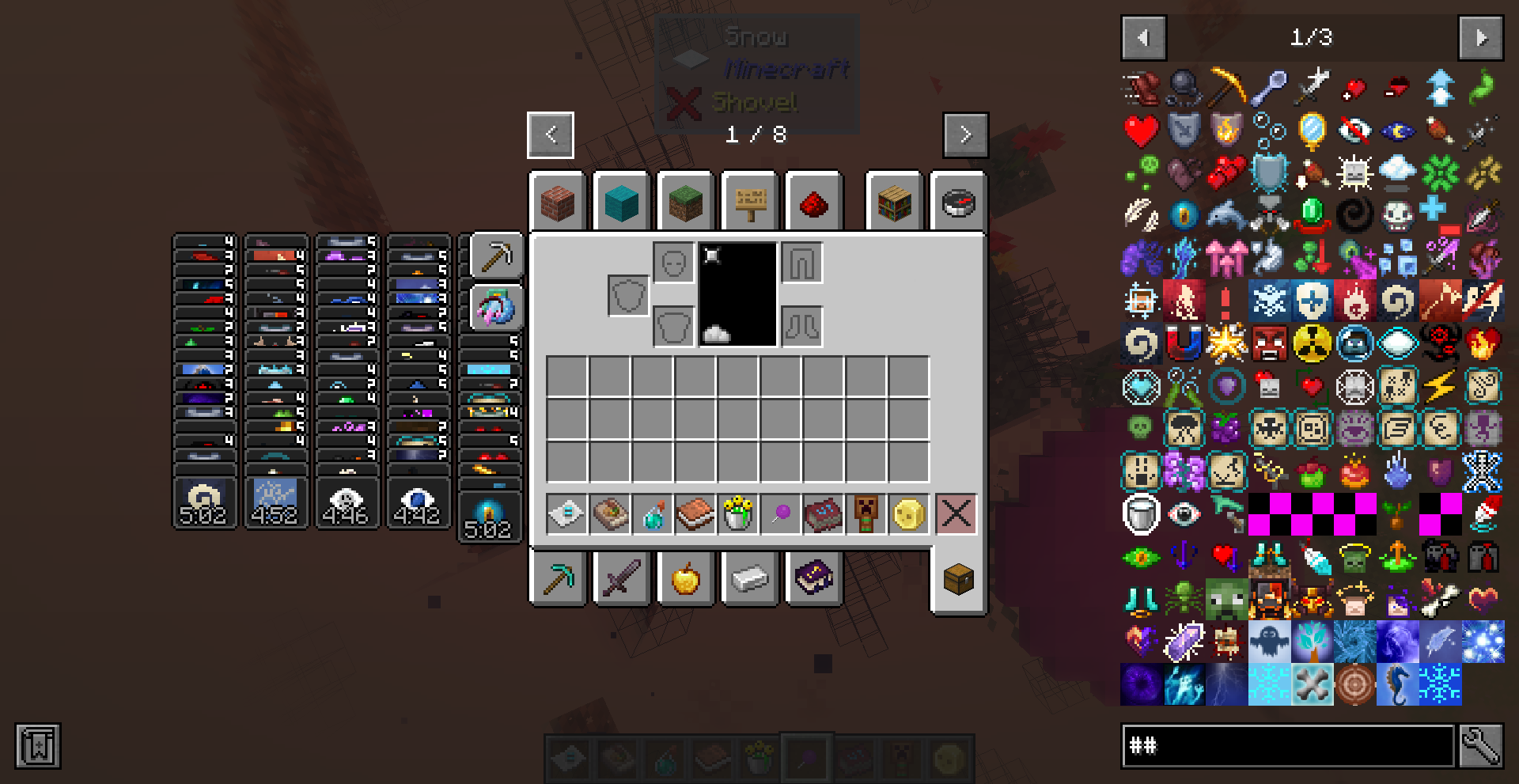 500+ Effect Descriptions and Counting This mod adds compatibility for over 100 mods and 500 status effects.
 -
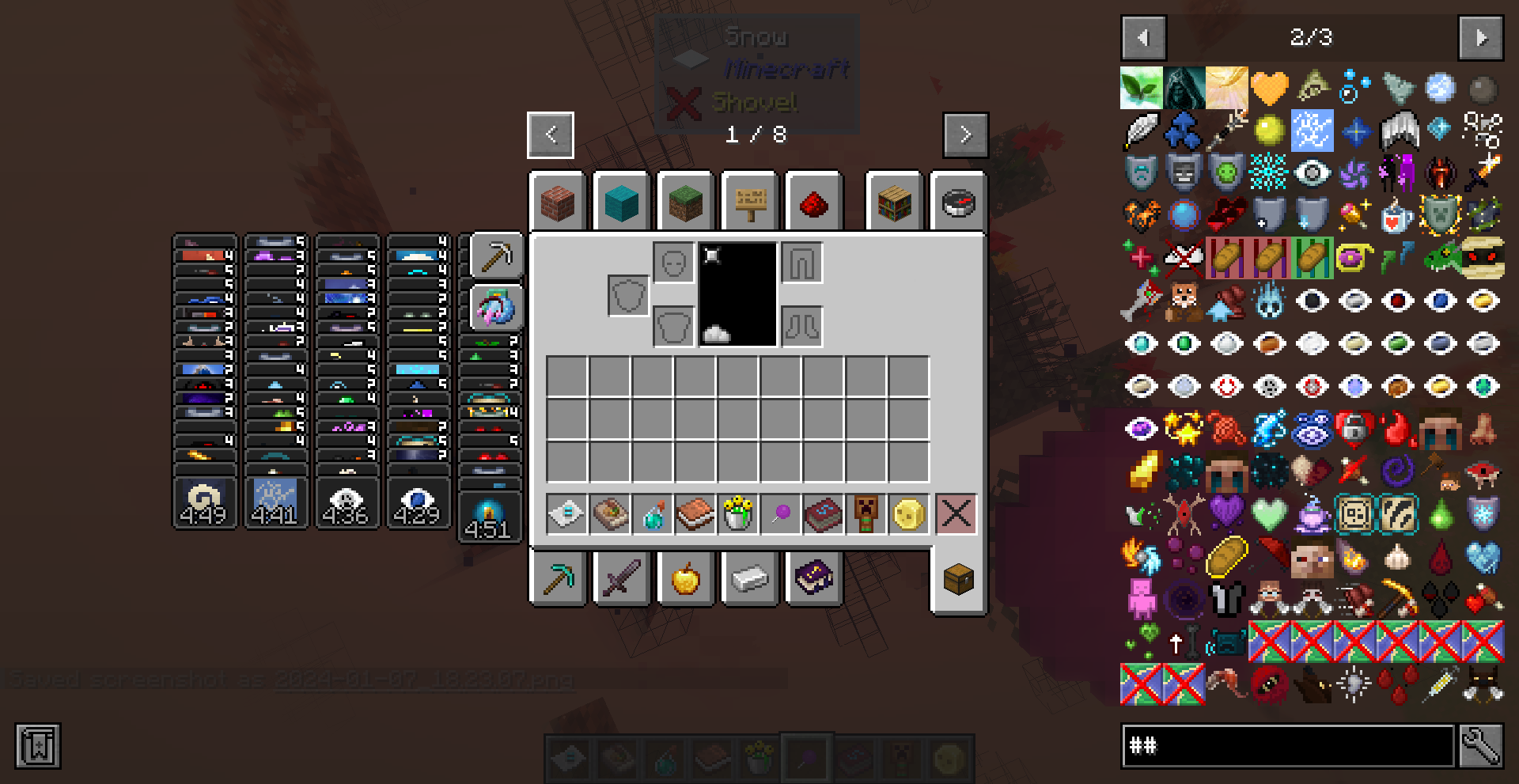 Another Page Full of Supported Effects Even more!? How much does the third page hav- Just one...for now...
 -
 The Effects Some of the supported effects
-
 Too Many Status Effects Ever have too many status effects and they're from mods you've never played before so you have absolutely no clue what they're doing? (Besides causing chaos)
 -
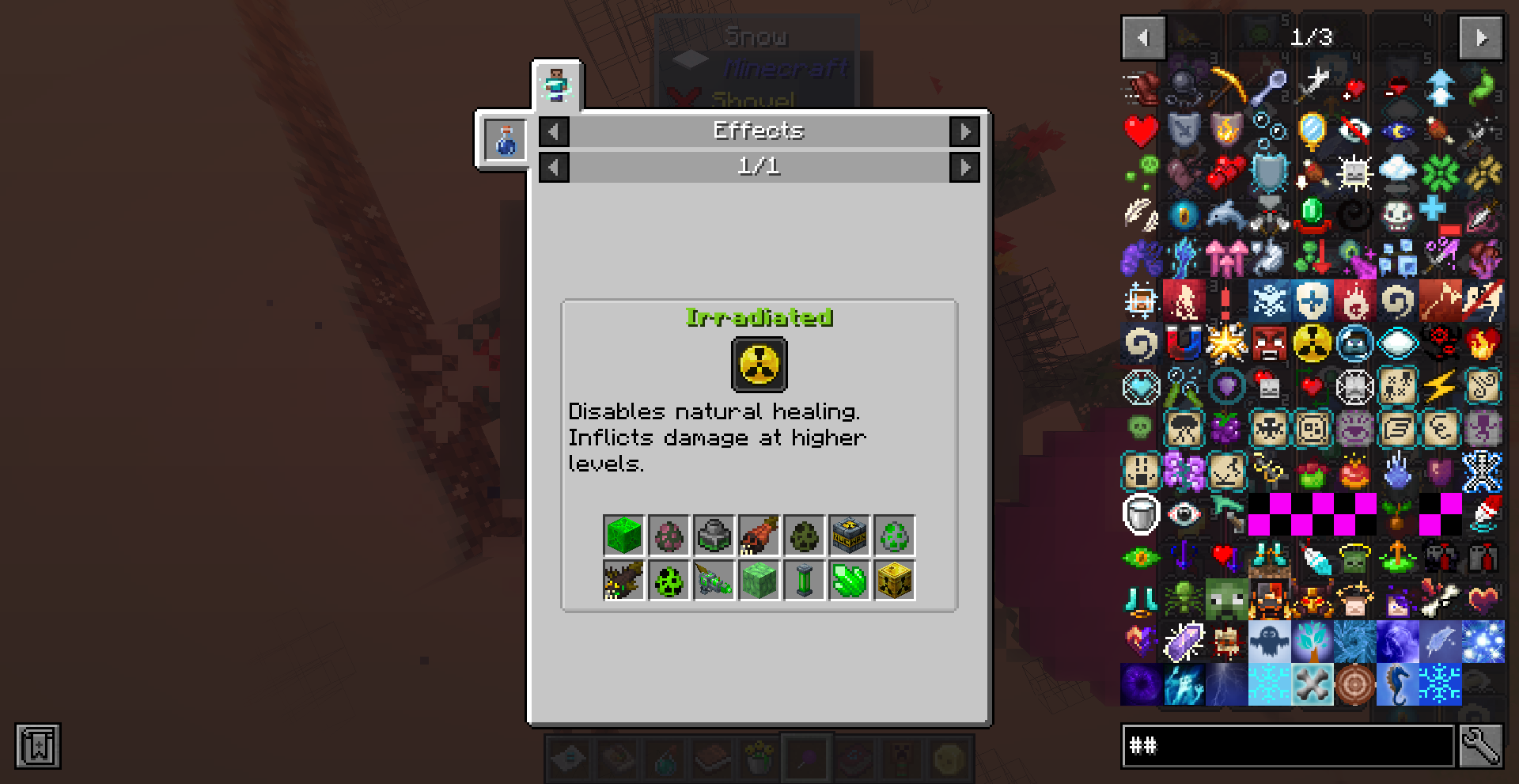 Sweet Relief Well this mod helps ease that pain! Just click on a modded status effect in the inventory, JEI, REI, or EMI and a helpful popup will appear! Learn what the effect does, how to get the effect, and the effect name and color!
 -
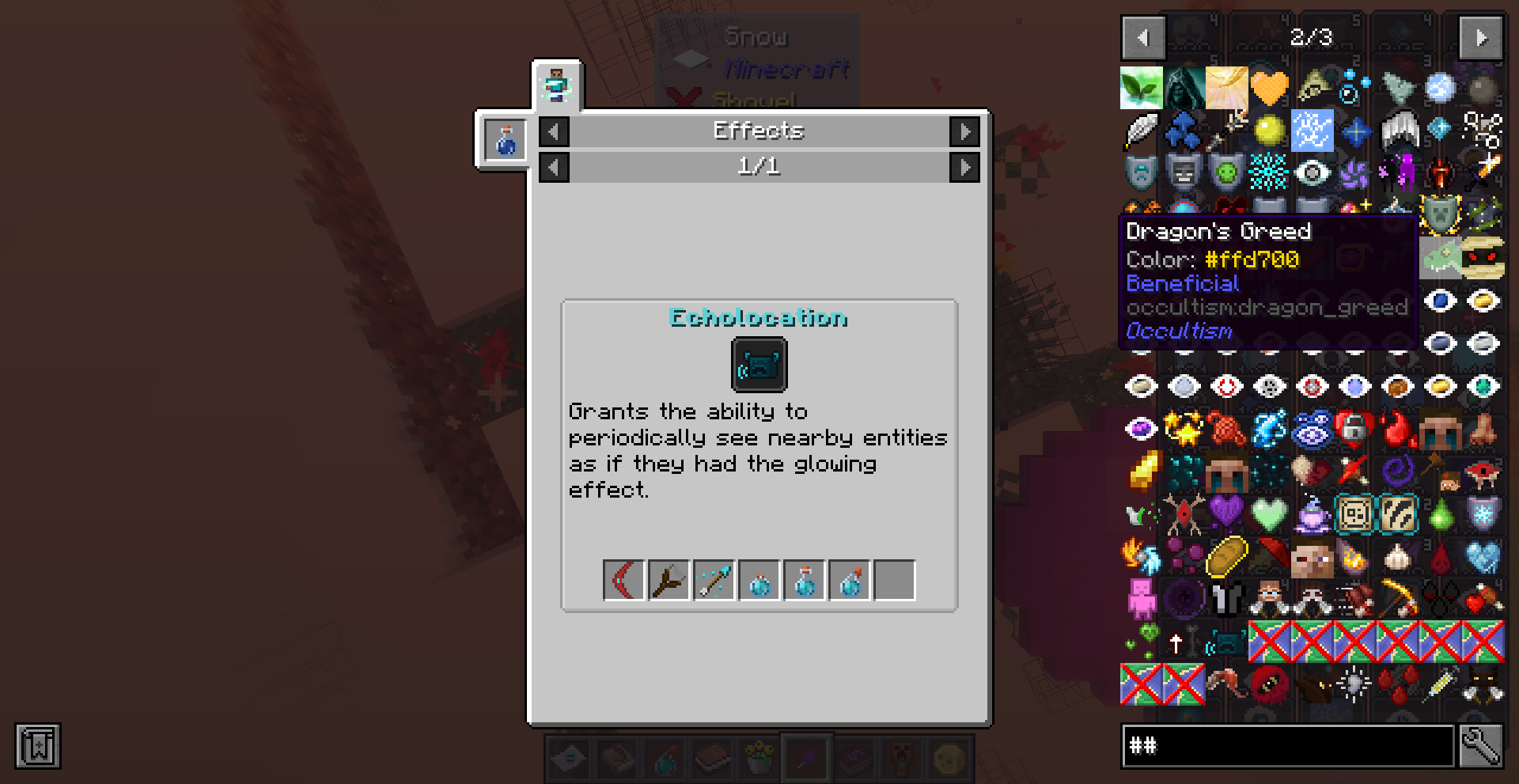 Short Info This mod adds the modded effect colors to the tooltip.
 -
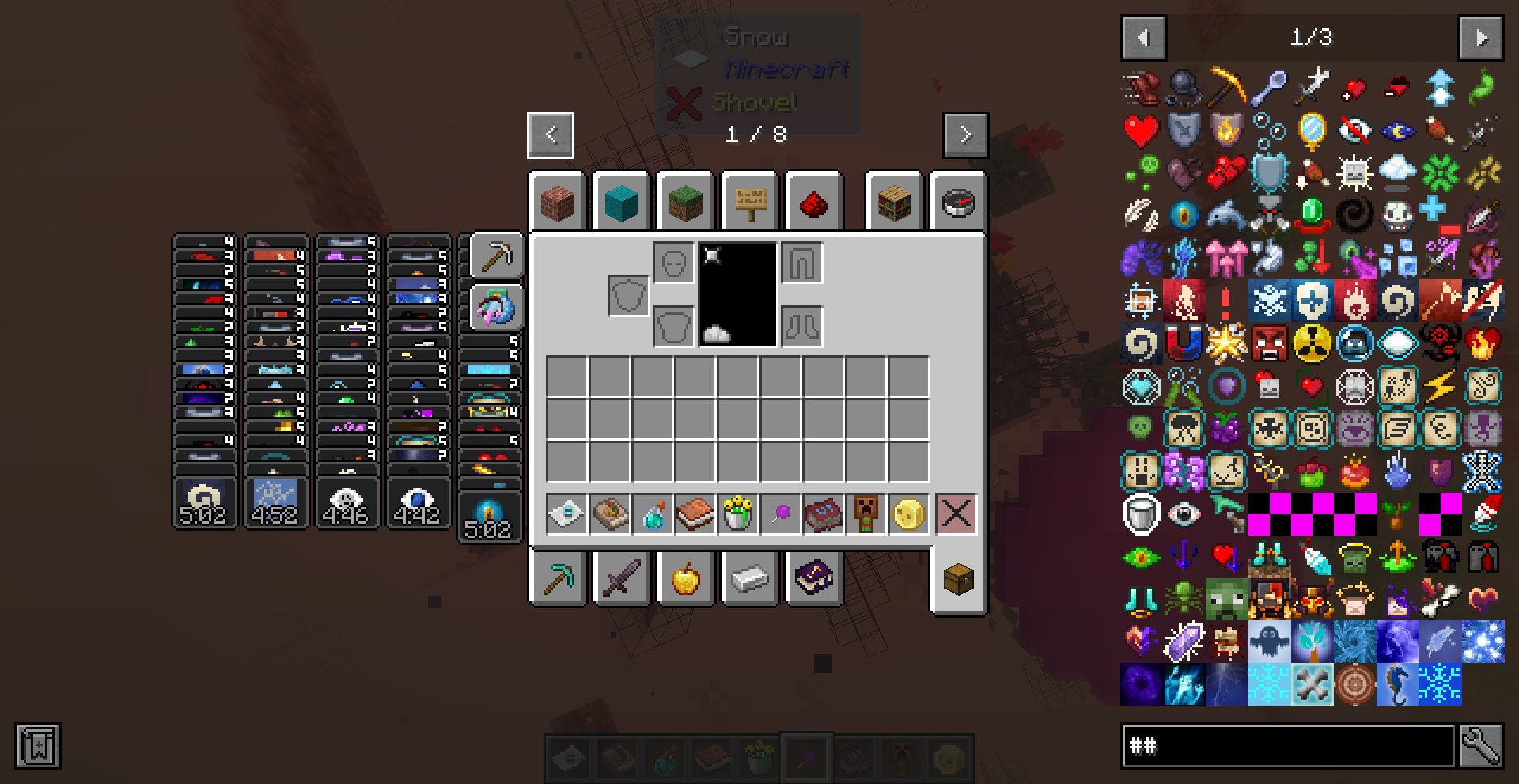 500+ Effect Descriptions and Counting This mod adds compatibility for over 100 mods and 500 status effects.
 -
 The Effects A lot of the supported effects
Versions
Files
Relations
Project Relations
More like this
Similar Mods
Suggestions use data such as tags, dependencies, dependents, descriptions, titles, and more to rank how much they overlap with this mod.
On ModDex
Community snapshot
By the numbers
Statistics
 (opens in a new tab)
Get it on
Available Platforms
On ModDex
Community snapshot
By the numbers