
ModKyes
No reviews yet
Manage mod-added keybindings and show your favorite keys on a clean in-game HUD.
Provides a framework or library for other mods to use.
Fabric is a mod loader for versions 1.14+ of Minecraft, particularly popular for client side and optimization mods.
Community voices
Reviews
Click once to include, again to exclude, again to clear
No reviews yet. Be the first to review this project!
Get it on
Available Platforms
 Modrinth
Compatibility
Supported Environments
About
Project Details
For authors
Embed Badge
If you're the author of this project, you can embed a live badge anywhere that supports HTML or Markdown. It updates automatically whenever ratings change.
Use HTML for any page that supports it, or Markdown for README files and Markdown-based descriptions.
Identifiers
Platform IDs
About
Description
ModKeys
ModKeys is a client-side Fabric mod that helps you manage keybindings added by other mods and display only your favorite keys on a clean in-game HUD.
You can browse mod-added keybinds, mark favorites, change mod keybindings from the ModKeys screen, and customize how the HUD looks in-game.
Features
- Detects keybindings added by mods
- Excludes vanilla keybindings from the list
- Lets you favorite only the keys you want to track
- Displays favorite keybinds on a clean in-game HUD
- Allows you to change mod keybindings directly from the ModKeys screen
- Supports English and Japanese UI
- Customizable HUD position, size, colors, outline, and background
- Optional F8 hint for quickly opening settings
- Client-side only and compatible with Fabric modded clients
Requirements
- Minecraft 1.20.1
- Fabric Loader
- Fabric API
How to Use
- Press F8 to open the ModKeys settings screen.
- Browse keybindings added by your installed mods.
- Mark your favorite keys to show them on the HUD.
- Change mod keybindings if needed.
- Adjust the HUD position and appearance to match your setup.
ModKeys
ModKeys は、他の Mod によって追加されたキーバインドを管理し、お気に入りにしたキーだけをゲーム画面上のシンプルな HUD に表示できる、クライアントサイド専用の Fabric Mod です。
Mod 追加キーの一覧表示、お気に入り登録、Mod キーバインドの変更、HUD の見た目調整を 1 つの画面から行えます。
主な機能
- Mod によって追加されたキーバインドを検出
- バニラのキーバインドは一覧から除外
- 必要なキーだけをお気に入り登録
- お気に入りキーだけをゲーム中の HUD に表示
- Mod のキーバインドを ModKeys の画面から変更可能
- 英語と日本語の UI に対応
- HUD の表示位置、サイズ、色、黒フチ、背景を調整可能
- F8 ですぐ設定画面を開けるヒント表示に対応
- クライアントサイド専用で Fabric 環境向け
動作環境
- Minecraft 1.20.1
- Fabric Loader
- Fabric API
使い方
- F8 キーで ModKeys の設定画面を開きます。
- インストール済み Mod が追加したキーバインドを一覧で確認します。
- HUD に表示したいキーをお気に入り登録します。
- 必要に応じて Mod のキーバインドを変更します。
- HUD の位置や見た目を自分の環境に合わせて調整します。
Screenshots
Gallery
-
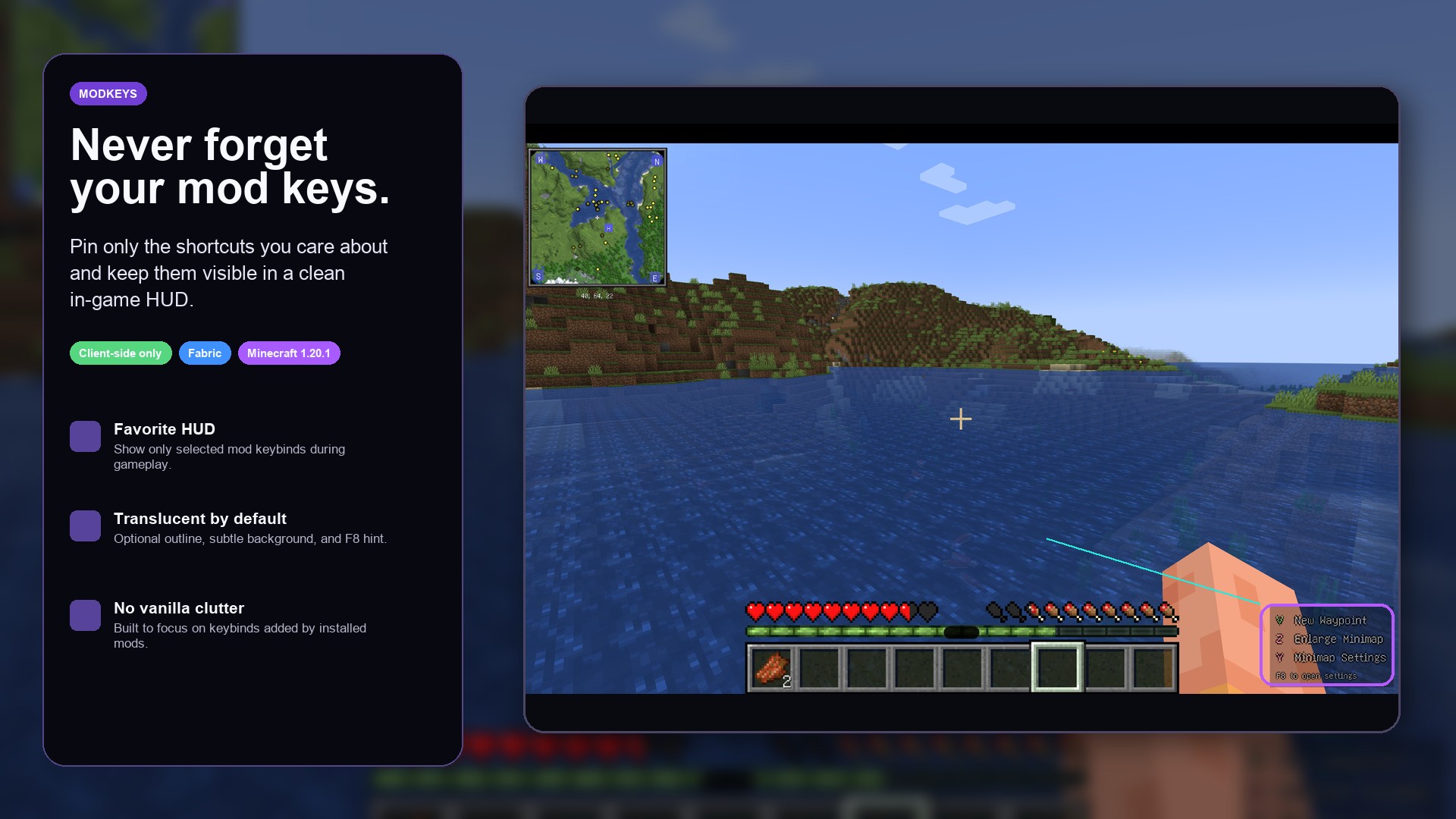 Clean Favorite Key HUD A simple in-game HUD that shows only your favorite mod-added keybinds, keeping the screen clean while you play. お気に入り登録したMod追加キーだけをゲーム画面に表示する、シンプルなHUDです。プレイ中の画面をすっきり保てます。
 -
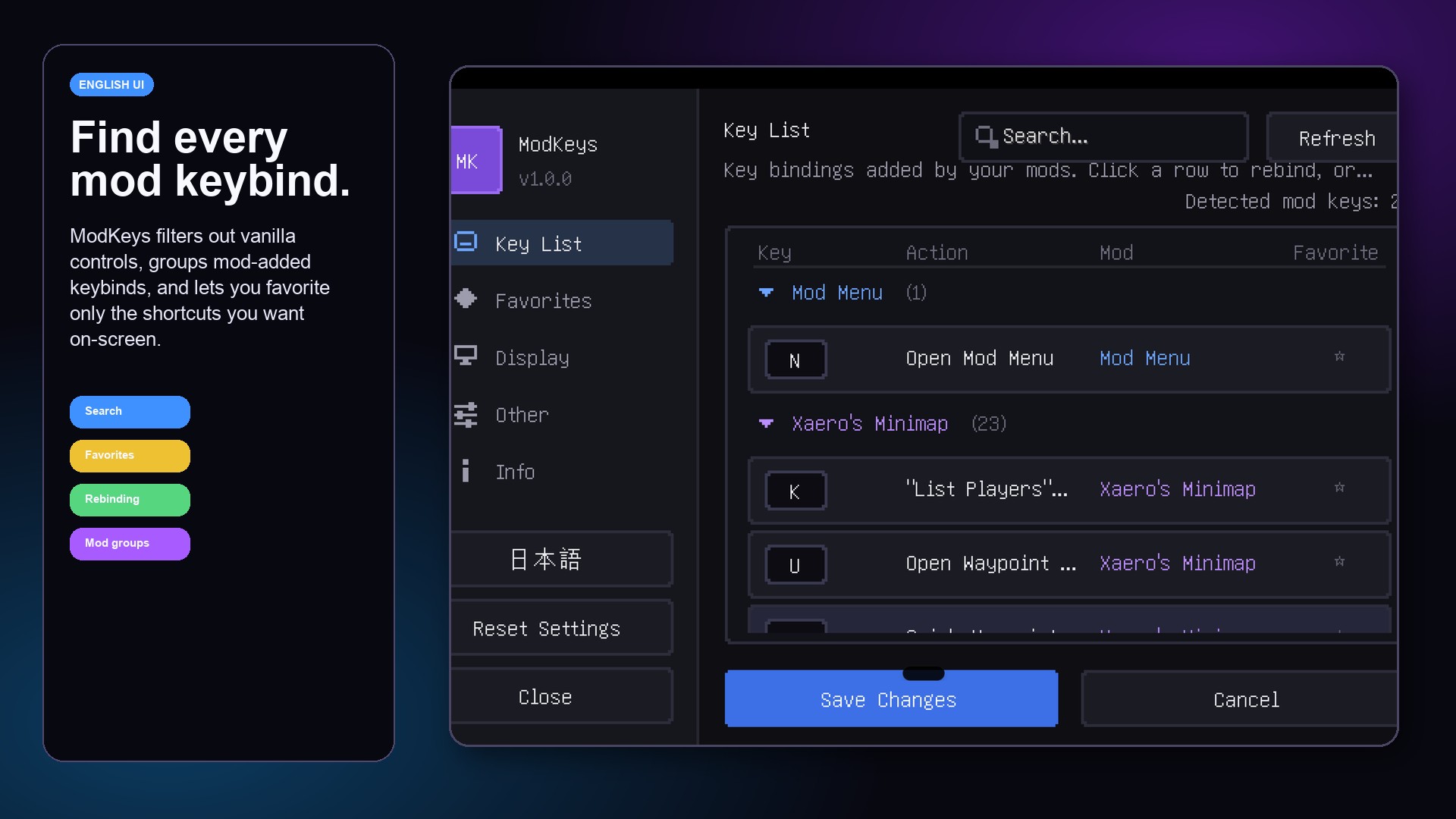 Mod Keybind Manager Browse mod-added keybinds, search through them, and select only the keys you want to show on the HUD. Modによって追加されたキーバインドを一覧で確認し、HUDに表示したいキーだけを選択できます。
 -
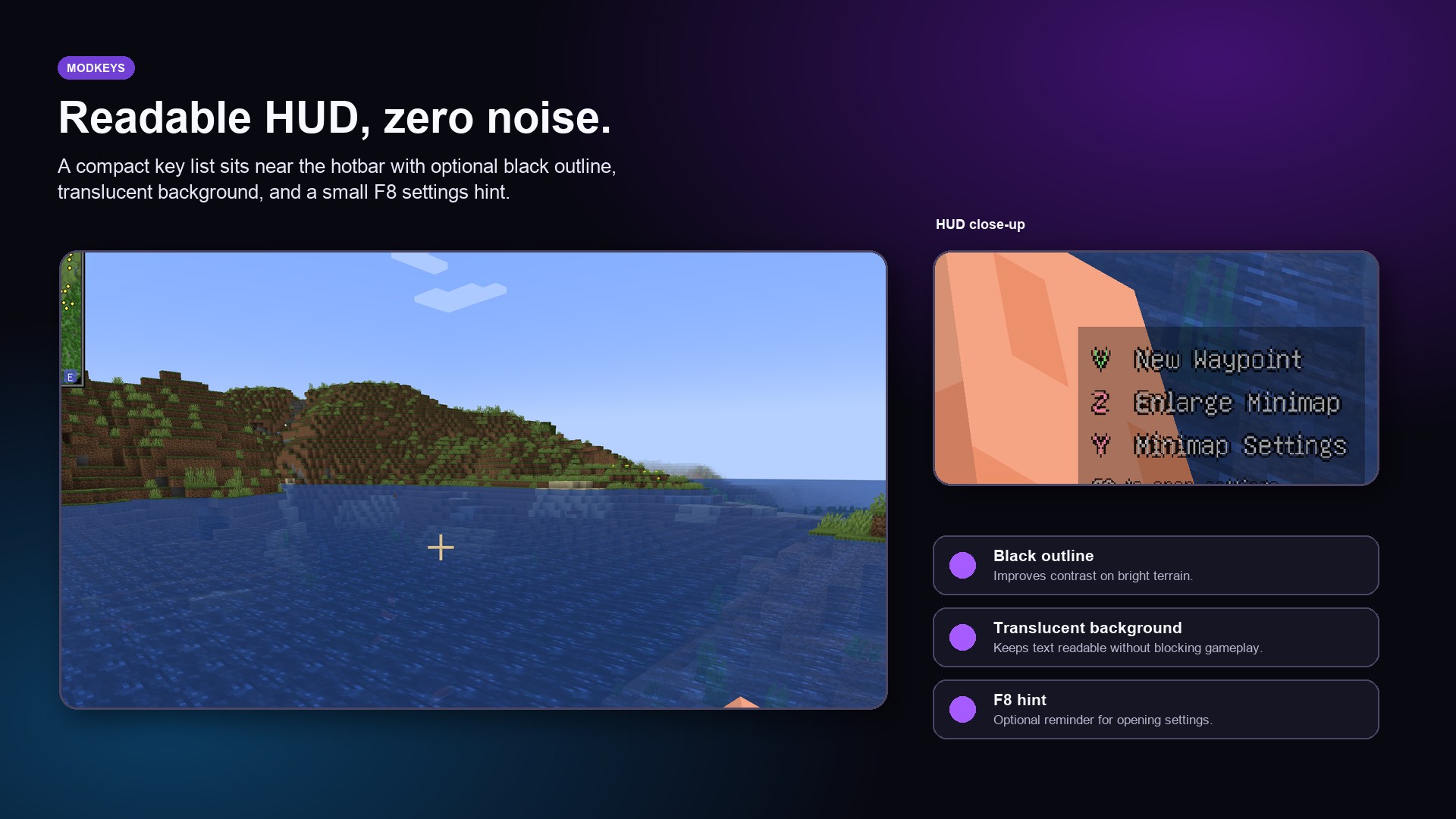 Readable HUD Overlay Favorite keybinds can be displayed with a subtle translucent background, black outline, and optional F8 settings hint. お気に入りキーは、半透明の背景・黒フチ・F8設定ヒント付きで見やすく表示できます。
 -
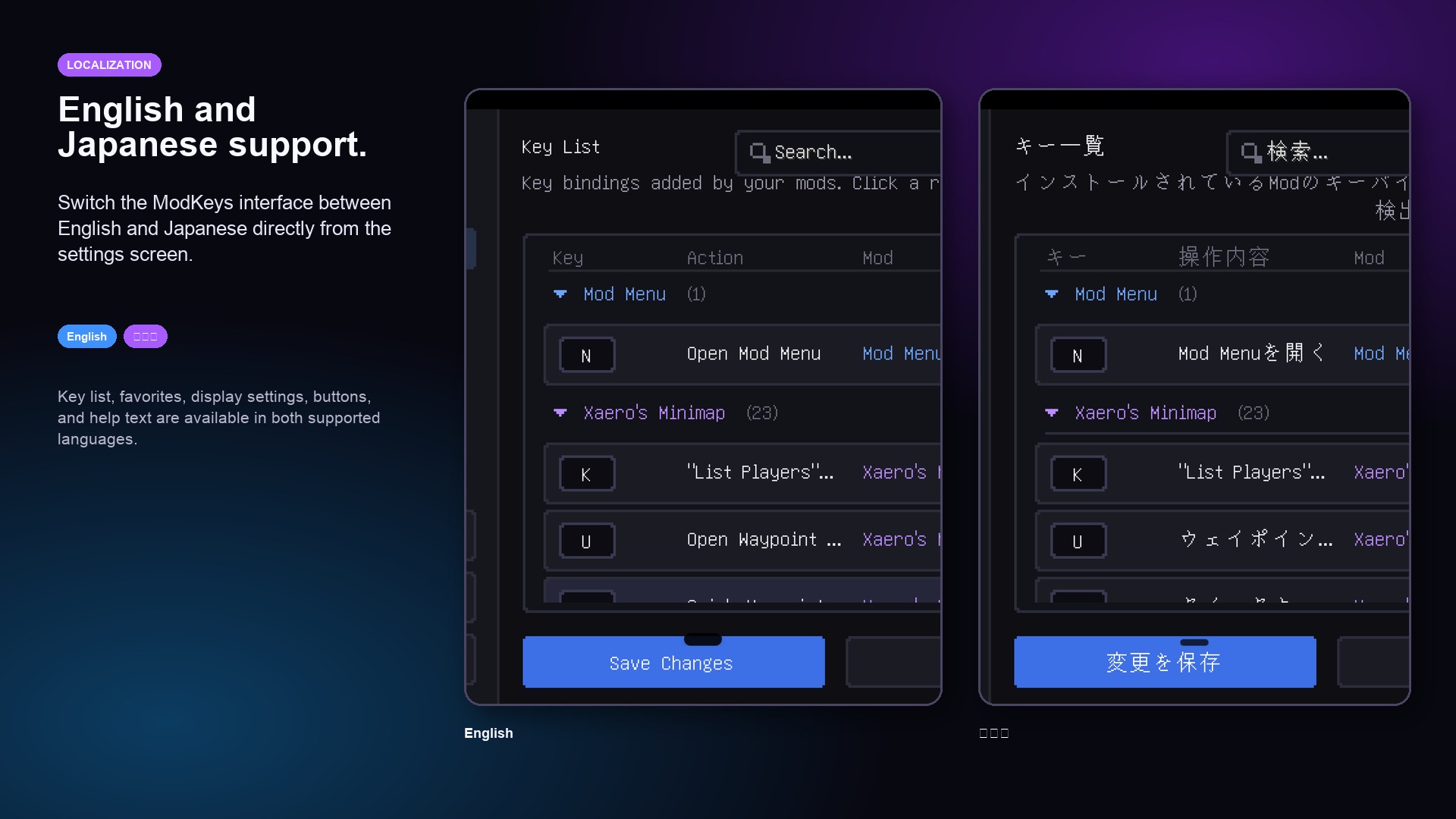 English and Japanese UI Switch the ModKeys interface between English and Japanese directly from the settings screen. 設定画面から、ModKeysのUIを英語と日本語で切り替えられます。
 -
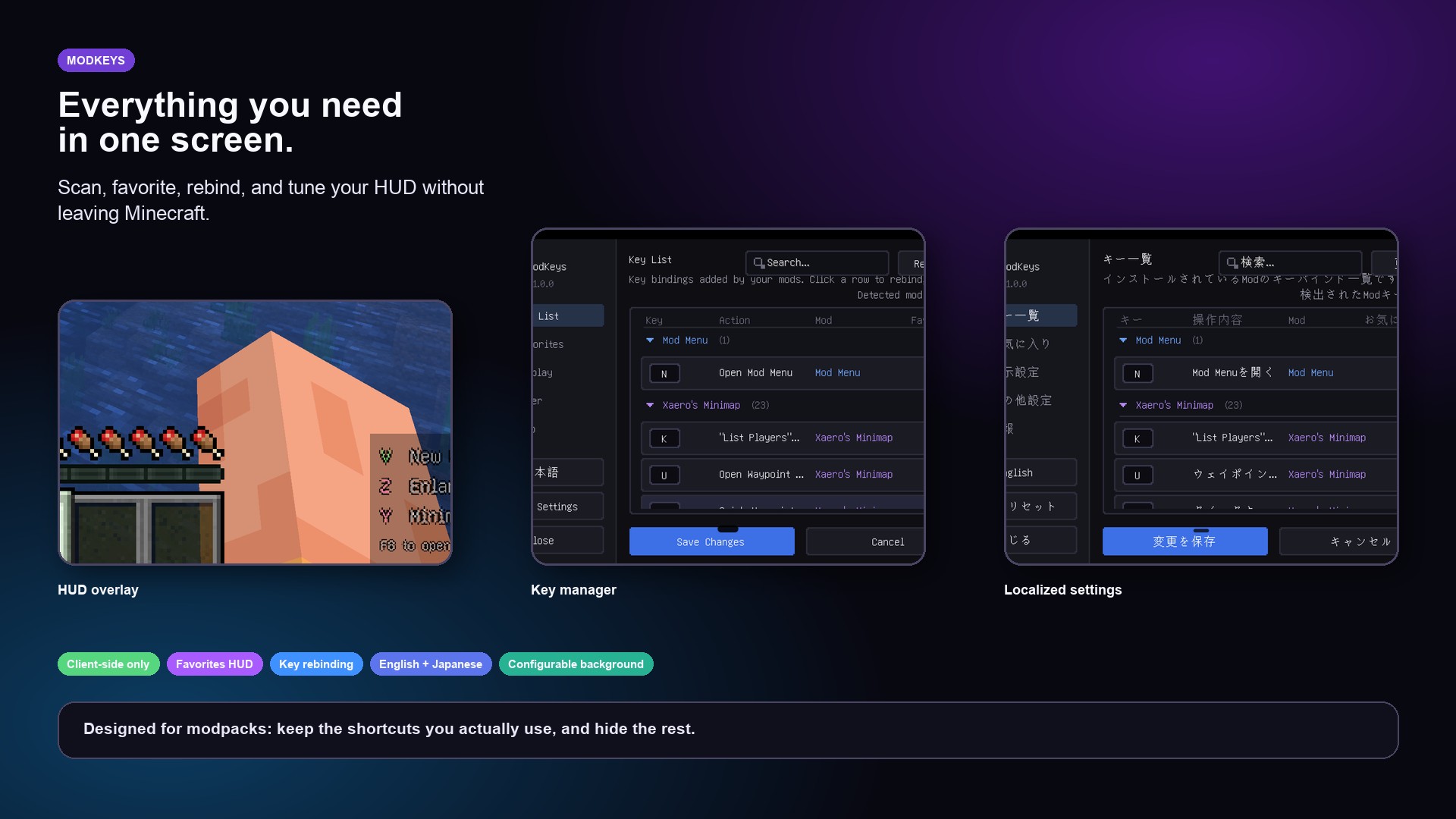 Feature Overview ModKeys includes a favorites HUD, keybind list, language switching, display settings, and client-side configuration. ModKeysには、お気に入りHUD、キー一覧、言語切り替え、表示設定、クライアント側設定機能が含まれています。
Versions
Files
Relations
Project Relations
More like this
Similar Mods
Suggestions use data such as tags, dependencies, dependents, descriptions, titles, and more to rank how much they overlap with this mod.
On ModDex
Community snapshot
By the numbers
Statistics

Want to reach Minecraft players?
We're looking for a server hosting partner to feature here and other parts of the site. Interested? Send us a message!
Get in touchGet it on
Available Platforms
On ModDex
Community snapshot
By the numbers