
Modset Policy Enforcement (MPE)
No reviews yet
This mod has a new concept of Anti Cheat for Minecraft. Instead of looking if the User does move right it sits on the users PC and looks what mods he has installed. With that the user cant even join with mods that have been baned by the Server.
Fabric is a mod loader for versions 1.14+ of Minecraft, particularly popular for client side and optimization mods.
Community voices
Reviews
Click once to include, again to exclude, again to clear
No reviews yet. Be the first to review this project!
Get it on
Available Platforms
 Modrinth
Compatibility
Supported Environments
About
Project Details
For authors
Embed Badge
If you're the author of this project, you can embed a live badge anywhere that supports HTML or Markdown. It updates automatically whenever ratings change.
Use HTML for any page that supports it, or Markdown for README files and Markdown-based descriptions.
Identifiers
Platform IDs
About
Description
Modset Policy Enforcement (MPE)
Ensure fair play on your Minecraft Fabric server with Modset Policy Enforcement (MPE). This mod introduces a new, advanced technique to detect cheaters, providing robust protection against unauthorized modifications.
Key Features
Client and Server Side Protection
The mod must be installed on both the client and server, ensuring consistent and reliable detection.
Mod Verification
Upon connection, the server verifies if the client has the MPE mod installed. Clients without the mod are automatically rejected.
Mod Scanning
The client sends a list of all active mods to the server when connecting.
Banned Mods Enforcement and Config
The server checks the list of client mods against a configurable banned mods list and prevents connections if any prohibited mods are detected.

- On the server, go to
config/anticheat/banned-mods.txt. - In the config file, enter the mod IDs you want to ban.
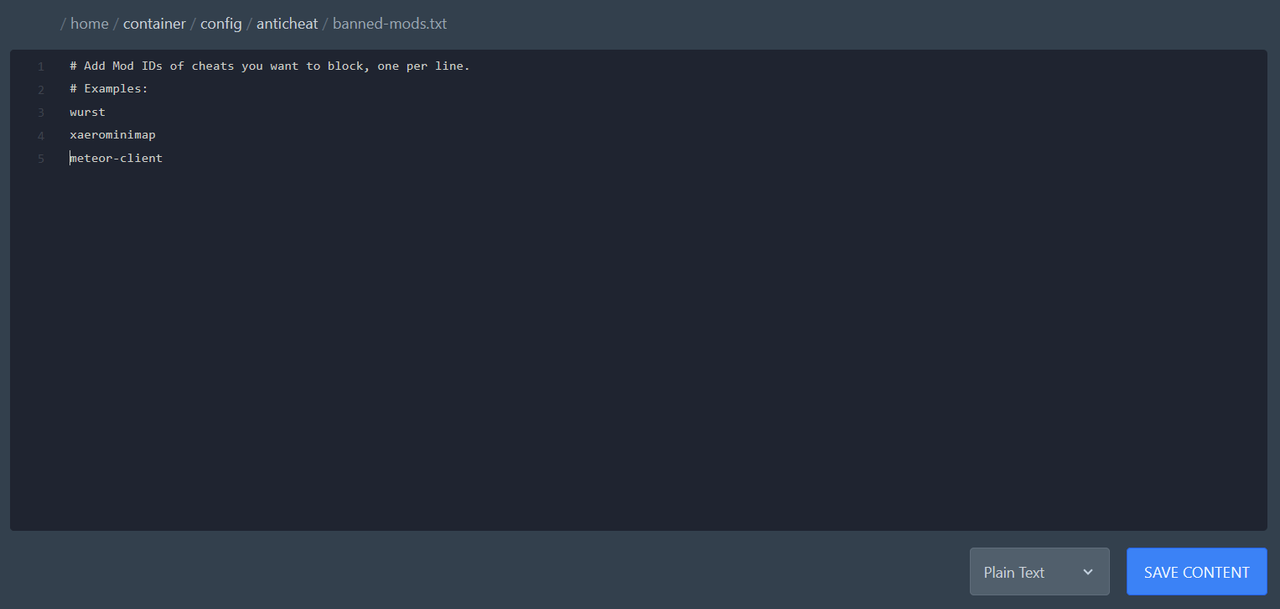
- How to find a mod ID:
- Download the mod you want to ban and rename the file extension from .jar to .zip.
- Open the mod’s ZIP folder (if you cant open it you have extract it first).
- Read the
fabric.mod.jsonfile. - Take the value of the
idfield. Example:{ "id": "meteor-client", "name": "Meteor Client" }→ putmeteor-clientinto the file.
- Each ID must be placed on a new line.
Screenshots
Gallery
-
 Server Log
 -
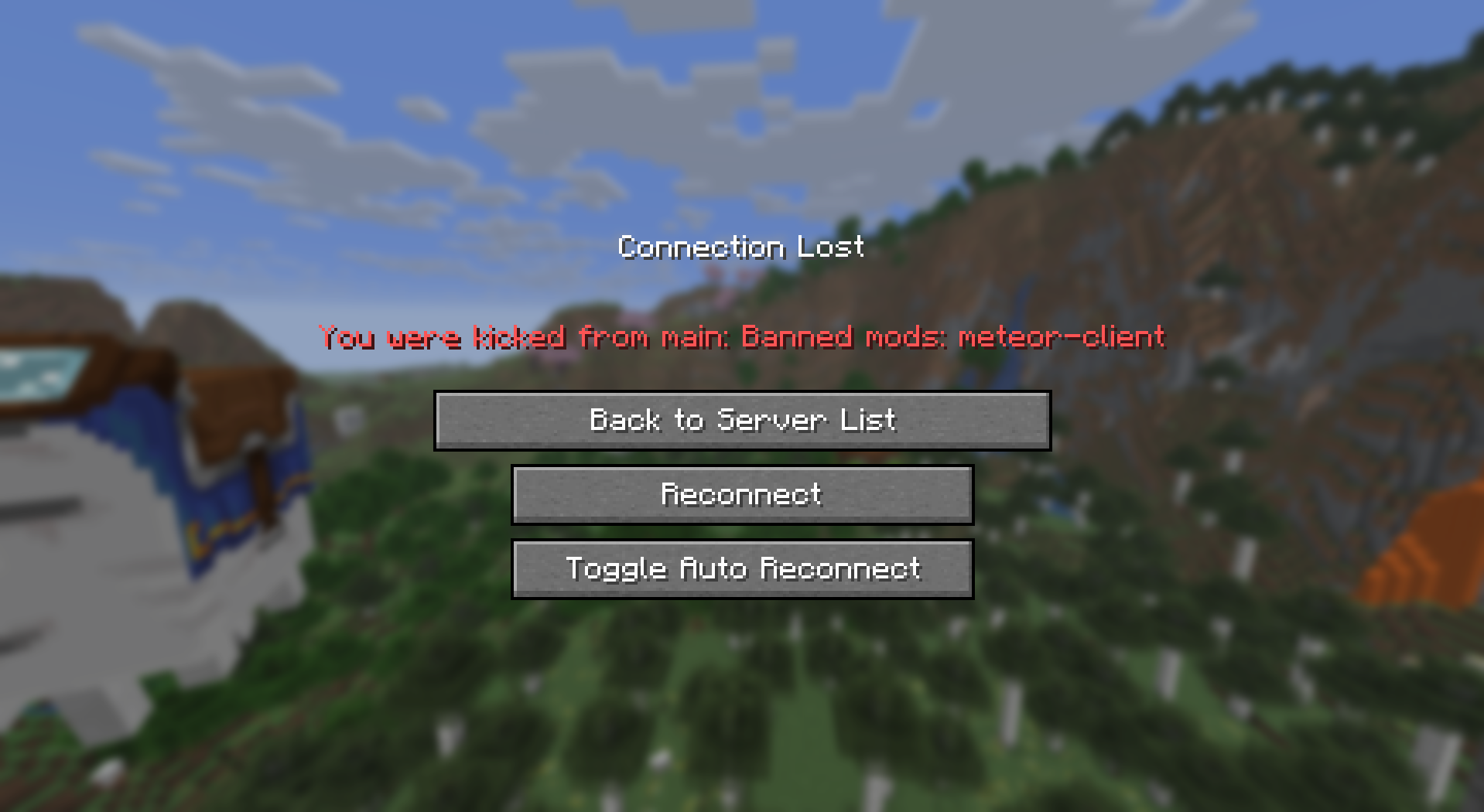 Kicked Player The player got kicked for using Meteor Client.
Versions
Files
Relations
Project Relations
More like this
Similar Mods
Suggestions use data such as tags, dependencies, dependents, descriptions, titles, and more to rank how much they overlap with this mod.
On ModDex
Community snapshot
By the numbers
Statistics

Want to reach Minecraft players?
We're looking for a server hosting partner to feature here and other parts of the site. Interested? Send us a message!
Get in touchGet it on
Available Platforms
On ModDex
Community snapshot
By the numbers