
Community listing page, reviews here may not be monitored by the author.
ModuloGUI

No reviews yet
An all-in-one client-side utility mod for Minecraft 1.21

Community voices
Reviews
No reviews yet. Be the first to review this project!
Get it on
Available Platforms
Compatibility
Supported Environments
Runs entirely on the client. Works on vanilla servers.
About
Project Details
For authors
Embed Badge
If you're the author of this project, you can embed a live badge anywhere that supports HTML or Markdown. It updates automatically whenever ratings change.
Use HTML for any page that supports it, or Markdown for README files and Markdown-based descriptions.
Identifiers
Platform IDs
Resources
External Links
About
Description
ModuloGUI is an all-in-one client-side utility mod for Minecraft 1.21 (Fabric) featuring a polished, windowed in-game GUI for toggling and customizing a wide set of quality-of-life features.
HUD Elements Armor durability, item count, held item durability, coordinates, direction compass, day/time clock, FPS, ping, speed, potion effects, horse stats, block info (shows the block or entity under your crosshair), inventory preview (your inventory rendered on screen in correct slot order), and minimap, all individually positioned and resized with a drag and drop HUD editor, with per-element background, outline, text color, and opacity controls
Keystrokes overlay with live CPS counter
Clumping and Performance XP Clumps and Item Clumps: merge nearby XP orbs or dropped items into a single rendered entity with a count badge, cutting down on clutter and draw calls
Entity and block entity occlusion culling: skip rendering entities and block entities (chests, signs, etc.) that are fully hidden behind blocks
Dynamic FPS: automatically lowers the frame rate cap while the game window is unfocused
Performance mode and crystal optimizer
Inventory Container preview: hover over any chest, shulker box, or bundle to see its contents as a tooltip, with scrolling support for large containers
Mouse Tweaks: hold shift and drag across slots to batch transfer matching items in one motion
Menu Opacity: independently control the background darkening behind inventory screens and the opacity of the inventory panel texture itself
Menu Color Tint: wash inventory screens with your chosen theme color, independent of Menu Opacity
Scrollable tooltips
Gameplay Toggle Sprint and Toggle Sneak
Zoom with smooth, configurable zoom factor and sensitivity
FOV Effects control: independently suppress FOV changes from sprinting, speed potions, elytra, bows, and spyglass; suppress nausea/portal distortion overlay
No fire overlay: hides the fire screen effect without disabling damage
Custom crosshair editor with up to 32x32 pixel grid
AppleSkin integration: food saturation and hunger preview overlays
World Overlays Light level overlay: colored markers on surfaces (red for unsafe, yellow for marginal) with configurable radius and colors
Hitbox renderer with configurable color and in-range highlighting
Block outline customizer
Chunk border renderer with configurable colors and thickness for outer and inner grids
Waypoints with automatic death point tracking
Interface Rebuilt settings screen: a single dense, filterable, searchable feature list with each configurable feature opening in its own independent floating window, so multiple can be tuned side by side
Theme presets (Indigo, Cyan, Amber, Rose, Mono) or fully custom colors for the entire interface
Scoreboard tweaks: hide entirely or show text only without the background panel
Particle effects manager: per-particle visibility, color, and size overrides
Fullbright with configurable gamma value
Chat toggle
All features are toggled and configured from an in-game hub (default key: O) with no need to edit config files. Supports multiple profiles.
Screenshots
Gallery
-
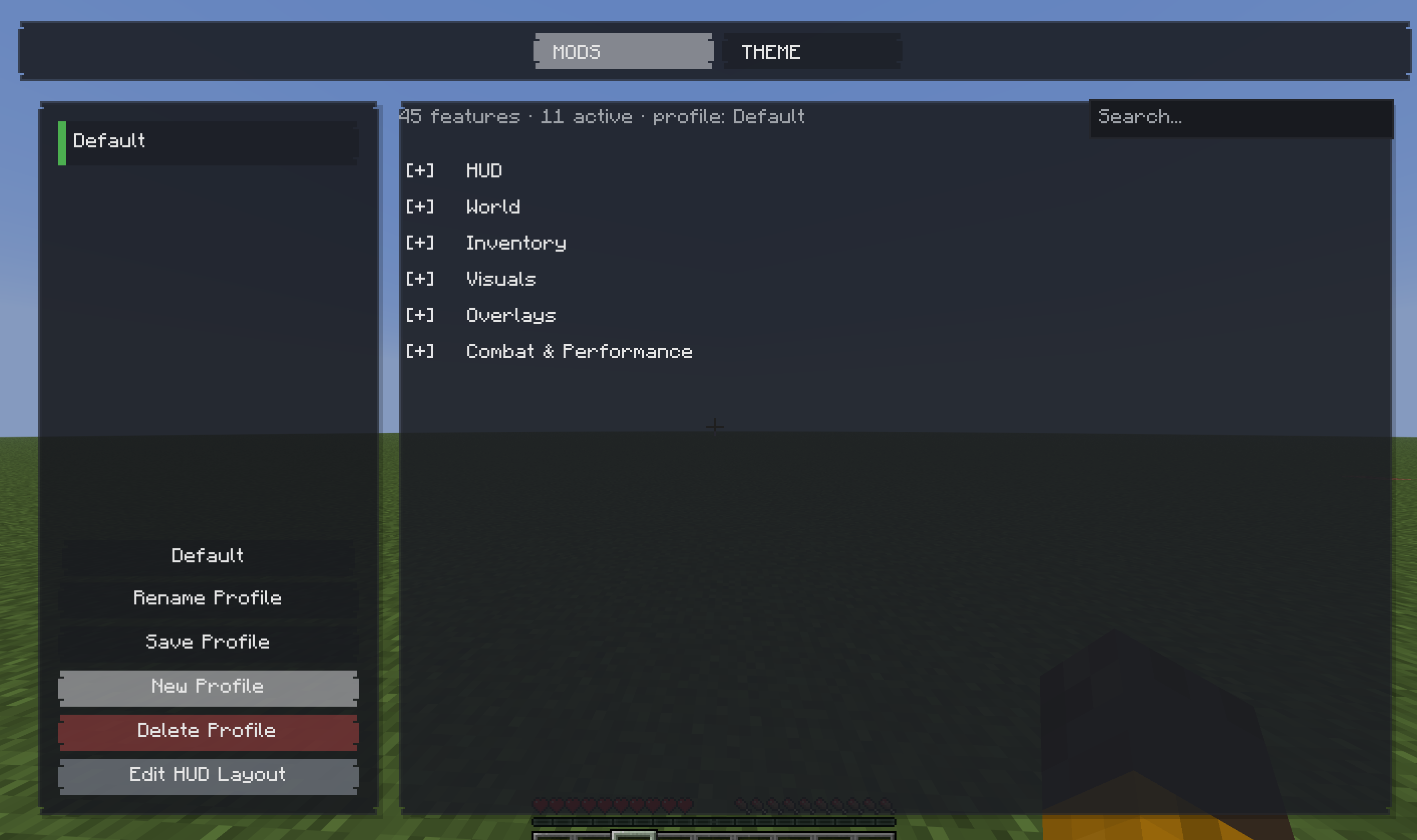 Mod Menu
 -
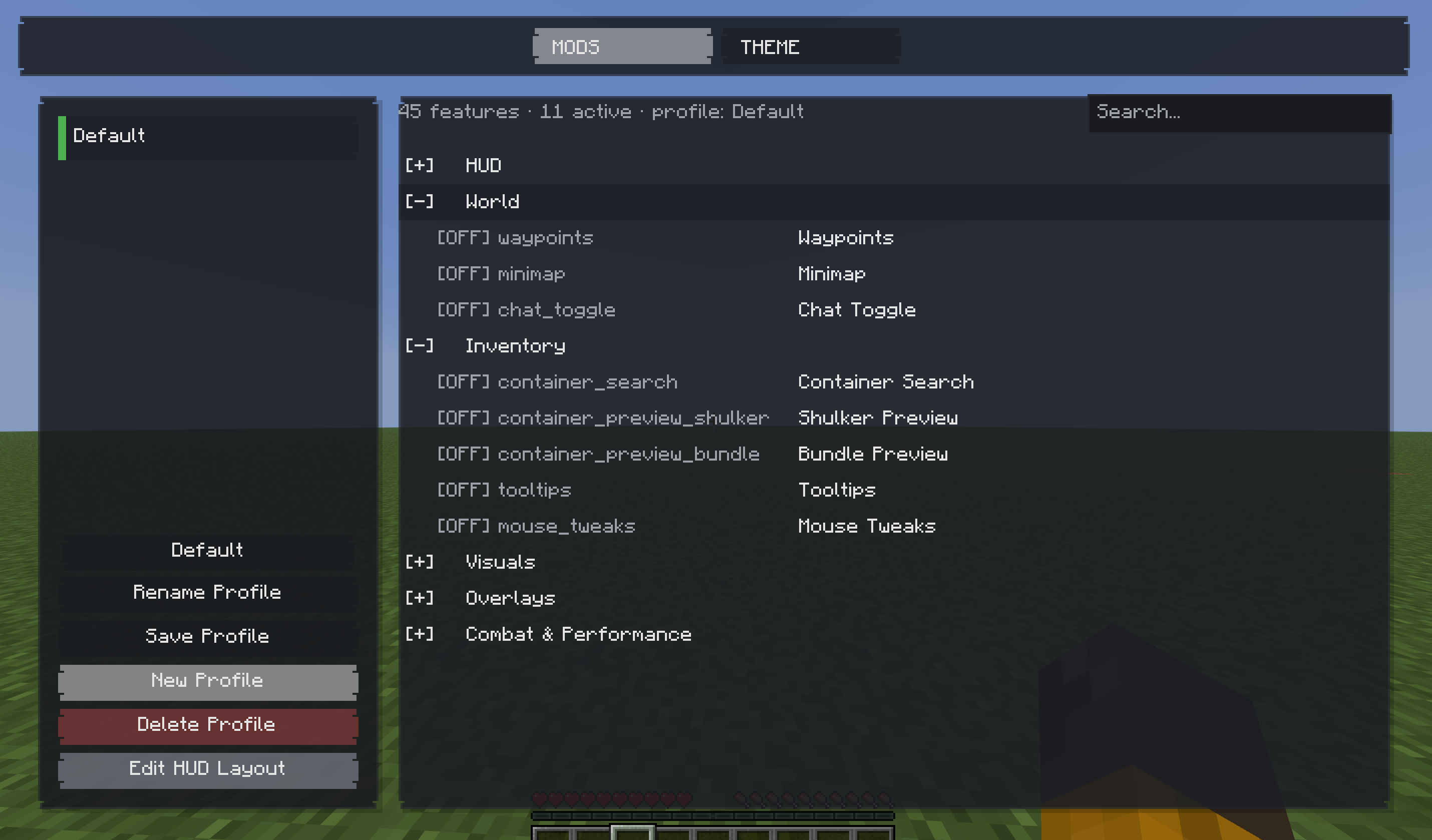 Mod Menu
 -
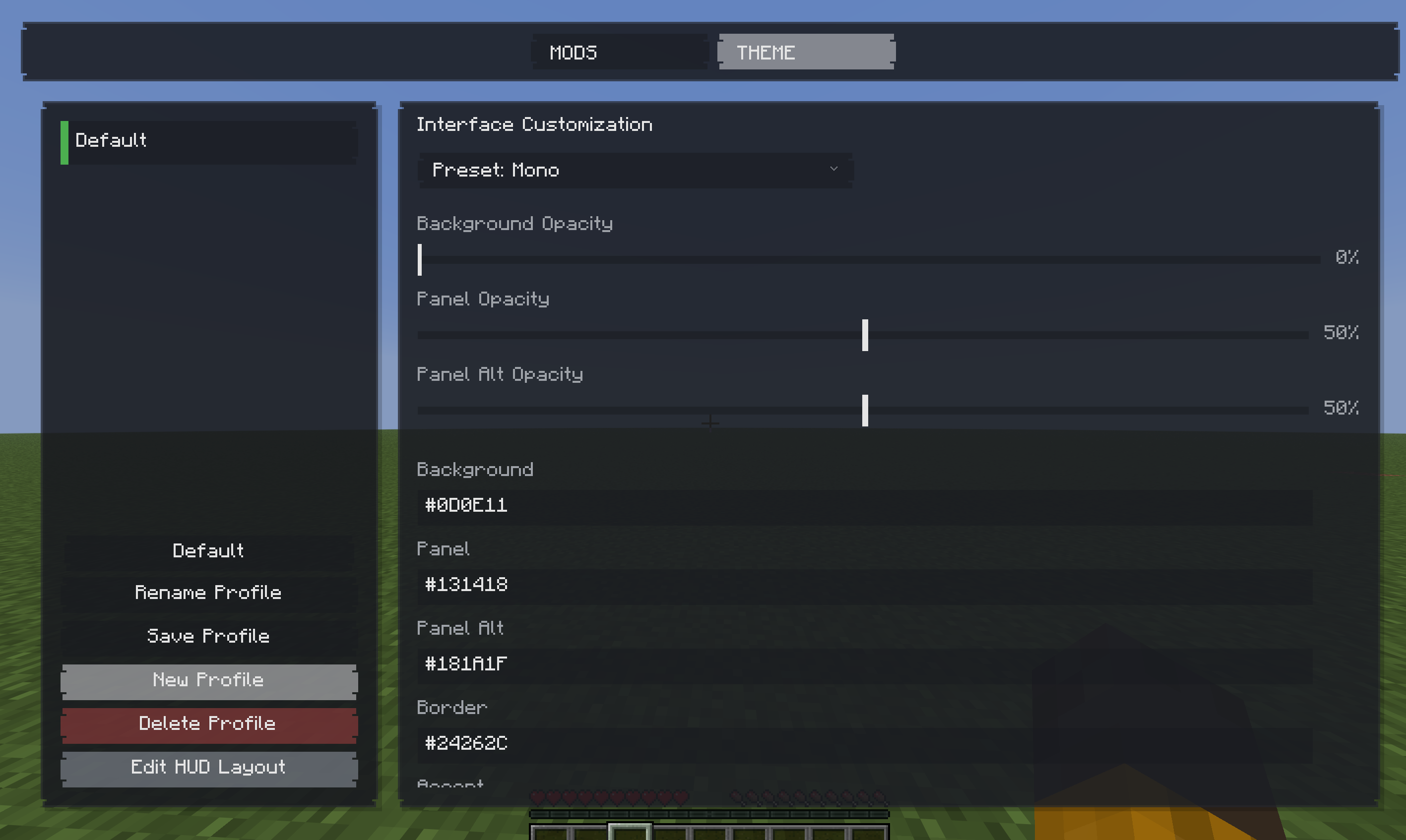 Theme Menu
 -
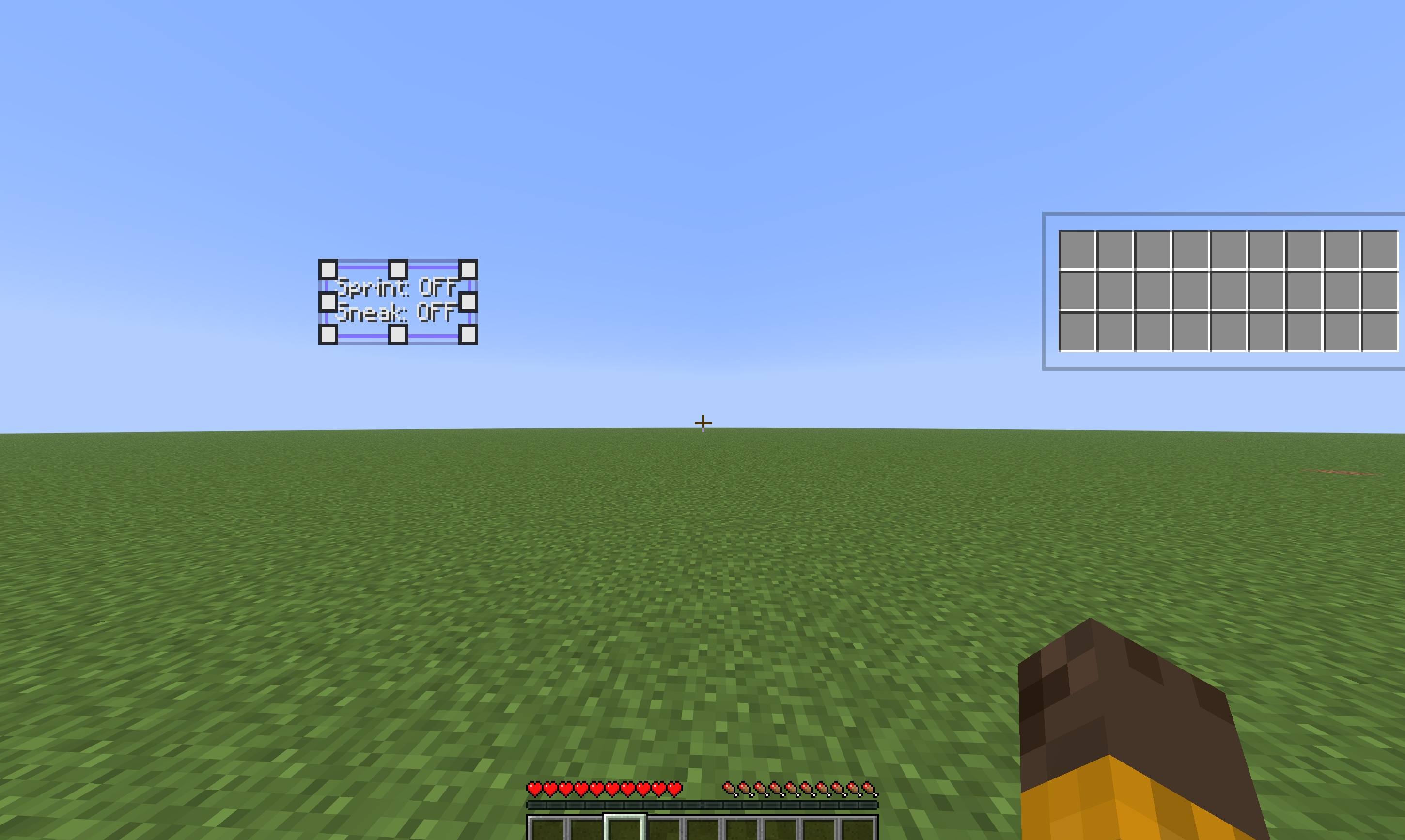 HUD Editor
Versions
Files
Relations
Project Relations
More like this
Similar Mods
Suggestions use data such as tags, dependencies, dependents, descriptions, titles, and more to rank how much they overlap with this mod.
On ModDex
Community snapshot
By the numbers
Statistics

 (opens in a new tab)
Get it on
Available Platforms
On ModDex
Community snapshot
By the numbers
Statistics
Resources