Community listing page, reviews may not be monitored by the author.
Money&Coins

No reviews yet
Make your own economy in minecraft with this mod !

Community voices
Reviews
No reviews yet. Be the first to review this project!
Get it on
Available Platforms
About
Project Details
For authors
Embed Badge
If you're the author of this project, you can embed a live badge anywhere that supports HTML or Markdown. It updates automatically whenever ratings change.
Use HTML for any page that supports it, or Markdown for README files and Markdown-based descriptions.
Identifiers
Platform IDs
Resources
External Links
About
Description
Do you want a money system for your next minecraft server ? I got the mod you need !
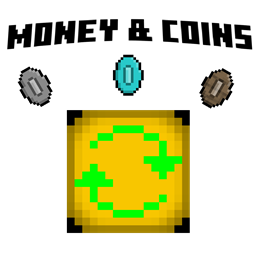
This minecraft mod add 6 tiers of coins (wood, stone, iron, gold, diamond and netherite) of differents values.
The principe is simple : each next tier is 50x more valuable than the previous one.
For example,
- 50 woods coins is 1 stone coin.
- 5'000 stones coins is 2 golds coins.
- 1 netherite coin is... 312'500'000 woods coins !
Start now by crafting your first coin !
 (it work with any wood)
The coins purpose are only for players, since the mod doesn't affect villager's trades for now.
The coins can stack up to 50 max instead of 64.
Your amount is calculated in $, which is based on the wood coin value.
If you have for example 3 stones coins and 3 woods coins, you would have 153 $.
Coin Menu :
The coin menu can be open by pressing the key "0" (zero) on your keyboard.
It looks like this :

Above is writted your total money IN THIS MENU in $.
To put coins in this menu, you just need to right click your coin(s) in the hand (shift right click to put multiple coins at once).
The option "Take 1" takes 1 coin of this tier and put it in your inventory, the option "Take 25" takes 25, and the option "Take all" takes them all. (pretty straightforward, isn't it ?)
Convertion and crafting :
There is only one block added in this mod, and it's the converter.

The converter can convert 50 lower tier coins to a higher tier coin. You just need to put your coins in it like this :

The craft of the table is fairly simple, but the player need to have a bit of ressources first :

Want to downgrade your coins now ? No worries, you can do that simply from your inventory !

Gamerules and Coin Drop :
(Added in version 1.1.0)
Your Coin Menu isn't perfectly safe. If you die, a portion of your money will drop on the floor.

There is two new gamerule to customize that :
coinDropRate (number)
Set the proportion of coins which will be drop upon player's death.
The proportion is calculated in tenth of pourcent : 0 is disabled, and 1000 makes all your money drop.
Default is 50.
doDroppedCoinDespawn (boolean)
This gamerule set if dropped coins upon death despawn.
If false, dropped coin won't despawn.
Default is true.
Commands and Scoreboard :
Every time you put or take a coin from your menu, a little message will be visible in your action bar that will show you how much money you gain/lost from this menu :

This money is stored in a scoreboard, so you can do a leaderboard to know who is the richest !
The scoreboard is named "Coins". You can access it with vanilla commands.
Two custom command were added : /coinsmod (for modderators) and /coins (for players).
For players :
/coins pay [player] [amount]
Transfer the specified amount of money from you to the player specified. Can't be above your amount of money.
/coins recalculate
Recalculate your money to sync it with the scoreboard. It normally automatically sync, but we never know.
Since 1.1.0, the coin scoreboard recalculate automatically when you close your coin menu, so this command is quite useless now, but we never know.
/coins sell offer [player] [price] [message]
You make a sell offer with the item(s) in your main hand to the player specified in the command at the price you wrote in it. The other player will be notified and have 5 minutes to accept it or it will be automatically refused (you will retrieve the item(s)). You have 10 minutes of cooldown before you can make another offer. The message option can be whatever you want and will be seen by the other player.
/coins sell offer everyone [price] [message]
Same as the command above, but your offer can be accepted by anyone.
/coins sell cancel
It will cancel your current sell offer, and you'll retrieve the item(s). You'll still be in cooldown.
/coins sell review [player]
Review the offer the player made you (it will basically send you another message with all the info) without accepting it.
/coins sell accept [player]
You will accept the sell offer this player made to you, get the item(s), and pay the seller. You can't accept an offer if you don't have the money to afford the item(s).
/coins sell decline [player]
You will decline the sell offer this player made to you and he will get the item(s) back. If it's an offer to everyone, nothing will happen.
For moderators:
/coinsmod get [player(s)]
Tell you the player's actual money (in the Coins Menu)
/coinsmod add [player(s)] [number] [silent]
Give player(s) a certain amount of money. If silent is true, the player won't be messaged.
/coinsmod remove [player(s)] [number] [silent]
Remove player(s) a certain amount of money (can't go below 0). If silent is true, the player won't be messaged.
/coinsmod reset [player(s)] [silent]
Reset player(s) money (set it to 0). If silent is true, the player won't be messaged.
/coinsmod recalculate [player(s)] [silent]
Recalculate player(s)'s money to sync it with the scoreboard. It normally automatically sync, but we never know. If silent is true, the player won't be messaged.
This project is all right reserved for now, but you can put it in your modpack and share it with your friends !
This mod was entirely made on MCreator ! Here is the link of the editor app : https://mcreator.net


Screenshots
Gallery
Versions
Files
Relations
Project Relations
More like this
Similar Mods
Suggestions use data such as tags, dependencies, dependents, descriptions, titles, and more to rank how much they overlap with this mod.
On ModDex
Community snapshot
By the numbers
Statistics

Get it on
Available Platforms
On ModDex
Community snapshot
By the numbers
Statistics
Resources