
MonkeyCraft
No reviews yet
MonkeyCraft is a game streaming server mod that streams the Minecraft gameplay with a mobile phone or a tablet, similar to Sunshine + Moonlight, but dedicated for Minecraft.
Fabric is a mod loader for versions 1.14+ of Minecraft, particularly popular for client side and optimization mods.
Community voices
Reviews
Click once to include, again to exclude, again to clear
No reviews yet. Be the first to review this project!
Get it on
Available Platforms
 Modrinth
Compatibility
Supported Environments
About
Project Details
For authors
Embed Badge
If you're the author of this project, you can embed a live badge anywhere that supports HTML or Markdown. It updates automatically whenever ratings change.
Use HTML for any page that supports it, or Markdown for README files and Markdown-based descriptions.
Identifiers
Platform IDs
About
Description
🐒 MonkeyCraft
Play Minecraft from anywhere. Really anywhere.
Stream and control your Minecraft game from your phone



iOS client 1.4.1 is now available on the Apple App Store. Android client is not publicly released yet; Google Play closed-testing and production-release preparation is in progress. Please refer to the wiki for the latest client release information.
📱 Mobile App Availability
- iOS 1.4.1 — Available on the Apple App Store.
- Android — Not publicly released yet. Google Play closed-testing and production-release preparation is in progress; Android public availability will be announced separately.
✨ What Can You Do?
MonkeyCraft lets you play Minecraft remotely from your iOS or Android phone.
🎮 Imagine these scenarios:
- 🛋️ Couch Gaming — Keep playing while someone else uses the computer
- 🚇 On the Go — Continue your world from your phone during commute
- 🏠 Around the House — Check on your farm or AFK fishing from anywhere
- 👥 Share Your Game — Let a friend play on your world from their phone
🎯 Features
📹 Live Video Streaming
Watch your Minecraft game in real-time on your phone with:
| Setting | Options |
|---|---|
| 📐 Resolution | Low, Medium, High |
| 🎨 Color Mode | Normal, High Perf (12-bit), Retro (6-bit), Grayscale |
| ⚡ FPS | 1–20 frames per second |
🗺️ 2D Map Mode
Switch to a top-down view of the world around you, streamed as H.264 video just like the first-person feed. Handy for navigation, base layout, or following someone else on the server.
🕹️ Touch Controls
Full gameplay control with intuitive touch interface:
| Control | Action |
|---|---|
| 🕹️ Virtual Joystick | Move around (WASD) |
| 👆 Look Pad | Look around by dragging + tap to click |
| 🦘 Jump Button | Jump (Space) |
| 🦆 Sneak Button | Sneak/crouch (Shift) |
| 🔢 Hotbar | Select items in your hotbar |
| 🧭 Auto-Face Movement | Optional: Automatically face movement direction |
💬 Chat System
- 📨 Send Messages — Chat with other players on the server
- 📥 Receive Messages — See all incoming chat with rich formatting
- 🔗 Click Links — Tap on links and commands in chat
🔔 Smart Notifications
Stay informed even when not actively playing:
| Type | Description |
|---|---|
| ⏰ Timed Notification | Get reminded at a specific time with countdown |
| 📳 Instant Nudge | Receive immediate alerts from in-game events |
🎵 Spatial Audio
When the server you're on runs OpenAudioMc or the MCParks v1 audio system, MonkeyCraft can route the audio session to your phone:
- 🎧 Server-side spatial audio — voice, ambience, music played by the server reaches your phone
- 🔊 Volume slider — adjust MCParks playback volume independently in Settings
- 🔁 Soft-refresh on resume — when the app returns from background, the audio session reconnects without a full re-pair
😴 Hibernation Mode
Need to step away but stay connected?
- ⏸️ Pause Streaming — Stops video to save bandwidth
- 🔗 Keep Connection — Stays logged in to the server
- 💬 Chat Available — Still send and receive messages
- 📱 Live Activity (iOS) — See countdown on your lock screen
🧭 Remote Server Join
Connect from your phone while Minecraft is still at the title screen:
- 📋 Saved server list — browse the multiplayer servers saved on your client
- ⌨️ Direct connect — type any server address to join
- 🚪 Hands-free — with Start Server at Launch enabled, pick and join a server entirely from the app
🔐 Secure Connection
- 🛡️ Password Protected — Only those with your password can connect
- 🔒 HMAC Authentication — Cryptographic challenge-response
- 🌐 Network Control — Restrict to localhost, local network, or anywhere
- 📱 QR Code Setup — Quick scan to enter password
🎮 How It Works
1️⃣ Install the Mod
Install the MonkeyCraft mod on your Fabric Minecraft client (1.19, 1.21.11, or 26.1+).
2️⃣ Start the Server
In Minecraft, type /monkey start to launch the WebSocket server.
3️⃣ Connect Your Phone
Open the MonkeyCraft app on your phone and:
- Enter your computer's IP address and port (default: 9600)
- Scan the QR code displayed in-game, or
- Enter the password manually
4️⃣ Play!
Your Minecraft view appears on your phone. Use the touch controls to move, look, jump, and interact with the world.
⚙️ Configuration Options
Access settings via /monkey config or through ModMenu:
| Option | Default | What It Does |
|---|---|---|
| 🚪 Port | 9600 | The port number for connections |
| 🔑 Password | Random | Your connection password |
| 🌍 Who Can Connect | My local network | Base scope: This computer only / My local network / Anyone |
| 🔐 Tailscale Access | If detected | Accept Tailscale (100.64.0.0/10): If detected / Always / Never |
| ✅ Command Allowlist | All allowed | Which commands can be run remotely |
| ❌ Command Denylist | op, deop | Blocked commands |
| 🚀 Auto-Launch | Off | Start server automatically when joining a world |
| 🟢 Start Server at Launch | Off | Start the server when Minecraft finishes loading, so the app can connect from the title screen |
| 🔗 Allow Remote Server Join | On | Let the connected app make this client join a multiplayer server |
📋 In-Game Commands
| Command | Description |
|---|---|
/monkey |
Show help (also prints your IPs while the server is running) |
/monkey start |
Start the WebSocket server |
/monkey stop |
Stop the server |
/monkey config |
Open settings screen |
📱 App Screens
| Screen | Purpose |
|---|---|
| 🔐 Login | Enter server details and password |
| 🧭 Server Picker | Choose a multiplayer server to join when the client is at the title screen |
| 📹 Stream | Main gameplay with video and controls |
| 💬 Chat | Dedicated chat interface |
| ⚙️ Settings | Adjust video quality and preferences |
🚀 Getting Started
Supported Versions
| Minecraft Version | Java | Mod Location |
|---|---|---|
| 26.1+ | 25+ | mods/26.1/ |
| 1.21.11 | 21+ | mods/1.21.11/ |
| 1.19 | 17+ | mods/1.19/ |
Install Steps
- Install Fabric — Download from fabricmc.net
- Download MonkeyCraft — Get the mod JAR for your Minecraft version
- Install Mod — Place in your
modsfolder - Get the App
- iOS: Download MonkeyCraft from the Apple App Store
- Android: Google Play release preparation and closed testing are coming soon; Android is not publicly available yet
- Connect & Play!
Building from Source
# Build for Minecraft 26.1 (needs Java 25)
cd mods/26.1 && ./gradlew build

# Build for Minecraft 1.21.11 (needs Java 21)
cd mods/1.21.11 && ./gradlew build

# Build for Minecraft 1.19 (needs Java 17)
cd mods/1.19 && ./gradlew build

# Build Flutter app
cd flutter/monkeycraft && flutter build apk
❓ FAQ
Can I play on a server?
Yes! MonkeyCraft streams your Minecraft client, so you can play on any server or singleplayer world.
Is there lag?
Video is encoded and streamed in real-time. For best results:
- Use a strong WiFi connection
- Lower resolution/FPS if needed
- Keep your computer close to your router
Can multiple phones connect?
Only one phone can connect at a time.
Does it work over the internet?
By default, connections are restricted to your local network. You can enable internet access in settings, but proceed with caution.
What commands can I run remotely?
By default, all commands are allowed except op and deop. Configure allowlist/denylist in settings.
Made with ❤️ by weikengchen
Screenshots
Gallery
-
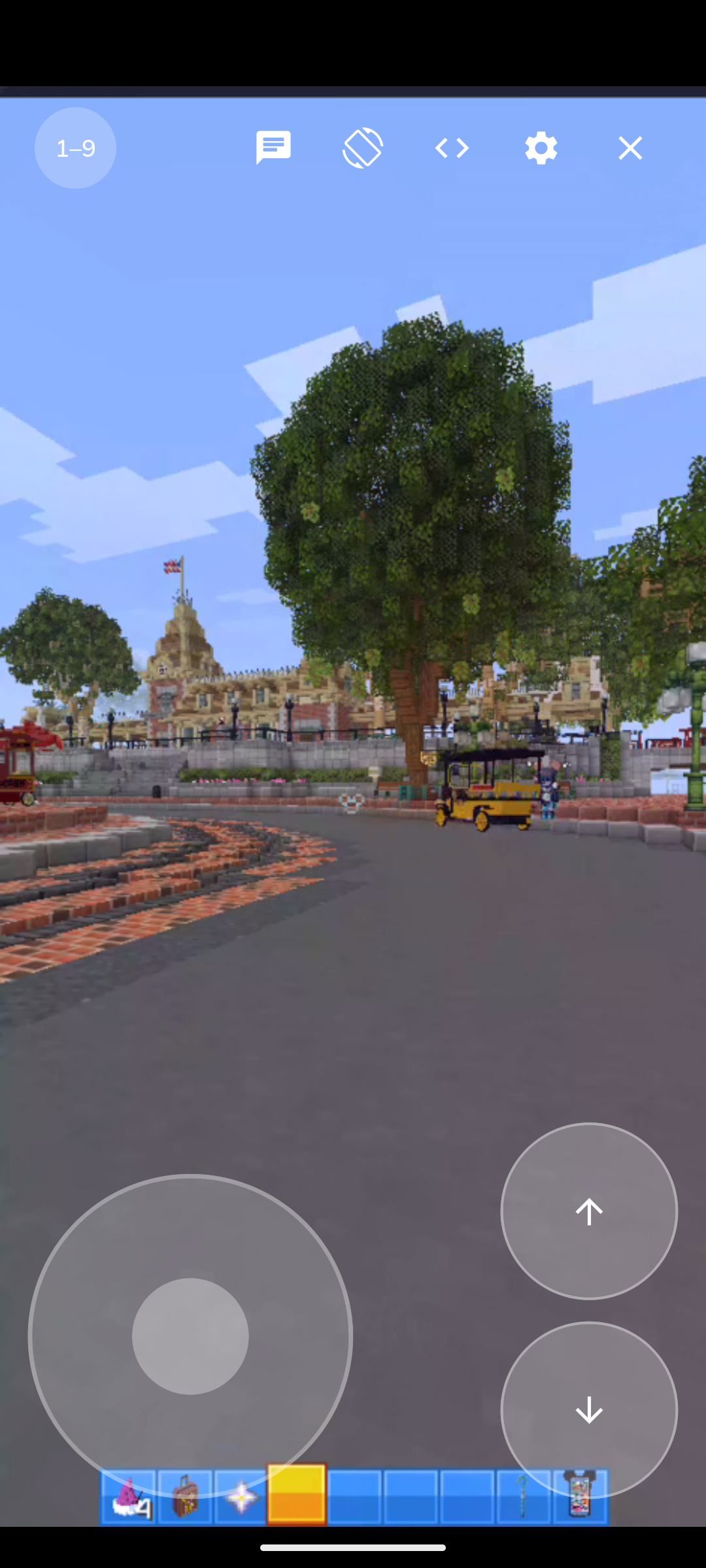 Screen shot on an Android phone simulator
 -
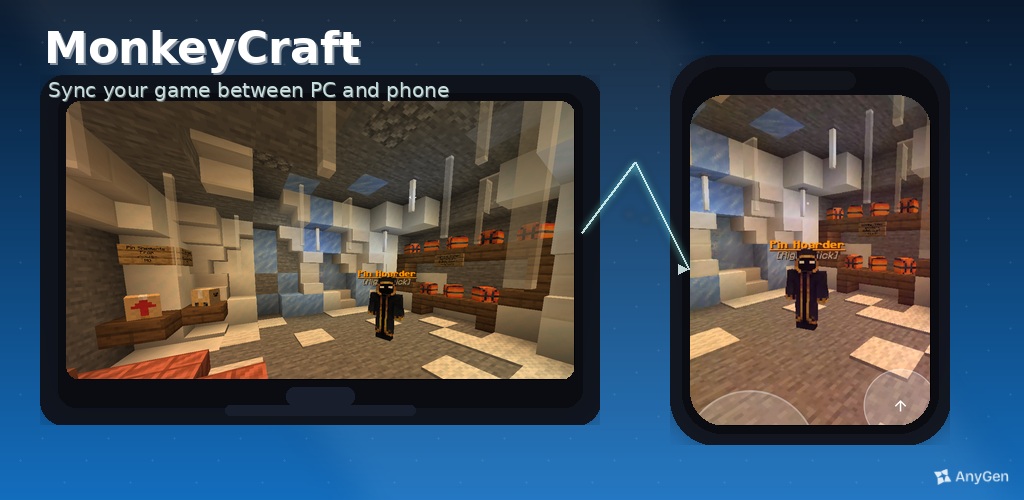 Feature Graphics This shows how the PC screen projects to the mobile app.
Versions
Files
Relations
Project Relations
More like this
Similar Mods
Suggestions use data such as tags, dependencies, dependents, descriptions, titles, and more to rank how much they overlap with this mod.
On ModDex
Community snapshot
By the numbers
Statistics

Want to reach Minecraft players?
We're looking for a server hosting partner to feature here and other parts of the site. Interested? Send us a message!
Get in touchGet it on
Available Platforms
On ModDex
Community snapshot
By the numbers