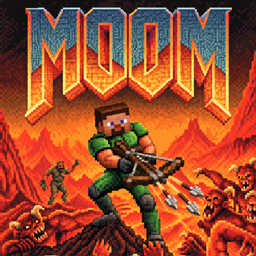
Community listing page, reviews may not be monitored by the author.
MOOM - DOOM

No reviews yet
Play DOOM's first episode inside Minecraft with cuboid monsters, Minecraft-style weapons and augments. Install the JAR and open a singleplayer world; MOOM automatically prepares the maps on first launch.

Community voices
Reviews
No reviews yet. Be the first to review this project!
Get it on
Available Platforms
About
Project Details
For authors
Embed Badge
If you're the author of this project, you can embed a live badge anywhere that supports HTML or Markdown. It updates automatically whenever ratings change.
Use HTML for any page that supports it, or Markdown for README files and Markdown-based descriptions.
Identifiers
Platform IDs
Resources
External Links
About
Description
MOOM - DOOM
Play DOOM's first episode inside Minecraft Java with Minecraft-style weapons, custom cuboid monsters and run-specific augments.
This revised public release starts at 0.1.0. Install the JAR and open an ordinary singleplayer world to reach the DOOM lobby.
Requirements
- Minecraft Java 1.21.11 and Java 21
- Fabric Loader 0.19.3 or newer
- Fabric API 0.141.4+1.21.11
- Internet access for the first automatic setup
Installation
- Install Minecraft 1.21.11 with Fabric Loader and Fabric API.
- Close Minecraft. Remove older MOOM or Nether Breach JARs from the active
modsdirectory, then putmoom-0.1.0.jarinto it. - Start Minecraft normally and create or open an ordinary singleplayer survival world.
- MOOM automatically prepares the first episode and opens the DOOM lobby. Choose a mode to play.
No setup ZIP, Python, manual command or separately supplied WAD is needed for the default first episode.
During the first setup, MOOM downloads the unchanged doom95.zip shareware archive from the GWDG id Software FTP mirror. It verifies the shareware WAD's SHA-256, then imports E1M1–E1M9, textures, HUD and effects locally using its built-in Java importer. With valid cached data, later launches work offline without another download. Missing or damaged cached data may need to be downloaded again.
The normal title screen and world selection remain available. MOOM uses a separate arena dimension inside the world you open; it does not replace the overworld terrain. Your entry position, inventory and game mode are backed up and restored when leaving the run. Reopening a world enters the lobby again; unfinished run progress does not resume.
Existing manually imported data is retained and takes priority. Registered episodes are not included in the automatic setup. If setup fails, restore connectivity and use the in-game Retry button, or return to the ordinary world.
Features
- Eight weapon slots, including a piston fist, crossbows, chicken-powered rapid fire, throwable TNT, a guardian beam and a portable stonecutter.
- Ten monster identities with custom cuboid models and animations.
- Normal progression, four challenges and an endless mode that retains growth between loops.
- 24 core augments and three repeatable growth choices. Each offer contains choices from one rarity tier.
- Mouse-operated menus, hold-Shift augment details, an automap and owned-augment view.
- Ten interface languages, including English and Korean.
Controls
| Input | Action |
|---|---|
| WASD and mouse | Move and aim |
| Right mouse button | Fire/use equipped weapon; charged weapons have their own timing |
| 1–8 | Select an unlocked weapon |
| G | Use a nearby door/switch; open mode selection in the lobby |
| Tab | Cycle map, owned augments and gameplay |
| Shift in augment screens | Hold for detailed effects and tradeoffs |
| Esc | Pause menu, settings, abandon run or quit |
Current modes and limitations
Challenges currently use E1M1: melee-only, reduced health with increased damage, doubled enemies requiring all kills, or a 180-second escape. Mandatory combat encounters and longer challenge routes are planned for a later update and are not included in 0.1.0.
Endless currently adds enemies and increases their health/damage on subsequent loops. Starting difficulty choices and redesigned encounter/reward scaling are planned for later updates.
This release targets single-player play. Independent simultaneous multiplayer runs are unsupported. Automated native checks cover the nine shareware maps and selected combat/UI/startup cases; they are not a manual campaign completion or long-term balance test. Other DOOM episodes are not runtime-verified. First-time world/map preparation can take time. Known limitations include delayed E1M8 completion at high enemy health and recovery from invalid below-floor positions.
External download and game data
The automatic setup makes an HTTPS request to ftp.gwdg.de to obtain the shareware archive. The archive and converted data are cached locally under the Minecraft instance's config/netherbreach directory. No external importer, runtime AI service or API key is required.
MOOM code is released under the MIT License. Original DOOM WADs, maps, textures, UI images and Minecraft game files are not bundled in the JAR. The unchanged shareware archive is downloaded to the local instance and converted there. The MIT license does not grant rights to third-party game data. This project is not affiliated with Mojang, Microsoft, id Software or Bethesda.
한국어 설치 요약
Minecraft 1.21.11 + Fabric Loader + Fabric API 환경의 mods 폴더에 moom-0.1.0.jar를 넣으세요. 기존 MOOM 또는 Nether Breach JAR가 있으면 먼저 제거하세요.
일반 싱글플레이 야생 월드를 만들거나 열면 기본 에피소드 자료를 자동으로 준비한 뒤 DOOM 로비로 이동합니다. 설치 ZIP, Python, 수동 명령어, 별도 WAD 준비는 필요 없습니다.
최초 준비 시 인터넷을 통해 GWDG 미러의 원본 공유판 ZIP을 내려받고, E1M1–E1M9와 관련 자료를 내 컴퓨터에서 변환합니다. 정상적으로 준비된 자료는 저장되어 이후 인터넷 없이 재사용할 수 있습니다.
야생 지형은 덮어쓰지 않으며, DOOM 종료 시 진입 전 위치·인벤토리·게임 모드로 돌아옵니다. 월드를 다시 열면 로비로 진입하며, 종료 전 런 진행을 이어서 하는 기능은 아직 없습니다. 자동 준비 범위는 첫 번째 에피소드입니다. 챌린지 전투 강제와 무한모드 난이도 개편은 차후 업데이트 예정입니다.
Screenshots
Gallery
-
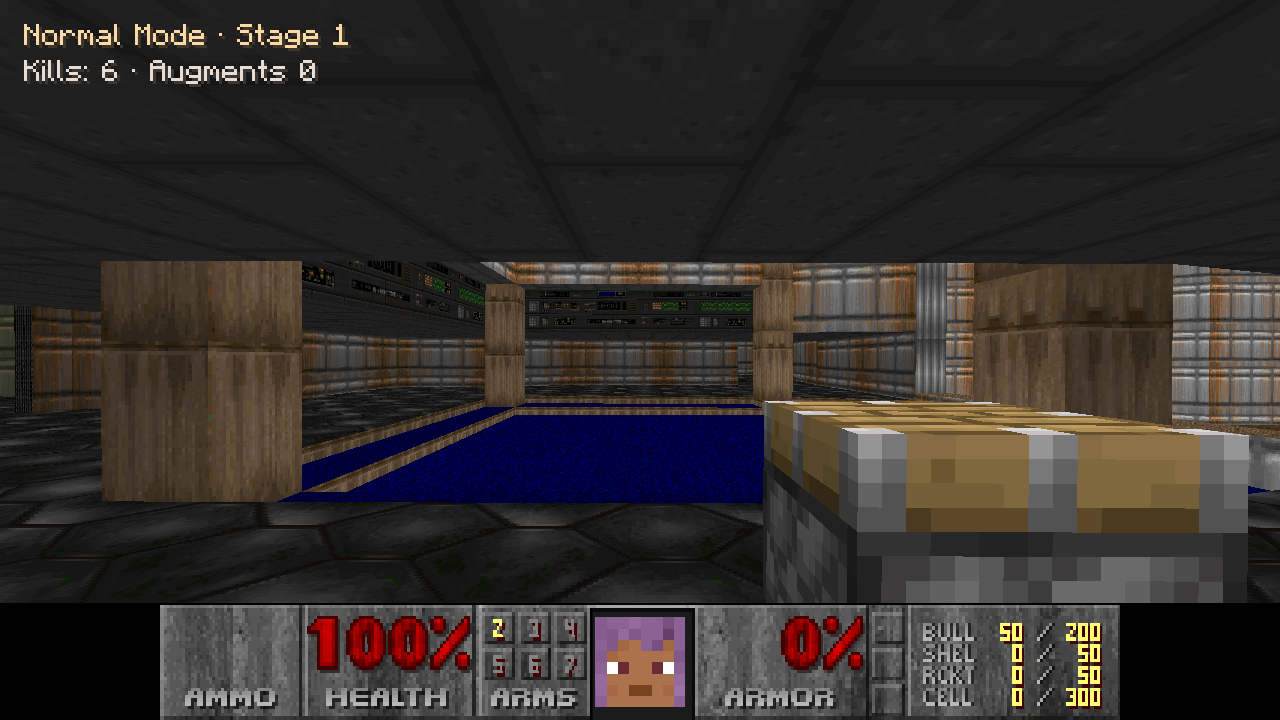 E1M1 Hangar - Normal Mode In-game screenshot from MOOM 0.1.0: explore E1M1 Hangar with the piston fist and the English HUD.
 -
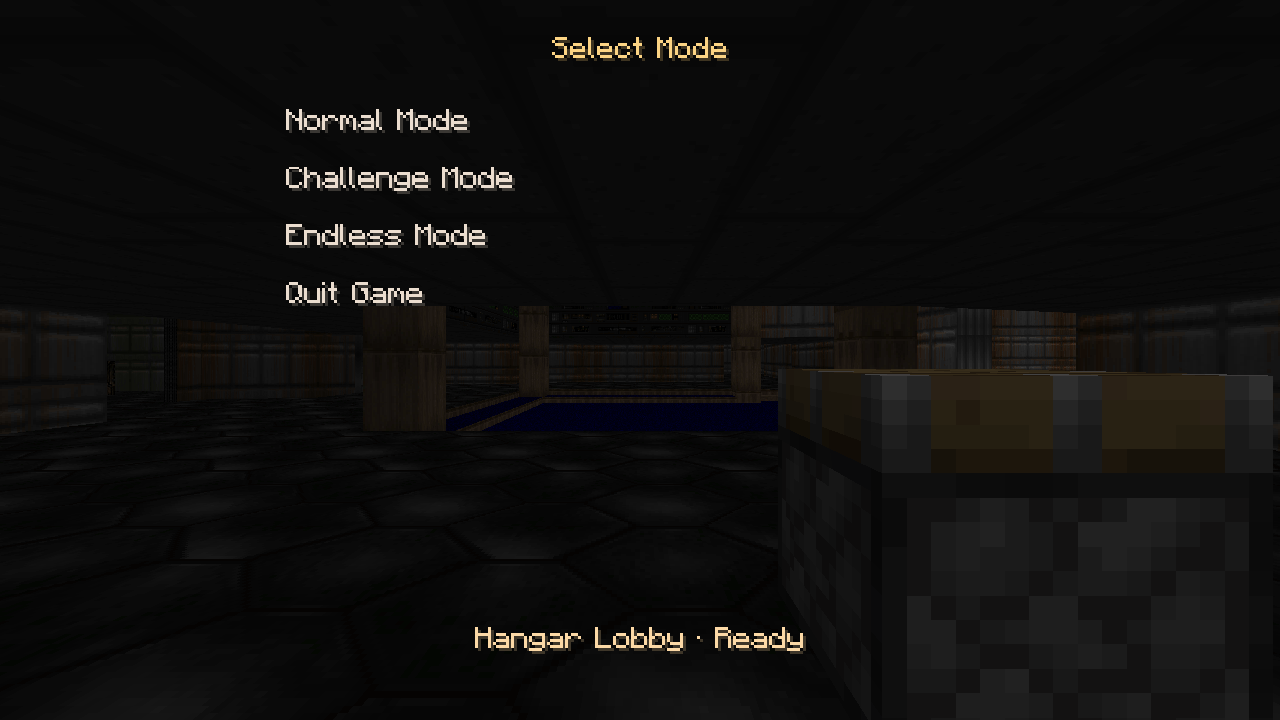 Choose Your Game Mode The in-game English lobby menu in MOOM 0.1.0, with Normal, Challenge and Endless modes.
 -
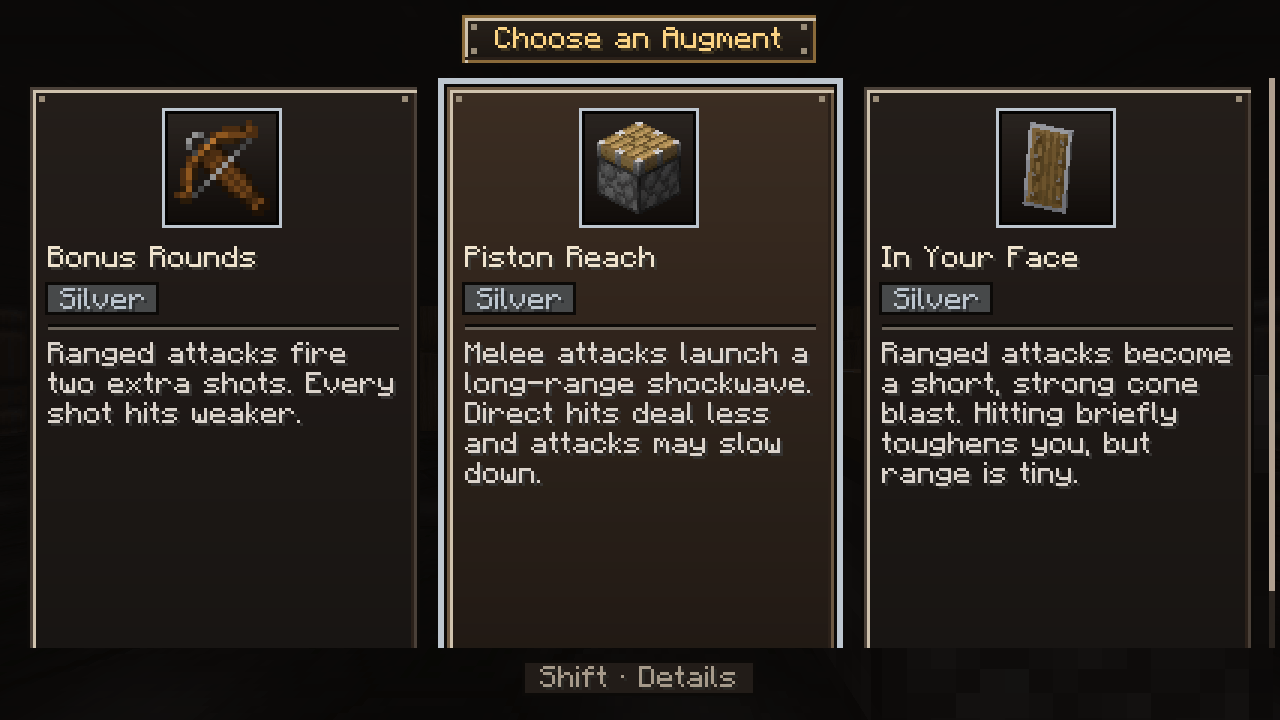 Augment Choices - Build Your Run Choose one of three Silver augments in the English in-game menu. Hold Shift to see detailed effects and tradeoffs.
Versions
Files
Relations
Project Relations
More like this
Similar Mods
Suggestions use data such as tags, dependencies, dependents, descriptions, titles, and more to rank how much they overlap with this mod.
On ModDex
Community snapshot
By the numbers
Statistics

Get it on
Available Platforms
On ModDex
Community snapshot
By the numbers
Statistics
Resources