
More Capes
No reviews yet
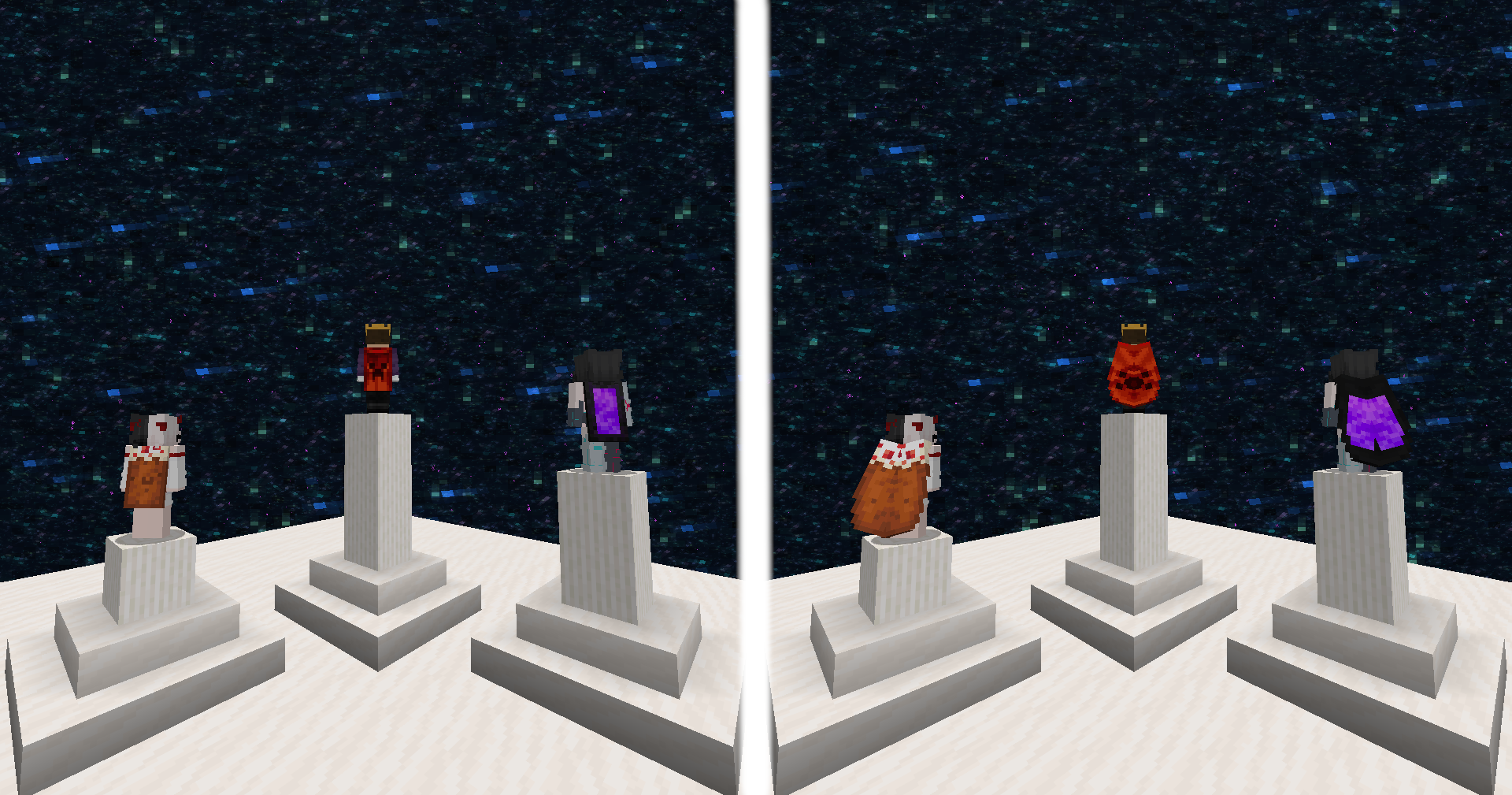
Client-side custom capes, directly manageable in-game, and visible to anyone using this mod!
Fabric is a mod loader for versions 1.14+ of Minecraft, particularly popular for client side and optimization mods.
Community voices
Reviews
Click once to include, again to exclude, again to clear
No reviews yet. Be the first to review this project!
Get it on
Available Platforms
 Modrinth
Compatibility
Supported Environments
About
Project Details
For authors
Embed Badge
If you're the author of this project, you can embed a live badge anywhere that supports HTML or Markdown. It updates automatically whenever ratings change.
Use HTML for any page that supports it, or Markdown for README files and Markdown-based descriptions.
Identifiers
Platform IDs
About
Description
More Capes
With this mod, you can use any cape you want and everyone who has this mod installed will also see it.

Change your cape
There are two ways to change your cape. Both are done by running a command directly in-game.
After changing your cape:
- if you are playing singleplayer, you must restart your game
- if you are playing multiplayer, simply reconnect to the server and the cape will be updated for all players
1. From URL
This is the easiest way to change your cape. Simply use the /cape set url [url] command in-game.
Please note that the URL must point to a texture hosted on Mojang's official servers.

You can find a list of some URLs here.
2. From file
Open your config directory. Inside, you should see a directory named more-capes (otherwise, create it).
You can now put .png files to be used as capes in this directory.
With the command /cape set file [path] you can now upload any PNG file to be used as your cape.
If you don't see any capes while typing the command, you should use the /cape reload command.

Once your cape is applied, its URL is provided. Feel free to join my Discord and share your capes in the #more-capes-gallery channel!
3. Reset your cape
You can remove your cape by running the /cape reset command.
How does it work?
All capes are uploaded to Mojang servers. This allows us to have a URL in this format http://textures.minecraft.net/texture/[hash] where [hash] represents a 64-character-long hexadecimal string.
This 64-character-long string can be stored as 8 pixels using the #AARRGGBB format.
These pixels are stored in the top-left corner of the player skin.

As you can see on this image, an additional pixel is placed exactly on (0,0). It allows the mod to know which players have a cape embedded in their skin.
Screenshots
Gallery
Versions
Files
Relations
Project Relations
More like this
Similar Mods
Suggestions use data such as tags, dependencies, dependents, descriptions, titles, and more to rank how much they overlap with this mod.
On ModDex
Community snapshot
By the numbers
Statistics

Want to reach Minecraft players?
We're looking for a server hosting partner to feature here and other parts of the site. Interested? Send us a message!
Get in touchGet it on
Available Platforms
On ModDex
Community snapshot
By the numbers