
More Discs
No reviews yet
A mod that adds badbunny and other artists songs so you can play them in your jukebox in minecraft
Includes a large focus on traversing worlds with enhanced world generation, structures, dungeons, and more for players to find unique loot.
Neoforge is a fork of the Minecraft Forge available for versions 1.20.1+ of Minecraft. Many Forge mods are compatible with Neoforge and vice versa.
Community voices
Reviews
Click once to include, again to exclude, again to clear
No reviews yet. Be the first to review this project!
Get it on
Available Platforms
 Modrinth
Compatibility
Supported Environments
About
Project Details
For authors
Embed Badge
If you're the author of this project, you can embed a live badge anywhere that supports HTML or Markdown. It updates automatically whenever ratings change.
Use HTML for any page that supports it, or Markdown for README files and Markdown-based descriptions.
Identifiers
Platform IDs
Resources
External Links
About
Description
More Discs
Bring the Beats to Your Blocks.
Tired of the same old music in Minecraft? More Discs adds the biggest hits from the global superstar, Bad Bunny, right into your game. Start building, exploring, and fighting mobs with a better soundtrack.
Current Features
- DTMF Album Added: The full tracklist from Bad Bunny’s DTMF is available as new, collectible Music Discs.
- Disc Selector Block: A simple, new block that functions as an advanced Jukebox and is necessary for crafting the discs. It allows you to place your discs inside and use the interface to select the exact song you want to hear.
Crafting
Disc Selector
- This block is essential for playing and crafting your new music.
- Recipe: The recipe is shapeless and requires:
- 1x Jukebox
- 1x Lever
- 1x Empty Disc
Creating Music Discs
The new music discs are created using the Disc Selector block:
- Craft the Empty Disc: First, you will need an Empty Disc.

- Select the Album: Insert the Empty Disc into the Disc Selector. Use the controls to set the Album Number to 8 (DTMF = 8). This will transform the Empty Disc into the DTMF Album Disc.
- Select the Song: Take the new DTMF Album Disc and insert it back into the Disc Selector. Use the interface to move the slider to the Song Number that corresponds to the track you want to create. This final step yields the playable individual Music Disc.
Note: This mod is a fan project and is not officially endorsed by or affiliated with Bad Bunny or his management/labels.
Download More Discs now and turn up the volume on your Minecraft experience.
Screenshots
Gallery
-
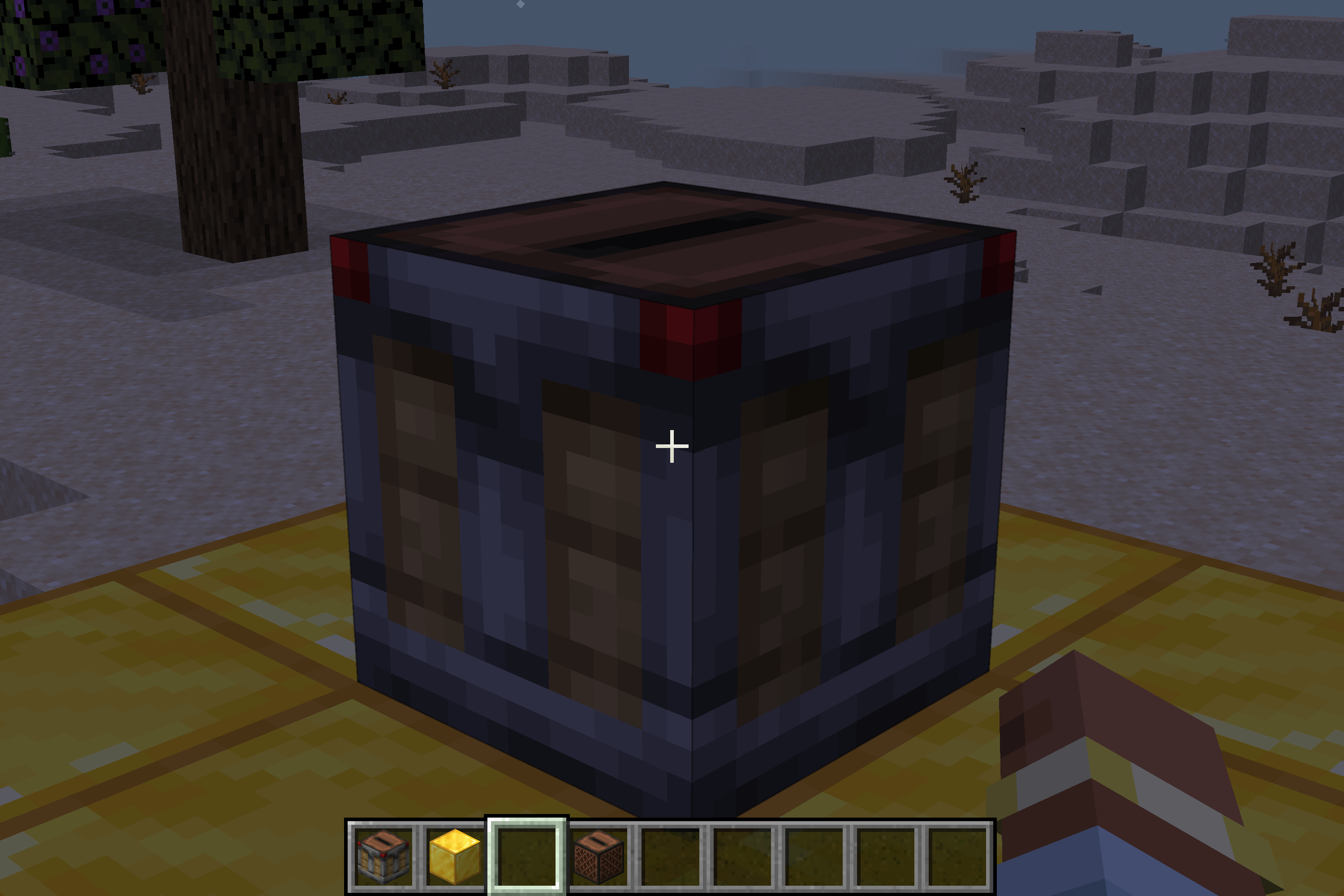 The disc selector This is a temporal texture
 -
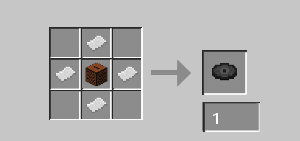 The empty disc recipie(temporal)
 -
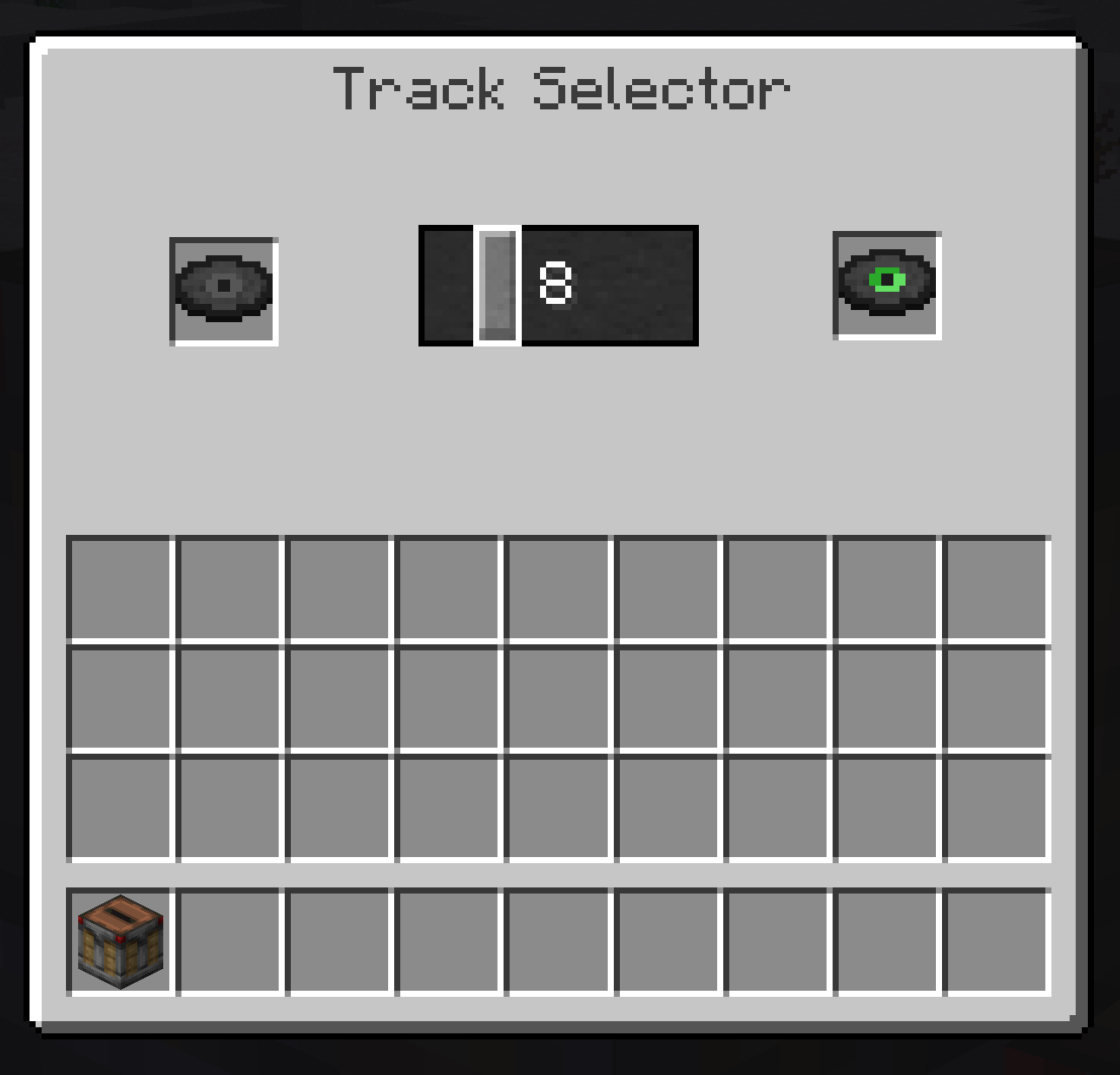 Disc selector GIU(temporal)
Versions
Files
Relations
Project Relations
More like this
Similar Mods
Suggestions use data such as tags, dependencies, dependents, descriptions, titles, and more to rank how much they overlap with this mod.
On ModDex
Community snapshot
By the numbers
Statistics

Want to reach Minecraft players?
We're looking for a server hosting partner to feature here and other parts of the site. Interested? Send us a message!
Get in touchGet it on
Available Platforms
On ModDex
Community snapshot
By the numbers
Statistics
Resources