
More Keybinds
No reviews yet
It lets you add more keys to one keybind. Super easy to use. (I'm not the first person to make this)
Fabric is a mod loader for versions 1.14+ of Minecraft, particularly popular for client side and optimization mods.
Community voices
Reviews
Click once to include, again to exclude, again to clear
No reviews yet. Be the first to review this project!
Get it on
Available Platforms
 Modrinth
Compatibility
Supported Environments
About
Project Details
For authors
Embed Badge
If you're the author of this project, you can embed a live badge anywhere that supports HTML or Markdown. It updates automatically whenever ratings change.
Use HTML for any page that supports it, or Markdown for README files and Markdown-based descriptions.
Identifiers
Platform IDs
Resources
External Links
About
Description
Cowboy's Multi Keybinds
Have you ever wanted to perform one action using two different keys? Minecraft only allows you to assign a control to a single key. This feature solves that problem. You can give any keybind a second key or mouse button, and both will activate it. Want to attack using left-click and B? Sprint using both your usual key and a side mouse button? Go ahead.
How to use it
Press ] to open the Multi-Keybinds menu (you can change this key in Options → Controls). Click the button next to any control. Press the key or mouse button you want to use as its second trigger. Done.
The little X clears a second key if you change your mind. Your binds are saved and remain between sessions. It starts off empty; nothing is pre-set, so it won't interfere with your controls until you decide to use it. It also won't alter any keybinds you haven’t set up yourself.
Notes
This works with both held actions (like movement, sneak, and attack) and tap actions (like inventory, drop, and swap). It only runs on the client side. It is safe to use on any server—vanilla, realms, or otherwise—because it only manages your own input. This feature requires Fabric API.
Built for Minecraft 1.21.11.
Screenshots
Gallery
-
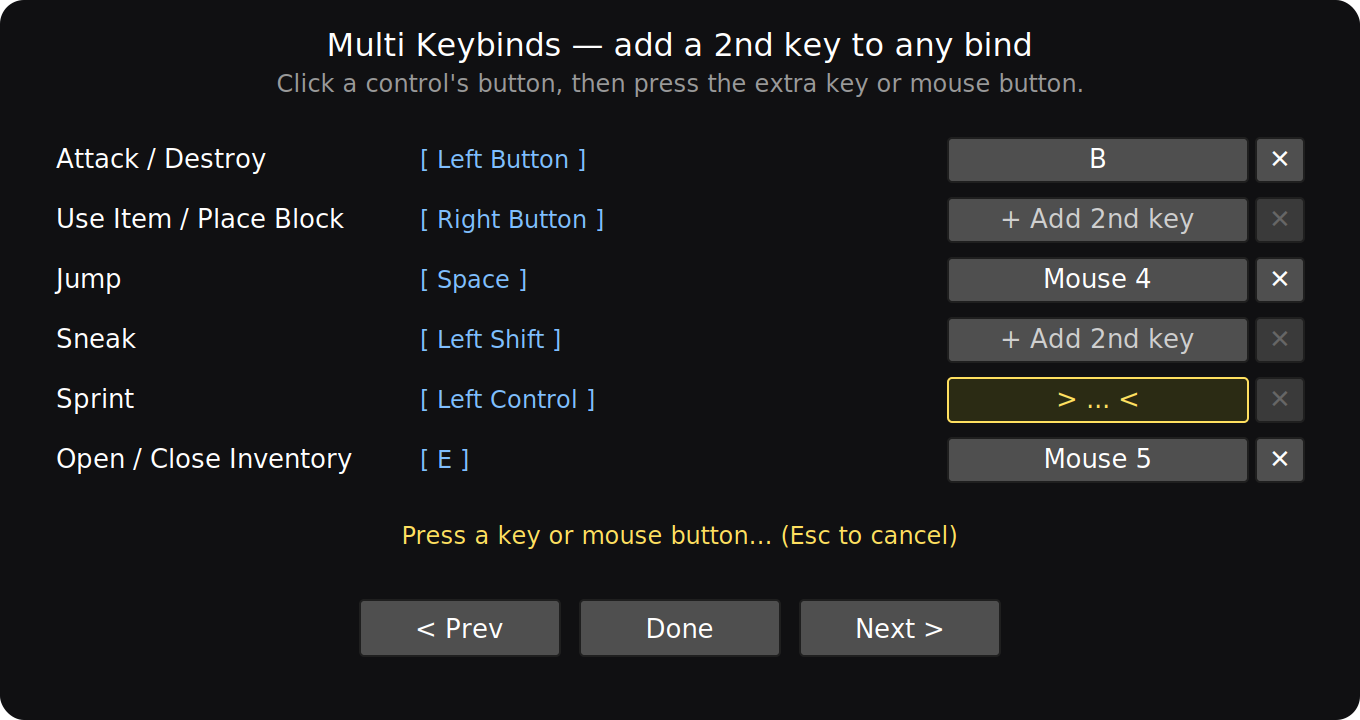 A menu preview Thiss is a preview on what the menu looks like
 -
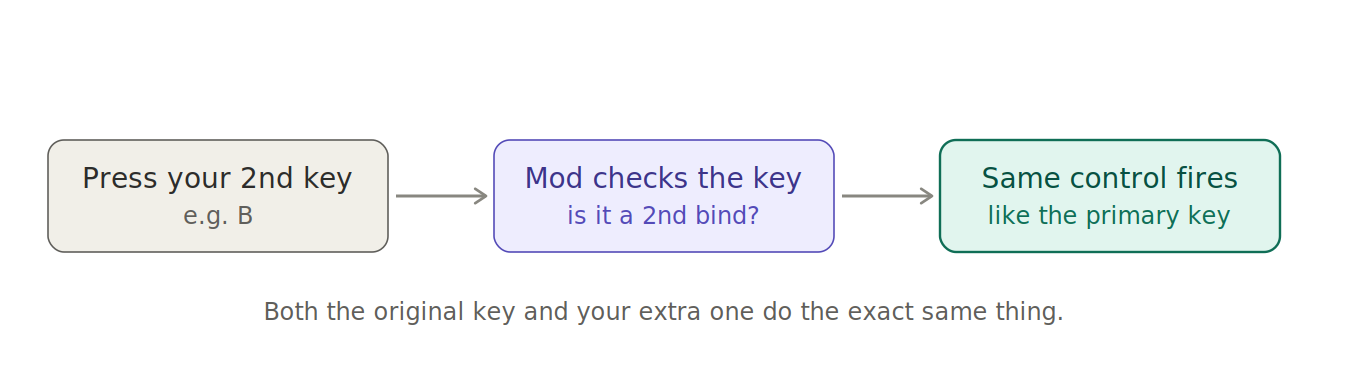 How This Mod Works This justs explains how the mod works
 -
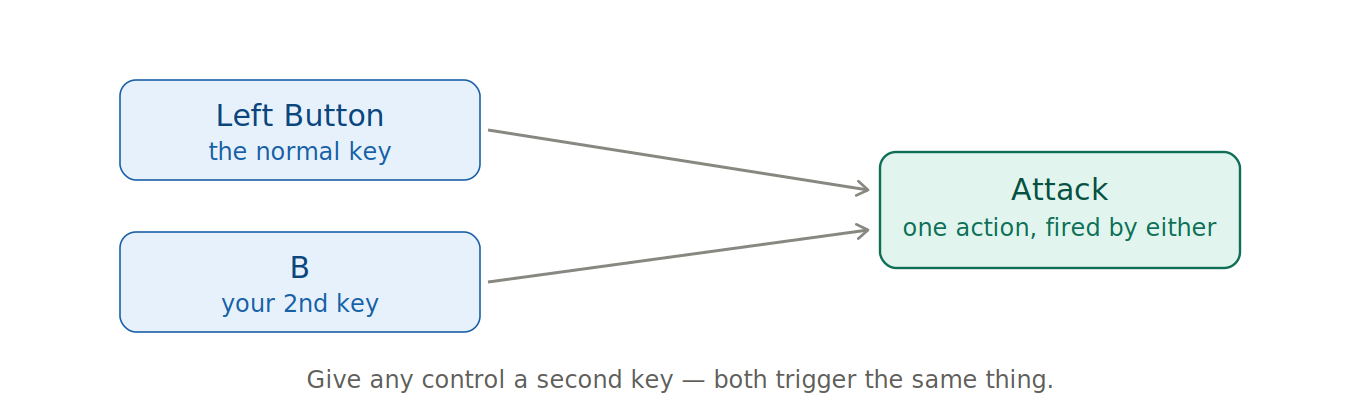 This is another explanation on how the mod works This shows how the mod works again
 -
 The Banner This is the banner image
Versions
Files
Relations
Project Relations
More like this
Similar Mods
Suggestions use data such as tags, dependencies, dependents, descriptions, titles, and more to rank how much they overlap with this mod.
On ModDex
Community snapshot
By the numbers
Statistics

Want to reach Minecraft players?
We're looking for a server hosting partner to feature here and other parts of the site. Interested? Send us a message!
Get in touchGet it on
Available Platforms
On ModDex
Community snapshot
By the numbers
Statistics
Resources