Mount & Ride
No reviews yet
Mount and ride more mobs in survival.
Adds new methods of transportation for players.
Data Packs were introduced to vanilla Minecraft in version 1.13 and allow the server to modify data about the game, or run commands. Data Packs are compatible with all mod loaders.
Forge is a popular mod loader for versions 1.1+ of Minecraft.
Fabric is a mod loader for versions 1.14+ of Minecraft, particularly popular for client side and optimization mods.
Quilt is a fork of the Fabric mod loader. Many Fabric mods are compatible with Quilt and vice versa.
Community voices
Reviews
Click once to include, again to exclude, again to clear
No reviews yet. Be the first to review this project!
Get it on
Available Platforms
 Modrinth
Compatibility
Supported Environments
About
Project Details
For authors
Embed Badge
If you're the author of this project, you can embed a live badge anywhere that supports HTML or Markdown. It updates automatically whenever ratings change.
Use HTML for any page that supports it, or Markdown for README files and Markdown-based descriptions.
Identifiers
Platform IDs
Resources
External Links
About
Description



⚠️ Resource Pack Required
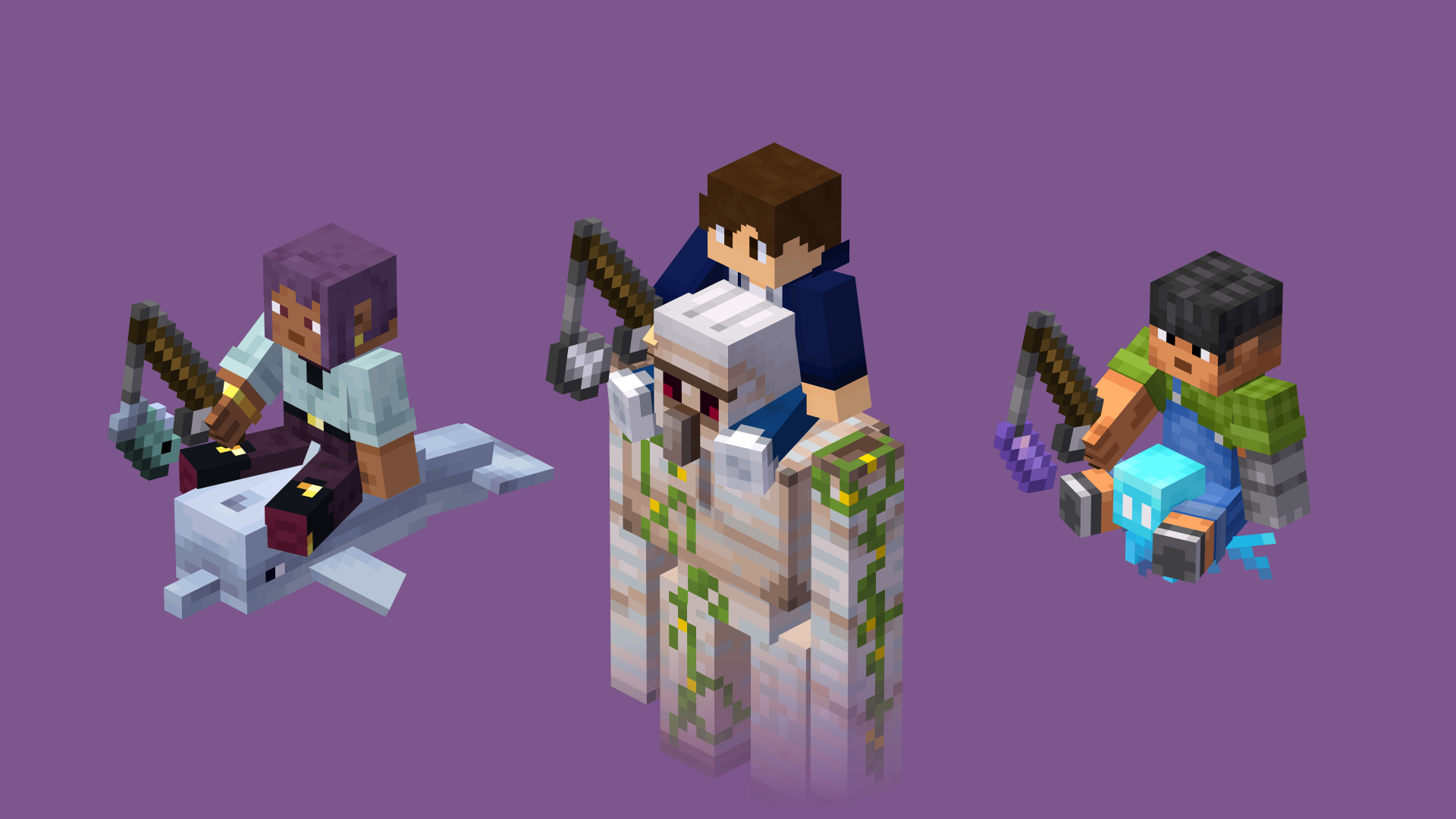
Have you always wanted to ride other mobs?
Well, with this data pack you can do it!
Features
- Fast riding system.
- Added 9 riding sticks:
 Amethyst Shard on a Stick.
 Bamboo on a Stick.
 Fish on a Stick.
 Iron on a Stick.
 Meat on a Stick.
 Seagrass on a Stick.
 Seeds on a Stick.
 Snowball on a Stick.
 Wheat on a Stick.
- 3 new advancements:
- "I Believe I Can Fly", obtained by riding a Allay.
- "Tank Time!", obtained by riding a Iron Golem.
- "Better Than a Knight", obtained by mounting every rideable mob.
- Support for 4 languages:
- English
- Español
- Français
- Português
How to Install
Data Pack:
- Click the "DP & RP" featured version.
- Scroll down and Download the Primary file.
- If you want to create a World, go to Singleplayer > Create New World > Data Packs > Open Pack Folder.
- If you want to put it in an already existing world, go to Singleplayer > Select World > Edit > Open World Folder > datapacks.
- Copy/Cut and Paste the file downloaded there.
- Open/Create your world (if necessary, run "/reload" in the chat).
Required Resource Pack:
- Click the "DP & RP" featured version.
- Scroll down and Download the Required Resource Pack.
- Open Minecraft and go to Options > Resource Packs > Open Pack Folder.
- Copy/Cut and Paste the file downloaded there.
- Active the Resource Pack.
Mod (DP & RP Packaged):
- Download the "Mod" featured version.
- Make sure that you installed Forge, Fabric or Quilt for 1.20+
- Press Win + R and search for "%AppData%".
- Go to .minecraft > mods.
- Copy/Cut and Paste the file downloaded there.
- Run the Mod-Loader that you use.
Tutorial
Mounting
You can mount a mob by dropping a saddle on it. However, you cannot mount hostile or weak mobs on survival mode (such as silverfishes and frogs).
Riding
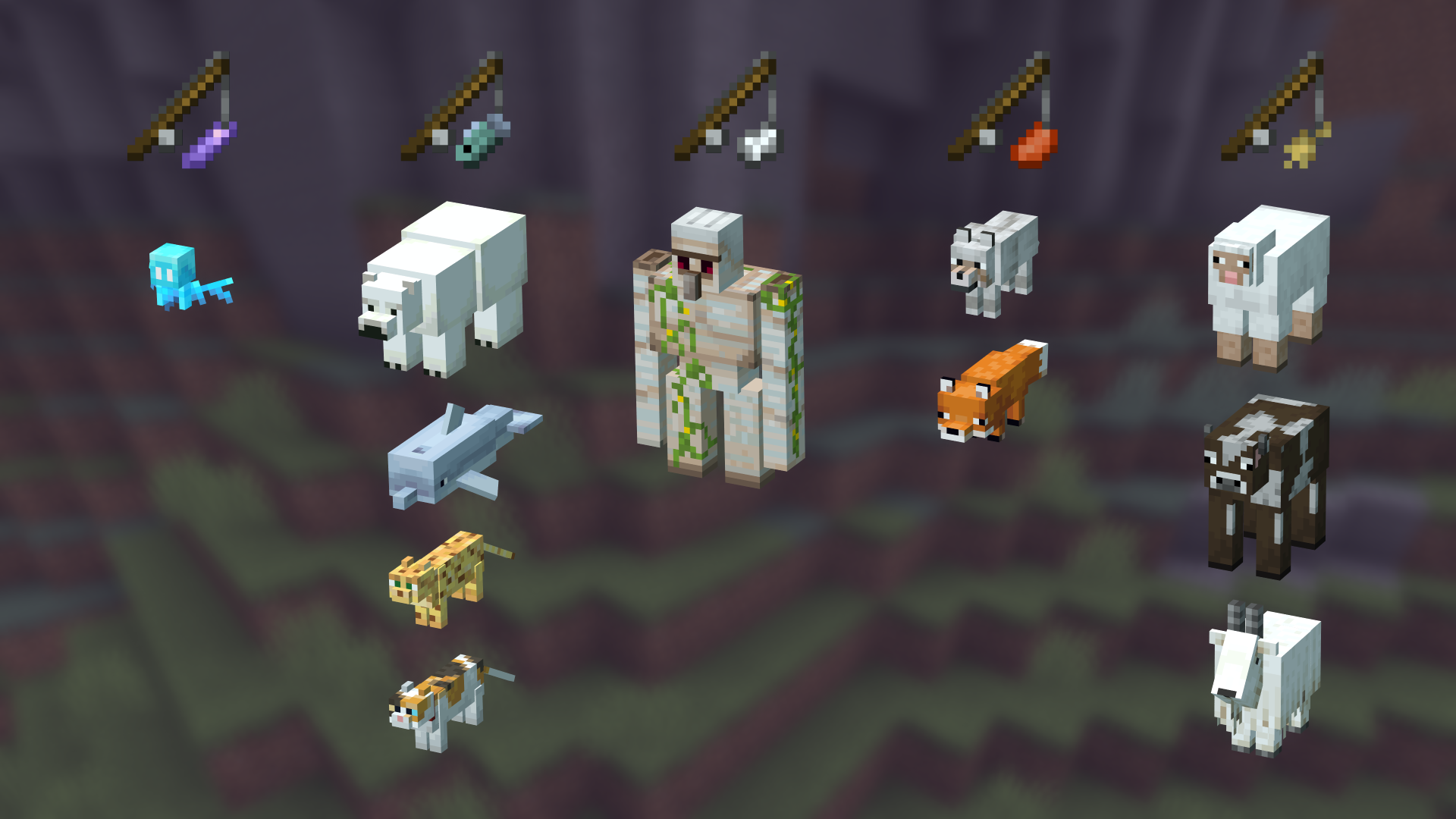
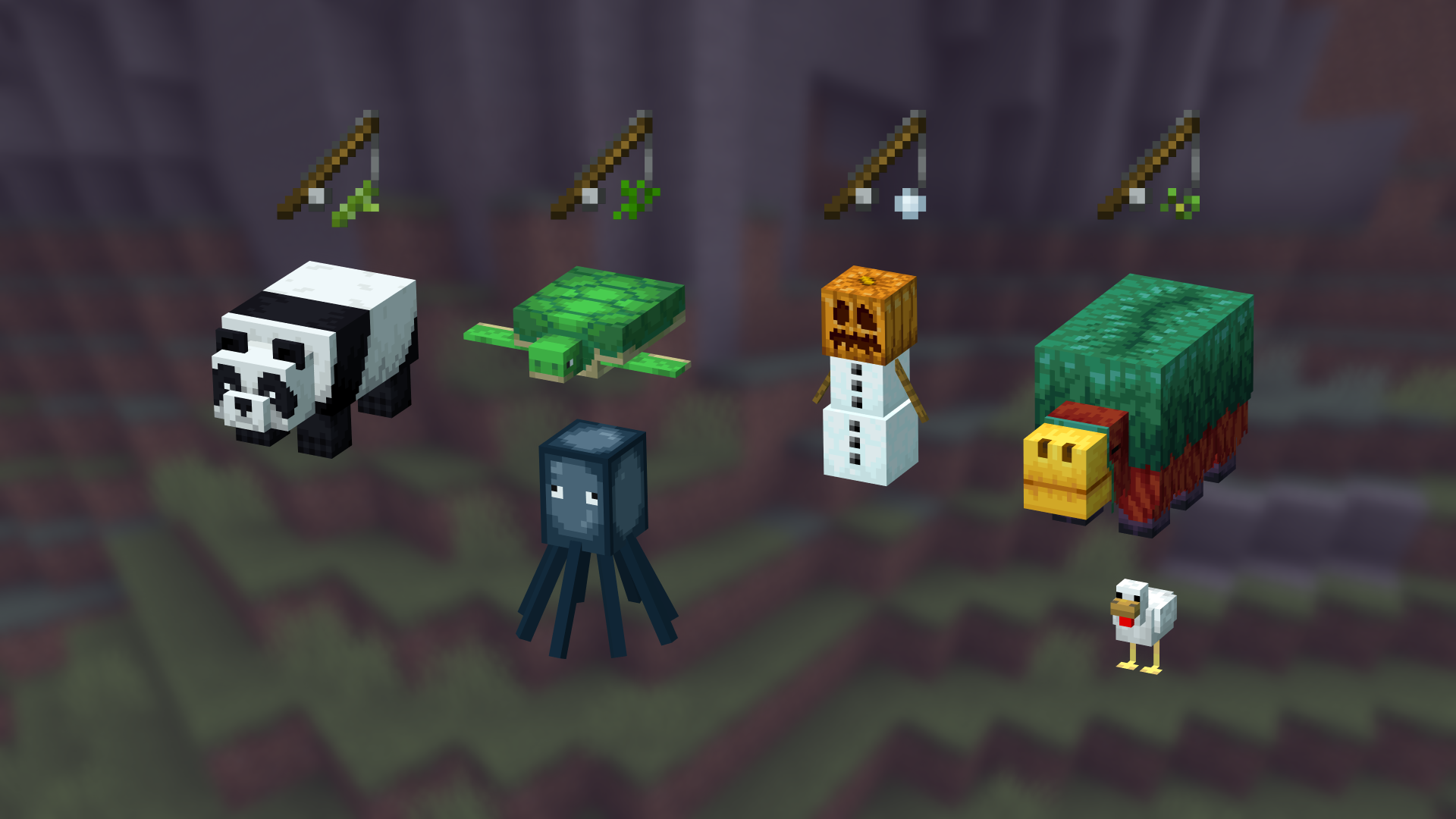
To ride a mob, you need a riding stick first. There are 9 different sticks that you can use:
- Amethyst Shard on a Stick. (Allay)
- Bamboo on a Stick. (Panda)
- Fish on a Stick. (Polar Bear, Dolphin, Cat, and Ocelot)
- Iron on a Stick. (Iron Golem)
- Meat on a Stick. (Wolf, and Fox)
- Seagrass on a Stick. (Turtle, Squid, and Glow Squid)
- Seeds on a Stick. (Sniffer, and Chicken)
- Snowball on a Stick. (Snow Golem)
- Wheat on a Stick. (Goat, Sheep, Cow, and Mooshrom)
The mobs also have different speeds depending on their size. It can be increased by right-clicking with the stick.
| Type | Normal Speed (m/s) |
Maximum Speed (m/s) |
|---|---|---|
| Small (like Wolfs) | 6 | 8.5 |
| Medium (like Goats) | 7 | 9.5 |
| Big (like Pandas) | 5.5 | 8 |
Crafting
To craft a riding stick, you just need to put a Fishing Rod and the item (Amethyst Shard, Bamboo, Fish...) on a Crafting Table.
Note: It will appear a Knowledge Book has the recipe result, but, once you click it, you get the correct stick.

Advancements
This data pack also adds 3 advancements:
- "I Believe I Can Fly", that can be obtained by riding an Allay with a Amethyst Shard on a Stick.
- "Tank Time!", that can be obtained by riding an Iron Golem with a Iron Ingot on a Stick.
- "Better Than a Knight", that can be obtained by mounting every rideable mob
FAQ
Can I make a post/video about it on social medias?
Yes, if you give me the credits including a direct link to this page. Please do not distribute modified versions.
Why aren't the custom items appearing in the creative menu?
Unfortunately, data packs cannot add modified items to the creative menu. However, you can always get them by using the command "/function tooltrims:custom_items".
Enjoy! :)
Screenshots
Gallery
-
 Mount & Ride
 -
 Rideable Mobs
 -
 More Rideable Mobs
 -
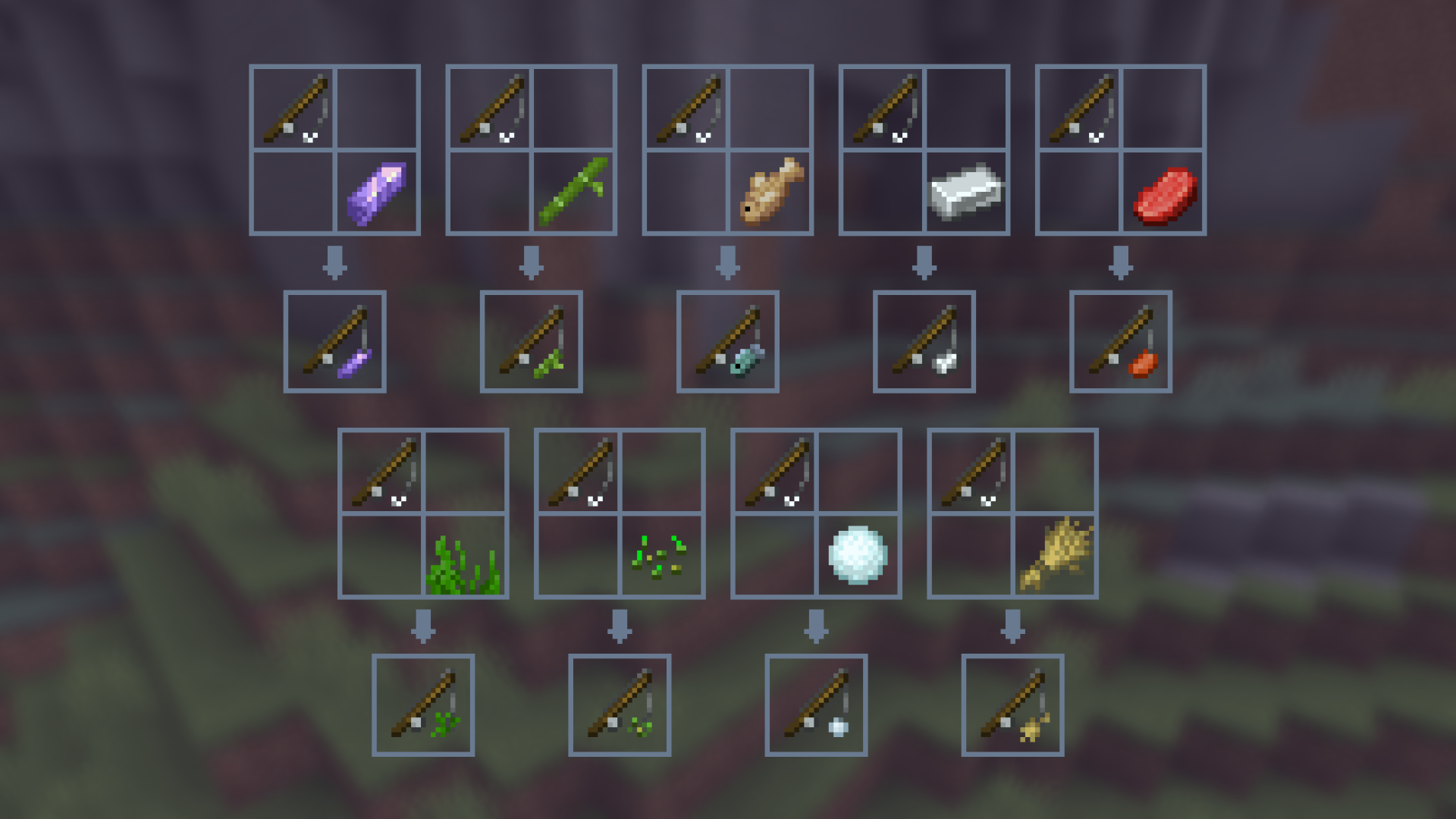 Crafting Recipes
 -
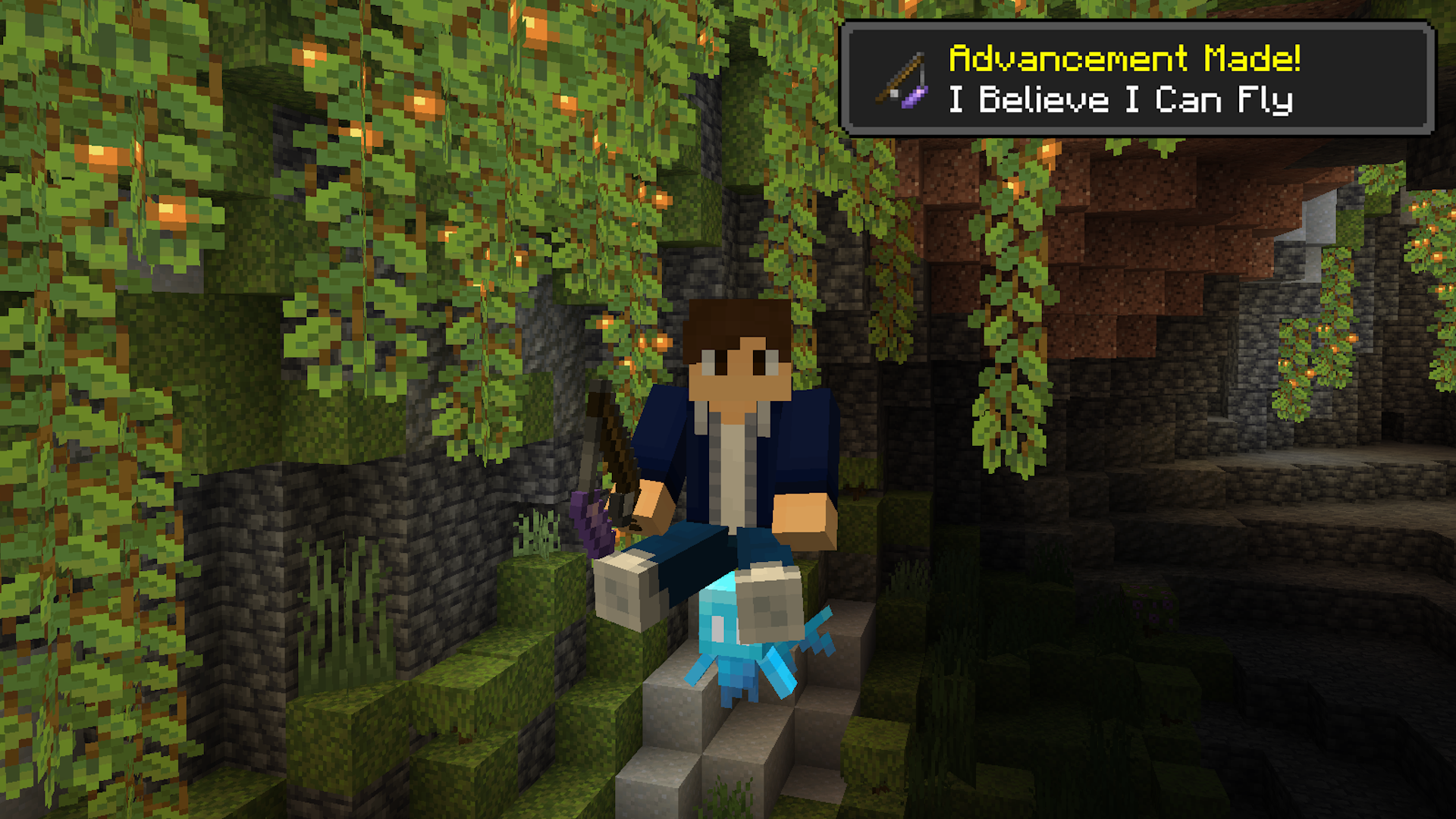 Riding an Allay in-game
Versions
Files
Relations
Project Relations
More like this
Similar Mods
Suggestions use data such as tags, dependencies, dependents, descriptions, titles, and more to rank how much they overlap with this mod.
On ModDex
Community snapshot
By the numbers
Statistics

Want to reach Minecraft players?
We're looking for a server hosting partner to feature here and other parts of the site. Interested? Send us a message!
Get in touchGet it on
Available Platforms
On ModDex
Community snapshot
By the numbers
Statistics
Resources