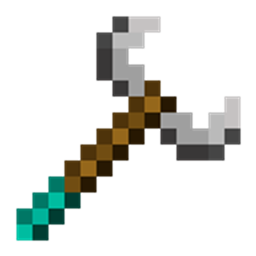
Community listing page, reviews here may not be monitored by the author.
MoveWand


No reviews yet
A survival tool for safely moving and rotating existing structures.
Community voices
Reviews
No reviews yet. Be the first to review this project!
Get it on
Available Platforms
Compatibility
Supported Environments
Must be installed on both the client and the server.
About
Project Details
For authors
Embed Badge
If you're the author of this project, you can embed a live badge anywhere that supports HTML or Markdown. It updates automatically whenever ratings change.
Use HTML for any page that supports it, or Markdown for README files and Markdown-based descriptions.
Identifiers
Platform IDs
About
Description
MoveWand
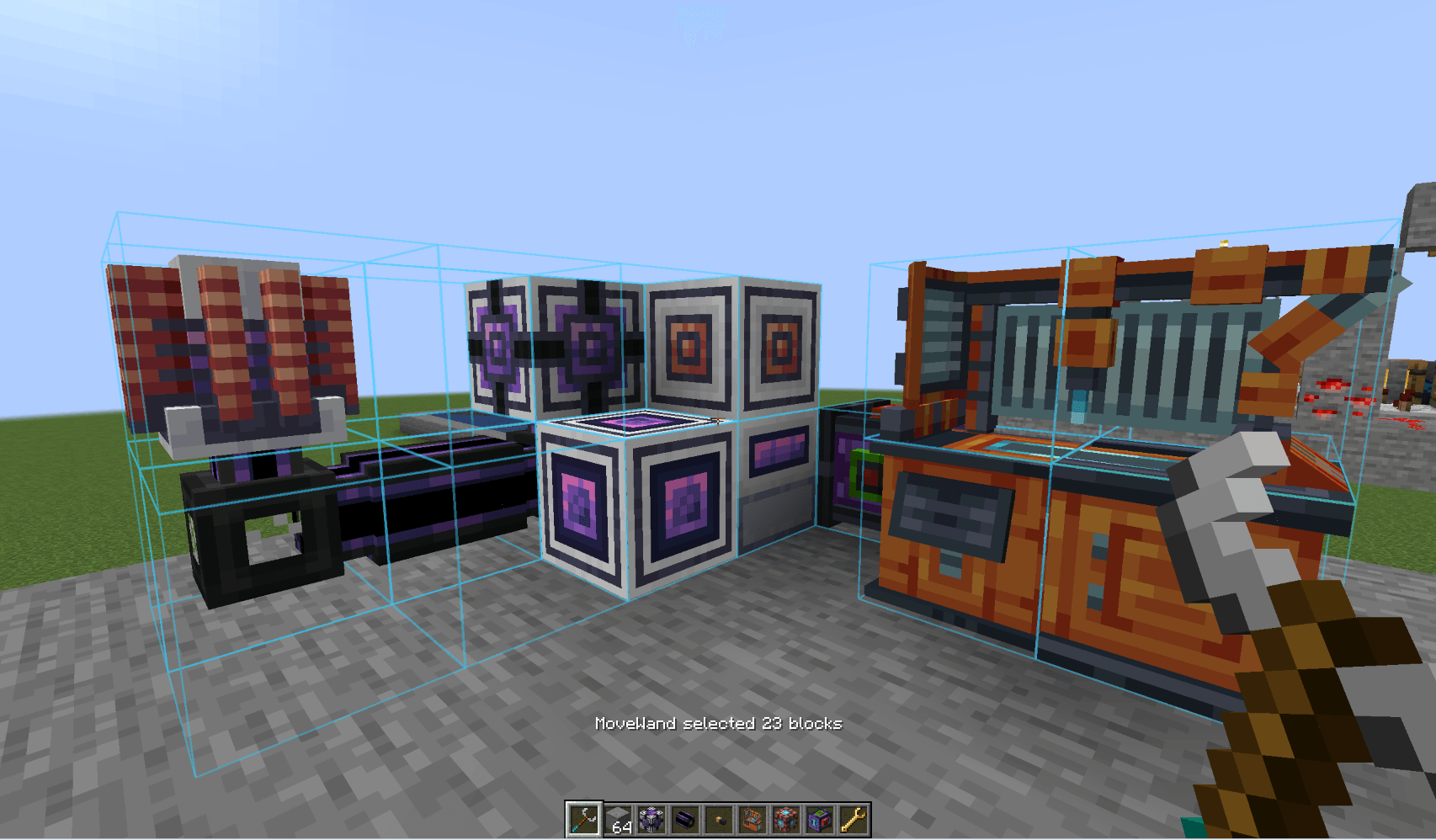
MoveWand is a mod for Fabric and NeoForge that adds a survival-friendly tool for safely moving and rotating existing structures.
It is not a WorldEdit replacement and it does not copy or paste buildings. Use the wand to correct a mechanism's position, free some space, or rotate part of a build without dismantling and rebuilding it by hand.
Crafting
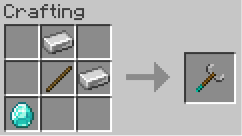
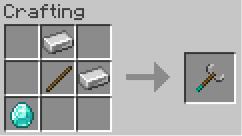
The MoveWand recipe uses one stick, two iron ingots, and one diamond. Transformations do not consume durability or hunger.
Using the wand
- Hold MoveWand in the main hand.
- Right-click two blocks to select a box, or use
Shift+ right-click to add or remove individual blocks. - Press a movement or rotation key to open the transform preview.
- Press
Enterto apply the transform, orBackspace/Escto cancel it.
Starting an individual-block selection clears a pending first box corner. The selection overlay is visible only while MoveWand is held in the main hand; press Delete to clear it explicitly.
| Default key | Action |
|---|---|
| Arrow keys | Move forward, backward, left, or right relative to the player's horizontal view |
R / V |
Move up / down along world axis Y |
[ / ] |
Rotate the whole selection around axis Y |
Enter |
Apply the previewed transform |
Backspace or Esc |
Cancel the active preview |
Delete |
Clear the selection |
All bindings can be changed in Minecraft Controls. With Mod Menu installed, MoveWand's Configure button opens its key-binding settings.
Safety and limits
- A selection may contain up to 512 blocks.
- The pivot may move up to 16 blocks from its original position.
- The server validates every operation before changing the world. A conflicting destination rejects the whole transform; no partial move is applied.
- A destination may be empty, part of the same moving selection, or a non-source fluid position. Source fluids are blocked.
- Blocks that require support, such as short grass, flowers, torches, and dripstone, must be able to survive at their destination after the complete transform.
- Doors and beds are expanded to include their companion part. A double chest must include both halves; moving only one half is rejected with an explanation.
The first box corner, or the first individually selected block, becomes the pivot. After a successful operation the server updates the selection and pivot to the structure's new coordinates, so the next operation continues from the moved group.
MoveWand preserves BlockState and transfers BlockEntity data through NBT. This is best effort for third-party blocks: a mod that stores external references to old coordinates can require a dedicated integration.
Scope
- No copying, pasting, deleting, destination replacement, or mass building.
- Only 90-degree rotations around the vertical
Yaxis. - No Undo command in the current release scope.
Feedback
Feel free to write your ideas and suggestions. I'd appreciate any feedback. If you need a mod ported to a specific version, let me know, I'll be happy to help.
MoveWand
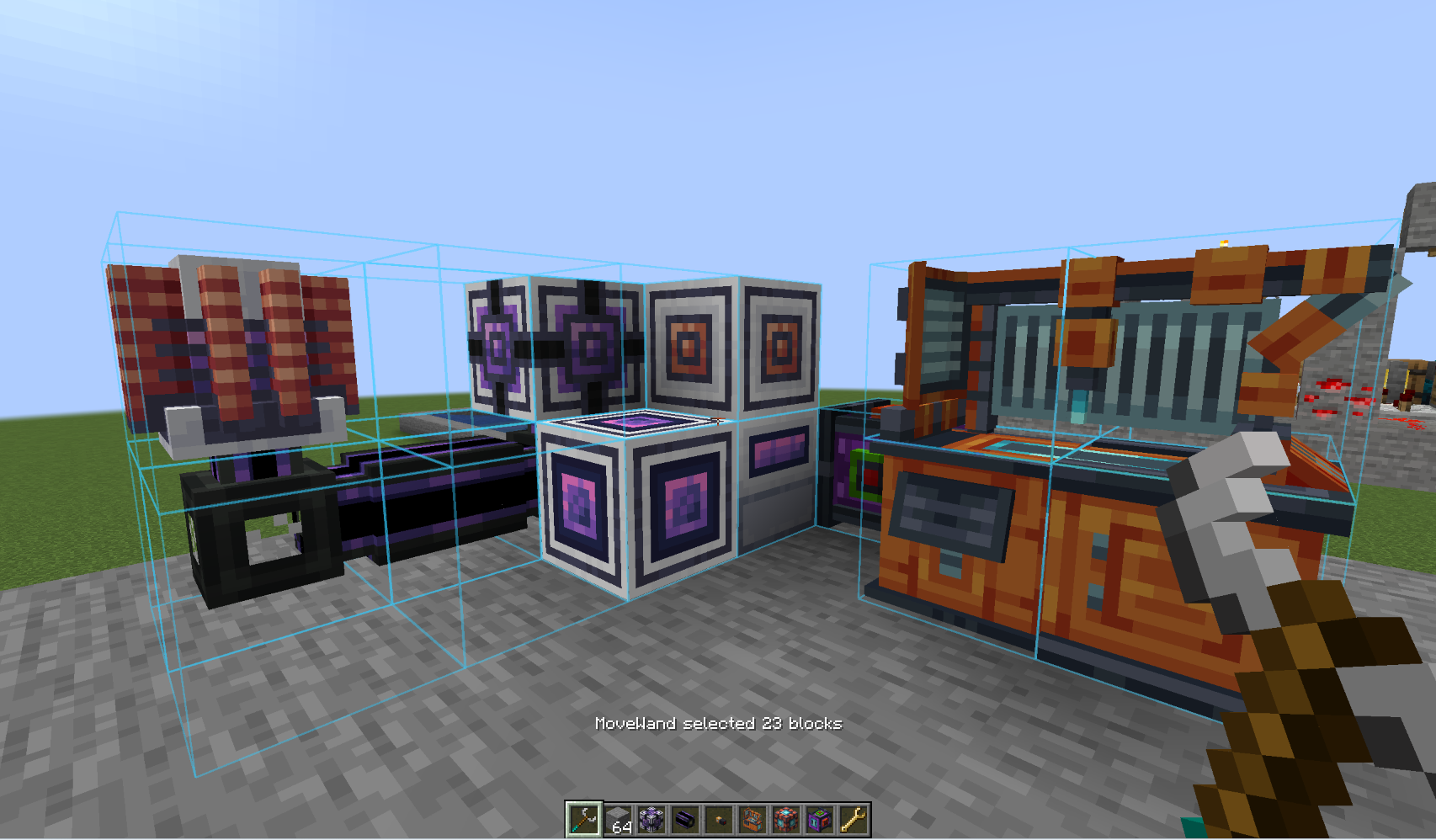 MoveWand is a mod for Fabric and NeoForge that adds a survival-friendly tool for safely moving and rotating existing structures.
It is not a WorldEdit replacement and it does not copy or paste buildings. Use the wand to correct a mechanism's position, free some space, or rotate part of a build without dismantling and rebuilding it by hand.
Crafting
The MoveWand recipe uses one stick, two iron ingots, and one diamond. Transformations do not consume durability or hunger.
Using the wand
- Hold MoveWand in the main hand.
- Right-click two blocks to select a box, or use
Shift+ right-click to add or remove individual blocks. - Press a movement or rotation key to open the transform preview.
- Press
Enterto apply the transform, orBackspace/Escto cancel it.
Starting an individual-block selection clears a pending first box corner. The selection overlay is visible only while MoveWand is held in the main hand; press Delete to clear it explicitly.
| Default key | Action |
|---|---|
| Arrow keys | Move forward, backward, left, or right relative to the player's horizontal view |
R / V |
Move up / down along world axis Y |
[ / ] |
Rotate the whole selection around axis Y |
Enter |
Apply the previewed transform |
Backspace or Esc |
Cancel the active preview |
Delete |
Clear the selection |
All bindings can be changed in Minecraft Controls. With Mod Menu installed, MoveWand's Configure button opens its key-binding settings.
Safety and limits
- A selection may contain up to 512 blocks.
- The pivot may move up to 16 blocks from its original position.
- The server validates every operation before changing the world. A conflicting destination rejects the whole transform; no partial move is applied.
- A destination may be empty, part of the same moving selection, or a non-source fluid position. Source fluids are blocked.
- Blocks that require support, such as short grass, flowers, torches, and dripstone, must be able to survive at their destination after the complete transform.
- Doors and beds are expanded to include their companion part. A double chest must include both halves; moving only one half is rejected with an explanation.
The first box corner, or the first individually selected block, becomes the pivot. After a successful operation the server updates the selection and pivot to the structure's new coordinates, so the next operation continues from the moved group.
MoveWand preserves BlockState and transfers BlockEntity data through NBT. This is best effort for third-party blocks: a mod that stores external references to old coordinates can require a dedicated integration.
Scope
- No copying, pasting, deleting, destination replacement, or mass building.
- Only 90-degree rotations around the vertical
Yaxis. - No Undo command in the current release scope.
Feedback
Feel free to write your ideas and suggestions. I'd appreciate any feedback. If you need a mod ported to a specific version, let me know, I'll be happy to help.
Screenshots
Gallery
-
usage usage
-
craft.png craft.png
-
Usage
Versions
Files
Relations
Project Relations
More like this
Similar Mods
Suggestions use data such as tags, dependencies, dependents, descriptions, titles, and more to rank how much they overlap with this mod.
On ModDex
Community snapshot
By the numbers
Statistics
Want to reach Minecraft players?
We're looking for a server hosting partner to feature here and other parts of the site. Interested? Send us a message!
Get in touchGet it on
Available Platforms
On ModDex
Community snapshot
By the numbers