
Elytra Autopilot
No reviews yet
This mod allows you to fly as far as you want to set locations without using rockets!
Does not follow a specific thematic focus apart from vanilla Minecraft.
Used for mods with little to no gameplay elements.
Includes quality of life improvements and small tweaks to enhance and customize gameplay.
Adds new methods of transportation for players.
A modified or ported version of an existing mod.
Fabric is a mod loader for versions 1.14+ of Minecraft, particularly popular for client side and optimization mods.
Community voices
Reviews
Click once to include, again to exclude, again to clear
No reviews yet. Be the first to review this project!
Get it on
Available Platforms
 Modrinth
Compatibility
Supported Environments
Runs entirely on the client. Works on vanilla servers.
About
Project Details
For authors
Embed Badge
If you're the author of this project, you can embed a live badge anywhere that supports HTML or Markdown. It updates automatically whenever ratings change.
Use HTML for any page that supports it, or Markdown for README files and Markdown-based descriptions.
Identifiers
Platform IDs
About
Description
This is a fork of TheMegax's implementation of the mod. However, TheMegax quit the project. HumanoidSandvichDispenser and R4z0rX contributed to the 1.20 implementation. Many people were involved, so check the mod author list for a full list of contributors.
Here is the link to TheMegax's mod page: https://www.curseforge.com/minecraft/mc-mods/elytra-autopilot.
How to Use
Press the assigned key (default "R") while flying at a sufficient altitude to enable 'Auto Flight'. In Auto Flight mode, the mod will adjust your pitch between ascending and descending, resulting in a net altitude gain.
To open the config screen and enable Mod Menu, go into the mod menu and open the configuration screen there.
/flyto Command
Syntax: /flyto X Z or /flyto <name>
While flying, use this command to automatically fly to the specified coordinates. When near the destination, the mod will attempt to slow you down by circling around the target to avoid fall damage. You can disable this at any time by turning off Auto Flight or toggling the setting in the config.
/takeoff Command
Syntax: /takeoff or /takeoff X Z or /takeoff <name>
If you have an Elytra equipped and fireworks in either your main or off-hand, this command will launch you upwards to a configurable height (default: 180 blocks) before activating Auto Flight. If coordinates are provided, it will then use /flyto to navigate to the specified location automatically.
/flylocation Command
Syntax: /flylocation set <name> X Z or /flylocation remove <name>
Use this command to add or remove quick fly locations.
/land Command
Syntax: /land
While flying, use this command to force a landing at any time. Useful for quickly returning to the ground!
Risky Landing
Disabled by default but can be enabled in the config. When active, this setting modifies the landing behavior to a riskier approach, nosediving until the last moment before pulling up. Not recommended for laggy servers or clients!
Xaero Minimap Support
If you prefer not to use the built-in /flylocation command or are already managing waypoints with Xaero Minimap, good news! You can now use /flyto and /takeoff directly with your Xaero Minimap waypoints.
Auto equip elytra
There is an optional setting which you can enable that automatically switches your chestplate to your elytra when pressing spacebar in midair.
Screenshots
Gallery
-
 Command to fly to a preset location
 -
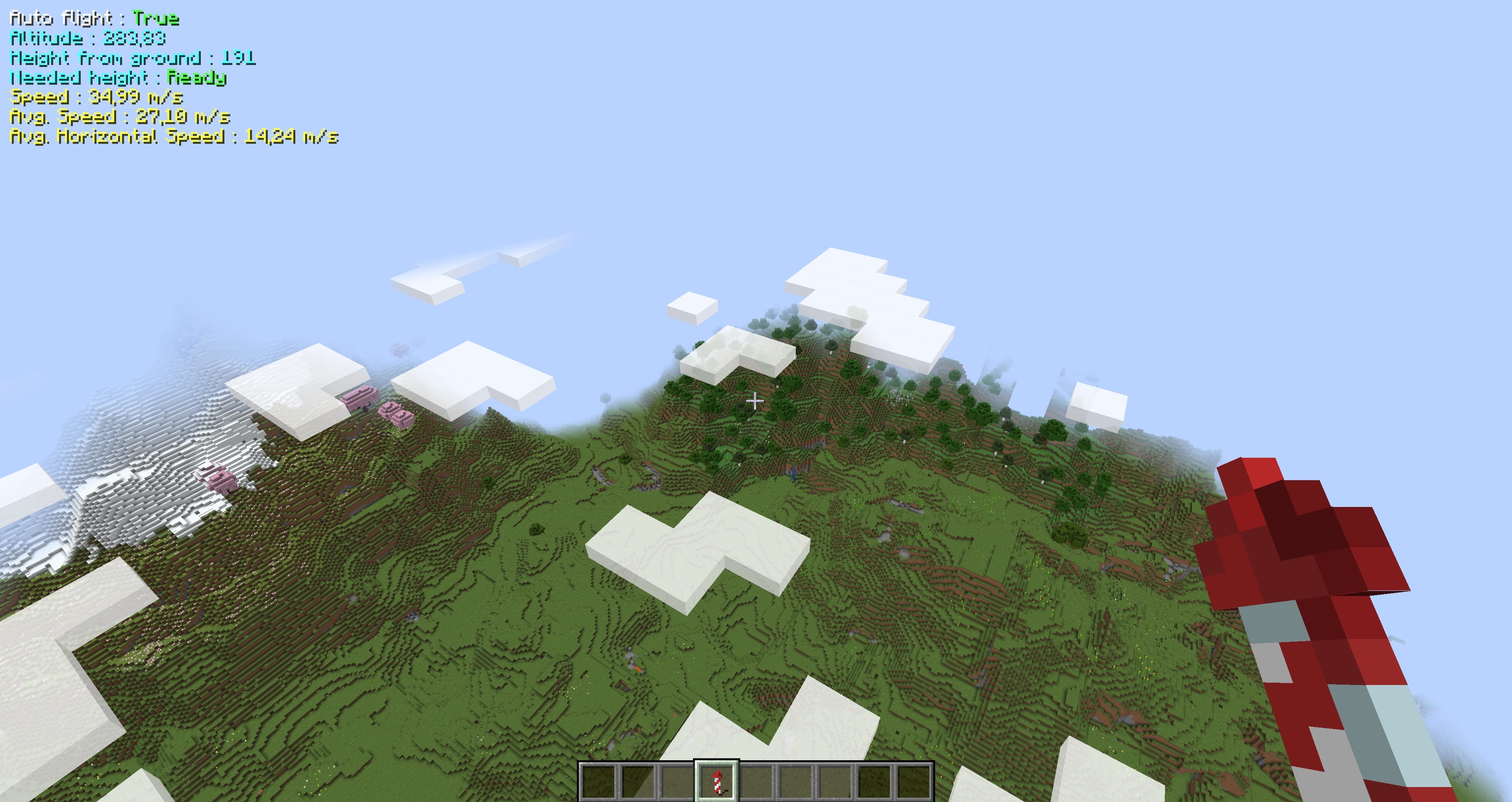 POV when flying
 -
 Config menu
Versions
Files
Relations
Project Relations
More like this
Similar Mods
Suggestions use data such as tags, dependencies, dependents, descriptions, titles, and more to rank how much they overlap with this mod.
On ModDex
Community snapshot
By the numbers
Statistics

Want to reach Minecraft players?
We're looking for a server hosting partner to feature here and other parts of the site. Interested? Send us a message!
Get in touchGet it on
Available Platforms
On ModDex
Community snapshot
By the numbers