![CBC Enchanced Shells [Create Big Cannons]](https://cdn.modrinth.com/data/Gwl4VXlb/cc6506f5642c09c66875073514e46fba1cf4356d_96.webp)
CBC Enchanced Shells [Create Big Cannons]
No reviews yet
A massive arsenal expansion for Create Big Cannons — 79 progressive shells, 5 upgraded powder charges, a custom rocket system, container shells, and 5 exotic shader-effect projectiles. All built with progressive stat scaling, unique visual tints, and
Community voices
Reviews
Click once to include, again to exclude, again to clear
No reviews yet. Be the first to review this project!
Get it on
Available Platforms
 Modrinth
Compatibility
Supported Environments
About
Project Details
For authors
Embed Badge
If you're the author of this project, you can embed a live badge anywhere that supports HTML or Markdown. It updates automatically whenever ratings change.
Use HTML for any page that supports it, or Markdown for README files and Markdown-based descriptions.
Identifiers
Platform IDs
Resources
External Links
About
Description
═══════════════════════════════════════════════════════
CBC ENHANCED SHELLS
Massive arsenal expansion for Create Big Cannons
═══════════════════════════════════════════════════════
 ▎ 86 new items — 79 progressive shells, 5 upgraded powder charges, a custom rocket system, container shells, and 5
▎ exotic shader-effect projectiles. All built around 5 progressive tiers (Mk.I → Mk.V) with distinct color codes and a
▎ linear upgrade chain.
▎ 86 new items — 79 progressive shells, 5 upgraded powder charges, a custom rocket system, container shells, and 5
▎ exotic shader-effect projectiles. All built around 5 progressive tiers (Mk.I → Mk.V) with distinct color codes and a
▎ linear upgrade chain.
Arsenal at a Glance
86 new items total, split across:
- 50 — Standard Shells (10 types × 5 tiers)
- 25 — Shader Shells (5 exotic types × 5 tiers)
- 5 — Powder Charges (Mk.I to Mk.V)
- 4 — Unique Doomsday Shells (Nuke Mk.I & Mk.II, H-Bomb, Mini H-Bomb)
- 2 — Rocket System (Launchpad + Rocket Breech)
▌ Tier System
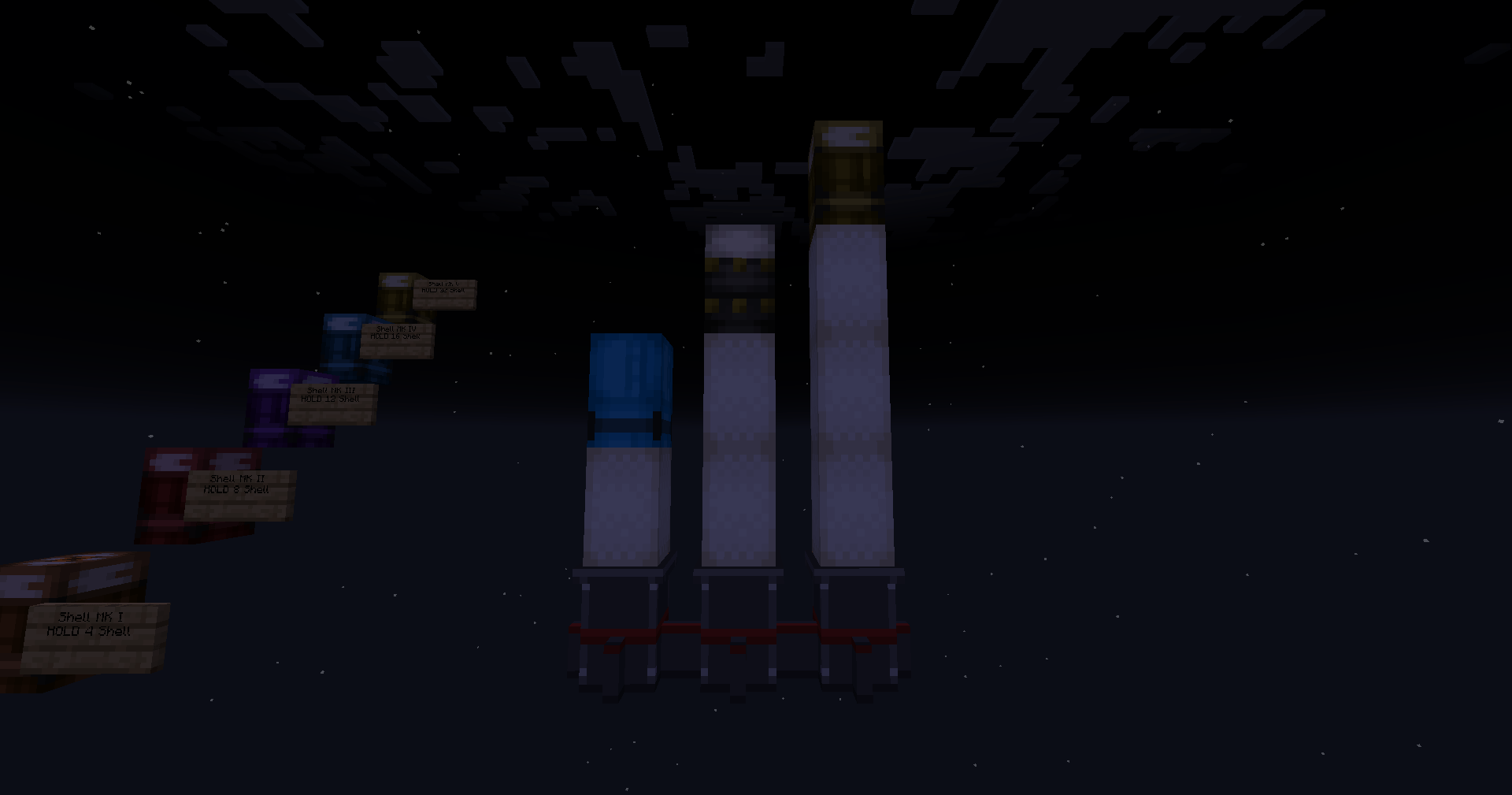
5 progressive tiers applied across the entire arsenal:
Mk.I    ×3   ── Orange
Mk.II   ×5   ── Red
Mk.III  ×10  ── Violet
Mk.IV   ×15  ── Cyan
Mk.V    ×20  ── Gold
Multipliers apply to damage, penetration, toughness, and most stats. Explosive power capped at ×3 for balance. Color tint applied via HSV hue rotation — preserves original texture shading.
▌ Standard Shells
10 base types, each in 5 tiers (50 total):
►  HE Shell                  ►  Smoke Shell
►  AP Shell                  ►  Drop Mortar Shell
►  Solid Shot                ►  Bag of Grapeshot
►  AP Shot                   ►  Mortar Stone
►  Shrapnel Shell            ►  Shell Holder   ★ container
▌ Unique Doomsday Shells
☢ Nuclear Shell Mk.I & Mk.II Mushroom-cloud detonation. 240+ block blast radius. Mk.II = late-game variant.
☢ H-Bomb Shell Thermonuclear dome explosion. 8-ring stepped shockwave over ~7 seconds. ~14,000 particles in the dome animation.
☢ Mini H-Bomb Shell Scaled-down tactical variant.
▌ Shader Shells (NEW)
5 exotic shell types with custom GLSL post-process shaders. Each detonation warps the screen in a unique way. 5 tiers per type scale shader intensity.
⚡  Plasma Shell           Volumetric plasma raymarching
⚫  Gravitational Shell    Spacetime distortion field
🌀  Vortex Shell           Swirling vortex + chromatic aberration
☷  Disintegration Shell   Pixel-dissolve effect
●  Singularity Shell      Black-hole gravitational lensing
▌ Shell Holder — Container Shell
A unique projectile that holds other shells inside. On detonation, all loaded shells are released mid-flight as real CBC projectile entities — each with its own fuze, tracer, and behavior.
How to use
1.  Place the Shell Holder block
2.  Right-click with any shell → loads it inside
3.  Attach a fuze and tracer
4.  Load into a cannon with powder, fire
5.  On fuze trigger, holder releases all sub-munitions
    in a cone burst
Interactions
►  Right-click with shell ............ insert
►  Sneak + right-click (empty hand) .. remove last shell
►  Right-click with fuze/tracer ...... attach
►  Hover + Shift ..................... capacity + loaded list
Capacity per tier
Mk.I    ▰▰▱▱▱▱▱▱▱▱▱▱▱▱▱▱▱▱▱▱   4 shells
Mk.II   ▰▰▰▰▱▱▱▱▱▱▱▱▱▱▱▱▱▱▱▱   8 shells
Mk.III  ▰▰▰▰▰▰▱▱▱▱▱▱▱▱▱▱▱▱▱▱  12 shells
Mk.IV   ▰▰▰▰▰▰▰▰▱▱▱▱▱▱▱▱▱▱▱▱  16 shells
Mk.V    ▰▰▰▰▰▰▰▰▰▰▱▱▱▱▱▱▱▱▱▱  20 shells
Rules
- Any projectile (CBC vanilla + addon variants) can be loaded
- Shell Holders cannot nest into other Shell Holders
- Loaded shells keep their own fuze/tracer (a timed HE inside still ticks down after release)
- An empty Shell Holder = dud
▌ Rocket System (NEW in 1.1.0)
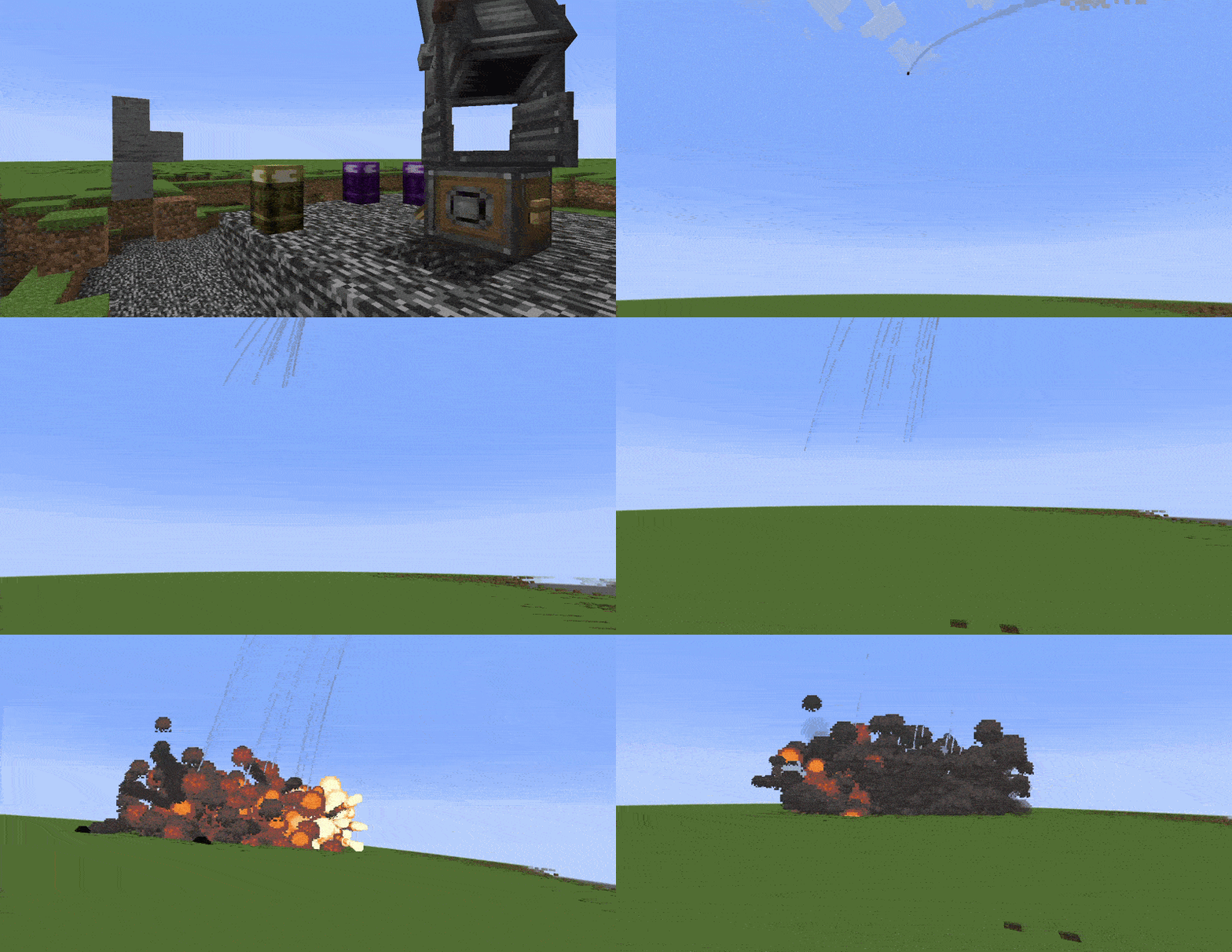
A full multi-block rocket system — works both as a standalone launchpad and as cannon-fired ammunition.
Rocket Launchpad (in-world)
 ┌────┐     1.  Place launchpad on ground
 │ ⬢ │     2.  Stack 1-3 Powder Charges + 1 shell on top
 ├────┤     3.  Send a redstone signal
 │ █ │  ←   The stack launches as a self-propelled
 ├────┤        RocketEntity carrying the payload
 │ █ │
 ├────┤    The payload's fuze keeps ticking during flight.
 │ ⬛ │    Cluster Shells auto-burst at apogee.
 └────┘
Rocket Breech (cannon-mounted)
A custom CBC breech with a sliding breechblock animation (same visual as Steel Quick-Firing). Two upgrades over the stock breech:
►  Cascade-load up to 5 rounds per click
   The stock breech only shifts the existing round one
   slot forward — this one pushes the whole stack toward
   the muzzle in a single click.

►  Accepts the launchpad as a valid munition
   Load shell → powder(s) → launchpad → fire.
   A rocket exits the muzzle instead of a regular shell.
Rocket Flight Behavior
- Spawn invulnerability prevents self-detonation against the cannon mount, contraption, or surrounding terrain
- Built-in thrust + CBC physics (gravity, drag, RPL precise-motion sync)
- Payload release on impact, on fuze trigger, or at apogee (cluster auto-burst)
- Reads tracer + fuze from the payload block — timed fuzes track real flight time
Vertical Burn Range (launchpad-launched)
1 powder    ──────────             ~75 blocks
2 powders   ─────────────────      ~185 blocks
3 powders   ──────────────────────────────  ~325 blocks
Range scales super-linearly because drag asymptotes terminal velocity to ~5.94 b/tick. Numbers also appear in the Powder Charge tooltip under Shift.
▌ Powder Charges
5 upgraded propellants with rising muzzle velocity:
Tier         Muzzle Velocity     Strength
──────────   ───────────────     ────────
Base CBC          40 m/s           2.0
Mk.I              50 m/s           2.5
Mk.II             60 m/s           3.0
Mk.III            70 m/s           3.5
Mk.IV             80 m/s           4.0
Mk.V              90 m/s           4.5
Each charge also contributes +1.5 s of rocket burn time when used in a launchpad-fired rocket.
▌ Crafting
All items use a linear upgrade chain — craft each tier from the previous one.
Shells
Mk.I    =  Base CBC Shell  +  2× Iron Ingot
Mk.II   =  Mk.I            +  2× Cast Iron Ingot
Mk.III  =  Mk.II           +  2× Diamond
Mk.IV   =  Mk.III          +  2× Netherite Scrap
Mk.V    =  Mk.IV           +  1× Netherite Ingot
Powder Charges
Each tier = Previous tier + 1× Packed Gunpowder
Special Shells (Nuclear / H-Bomb / Shader / Rocket) use unique high-tier recipes — check the in-game crafting book.
▌ Compatibility
►  Minecraft       1.21.1
►  NeoForge        21.1+
►  Create          6.0+
►  Big Cannons     5.11.2
All items appear in a dedicated CBC Enhanced Shells creative tab.
▌ Installation
Drop the JAR into your mods/ folder alongside Create Big Cannons and its dependencies (Create, Flywheel, Ponder, Ritchie's Projectile Lib, Registrate).
▌ Changelog Highlights — 1.1.1
[NEW] Full rocket-from-cannon pipeline Launchpad loads through the breech, firing detects the rocket stack, RocketEntity exits the muzzle.
[NEW] Rocket Breech Cascade-load up to 5 rounds, Quick-Firing sliding breechblock animation, accepts the launchpad.
[FIX] Spawn invulnerability Rockets no longer self-detonate on the cannon mount or surrounding terrain at point-blank spawn.
[FIX] Fuze model rendering The small fuze top model now appears on ALL of our shells when attached (was only working on CBC's stock shells).
[FIX] 25 missing loot tables Plasma / Gravitational / Vortex / Disintegration / Singularity shells now drop themselves correctly when broken with a pickaxe or recovered via wrench.
[NEW] Powder Charge tooltips Show rocket burn time + vertical range under Shift.
═══════════════════════════════════════════════════════ Made for Create Big Cannons by community ═══════════════════════════════════════════════════════
Screenshots
Gallery
![CBC Enchanced Shells [Create Big Cannons] screenshot](https://cdn.modrinth.com/data/Gwl4VXlb/images/237aaa2cb1394009d26c75fa0779aacd015508e0.gif)
![CBC Enchanced Shells [Create Big Cannons] screenshot](https://cdn.modrinth.com/data/Gwl4VXlb/images/70bed306462add8afa59330e8efb583c57e15c19.png)
![CBC Enchanced Shells [Create Big Cannons] screenshot](https://cdn.modrinth.com/data/Gwl4VXlb/images/7820733cd947fe8b36335fc7a5a24ff9acd9d3fc.gif)
![CBC Enchanced Shells [Create Big Cannons] screenshot](https://cdn.modrinth.com/data/Gwl4VXlb/images/a43109a5ce34c595e9928a3acb285e053cbf29eb.png)
![CBC Enchanced Shells [Create Big Cannons] screenshot](https://cdn.modrinth.com/data/Gwl4VXlb/images/acf53e658cb0492c8b55343347f49c533e49b7d3.png)
![CBC Enchanced Shells [Create Big Cannons] screenshot](https://cdn.modrinth.com/data/Gwl4VXlb/images/cdb5c65781ce92cc8608fe943213e28e97c33117.png)
Versions
Files
Relations
Project Relations
More like this
Similar Mods
Suggestions use data such as tags, dependencies, dependents, descriptions, titles, and more to rank how much they overlap with this mod.
On ModDex
Community snapshot
By the numbers
Statistics

Want to reach Minecraft players?
We're looking for a server hosting partner to feature here and other parts of the site. Interested? Send us a message!
Get in touchGet it on
Available Platforms
On ModDex
Community snapshot
By the numbers
Statistics
Resources