
What Mod
No reviews yet
The What Mod is an innovative entertainment mod designed specifically for Minecraft. This mod allows players to trigger a unique GUI interface by pressing a custom hotkey, accompanied by playful audio.
Fabric is a mod loader for versions 1.14+ of Minecraft, particularly popular for client side and optimization mods.
Community voices
Reviews
Click once to include, again to exclude, again to clear
No reviews yet. Be the first to review this project!
Get it on
Available Platforms
 Modrinth
Compatibility
Supported Environments
About
Project Details
For authors
Embed Badge
If you're the author of this project, you can embed a live badge anywhere that supports HTML or Markdown. It updates automatically whenever ratings change.
Use HTML for any page that supports it, or Markdown for README files and Markdown-based descriptions.
Identifiers
Platform IDs
Resources
External Links
About
Description
What Mod
Introduction
The What Mod is an innovative entertainment mod designed specifically for Minecraft. This mod allows players to trigger a unique GUI interface by pressing a hotkey, accompanied by playful audio.
Features
Custom GUI Interface: Upon pressing the hotkey, a custom GUI interface displaying fun images will appear.
Audio Playback: During the display of the GUI interface, specific fun audio will play to entertain the players.
Hotkey Support: Quickly trigger the GUI interface and audio playback using a hotkey.
Installation Guide
- Download and install the Fabric API.
- Place the What Mod file into the Minecraft mods folder.
- Launch Minecraft and ensure the What Mod is loaded.
Usage
- Launch Minecraft and enter the game.
- Use the default hotkey H (or customize it as needed) to trigger the What Mod features.
- Enjoy fun images and audio playback on your screen.
Notes Ensure your Minecraft version is compatible with the What Mod.
If you encounter any issues or need assistance, please visit our GitHub page
What 模组
模组简介
What 模组是一个专为 Minecraft 设计的创新娱乐模组。该模组允许玩家通过按下快捷键来触发独特的 GUI 界面,同时播放趣味音频。
功能特性
自定义 GUI 界面:玩家按下快捷键后,将会显示一个包含有趣图片的自定义 GUI 界面。
音频播放:在 GUI 界面显示期间,将播放指定的趣味音频,为玩家带来更多乐趣。
快捷键支持:可以通过快捷键快速触发 GUI 界面和音频播放。
安装指南
- 下载并安装 Fabric API。
- 将 What 模组文件放入 Minecraft 的 mods 文件夹。
- 启动 Minecraft 并确保加载了 What 模组。
使用方法
- 启动 Minecraft 并进入游戏。
- 使用默认快捷键 H(或根据需要自定义快捷键)来触发 What 模组的功能。
- 在屏幕上看到有趣的图片展示,并享受音频播放带来的乐趣。
注意事项 确保你的 Minecraft 版本与 What 模组兼容。
如果遇到问题或需要帮助,请访问我们的 GitHub 页面。
Screenshots
Gallery
-
 mod gui
 -
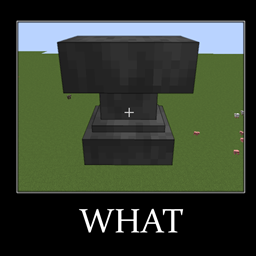 Mod icon
Versions
Files
Relations
Project Relations
More like this
Similar Mods
Suggestions use data such as tags, dependencies, dependents, descriptions, titles, and more to rank how much they overlap with this mod.
On ModDex
Community snapshot
By the numbers
Statistics

Want to reach Minecraft players?
We're looking for a server hosting partner to feature here and other parts of the site. Interested? Send us a message!
Get in touchGet it on
Available Platforms
On ModDex
Community snapshot
By the numbers
Statistics
Resources