
Screenshot Uploader

No reviews yet
Upload your screenshots to a server / the server you're playing on.
Features systems for better item storage and organization.
Fabric is a mod loader for versions 1.14+ of Minecraft, particularly popular for client side and optimization mods.
Paper is a fork of Spigot that adds its own plugin API on top of the Bukkit API. All Spigot plugins are compatible with paper, not all paper plugins are compatible with Spigot.
Spigot is a popular software for running dedicated servers that can load Plugins created with the Bukkit API.
Community voices
Reviews
Click once to include, again to exclude, again to clear
No reviews yet. Be the first to review this project!
Get it on
Available Platforms
Compatibility
Supported Environments
Works on the client or the server alone, but does more when on both.
About
Project Details
For authors
Embed Badge
If you're the author of this project, you can embed a live badge anywhere that supports HTML or Markdown. It updates automatically whenever ratings change.
Use HTML for any page that supports it, or Markdown for README files and Markdown-based descriptions.
Identifiers
Platform IDs
About
Description
ScreenshotUploader is a Minecraft mod that enhances your gameplay by allowing you to upload your in-game screenshots
directly to a designated server. This feature enables you to share your creations and memorable moments with friends and
the community effortlessly. It simplifies the process of sharing in-game screenshots, eliminating the need for external
applications or manual uploads.

Features:
-
Ingame Screenshot Browser: View your own local or the screenshots of your friends on the webserver. (Press
Gto open) -
Ingame Image Editor: press
Vbefore making your screenshot or click the edit button in your local gallery -
Direct Uploads: Capture and upload your Minecraft screenshots to a specified server without leaving the game.
-
Integrated Webserver: Screenshots are uploaded to an integrated webserver, which displays them in a convenient web gallery.
-
Custom Server Support: Configure the mod to upload screenshots to your own server, providing flexibility and control over your shared content. The mod supports HTTP POST requests using multipart form data, making it compatible with custom servers or APIs.
-
Screenshot Collections: Organize your screenshots into collections for easier management.
-
Customizable Settings: Adjust the mod's settings to suit your preferences, including upload paths and server configurations.
-
Screenshot Statistics: View statistics about your uploaded screenshots, such as the number of uploads or a heatmap of your most active screenshot areas.
-
Ingame Screenshot Editor: Edit your screenshots directly in-game before uploading them, allowing you to add text, annotations, or other modifications.
-
Local Gallery: View your own screenshots in a local gallery, making it easy to browse and manage your captured moments.
-
Web Gallery: Access a web gallery to view and share your uploaded screenshots with others.
-
Comments and Tags: Add comments and tags to your screenshots for better organization and sharing.
-
Screenshot Deletion Permissions: Screenshots can be deleted by the uploader, any player, server operators, or via a passphrase, configurable to match your servers needs
-
Screenshot Metadata: Optionally embed information such as world name, server IP, and coordinates. Displayed in the ingame gallery. Disabled by default.
-
Ask Before Uploading: Display a promt in which you can select what you want to do with the taken screenshot. (Save, Upload, Delete)
-
By default only screenshots made while the HUD is hidden (F1) are uploaded. Can be disabled in the config:
requireNoHud
Requirements:
- Requires Minecraft Fabric 1.21 - 1.21.5.
- Requires a server that can handle HTTP POST requests and has public endpoints for uploads (if not using the integrated webserver).
1. Installation Guide
Client
Prerequisites: Minecraft Fabric 1.21 - 1.21.5
Steps:
- Download the mod file from here.
- Place the
.jarin the mods folder of your Minecraft directory. - Launch Minecraft with the mod installed.
- (Join a server with the mod installed)
- Take a screenshot
- You can open the Gallery by pressing
G - You can adjust the mod to your needs by opening the config
Ingame Gallery -> Config
Server
Steps:
- Download the mod or plugin file from here.
- Place the
.jarin the mods / plugins folder of your Server directory. - Open the config (config/screenshotUploader/serverConfig.json, for Fabric; plugins/ScreenshotUploader/config.yml, for Paper, etc.)
- Change the entry
websiteURLto the public url of the webserver (the url to open the screenshots gallery in the browser) e.g."https://yourserverip.com:4567" - Take a look at the Wiki or change the config
Screenshots
Gallery
-
Mod Demo A Showcase how the mod uploads a screenshots to the server
-
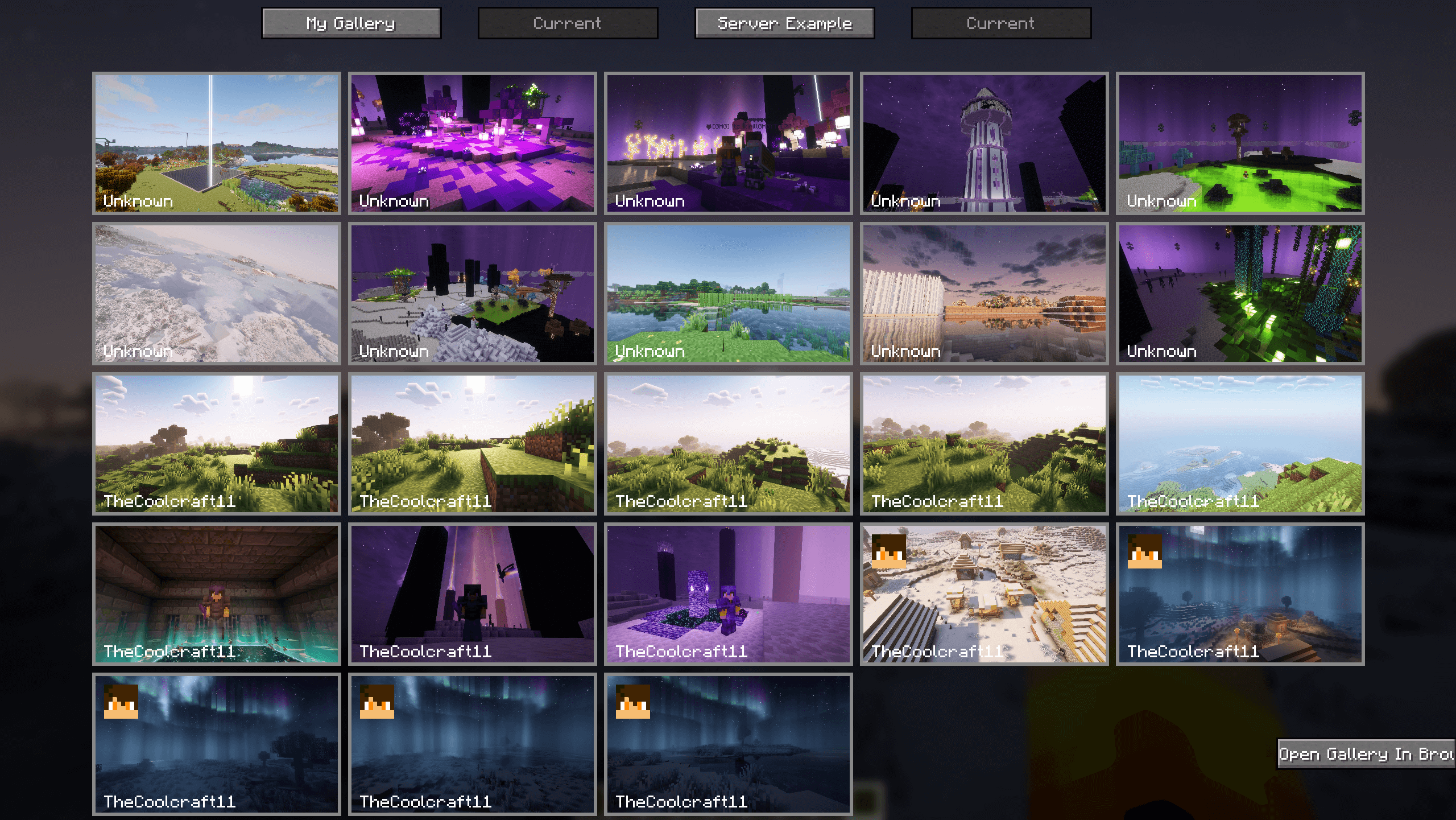 Ingame Screenshot Gallery A Image of the ingame screenshot gallery of the current played server
 -
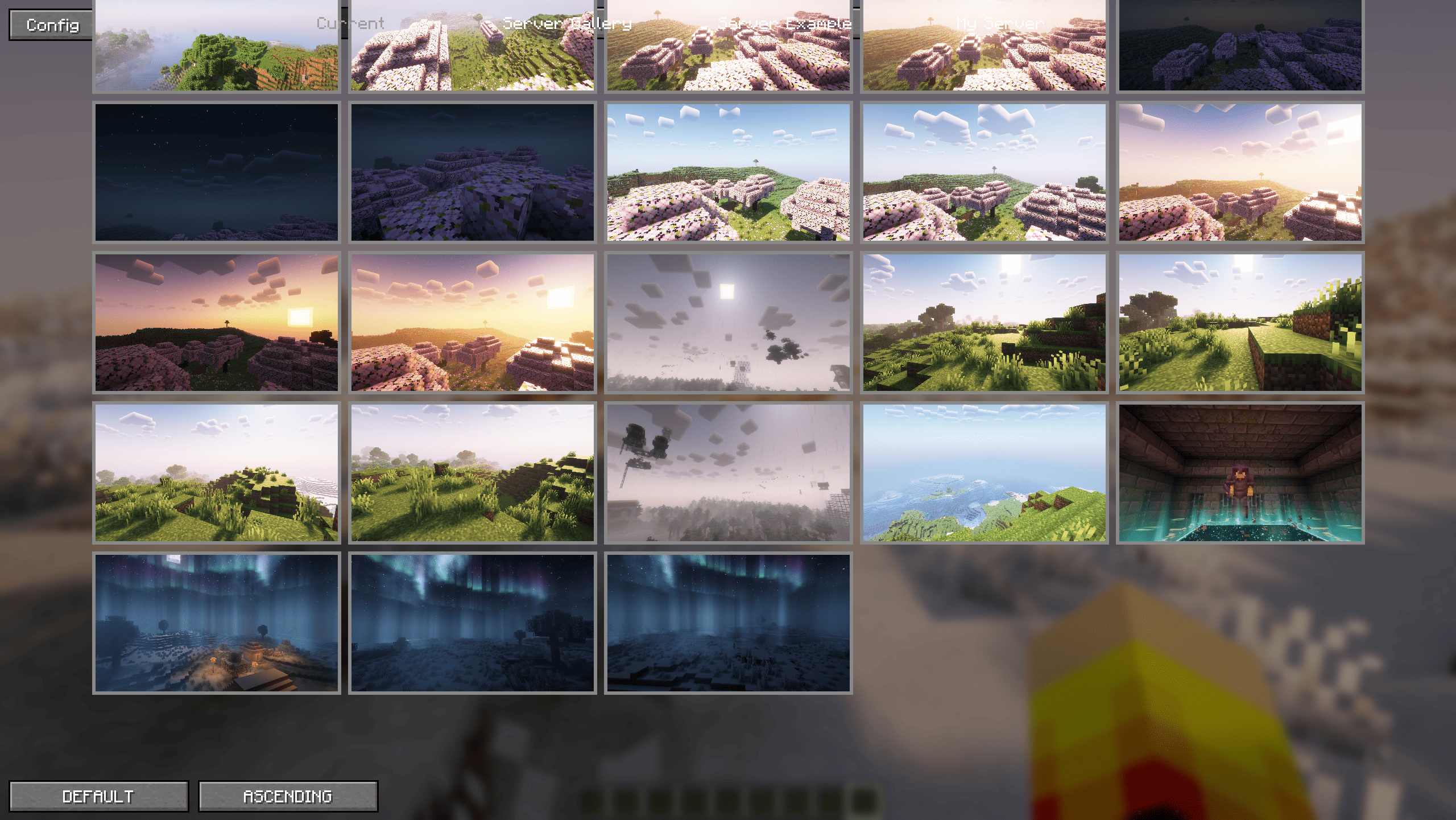 Ingame Screenshot Gallery of Local Screenshots A Image of the ingame screenshot gallery which displays the local screenshots
 -
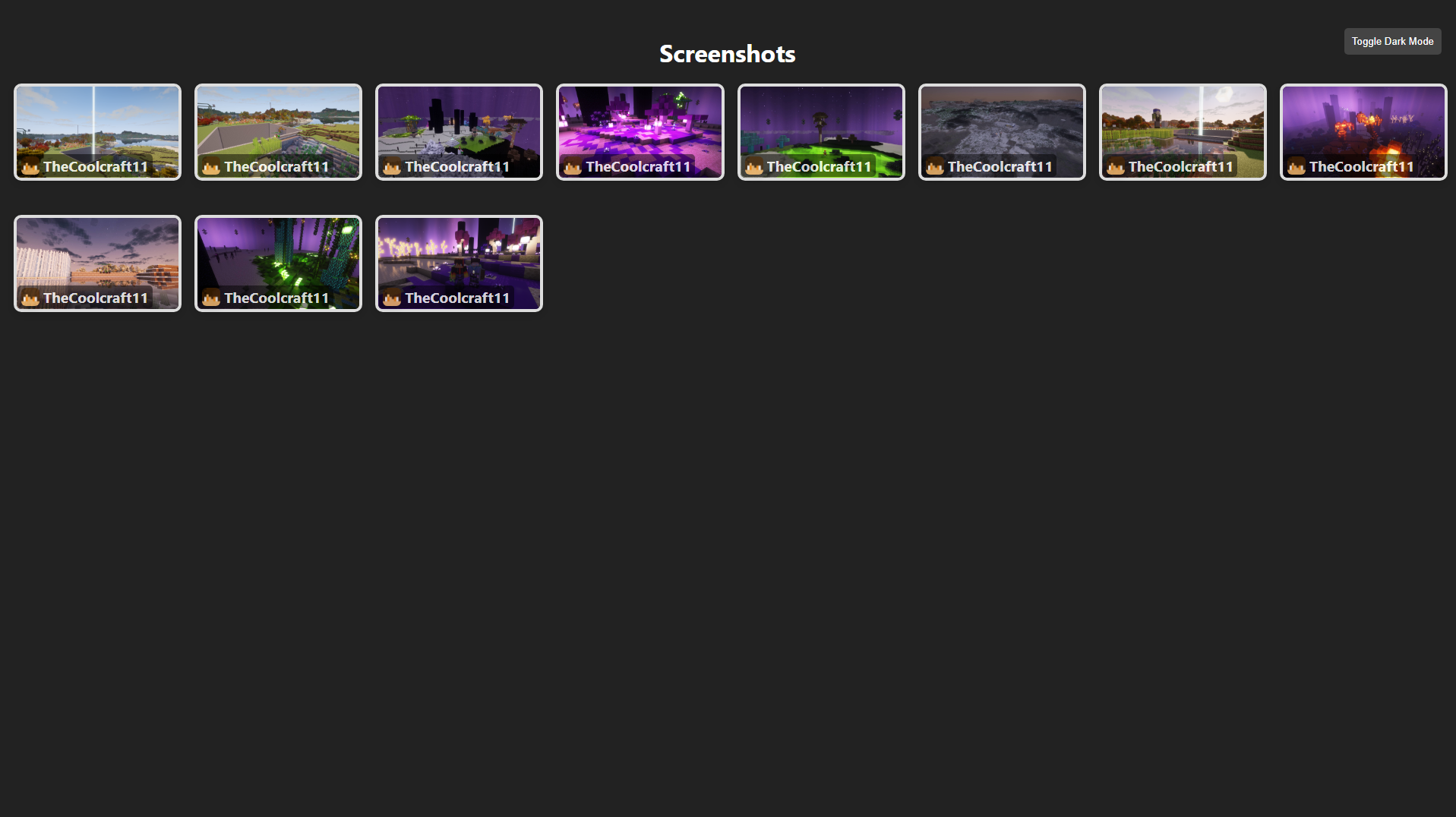 Screenshot Gallery The Web gallery of the mod
 -
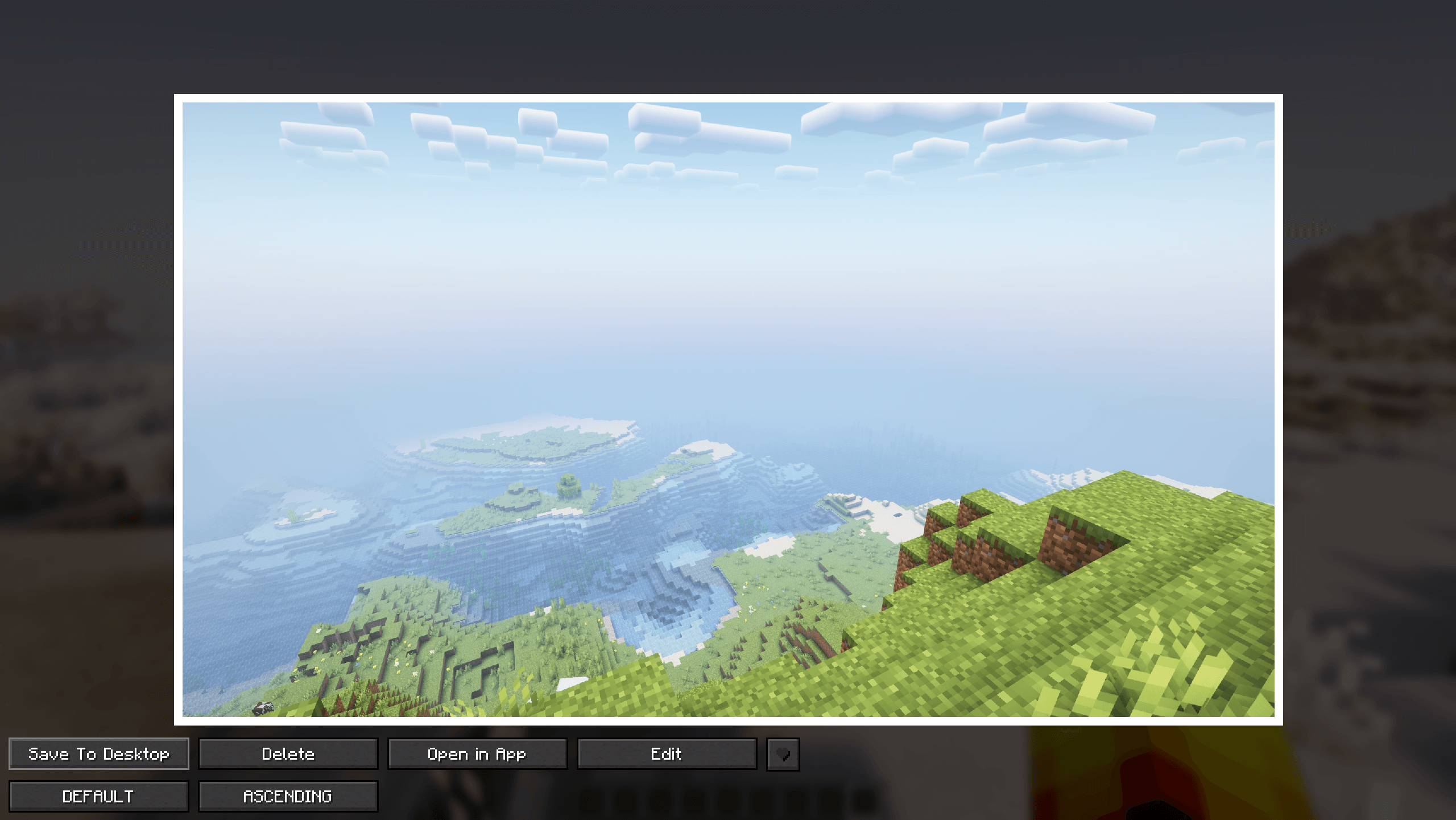 Viewed Screenshot (Game) Ingame Screenshot Viewer which displays a screenshot with buttons to manage the screenshot
 -
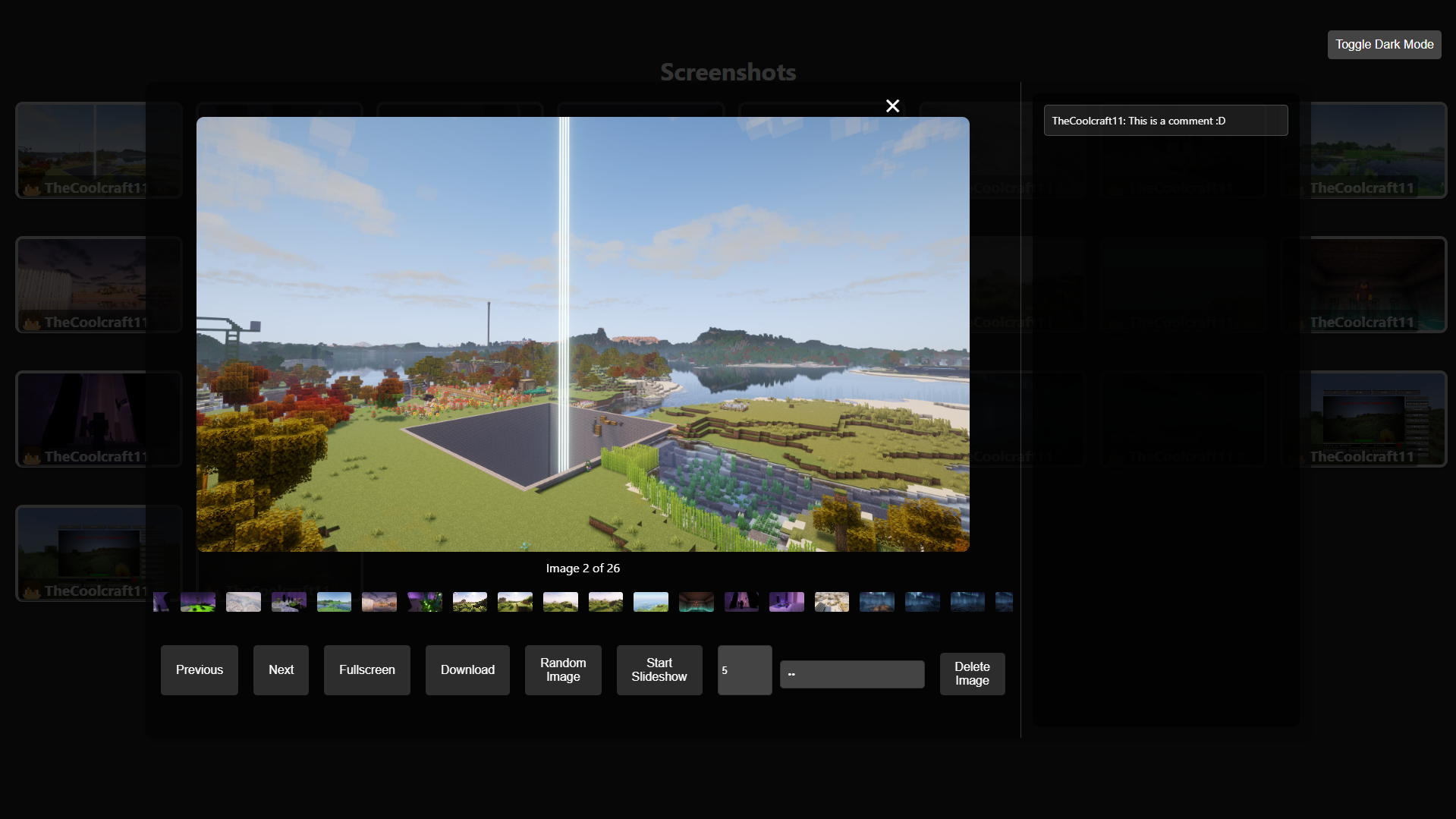 Viewed Screenshot (Web) A opened Screenshot of the web gallery
 -
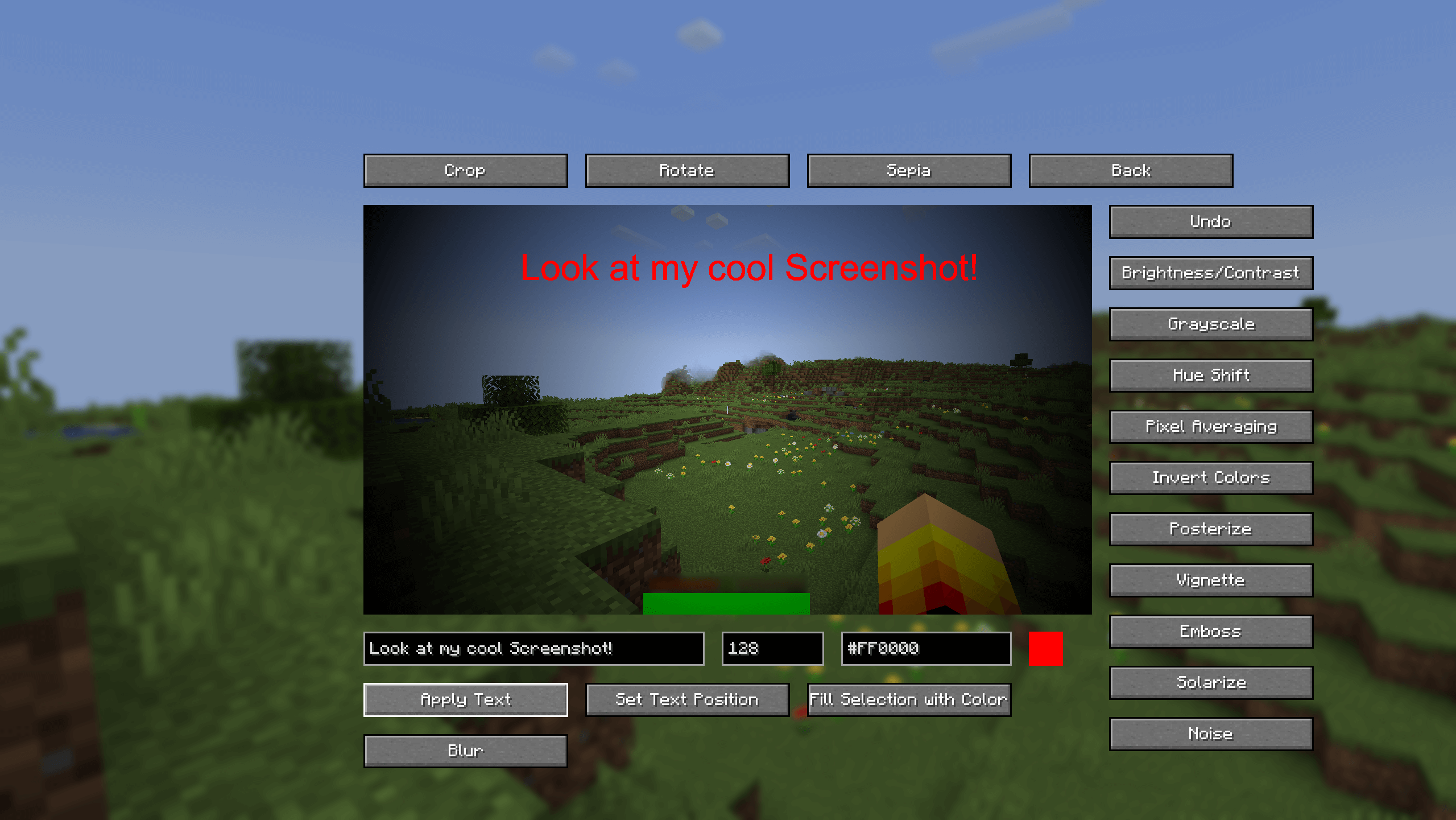 Ingame Screenshot Editor An ingame editor to apply filters, add text, blur out / fill an area, crop or rotate the image
Versions
Files
Relations
Project Relations
More like this
Similar Mods
Suggestions use data such as tags, dependencies, dependents, descriptions, titles, and more to rank how much they overlap with this mod.
On ModDex
Community snapshot
By the numbers
Statistics

Want to reach Minecraft players?
We're looking for a server hosting partner to feature here and other parts of the site. Interested? Send us a message!
Get in touchGet it on
Available Platforms
On ModDex
Community snapshot
By the numbers