
Community listing page, reviews here may not be monitored by the author.
MSIandHud

No reviews yet
Adds a performance overlay to your HUD showing FPS, CPU usage, RAM and VRAM — inspired by MSI Afterburner. Toggle it anytime with a customizable keybind. Enjoy!
Community voices
Reviews
No reviews yet. Be the first to review this project!
Get it on
Available Platforms
Compatibility
Supported Environments
Runs entirely on the client. Works on vanilla servers.
About
Project Details
For authors
Embed Badge
If you're the author of this project, you can embed a live badge anywhere that supports HTML or Markdown. It updates automatically whenever ratings change.
Use HTML for any page that supports it, or Markdown for README files and Markdown-based descriptions.
Identifiers
Platform IDs
Resources
External Links
About
Description
MSIandHud
MSIandHud is a lightweight client-side mod that displays a real-time performance overlay directly on your Minecraft HUD, inspired by MSI Afterburner.
Features
- FPS counter — color-coded: green (60+), yellow (30-59), red (<30)
- CPU usage — color-coded: blue (<50%), orange (50-79%), red (80%+)
- RAM usage — shows used / total memory in MB
- GPU name — displays your graphics card model
- VRAM usage — shows estimated video memory usage
How to use
Once installed, the overlay will appear automatically in the top-left corner of your screen.
Press F4 (configurable) to show or hide the overlay at any time. You can change the keybind in Options → Controls → Miscellaneous.
Requirements
- Minecraft 1.21.11
- Fabric Loader 0.18.1+
- Fabric API
- Mod Menu
Credits
Made by SrBeats
Screenshots
Gallery
-
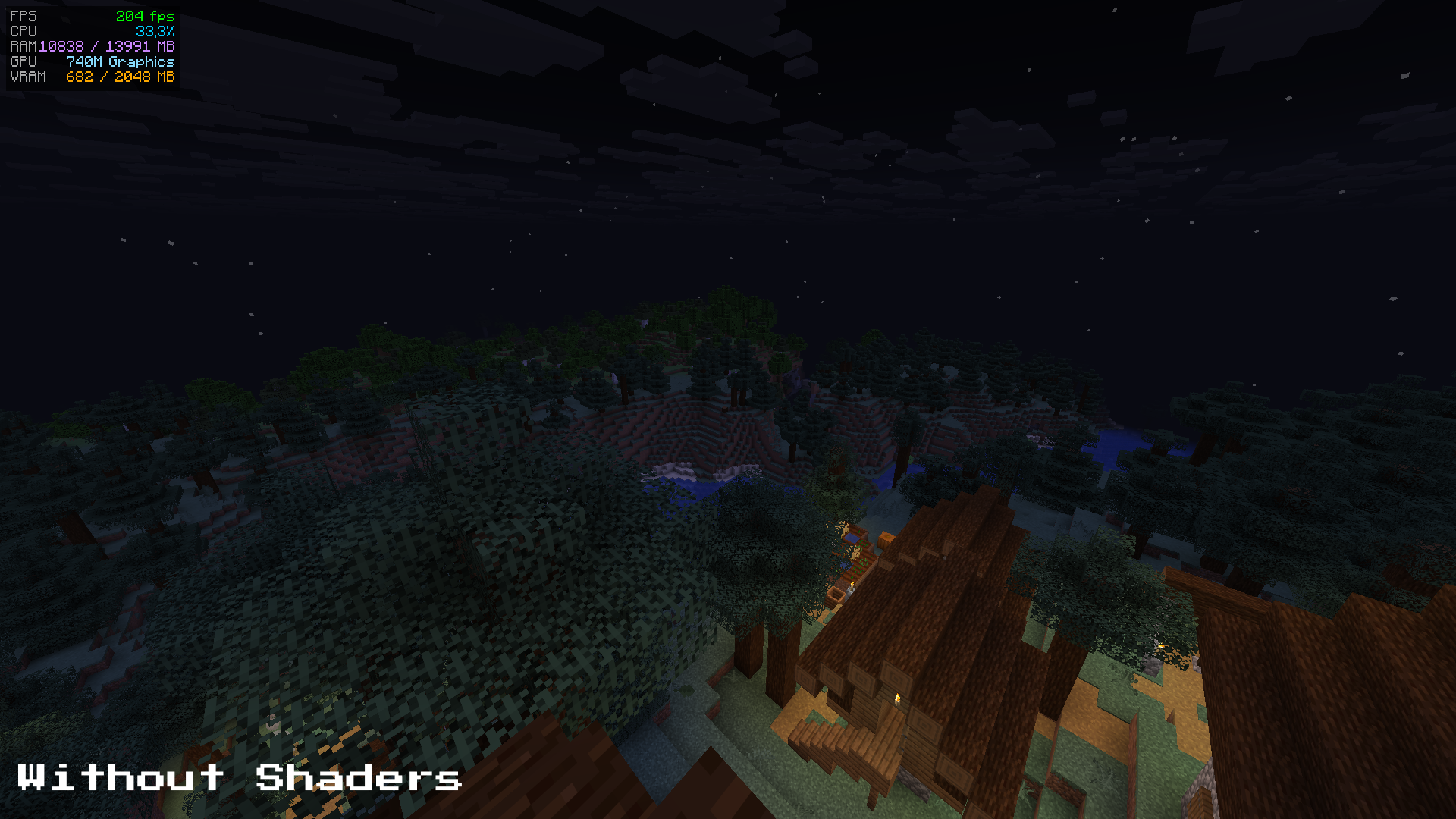 Without Shaders
 -
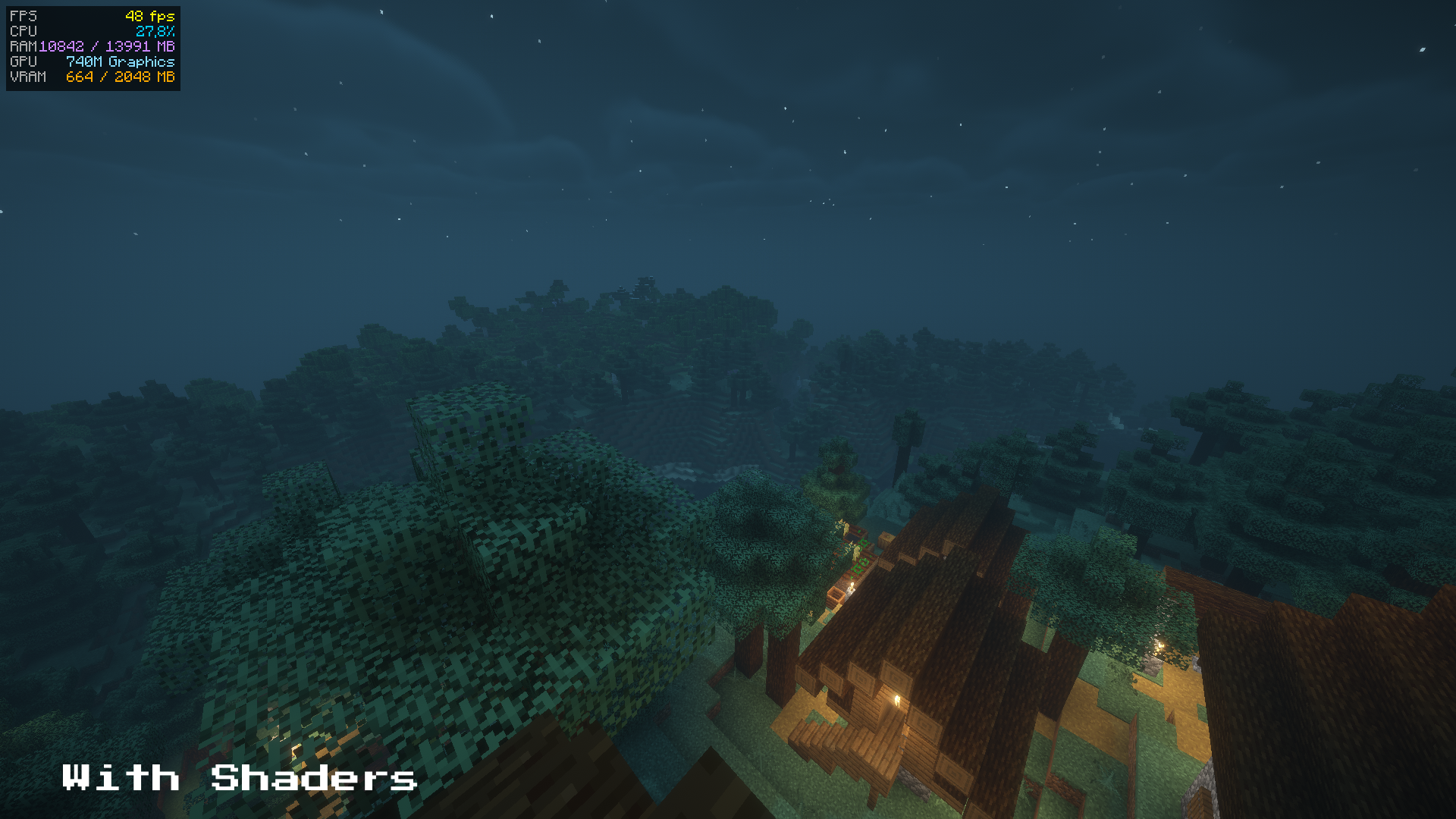 With Shaders
 -
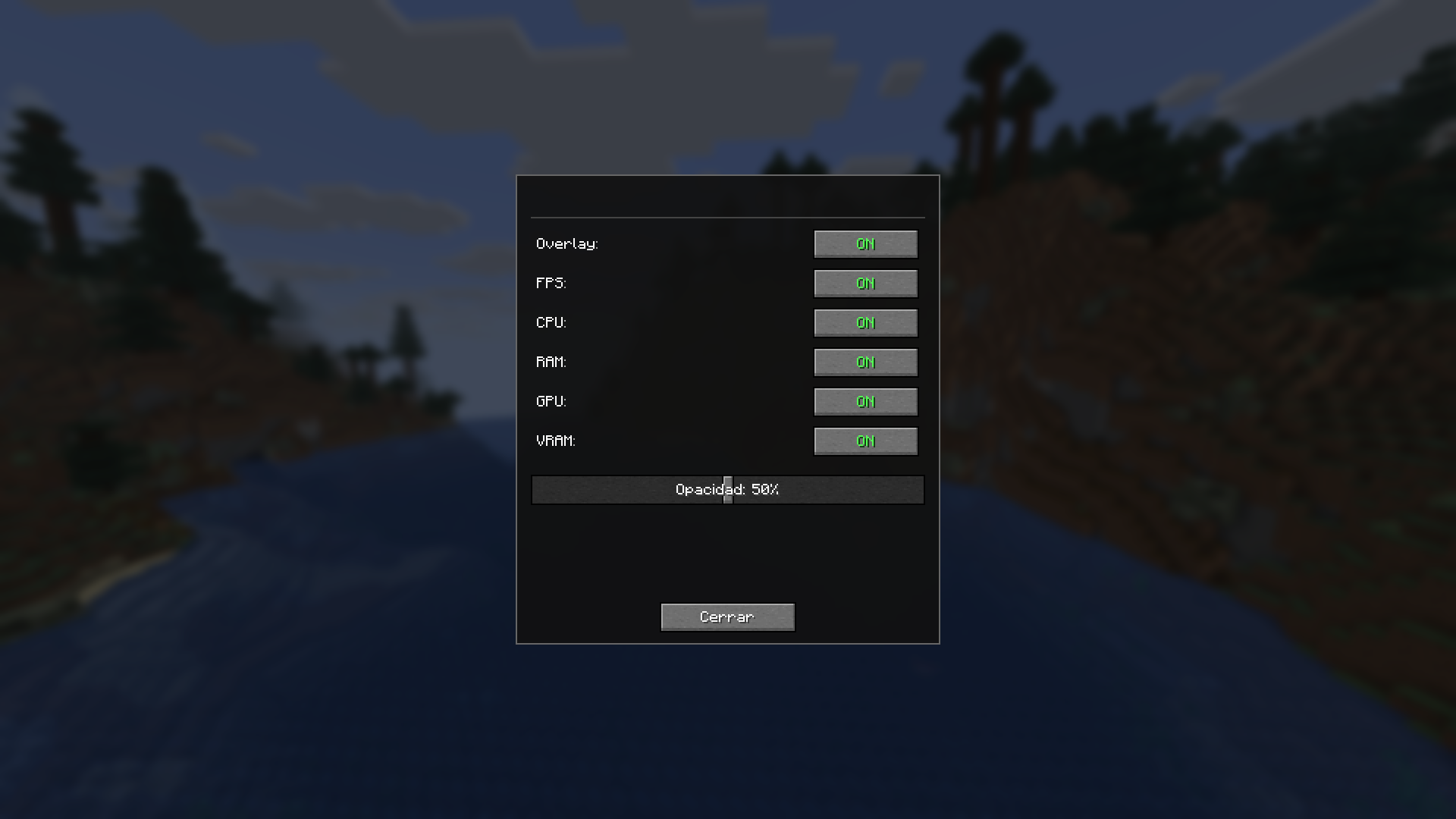 Settings Mod Settings
Versions
Files
Relations
Project Relations
More like this
Similar Mods
Suggestions use data such as tags, dependencies, dependents, descriptions, titles, and more to rank how much they overlap with this mod.
On ModDex
Community snapshot
By the numbers
Statistics

Want to reach Minecraft players?
We're looking for a server hosting partner to feature here and other parts of the site. Interested? Send us a message!
Get in touchGet it on
Available Platforms
On ModDex
Community snapshot
By the numbers
Statistics
Resources