
Community listing page, reviews here may not be monitored by the author.
MTR Traffic Addon


No reviews yet
Addon for minecraft Transit Network adding traffic generation, traffic lights and more!
Community voices
Reviews
No reviews yet. Be the first to review this project!
Get it on
Available Platforms
Compatibility
Supported Environments
Must be installed on both the client and the server.
About
Project Details
For authors
Embed Badge
If you're the author of this project, you can embed a live badge anywhere that supports HTML or Markdown. It updates automatically whenever ratings change.
Use HTML for any page that supports it, or Markdown for README files and Markdown-based descriptions.
Identifiers
Platform IDs
Resources
External Links
About
Description

MTR Traffic Addon (BETA) adds generated road traffic to Minecraft Transit Railway worlds. Place traffic spawn and despawn connectors, manage routes through the Traffic Dashboard, and let vehicles drive through your MTR-based road network. For example you have built bus network using mtr and some resource packs - now you can generate car traffic, manage intersection traffic lights and more!
Features:
- Traffic Spawn and Despawn Connectors
- In-game Traffic Dashboard
- Vehicle pool selection per spawn point
- Intersection areas with signal phases
- Vehicle spacing, queueing, and MTR vehicle awareness
- 8 built in sedan models (MTA Mesh Sedan [8 color variants])
Important info:
- Requires Fabric, Fabric API, Minecraft 1.20.1, and MTR 4.0.4 or newer
- Designed for fabric and won't support forge in near future.
- Still in active development, so larger worlds and multiplayer setups may need testing
How To Use:
1. Install Fabric API, Minecraft Transit Railway, and MTR Traffic Addon.
2. Open your world and take the Traffic Spawn Connector, Traffic Despawn Connector, and Traffic Dashboard from the MTR Traffic Addon creative tab.
3. Place spawn connectors where traffic should appear, and despawn connectors where traffic should leave.
4. Open the Traffic Dashboard to view connectors, refresh routes, clear active vehicles, and manage vehicle pools.
5. Select which vehicle models each spawn connector can use.
6. For intersections, create an intersection area in the dashboard and assign signal groups for incoming roads.
7. Enable the connectors/intersections and traffic will start spawning when a valid route exists.

Disclaimer:
- Backup your worlds first before using it!
- This mod is in alpha state and it requires custom resource packs with car models, however there are built-in MTA Sedan models with different color, but they are low-effort and it is recommended to download external car packs.

MTR Traffic Addon adds generated road traffic to Minecraft Transit Railway worlds. Place traffic spawn and despawn connectors, manage routes through the Traffic Dashboard, and let vehicles drive through your MTR-based road network. For example you have built bus network using mtr and some resource packs - now you can generate car traffic, manage intersection traffic lights and more!
Features:
- Traffic Spawn and Despawn Connectors
- In-game Traffic Dashboard
- Vehicle pool selection per spawn point
- Intersection areas with signal phases
- Vehicle spacing, queueing, and MTR vehicle awareness
- 8 built in sedan models (MTA Mesh Sedan [8 color variants])
- built in hatchback models
- build in Nissan Sentra models
- AND MUCH MORE!
Important info:
- Requires Fabric, Fabric API, Minecraft 1.20.1/1.20.4/1.21.1 and MTR 4.0.4 or newer
How To Use:
- Install Fabric API, Minecraft Transit Railway, and MTR Traffic Addon.
- Open your world and take the Traffic Spawn Connector, Traffic Despawn Connector, and Traffic Dashboard from the MTR Traffic Addon creative tab.
- Place spawn connectors where traffic should appear, and despawn connectors where traffic should leave.
- Open the Traffic Dashboard to view connectors, refresh routes, clear active vehicles, and manage vehicle pools.
- Select which vehicle models each spawn connector can use.
- For intersections, create an intersection area in the dashboard and assign signal groups for incoming roads.
- Enable the connectors/intersections and traffic will start spawning when a valid route exists.
BEFORE you ask for help - make sure to follow the instruction in documentation
Disclaimer:
- Backup your worlds first before using it!
- You can use this mod on forge with sinytra connector!

For support/discussion use our official channels either on our discord or website
Screenshots
Gallery
-
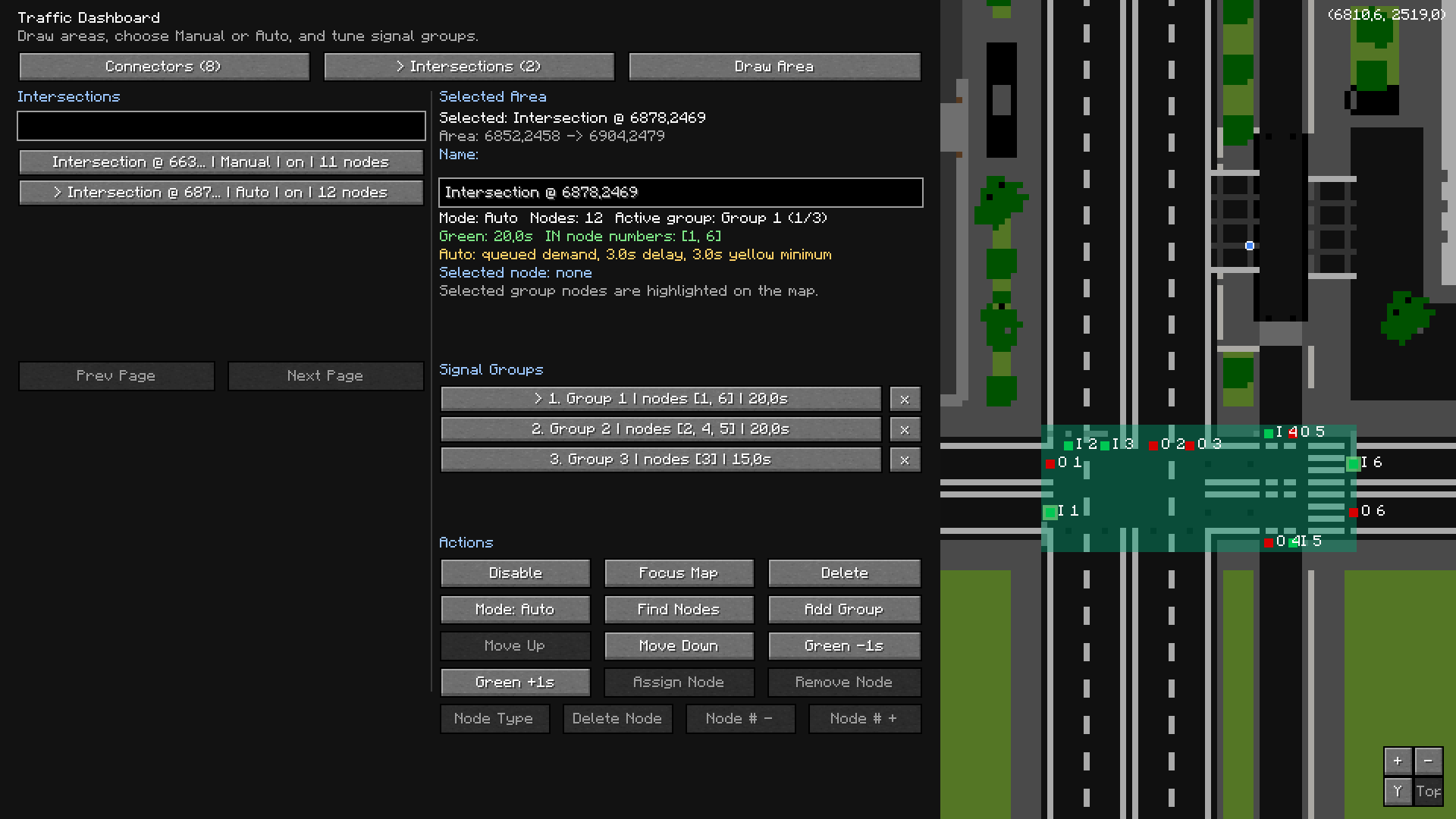 Traffic Dashboard Traffic Dashboard
 -
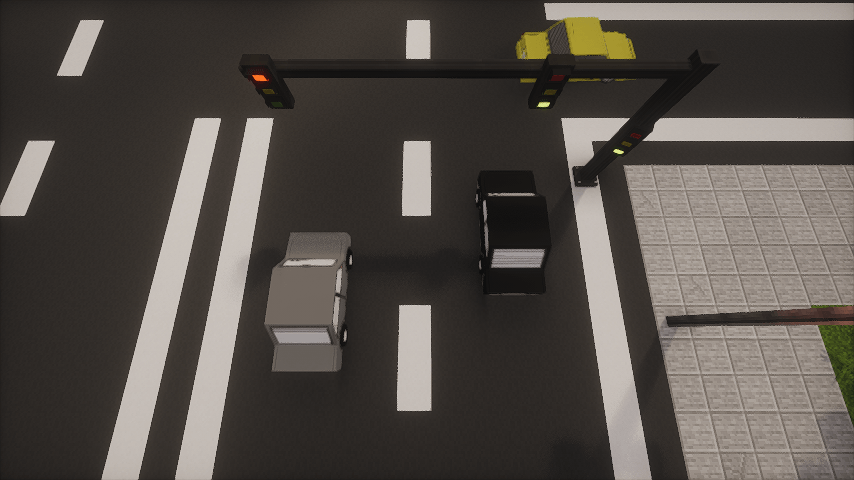 Vehicles on road Vehicles on road
-
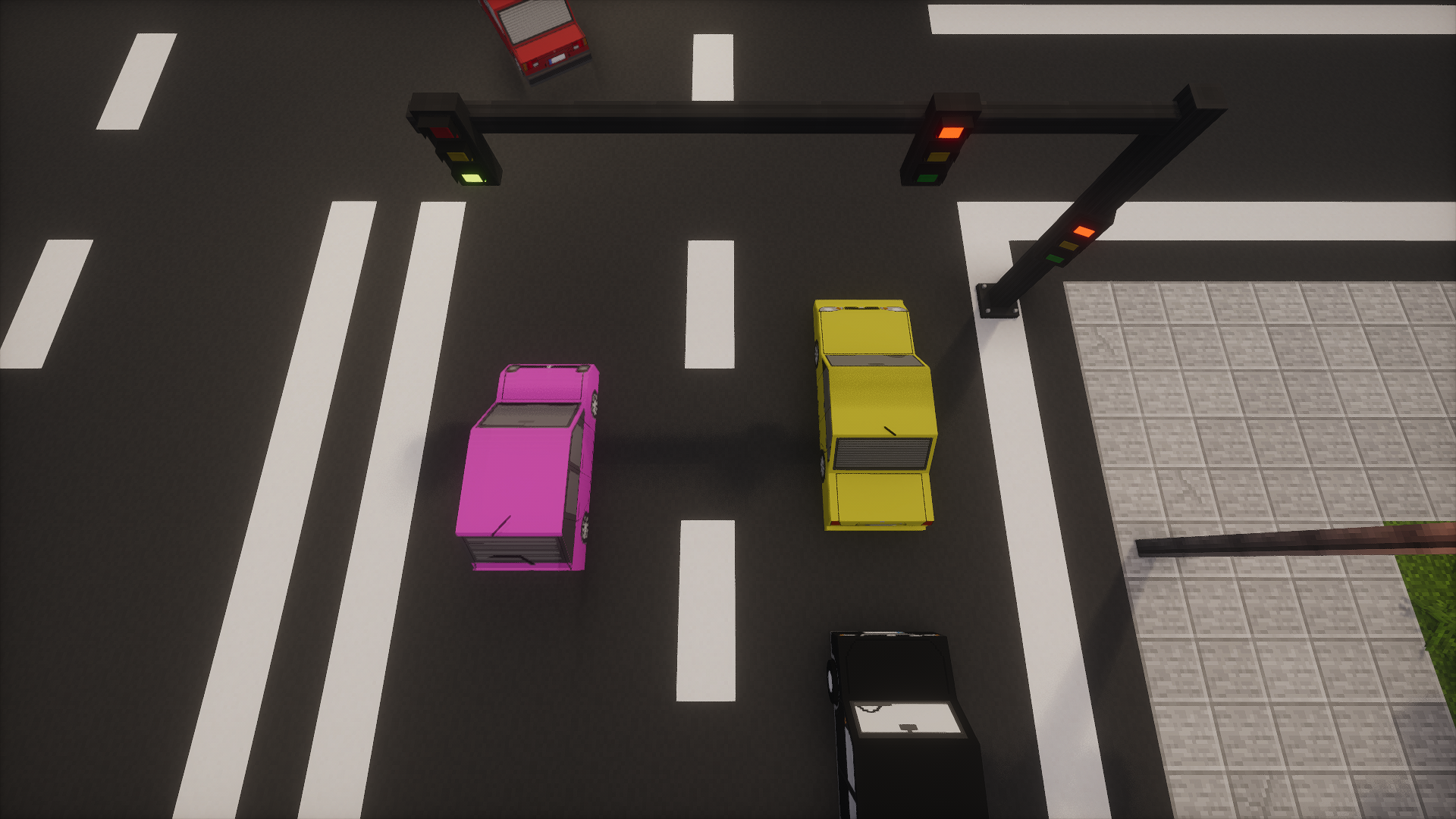 Cars on traffic lights
 -
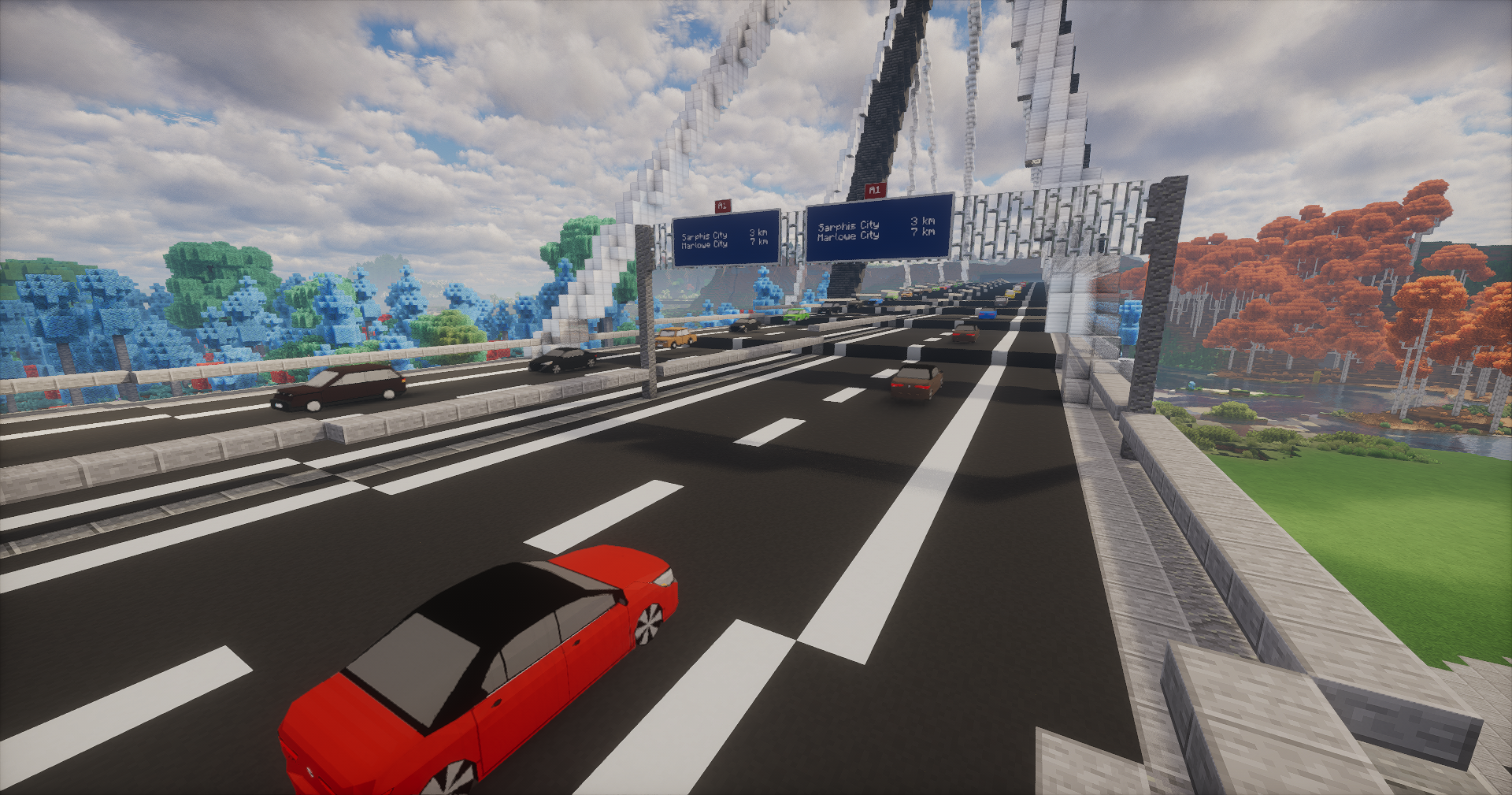 Customizable road signs
 -
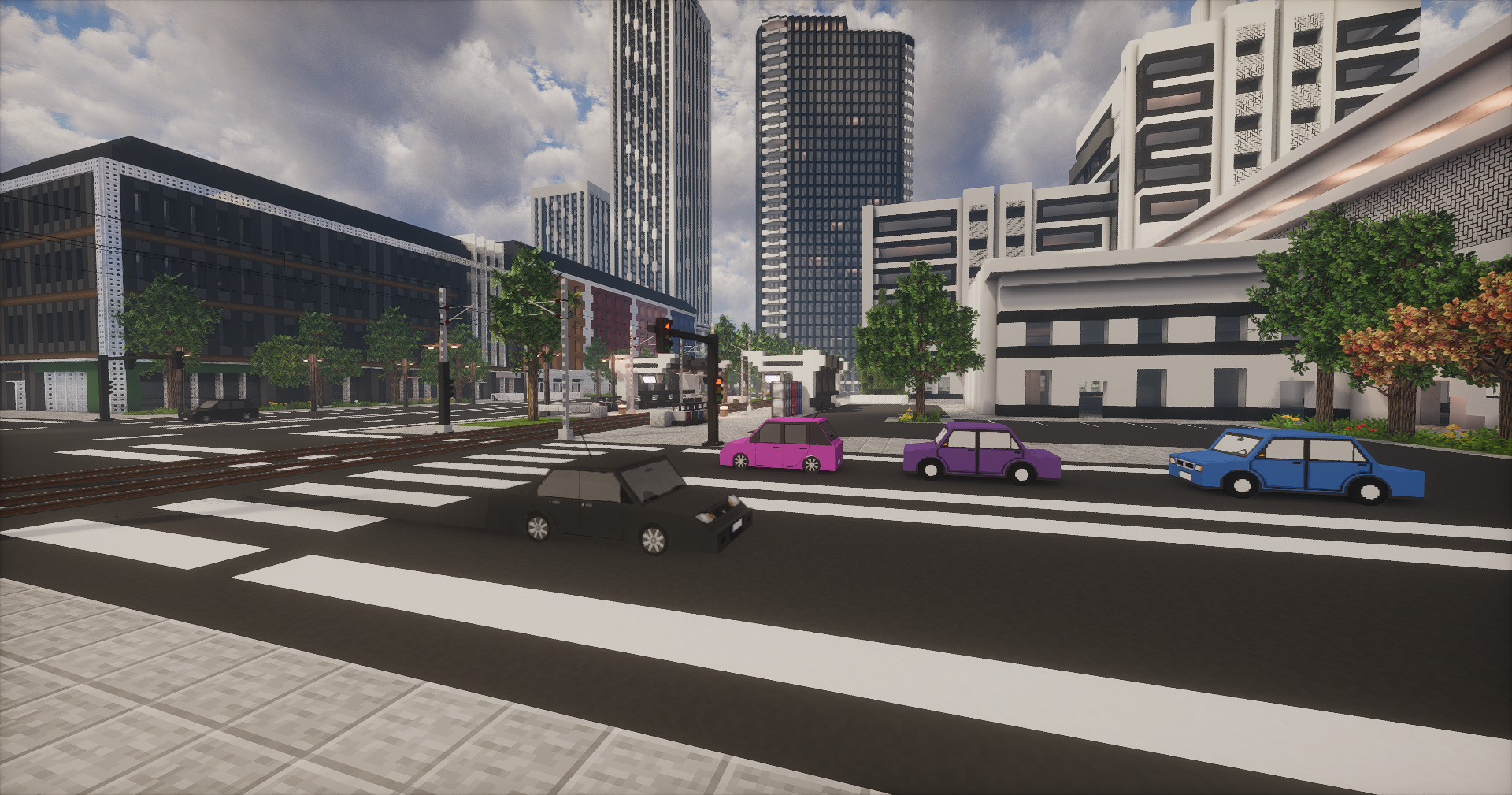 Cars on roads
 -
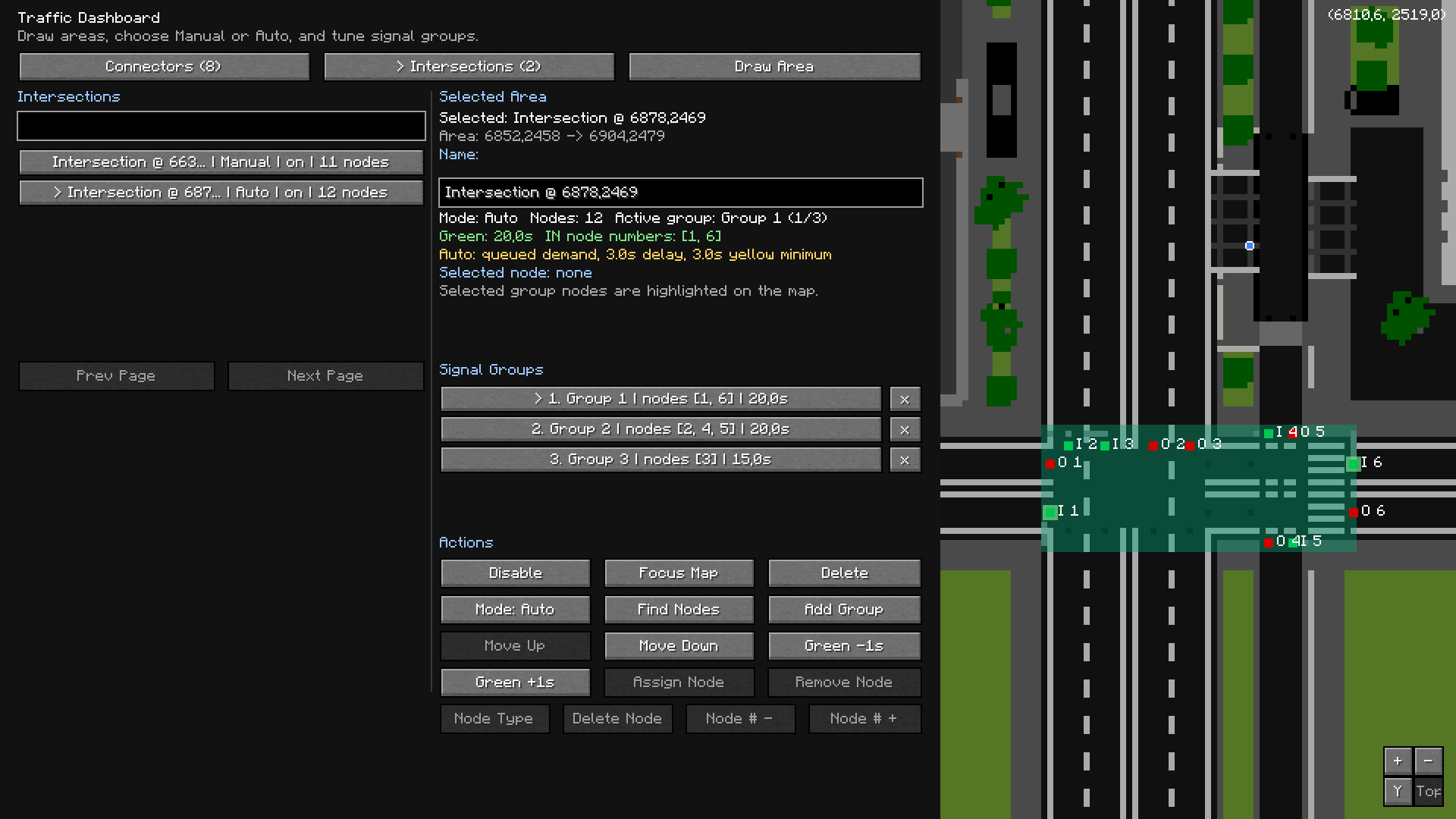 Traffic lights config Configuration UI for traffic lights in Traffic Dashboard
Versions
Files
Relations
Project Relations
More like this
Similar Mods
Suggestions use data such as tags, dependencies, dependents, descriptions, titles, and more to rank how much they overlap with this mod.
On ModDex
Community snapshot
By the numbers
Statistics
Want to reach Minecraft players?
We're looking for a server hosting partner to feature here and other parts of the site. Interested? Send us a message!
Get in touchGet it on
Available Platforms
On ModDex
Community snapshot
By the numbers
Statistics
Resources