
Music Regions
No reviews yet
Adds region based music and customization to your worlds, offering easy editing and music immersion.
Fabric is a mod loader for versions 1.14+ of Minecraft, particularly popular for client side and optimization mods.
Community voices
Reviews
Click once to include, again to exclude, again to clear
No reviews yet. Be the first to review this project!
Get it on
Available Platforms
 Modrinth
Compatibility
Supported Environments
About
Project Details
For authors
Embed Badge
If you're the author of this project, you can embed a live badge anywhere that supports HTML or Markdown. It updates automatically whenever ratings change.
Use HTML for any page that supports it, or Markdown for README files and Markdown-based descriptions.
Identifiers
Platform IDs
Resources
External Links
About
Description
Music Regions
Create immersive, dynamic soundscapes for your Minecraft world with custom region-based music. Music Regions allows you to assign unique music tracks to areas of your world, creating everything from peaceful villages and dangerous battlefields to cinematic events and festivals.
Whether you are building an RPG adventure map, a survival world with custom atmospheres, or a large roleplay server, Music Regions gives every location its own soundtrack.
Features
🎵 Custom Music Library
Add your own music without editing sounds.json.
Simply place your .ogg music files into:
.minecraft/config/musicregions/music
Then run:
/music reload
Your new tracks will automatically be detected and become available in the Music Manager.
Supported music can be:
- Custom compositions
- Ambient tracks
- Battle themes
- Adventure music
- Event soundtracks
Existing sounds.json tracks are still supported.
Creating Music Regions
Create a Region
Open the Music Region editor with:
/music editor
Create a new region by entering:
/music create <region_name>
Example:
/music create roman_colosseum
Each region can have:
- A unique name
- Custom music tracks
- Priority settings
- Custom colors for visualization
- Unlimited painted chunks
- Assigning Music
Open the Music Manager:
/music manager
Select a region and add music tracks from your available music library.
Example tracks:
t4
battle_theme
forest_ambient
A region can contain multiple songs, and Music Regions will randomly select tracks while inside the area.
Painting Regions
Regions are created by painting Minecraft chunks.
Use:
/music editor
Then select a region and paint chunks by left clicking your current chunk or unpaint with right click.
Features:
- Paint unlimited chunks
- Remove painted chunks
- Create large cities, kingdoms, dungeons, or continents
- Regions update dynamically while editing
- Music Transitions
Music Regions includes a smooth fading system.
When moving between areas:
- Current music fades out
- New regional music fades in
- Multiple tracks are prevented from overlapping
This creates seamless transitions between locations.
Regional Priority System
Regions can have priorities to control overlapping areas.
Higher priority regions override lower priority regions.
Useful for:
- Cities inside kingdoms
- Boss arenas inside dungeons
- Special event locations
- Important landmarks
- Chronicle: World Calendar Integration
Music Regions integrates with Chronicle: World Calendar to provide dynamic event soundtracks.
Calendar events can:
- Start custom event music
- Override regional music
- Play special playlists
- Restore regional music after the event ends
Examples:
- Colosseum tournaments
- Festivals
- Battles
- Seasonal events
- Story moments
Event music is controlled by Chronicle while Music Regions handles playback, fading, and priority management.
Commands
Open Region Editor
/music editor
Opens the chunk painting editor.
Open Music Manager
/music manager
Manage regions, tracks, colors, and priorities.
Create Region
/music create <name>
Creates a new music region.
Example:
/music create desert_temple
Reload Music Library
/music reload
Scans the music folder and updates available tracks.
Planned / Future Features
- More advanced region tools
- Additional music controls
- More customization options
- Expanded event integration
Requirements
- Fabric Loader
- Fabric API
Optional:
Chronicle: World Calendar 1.1.0 (for event music integration)
Notes
Music Regions is designed to be simple for players while powerful enough for large-scale custom worlds. No manual resource pack editing is required for adding music — just drop in your .ogg files, reload, and start building your soundtrack.
Screenshots
Gallery
-
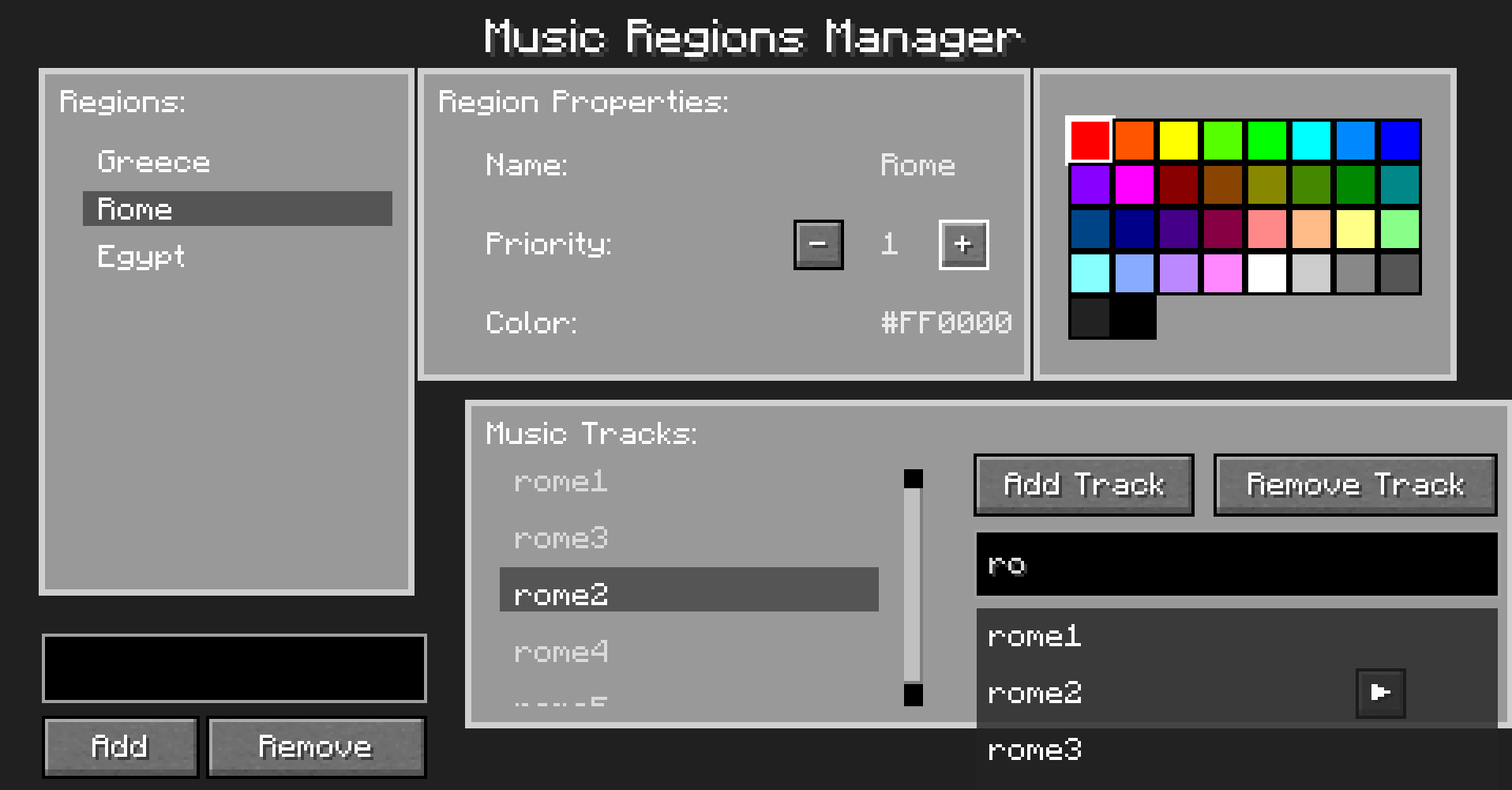 Music GUI Editing As you can see, i have a selected region and can see everything about that region. Its properties, color, and the tracks assigned to that region. you can easily add and remove tracks and regions with the buttons.
 -
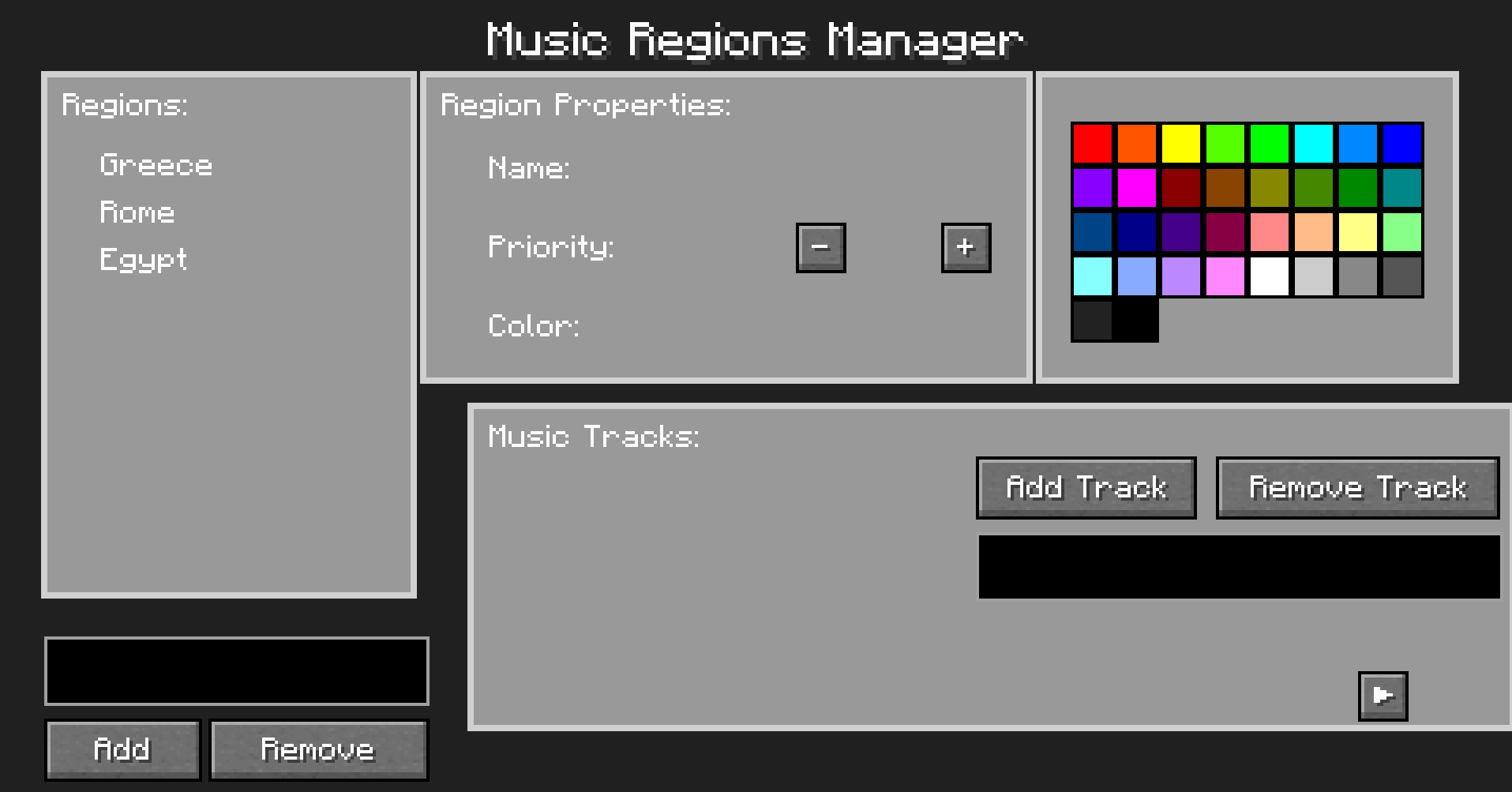 Music GUI This is the GUI of the mod. Here, you can do everything for the mod except for painting chunks. This will make things much easier than pure commands.
 -
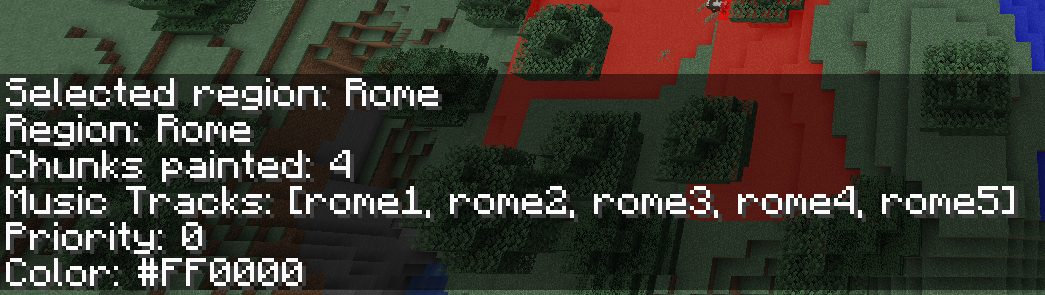 Info Command Entering the /music info command will tell you what current region you have selected and give you information about that region, including the tracks involved and chunk count.
 -
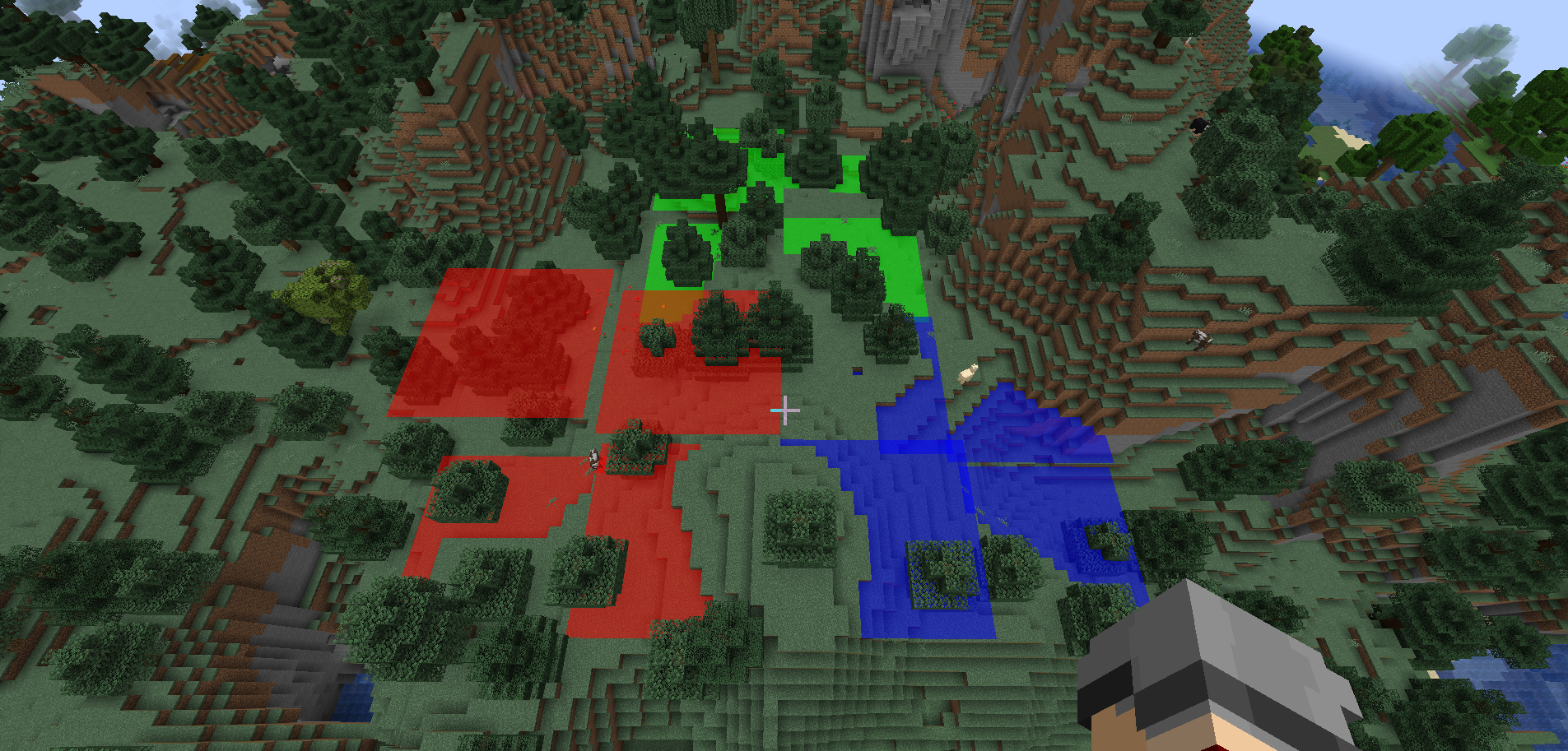 Editor Mode This is what Editor mode looks like once you create regions. There are three here.
 -
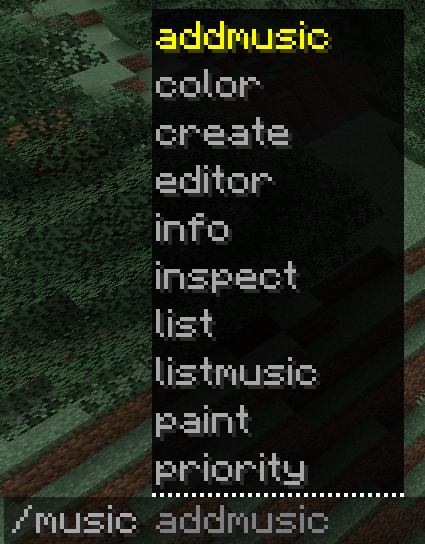 Command list Just a picture of most of the command available when /music is typed.
 -
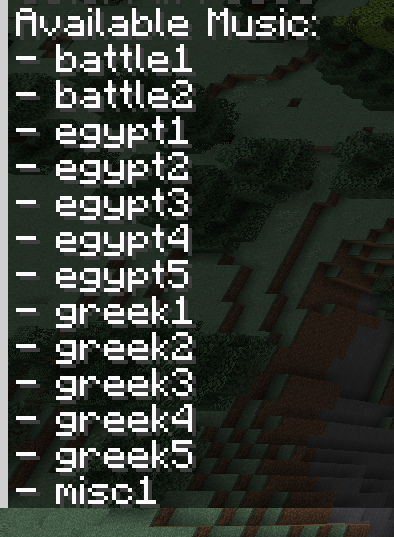 Song Scan This mod also can scan the resource folder for sounds you put in and tell you the file name so you do not have to go back to remember what the file is called. Added bonus: this mod will also have these files on autotab when you enter the /music addmusic.
 -
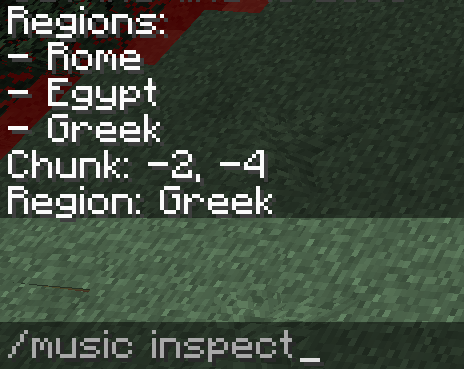 Inspect Command Entering the /music inspect command will inspect the chunk you are currently in and tell you if it belongs to a region.
 -
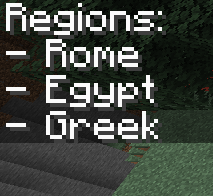 List Command Entering /music list will tell you all of the regions you have created.
Versions
Files
Relations
Project Relations
More like this
Similar Mods
Suggestions use data such as tags, dependencies, dependents, descriptions, titles, and more to rank how much they overlap with this mod.
On ModDex
Community snapshot
By the numbers
Statistics

Want to reach Minecraft players?
We're looking for a server hosting partner to feature here and other parts of the site. Interested? Send us a message!
Get in touchGet it on
Available Platforms
On ModDex
Community snapshot
By the numbers
Statistics
Resources